
AcceleratorsConstruction Operations Platform
Every project.
Every role.
One jobsite of record.
An advanced DICOM visualization platform that gives orthopedic surgeons real-time 3D analysis,automated screw recommendations, and precise implant positioning all in one integrated workflow.
Get Started
Play Video
Watch Platform Flow
Role-based access enforced automatically not configured by hand

Built for every seat on the org chart
General Contractors
Project
Managers
Superintendents
& Foremen
Field
Crews
Owners
& Clients

Role-based access
A chain of command your software actually enforces.
Super Admins see and control everything. Project managers get the same authority, scoped to the fence of their own project.
Full control, sealed by the project.
Every project manager runs their job with complete authority, hiring the crew, approving field-level purchase orders, and closing out RFIs. That authority stops exactly at the edge of their own project.
- Super Admins retain full visibility across every project and team
- Each PM’s project is a sealed lane invisible to other PMs
- Owners get a scoped, read-only view, with no extra calls to the PM
| Capability | Super Admin | Project Manager | Superintendent | Foreman | Field Craft Worker | Owner / Client |
|---|---|---|---|---|---|---|
| Create & configure projects | Full | Own project | — | — | — | — |
| Manage staff & roles platform-wide | Full | Own team | — | — | — | — |
| Build & manage project team | Full | Own project | Own crew | Own crew | — | — |
| Approve purchase orders & contracts | Full | Own project | Submit only | — | — | View only |
| Submit & respond to RFIs | Full | Own project | Submit & respond | Submit | — | View only |
| Update the project schedule | Full | Own project | Update | Update tasks | Log progress | View only |
| Dashboard & reporting insights | All projects | Own project(s) | Own project | Own crew | — | Own project(s) |
| View equipment & material deliveries | Full | Own project | Own site | Own site | Log receipt | View only |
6
Roles, one chain of command
2
Portals Admin & PM
29
Modules across both portals
1
Source of truth per project
Two portals
Built for two different jobs.
The Admin portal runs the business across every project. The PM portal runs one job at a time, deeply.
Admin Portal
Projects
Every active and past project on the platform, in one register.
Contracts Directory
Terms, value, and vendor of record for every project.
Purchase Orders
Issue, track, and approve POs against project budgets.
Equipment
What’s on which site, its status, and assignment history.
Users
Every person on the platform, across every role and project.
Reports
Roll-up reporting across projects, spend, and staffing.
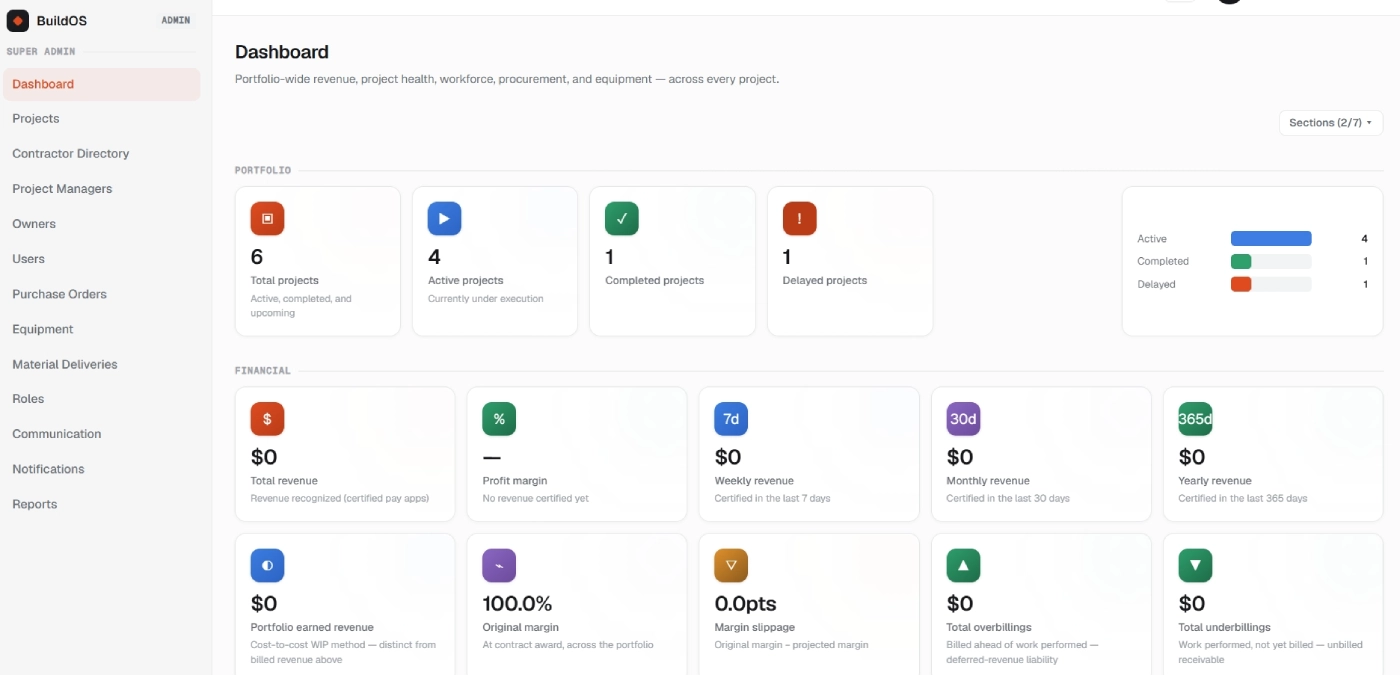
Dashboard
Portfolio-wide revenue, project health, and workforce
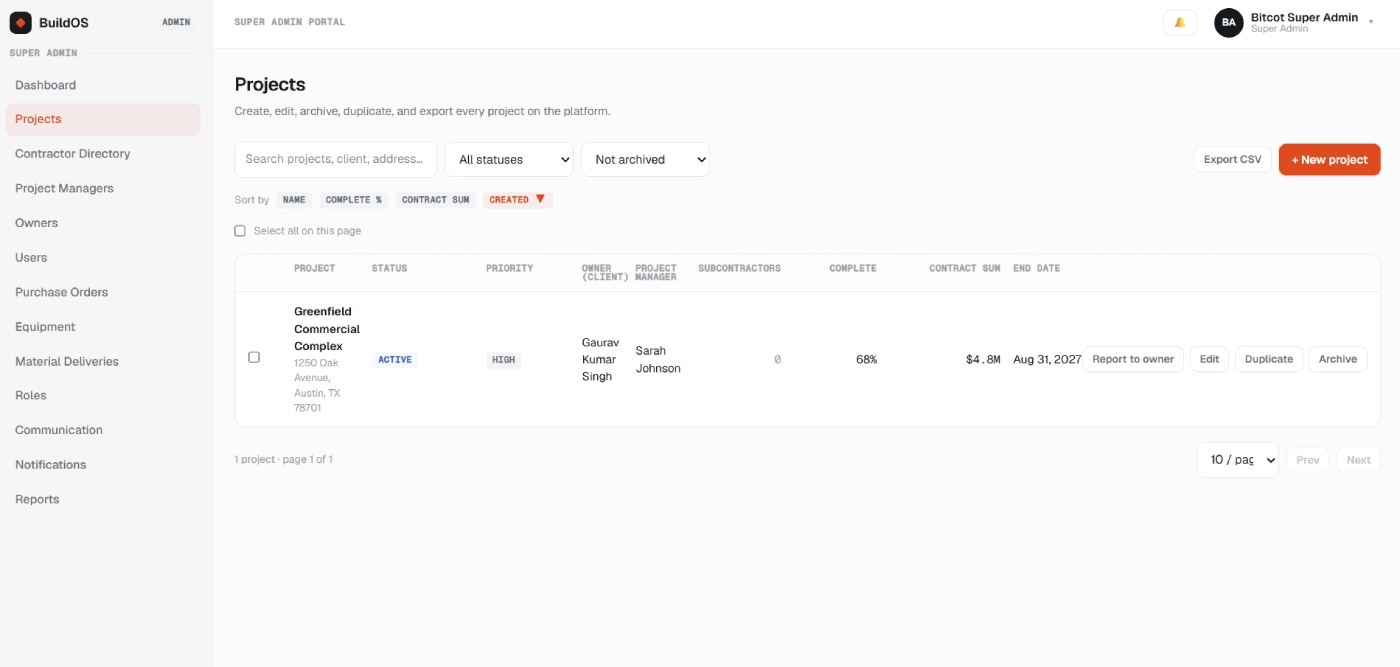
Projects
Create, edit, archive, and export every project
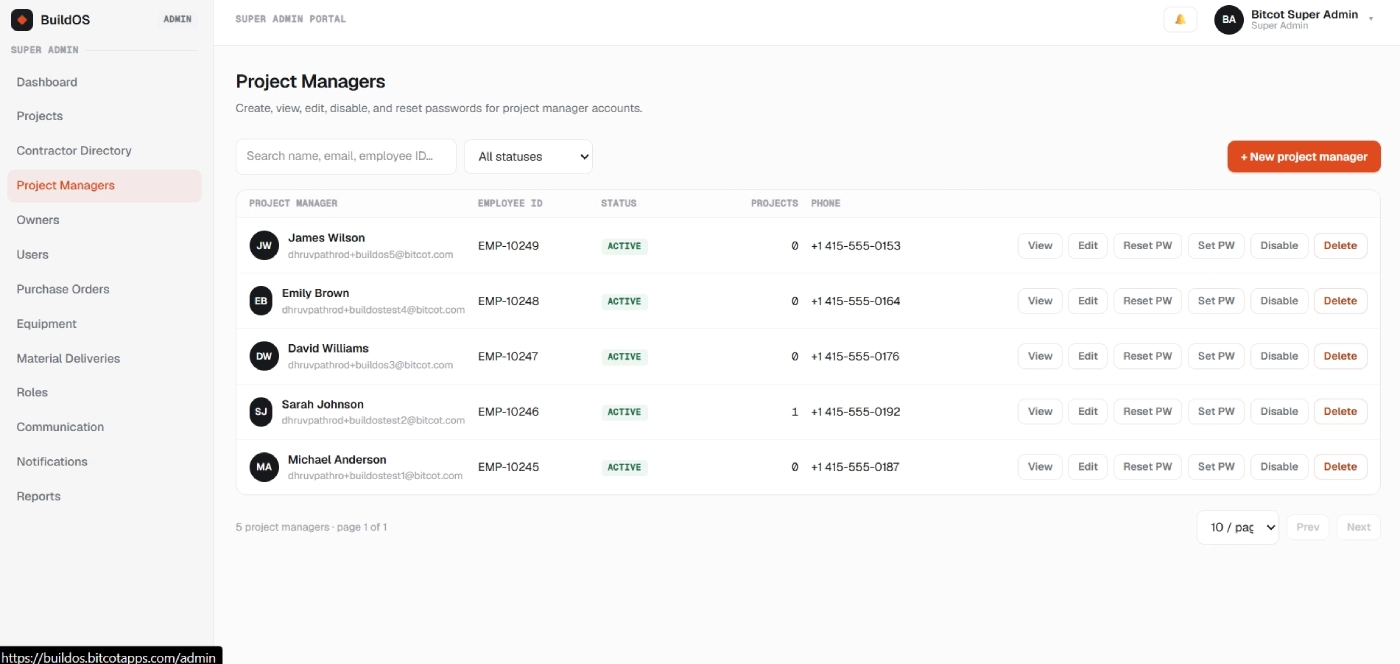
Project Managers
Create, view, and manage every PM account
Admin Portal complete list
12 modules
Projects
Contracts Directory
Project Managers
Owners
Users
Purchase Orders
Equipment
Material Deliveries
Roles
Communication
Notifications
Reports
PM Portal
Dashboard
A live read on the status, risk, and attention needed for the projects this PM owns.
Inbox
Centralized messages and alerts across every project this PM owns.
Schedule
The project timeline was sequenced, assigned, and kept current from the field up.
RFI’s & Docs
Log RFIs and keep the drawings and specs they reference in one thread.
Financials
Budget, committed cost, and change-order impact against the contract.
Procurement
Track material and equipment orders from request through delivery.
Foreman AI
An AI model built into the PM portal that flags what needs attention and helps with day-to-day project tasks.
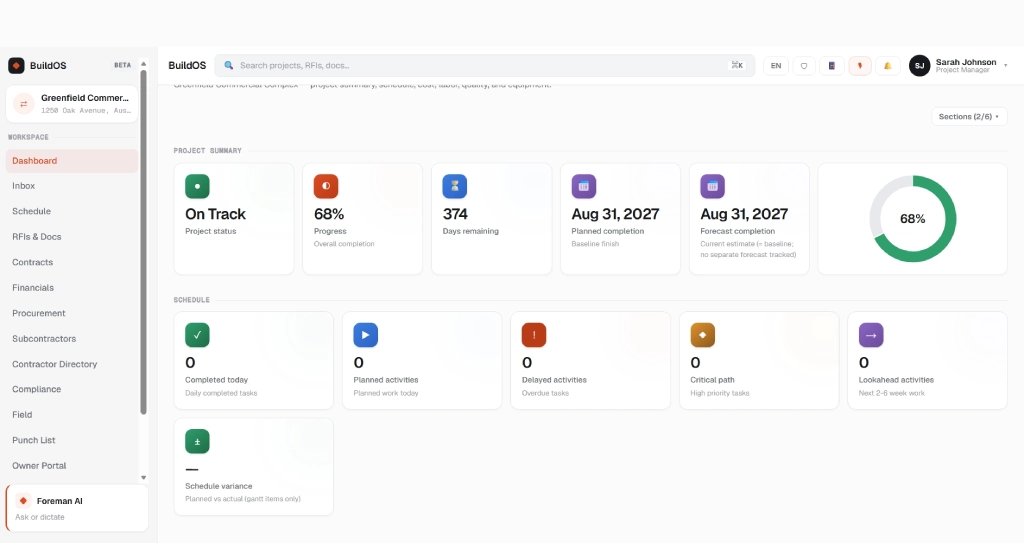
Dashboard
Project summary, schedule, cost, quality, and equipment
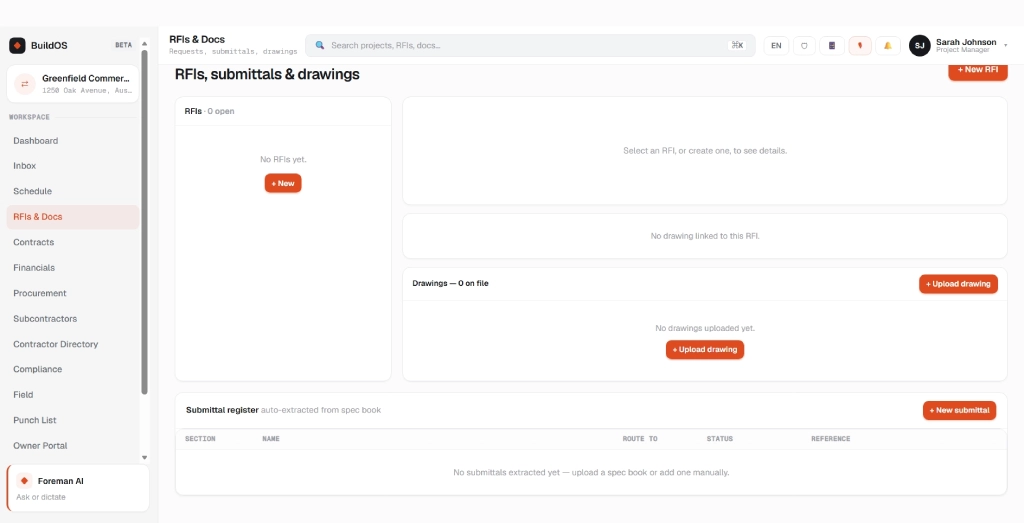
RFI’s & Docs
Requests, submittals, and drawings in one thread
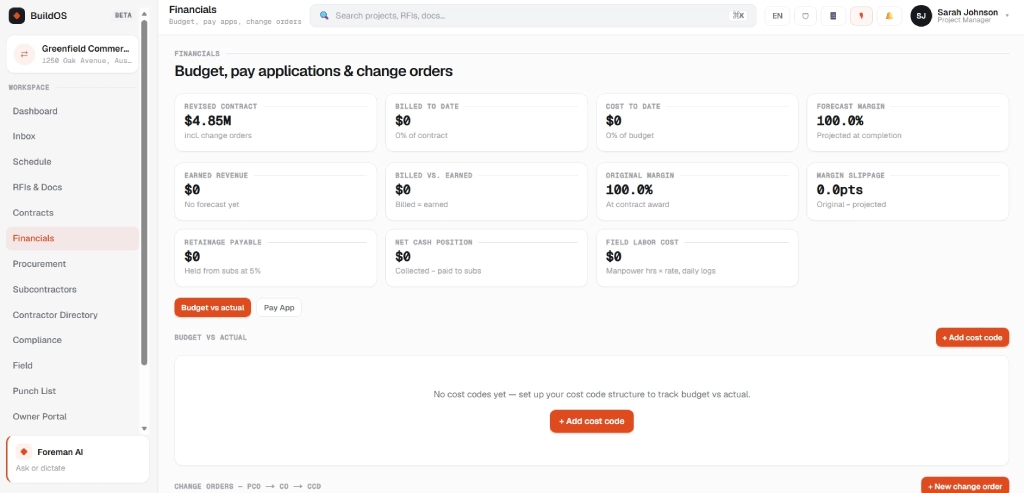
Financials
Budget, pay applications, and change orders
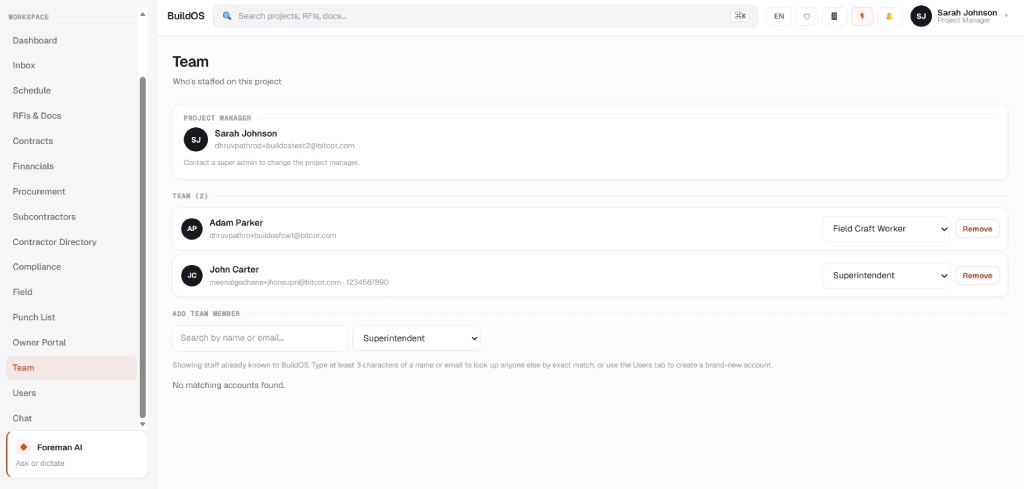
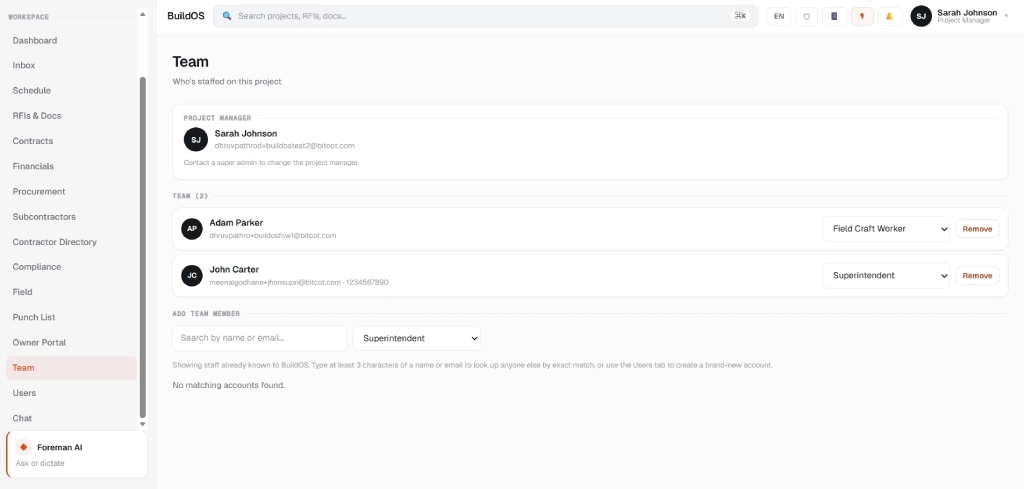
Team
Who’s staffed on this project, role by role
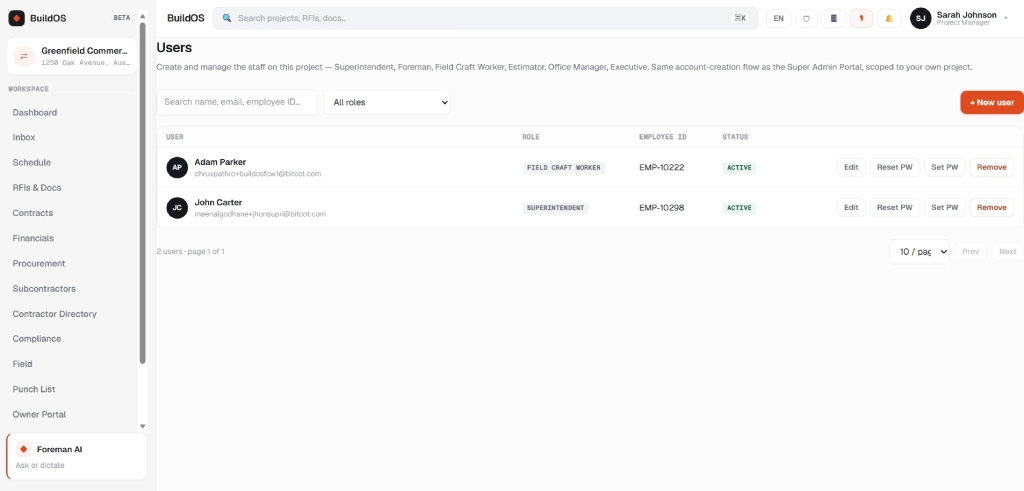
Users
Manage login access, scoped to this project
PM Portal complete list
17 modules
Dashboard
Inbox
Projects
Schedule
RFI's & Docs
Contracts
Financials
Procurement
Subcontractors
Contractors Directory
Compliance
Field
Punch List
Team
Users
Foreman AI — AI assistant
Meet Foreman AI.
An AI model built directly into the Project Manager portal monitors everything a PM owns and helps with the day-to-day work of running a job, like a good foreman.
- Surfaces what needs a PM’s attention across every owned project
- Helps draft responses and day-to-day project communication
- Answers questions about schedule, budget, and open items on request
Foreman AI is pinned to every screen in the PM portal — always one click away, never a separate app to open.
Talk to an Expert
In practice
What each role actually does on a live job.
The hierarchy isn’t theoretical; here’s what it looks like on a Tuesday.
Super Admin
Onboards a new PM and can step into any project when something needs a second set of eyes.
Project Manager
Stands up a project from contract to crew and owns every RFI for that job only.
Superintendent
Assigns foremen to work areas and flags an RFI before it becomes a delay.
Foreman
Breaks the schedule into tasks and reports shortages up the chain in real time.
Field Craft Worker
Clocks in and logs progress from a phone no dashboard clutter.
Owner / Client
Opens a read-only view of the schedule, budget, and open RFIs.
See it in action
A guided walkthrough of
the live product.
From project setup to the crew on site, the full loop, in one recording.
Frontend Next.js Backend Supabase
Get in Touch
Ready to run every job off one system?
Bitcot can scope BuildOS against your existing project list, org chart, and vendor directory and have a working Admin and PM portal live before your next mobilization.
Let’s go from 0 to 1+
Tell us how you dream it. We’ll show you how to ship it.
A 30-minute discovery call with a senior engineer, not a sales rep. Walk away with a build plan, a timeline, and a clear next step.
✓Reply within 1 business day
✓NDA on request, no obligation
✓Talk to engineers who’ve shipped in your industry
✓HIPAA and SOC 2-aware engineering
Prefer to talk now? +1 858 683 3692
Start the conversation
Takes about 30 seconds.






