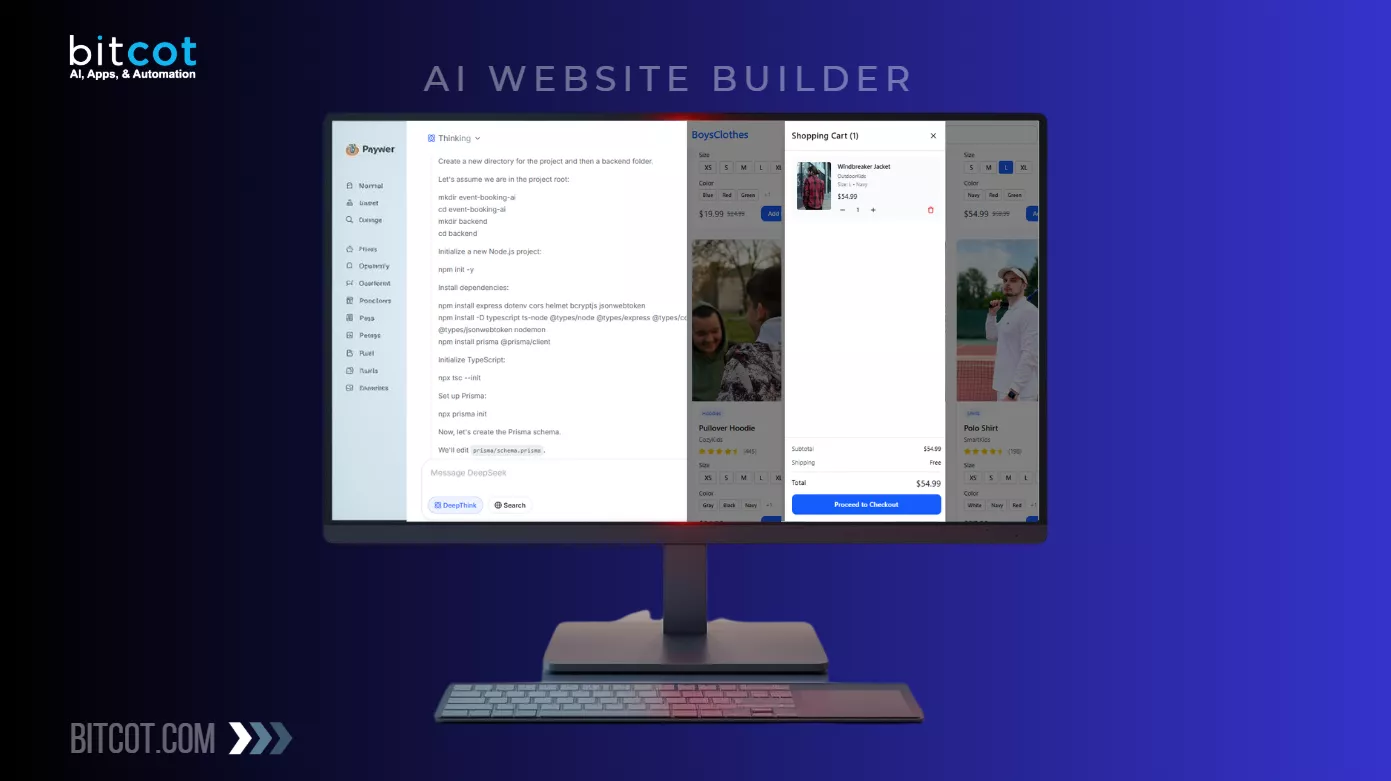
Building a website with an AI website builder can feel like a major win for businesses.
In a matter of hours, or even minutes, you can go from concept to a clean, professional-looking site without hiring a full design or development team. For growing companies, startups, and even established brands looking to move fast, AI tools promise speed, cost savings, and a quicker path to getting online.
But the real test often comes after that initial build, when it’s time to deploy the site into a CMS that can actually support your business long term.
Whether you’re moving into WordPress, Webflow, or another content management system, many businesses quickly discover that the AI-generated site isn’t as flexible as it first appeared.
Custom branding tweaks become harder than expected, integrations don’t behave the same way, and layouts that looked perfect in the AI builder start to break across devices once real content, teams, and workflows are involved.
This is where customization and responsive design issues tend to surface, and for businesses, these aren’t just technical annoyances. They impact brand consistency, user experience, conversion rates, and your ability to scale. A site that’s hard to customize or unreliable on mobile can quickly become a bottleneck instead of a growth asset.
In this blog, we’ll walk through the most common challenges businesses face when transitioning from an AI website builder to a CMS. We’ll explain why these problems occur, how they affect day-to-day operations and growth, and how to fix them without rebuilding your entire website.
If your goal is a fast launch and a site that can evolve with your business, this guide will help you get there.
What is an AI Website Builder and How Does It Differ From a CMS?
At its core, an AI website builder is an “all-in-one” design tool that uses generative artificial intelligence to build a website based on simple user prompts.
Instead of starting with a blank canvas or a pre-made template, you tell the AI about your business, your preferred style, and your target audience. Within seconds, the AI generates a complete layout with industry-specific copy, royalty-free images, and a functional structure.
These builders are designed for speed and accessibility. They typically bundle everything together: the editor, web hosting, security, and a domain.
However, they are often “closed” systems. This means that while you can make visual tweaks, you rarely have deep access to the underlying code or the ability to export the site to another provider easily.
The CMS Difference: Management vs. Generation
A Content Management System (CMS), such as WordPress or Webflow, is a robust software application designed to manage and scale digital content over time. While an AI builder focuses on the initial generation of a site, a CMS focuses on the long-term infrastructure.
- Ownership and Portability: With a traditional CMS, you own your data and database. If you want to switch hosting providers, you can pack up your files and move. AI builders often “lock” your site into their proprietary platform.
- Scalability: CMS platforms are architected to handle thousands of pages, complex blog archives, and multi-vendor eCommerce stores. AI builders are generally better suited for smaller “brochure” sites (e.g., portfolios, local business landing pages).
- Customization Power: A CMS provides a “hook” into every line of HTML, CSS, and JavaScript. While AI builders allow for surface-level changes, a CMS allows a developer to build custom plugins, integrate complex third-party APIs, and create unique user experiences that go beyond a generated template.
In short: Use an AI builder when you need to be online now. Move to a CMS when you need to grow.
| Feature | AI Website Builder | Content Management System (CMS) |
| Primary Goal | Rapid generation and ease of use | Long-term content scaling and control |
| Setup Time | Minutes (prompt-based) | Hours to Days (infrastructure setup) |
| Technical Skill | Zero to Low | Low to High (depending on platform) |
| Customization | Limited to platform tools | Unlimited via code and plugins |
| Data Ownership | Proprietary (locked to provider) | Full ownership (portable) |
| Scalability | Low (best for small sites) | High (can handle enterprise-grade data) |
| Maintenance | Automated by the platform | User-managed (updates, backups, etc.) |
Why Move from an AI Website Builder to a CMS Platform?
For a startup or a small business, an AI website builder is the perfect “Day 1” solution.
It provides an immediate digital presence with almost zero effort. However, as your business moves from the experimental phase to the growth phase, the very simplicity that made the AI builder attractive starts to become a strategic liability.
Moving to a professional CMS like WordPress or Webflow is less about changing your design and more about upgrading your business infrastructure.
Here is why high-growth companies eventually make the switch:
Unlimited Scalability and Functionality
AI builders are generally designed for “brochureware”: simple, static sites that describe what you do.
Once you need complex functionality, such as a multi-vendor marketplace, an advanced membership portal, or deep integration with your CRM, AI builders often hit a wall. A CMS provides a modular architecture where you can add specialized plugins or custom-coded functions to meet any business requirement as it arises.
Advanced SEO and “AEO” Strategy
While AI tools provide basic SEO settings, professional CMS platforms offer granular control that is critical for ranking in 2026.
- Technical SEO: A CMS allows you to optimize your “Core Web Vitals,” clean up code bloat, and manage advanced schema markup.
- AEO (Answer Engine Optimization): As search evolves into AI-driven answers (like ChatGPT and Google Gemini), having a structured CMS helps these engines crawl and “understand” your business data more effectively, increasing your chances of being cited as a source.
Data Ownership and Portability
One of the biggest risks of an AI website builder is “Platform Lock-in.” Because many AI builders use proprietary code, you cannot simply export your site and move it to a different host. If the provider raises prices or changes their terms, your only option is to rebuild from scratch.
A CMS, especially open-source options like WordPress, gives you total ownership. You own the files, the database, and the hosting relationship, providing long-term security for your digital assets.
Professional Performance Standards
Data shows that professionally developed CMS sites often convert significantly better than generic AI-built sites, particularly when compared to the high-performance standards of the top eCommerce website builders used by successful online retailers.
- Conversion Rates: Professional sites see an average conversion rate of 3.7%, compared to just 1.3% for AI-built sites.
- Loading Speed: AI-built sites often struggle with “bloated” scripts, averaging load times of 4 seconds or more. A well-optimized CMS can easily stay under the 2-second threshold, which is vital for keeping mobile visitors on your page.
Ultimately, moving from an AI website builder to a CMS platform allows businesses to transition from a quick-start solution to a robust, future-ready digital foundation.
Does your current site feel like it’s reaching its limit as your business expands, or are you just ready for more control over your digital home?
How to Prepare Your AI-Generated Website for CMS Deployment
The bridge between an AI-generated prototype and a live CMS is paved with technical preparation. If you simply “copy and paste” AI code into a platform like WordPress or Webflow, you risk inheriting a site that is slow, difficult to edit, and visually unstable on mobile devices.
To ensure your business site remains professional and high-performing, follow these four critical preparation steps before you hit the “Deploy” button.
Step 1: Conduct a Comprehensive Content Audit
AI builders often generate placeholder content that looks convincing but lacks strategic value. Before moving to a CMS, you must distinguish between “static” pages and “dynamic” data.
- Static Pages: One-off designs like your “About Us” or “Contact” page.
- Dynamic Data: Repeating content types like blog posts, team member profiles, or service listings.
- The Goal: Identify which AI-generated sections should be converted into “CMS Collections” (dynamic databases) so your team can update them easily without touching the design.
Step 2: Asset Optimization and “The WebP Switch”
AI generators often provide unoptimized, high-resolution images in PNG or JPEG formats. These “heavy” files are the #1 cause of slow load times on mobile.
- Action: Convert all images to WebP format. This typically reduces file size by 70-80% with no visible loss in quality.
- Action: Manually add Alt-Text to every image. AI rarely generates descriptive alt-text, which is essential for both accessibility (ADA compliance) and SEO.
Step 3: Semantic HTML Cleanup
AI code is often “flat,” meaning it uses generic <div> tags for everything. Search engines like Google, however, prefer Semantic HTML to understand your site’s hierarchy.
- The Fix: Manually review your header tags. Ensure there is only one H1 tag per page (the primary headline).
- The Fix: Replace generic containers with semantic tags like <nav>, <main>, <section>, and <footer>. This small change significantly boosts your site’s “readability” for search engine crawlers.
Step 4: URL Mapping and SEO Preservation
If you are moving from an existing site to a new AI-generated one, or even just changing the structure of your AI site during deployment, you must protect your current search rankings.
- The Fix: Create a “301 Redirect” map. This tells Google that your old page (e.g., yoursite.com/our-work) has moved to the new CMS address (e.g., yoursite.com/portfolio).
- The Fix: Retain your existing meta titles and descriptions. AI often overwrites these with generic summaries; manually re-entering your optimized metadata ensures you don’t lose the “SEO equity” you’ve already built.
By thoroughly preparing an AI-generated website before CMS deployment, businesses can avoid common migration issues and create a solid foundation for customization, responsiveness, and long-term growth.
Choosing the Right CMS Platform for Deploying AI-Built Websites
The bridge between an AI-generated prototype and a live CMS is paved with technical preparation. If you simply “copy and paste” AI code into a platform like WordPress or Webflow, you risk inheriting a site that is slow, difficult to edit, and visually unstable on mobile devices.
When you are ready to move your AI-generated design into a professional environment, your choice of platform will determine how you handle customization and responsive fixes.
Not all CMS platforms handle AI code the same way, so it is crucial to match the platform to your business goals.
1. WordPress: The Versatile Giant
WordPress is often the first choice for businesses moving away from AI website builders due to its flexibility and large ecosystem. It works well for refactoring AI-generated layouts into reusable themes or blocks and offers extensive plugins for SEO, performance, and content management. WordPress is especially suitable for content-heavy websites that need ongoing updates and editorial workflows.
Best for: Businesses that want total control and a massive plugin ecosystem.
When deploying AI code to WordPress, you typically use page builders like Elementor or Gutenberg. The challenge here is “code bloat.” Because WordPress adds its own styling, you must be careful not to layer too much AI-generated CSS on top of existing theme styles.
- The Fix: Use a “Clean” theme (like Hello Elementor or Astra) and manually enqueue only the necessary AI scripts to keep your site speed high.
2. Webflow: The Designer’s Powerhouse
Webflow is a strong option when design precision and responsiveness are top priorities. It allows teams to visually rebuild AI-generated designs while maintaining clean, production-ready code. Webflow’s CMS capabilities make it easier to manage dynamic content without sacrificing design consistency, making it ideal for marketing-focused websites and startups.
Best for: High-end visual customization and pixel-perfect responsive control. Webflow is perhaps the most natural partner for AI-generated designs. It allows you to import HTML and CSS directly and then use its visual style panel to fix the “Fixed Width” or “Absolute Positioning” issues we discussed earlier.
- The Fix: Use Webflow’s “Audit Panel” to identify unlinked styles and CSS classes that the AI might have created redundantly.
3. Contentful & Contentstack: The Headless Future
Contentful and Contentstack are headless CMS platforms designed for scalability and multi-channel content delivery. They are particularly useful when AI-built websites need to evolve into complex digital experiences across web, mobile, and other platforms.
By separating content from presentation, these CMS solutions allow developers to rebuild AI-generated front ends using modern frameworks while maintaining centralized content control.
Best for: Enterprise-level businesses and omnichannel content delivery. For companies that need a “decoupled” approach, Contentful and Contentstack offer a headless CMS solution. In this scenario, your AI-generated frontend is kept entirely separate from your content database. This is ideal for security and speed, but it requires a developer to “hook” the AI design into the API.
- The Fix: Map your AI components to “Content Models” within Contentful or Contentstack. This ensures that when you update a headline in the CMS, it updates across your website, mobile app, and even your smart-watch interface simultaneously.
Selecting the right CMS is a critical step when transitioning from an AI website builder. Not all CMS platforms handle AI-generated code, customization needs, and responsive design challenges in the same way. Platforms like WordPress, Webflow, Contentful, and Contentstack each offer distinct advantages depending on your project goals, technical requirements, and scalability needs.
Common Customization and Responsive Issues (and How to Fix Them)
Even the most advanced AI website builders can produce code that feels “brittle.”
While the site might look perfect in a controlled preview environment, the transition to a live CMS often exposes structural flaws. Because AI tools frequently prioritize visual speed over code logic, they tend to use “shortcuts” that don’t translate well to the infinite variety of modern screen sizes.
Below are the most frequent responsive and customization bugs businesses encounter during deployment, along with the professional strategies to resolve them.
Issue 1: The “Fixed Width” Trap
The Problem: AI generators often apply fixed pixel widths (like width: 1200px) to main containers. On a desktop, this looks fine. On a smaller laptop or tablet, it forces the user to scroll horizontally to read a single sentence.
The Fix: Transition your containers from Fixed to Fluid measurements.
- The Adjustment: In your CMS editor or CSS file, change any specific width values to 100%.
- The Guardrail: Apply a max-width (e.g., max-width: 1200px) and margin: 0 auto. This ensures your site stays centered and professional on large monitors but automatically shrinks to fit mobile viewports.
Issue 2: Absolute Positioning “Ghosting”
The Problem: AI builders sometimes use position: absolute to “pin” an image or button to a specific spot. This essentially pulls the element out of the natural flow of the page.
The Impact: When you add a new paragraph or change a headline in your CMS, the “pinned” element doesn’t move with the rest of the content. You end up with buttons floating over text or images drifting into the footer.
The Fix: Return to a Flexbox or Grid layout.
- The Adjustment: Remove absolute positioning from the element and its parent container. Instead, use your CMS’s “Flex” or “Grid” settings to align items. This creates a “relationship” between elements, ensuring they move together as content changes.
Issue 3: The Mobile “Squash” (Typography)
The Problem: A headline that looks bold and impactful at 80 pixels on a 27-inch monitor is unreadable on an iPhone. AI often fails to set “breakpoints” for typography, leading to words being cut off or overlapping.
The Fix: Use Fluid Typography with the CSS clamp() function.
- The Formula: Instead of font-size: 80px, use a dynamic value like:
font-size: clamp(2rem, 8vw, 5rem); - How it works: This tells the browser to keep the text at a minimum of 2rem, a maximum of 5rem, and to scale fluidly in between based on the screen width.
Issue 4: Disappearing “Touch Targets”
The Problem: AI-generated buttons often lack enough “padding,” making them difficult for mobile users to tap with their thumbs. Furthermore, AI might place links too close together, leading to “accidental clicks.”
The Fix: Follow WCAG Accessibility Standards for button sizing.
- The Adjustment: Ensure every button or clickable icon has a minimum “touch target” size of 44×44 pixels.
- The Adjustment: Increase the “Gutter” or “Gap” between buttons in your CMS settings to at least 12px to prevent mis-clicks on mobile devices.
Issue 5: Hidden Content and Overflow Errors
The Problem: Sometimes, a design element (like a decorative background shape) is wider than the mobile screen, causing the entire page to “wiggle” or show white space on the right side.
The Fix: Identify and contain the overflow.
- The Adjustment: Check your main sections for any element where the width exceeds the screen. If you can’t find the culprit, a common “patch” is to apply overflow-x: hidden; to the body or the parent section tag in your CSS. This clips any stray elements that would otherwise break the mobile experience.
By addressing these common customization and responsive issues during and after CMS deployment, businesses can transform AI-generated websites into flexible, high-performing platforms that deliver a consistent user experience across all devices.
Best Practices for a Smooth AI Website Builder to CMS Deployment
Deploying an AI-built site to a professional CMS is not a “click and forget” process.
To ensure your business maintains its search rankings and professional reputation, you must follow a disciplined migration workflow.
This stage is where you transform a machine-generated prototype into a high-performance business asset.
Establish a Staging Environment
Never deploy AI-generated code directly to your “live” domain. Most professional CMS platforms, such as Webflow or WordPress (via plugins), offer a Staging Environment.
This is a private clone of your site where you can safely fix the responsive bugs and “spaghetti code” mentioned earlier without your customers seeing the errors. Once the site is pixel-perfect in staging, you can “push” it to the live URL with a single click.
Technical SEO Preservation
One of the biggest risks of moving to a new platform is losing the “SEO equity” you’ve already built. If your URLs change during the move, Google will see them as broken links, and your rankings will plummet.
- The 301 Redirect Roadmap: Create a spreadsheet of every URL from your AI builder and its new corresponding address in the CMS. Set up 301 Redirects for each. This tells search engines that your content hasn’t disappeared; it has simply moved.
- Metadata Audit: AI often generates generic meta titles and descriptions. Manually review and replace these with keywords that reflect your actual business services to ensure you show up in relevant search results.
Performance Benchmarking
Before and after deployment, run your site through Google PageSpeed Insights. AI sites often carry “bloat”: unnecessary code that slows down mobile devices.
- Set a Performance Budget: Aim for a load time of under 2 seconds.
- The Cleanup: Use the “Audit” features in your CMS to identify and remove unused CSS or JavaScript that the AI builder might have included by default.
The “Final Five” Quality Assurance Checklist
Before you officially announce your new site, perform these manual checks:
- Form Testing: Submit every contact form on a mobile device to ensure the data actually reaches your CRM.
- Internal Link Check: Click every link in your navigation and footer. AI builders often create “dead” links to pages that don’t exist yet.
- Cross-Browser Review: Open your site in Chrome, Safari, and Firefox. AI layouts often look different across browsers.
- H-Tag Consistency: Ensure you have exactly one <h1> tag per page for SEO clarity.
- Analytics Verification: Re-install your Google Analytics or Facebook Pixel code, as these are often stripped away during a migration.
By following these best practices, businesses can achieve a smooth and efficient transition from an AI website builder to a CMS platform, creating a reliable foundation for customization, responsiveness, and future expansion.
Partner with Bitcot to Deploy AI-Built Websites on Popular CMS
While AI website builders have lowered the barrier to entry for digital design, the technical gap between a “generated layout” and a “scalable business platform” remains significant.
At Bitcot, we specialize in bridging this divide. We help businesses leverage the rapid prototyping speed of AI while maintaining the enterprise-grade reliability of professional CMS platforms.
Moving a site from an AI builder to a CMS is a delicate operation that requires a deep understanding of code architecture, SEO preservation, and user experience design. Our team ensures that your transition is not just a “copy-paste” job, but a strategic upgrade.
How Bitcot Elevates Your AI-to-CMS Migration
We don’t just move your content; we refine your entire digital presence. Our approach focuses on three core pillars:
- Custom Code Refinement: We strip away the “spaghetti code” and redundant CSS often generated by AI tools. By rewriting the core components into clean, semantic HTML, we ensure your site is lightweight, fast, and easy for search engines to crawl.
- Strategic CMS Integration: Whether you are moving to WordPress for its vast plugin ecosystem or Webflow for its design flexibility, we map your AI designs to dynamic CMS collections. This empowers your marketing team to update content effortlessly without ever risking the site’s layout.
- Mobile-First Optimization: We go beyond basic responsiveness. Our developers implement advanced CSS techniques, such as fluid typography and flexible grid systems, to ensure your brand looks flawless on every device, from the smallest smartphone to the largest 4K monitor.
A website is a living asset. When you partner with Bitcot, you gain a long-term technology ally. We provide the technical oversight necessary to ensure your CMS remains secure, your plugins stay updated, and your site continues to scale as your business grows.
Final Thoughts
The era of building websites in a vacuum is over.
AI has fundamentally changed the “starting line” for web design, allowing businesses to go from an idea to a visual prototype faster than ever before.
But as we’ve explored, the distance between a generated layout and a high-performing, scalable business asset is still bridged by human expertise and structural integrity.
Moving from an AI website builder to a professional CMS isn’t about moving away from innovation; it’s about giving that innovation a foundation to grow on. It’s the difference between a temporary pop-up shop and a flagship storefront.
By taking the time to fix responsive bugs, clean up code bloat, and prioritize a mobile-first experience, you ensure that your site doesn’t just look good on day one, but continues to convert leads for years to come.
AI provides the spark, but a well-configured CMS provides the fuel. Don’t let technical “spaghetti code” or broken mobile layouts stand between your business and its next stage of growth.
If you’re struggling with a clunky AI export or your “quick-build” site is breaking every time you try to customize it, you don’t have to handle the migration alone. At Bitcot, we specialize in turning AI-driven concepts into robust, enterprise-grade realities.
Whether you need to refine an existing layout or require professional custom CMS development services to build a platform that grows with you, our team is here to help.
Get in touch today, and let’s ensure your website is as powerful as the business it represents.
Frequently Asked Questions (FAQs)
Can I move my AI-built site to a CMS while maintaining my local SEO rankings?
Yes, whether you are a retail business in New York, a tech startup in San Francisco, or a creative agency in Los Angeles, preserving SEO is vital. By using 301 redirects, companies from Chicago to Houston can ensure they don’t lose visibility. This process is essential for businesses in high-growth hubs like Phoenix and Philadelphia that rely on search traffic to stay competitive.
Are AI-generated websites mobile-responsive by default?
While most AI tools claim to be responsive, they often require manual tweaks to look professional on every device. A firm in San Antonio or San Diego might notice layout shifts on mobile that don’t appear on desktop. From Dallas to Jacksonville, businesses are finding that “out-of-the-box” AI code needs refinement to provide a seamless experience for users in Fort Worth or San Jose.
Why should I choose a CMS over an AI builder for a growing business?
A brand in Austin or Charlotte may quickly outgrow the limited features of a basic AI builder. Moving to a CMS allows businesses in Columbus and Indianapolis to integrate advanced tools, such as custom databases or eCommerce features. This transition is a standard step for expanding enterprises from Nashville to Kansas City that need more than a one-page site.
Will migrating my site affect its loading speed?
AI code can be bloated, causing delays for users in Denver, Boston, and Seattle. By optimizing assets during a CMS deployment, a business in Washington, D.C., or Portland can significantly reduce load times. High-traffic sites in Las Vegas and Miami specifically benefit from the cleaner code and better caching options that professional CMS platforms provide.
Is technical support available for complex AI-to-CMS migrations?
Absolutely. From the northern reaches of Anchorage (Alaska) to the massive data centers in Ashburn, professional support is available to bridge the gap between AI prototyping and custom development. Whether you are building a boutique brand or an enterprise-level platform, expert guidance ensures your site is stable, secure, and ready to perform in any market.