Not long ago, building an app inside a business meant long timelines, big budgets, and a handoff chain that felt like a game of telephone: strategy to product, product to engineering, engineering back to the business.
By the time something shipped, the market had already moved. That model is starting to crack.
Vibe coding isn’t about turning business leaders into full-stack engineers. It’s about reducing friction between ideas and execution.
With modern AI tools, you can go from concept to working prototype faster than ever, often without waiting weeks for resources or translating requirements through layers of documentation. You explain what you want in plain language, the AI helps generate and refine the code, and suddenly experimentation becomes cheap, fast, and low-risk.
This guide is written for founders, operators, product managers, consultants, and innovation-minded leaders who want to build, not just plan.
You don’t need to replace your engineering team or lower your standards. Instead, you’ll learn how to use AI as a force multiplier: when it makes sense to prototype yourself, how to collaborate more effectively with developers, and how to avoid common pitfalls like over-automation or fragile, unmaintainable systems.
We’ll focus on practical workflows, real-world use cases, clear decision points, and how to keep business goals front and center throughout the build process. No hype, no hand-waving; just a realistic look at how AI-powered vibe coding can help businesses move faster, think clearer, and ship smarter.
If you care about execution, agility, and turning ideas into tangible results, you’re exactly who this guide is for.
Let’s talk about how to turn business intent into working software, without killing the vibe.
What is Vibe Coding and How Does It Work?
Vibe coding is a modern approach to software development that puts intent and outcomes ahead of syntax and tooling.
At its heart, Vibe Coding is a shift from technical execution to creative orchestration. Coined by AI researcher Andrej Karpathy in early 2025, the term describes a programming style where you “give in to the vibes” of an AI assistant.
Instead of meticulously writing every line of syntax, you describe your desired outcome in plain English and let a Large Language Model (LLM) handle the heavy lifting.
The Underlying Mechanism
Vibe coding works through a continuous, high-speed feedback loop between human intent and machine execution. It leverages the latest advancements in Agentic AI: tools that don’t just suggest text but can actually see your entire project, run terminal commands, and fix their own errors.
The process typically follows these four stages:
- High-Level Intent (The Input): You provide a prompt that focuses on the “what” rather than the “how.” For example, you might tell your IDE: “Build a sleek React dashboard that pulls real-time weather data and displays it using neon-themed charts.”
- Contextual Synthesis: Modern tools like Cursor or Windsurf index your entire codebase. When you give a prompt, the AI doesn’t just guess. It analyzes your existing files, folders, and dependencies to ensure the new code fits your project’s specific architecture.
- Autonomous Generation: The AI acts as an autonomous intern. It scaffolds the files, installs necessary libraries, and writes the functional logic. In many cases, it will even execute the code in a background terminal to check for immediate syntax errors.
- Iterative Refinement (The “Vibe” Check): This is where the magic happens. If the result isn’t perfect, you don’t jump into the code to fix a semicolon. Instead, you provide conversational feedback: “The charts look great, but make the animations smoother and add a dark mode toggle to the top right.” The AI then refines the code based on that “vibe.”
The Core Principles of Vibe Coding
To successfully “vibe” your way through a project without it collapsing into technical debt, professional vibe coders in 2026 follow these four principles:
- Intent-First Development: Focus on the “what” (business logic and user experience) rather than the “how” (loops and API syntax).
- Vertical Slicing: Build one functional feature at a time from top to bottom (UI to Database) rather than building in layers.
- The “Accept All” Mentality: Fully lean into the AI’s suggestions and run the code immediately. If it breaks, use the error log as your next prompt.
- Human-as-Director: Your role shifts from bricklayer to architect. You provide the vision, critique the results, and maintain the quality bar.
Why It’s Different From Traditional Coding
In traditional development, you are the pilot manually controlling every switch in the cockpit. In vibe coding, you are the air traffic controller. You set the destination and the parameters, while the AI navigates the complex terrain of logic and syntax.
This approach favors a “code first, refine later” philosophy. It is designed for speed and intuition, making it the ultimate methodology for rapid prototyping, building MVPs, and exploring “what if” scenarios without the friction of manual debugging.
| Feature | Vibe Coding (2026) | Traditional Development |
| Primary Skill | Product Intuition & Prompting | Syntax, Logic & Language Fluency |
| Development Speed | Near-Instant Prototyping | Methodical, Multi-week Cycles |
| Error Handling | Guided Iteration via Chat | Manual Debugging & Breakpoints |
| Role of Developer | Strategic Director / Refiner | Architect, Implementer & Debugger |
| Code Ownership | AI-Generated, Human-Verified | Manually Authored, Peer-Reviewed |
Why Vibe Coding is Dominating Modern App Development in 2026
In just a few years, vibe coding has evolved from a niche trend into the standard for high-velocity software creation.
By 2026, the shift is undeniable: the industry has moved from writing code to orchestrating intent. Industry projections suggest that by the end of this year, nearly 90% of new applications will be built using these AI-agentic workflows.
The dominance of this method isn’t just about hype; it’s driven by three radical shifts in the 2026 tech economy.
The Total Elimination of “Boilerplate Drain”
In the traditional era, developers spent up to 40% of their time on “plumbing”, configuring environments, setting up folder structures, and writing repetitive CRUD (Create, Read, Update, Delete) operations.
In 2026, AI agents like Windsurf and Cursor handle 100% of this work instantly. This allows developers to stay in a “flow state,” focusing entirely on the unique features that make their app stand out.
Hyper-Agile Speed-to-Market
The competitive landscape of 2026 demands near-instant delivery. Traditional development cycles that once took months have been compressed into days or even hours.
Startups are now launching MVPs (Minimum Viable Products) over a single weekend by “vibing” through the technical hurdles. This speed is no longer just an advantage; it is a requirement for survival in a market where users expect weekly, if not daily, feature updates.
Democratization of Complexity
Vibe coding has lowered the barrier to entry for building complex, full-stack systems. Entrepreneurs, designers, and product managers can now take an idea directly to a functional prototype without waiting for a specialized engineering team.
- The “Concurrent Build & Sell” Model: Founders are now building apps live while talking to customers, adjusting the “vibe” and deploying fixes in real-time during sales calls.
- Non-Technical Innovation: Knowledge workers are using tools like Replit Agent to manage databases and handle deployments using only natural language, effectively becoming “one-person dev shops.”
Reduced Cognitive Load and Burnout
By offloading the “grind” of syntax and debugging to AI, developers in 2026 report significantly lower burnout rates. The environment has become more intuitive and “emotion-aware,” adapting to the developer’s mental model.
When you are vibe coding, you are playing with the “big picture” of your software, making the process more creative and enjoyable than the line-by-line manual labor of the past.
Top 10 Vibe Coding Tools and AI Development Platforms in 2026
By 2026, the market for vibe coding has split into two distinct categories: AI-Native IDEs for developers who want to keep their hands on the keyboard, and Agentic App Builders for those who want a fully autonomous path from prompt to production.
Here are the top 10 tools currently defining the landscape:
1. Cursor: The Professional Gold Standard
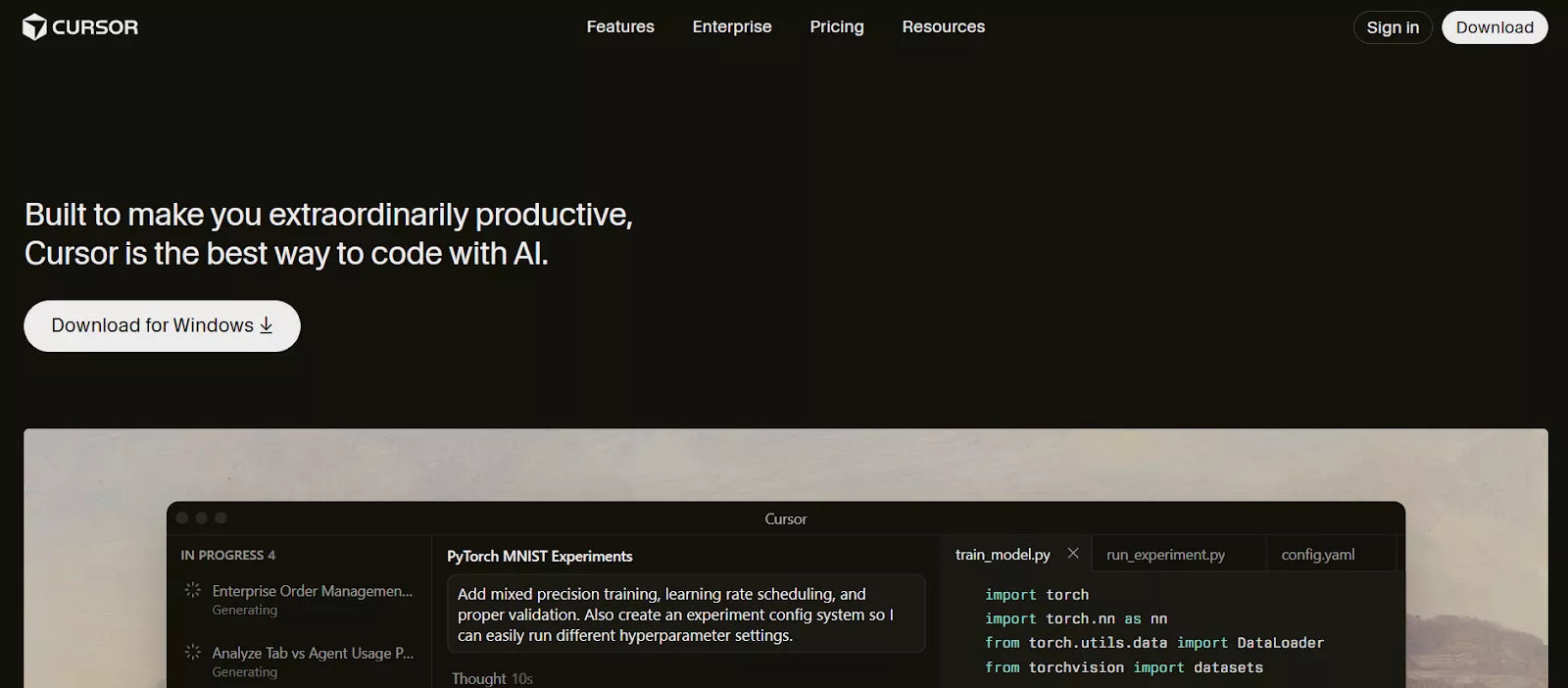
Cursor remains the heavyweight champion for professional developers. It is a fork of VS Code that has been rebuilt from the ground up to support “Composer,” an agent that can handle multi-file edits across your entire repository. Its superpower is its Context Engine, which allows you to ask questions about your entire codebase without manually tagging files.
- Key Features: Repository-wide indexing, “Composer” multi-file agent, “Rules for AI” guardrails, and privacy mode for local data.
- Best For: Professional developers who want to keep the power of VS Code while delegating complex refactors.
- Use Cases: Scaling existing React/Next.js codebases, enterprise-level refactoring, and complex architectural changes.
- Standout 2026 Highlight: Contextual Memory. Cursor learns your specific coding style over time and applies it to new files automatically.
- Pros: Inherits all VS Code extensions; handles large codebases better than most; supports multiple LLMs (GPT-4o, Claude 3.5, Gemini).
2. Claude Code (Terminal Native): For CLI Nerds
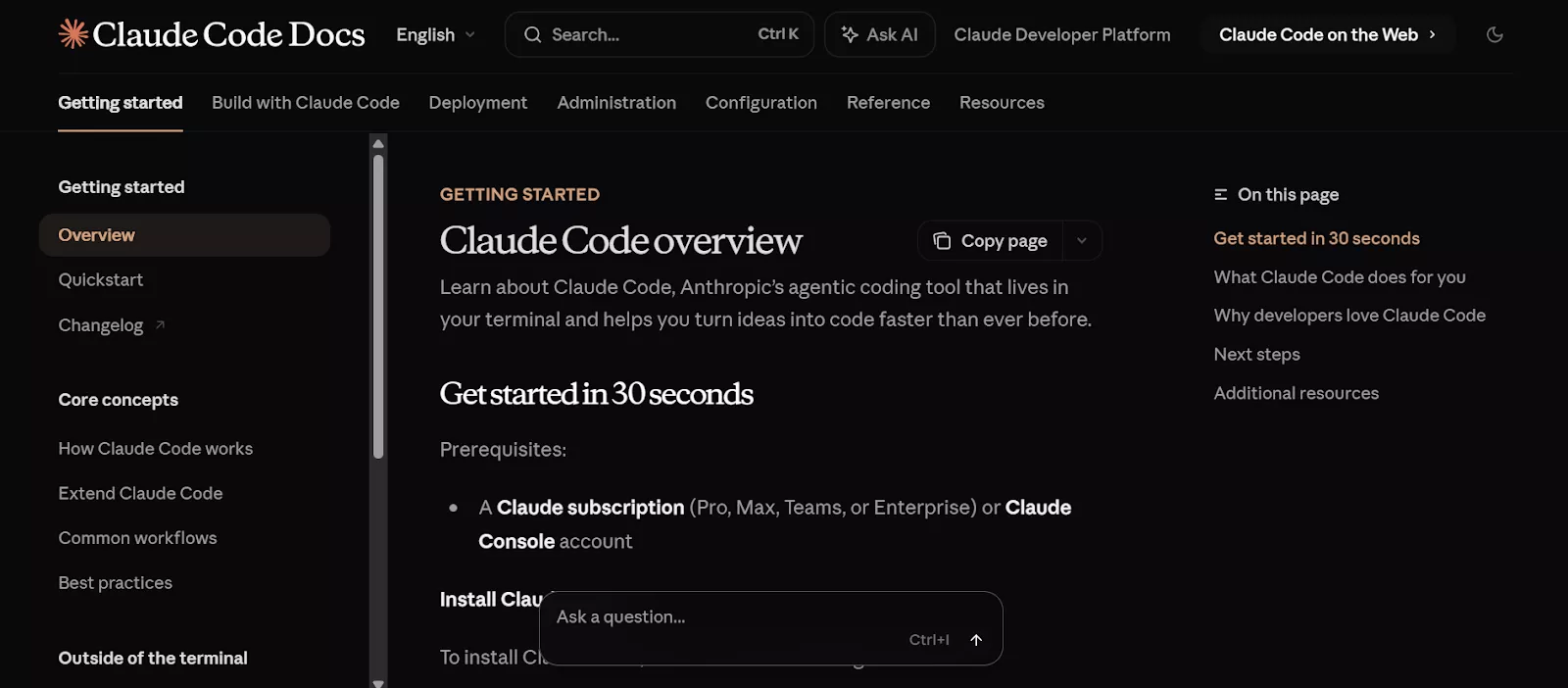
Anthropic’s Claude Code is a terminal-based agent that developers love for its speed and precision. It lives in your command line, allowing you to delegate complex tasks, like “Refactor all my API routes to use this new library”, without ever leaving your terminal environment.
- Key Features: Terminal-native interface, Plan Mode (outlines solutions before editing), and deep multi-file reasoning.
- Best For: Developers who prefer a CLI-first workflow and need high-level architectural refactoring.
- Use Cases: Complex backend logic overhauls, security audits, and navigating massive legacy codebases.
- Standout 2026 Highlight: Contextual Sanity. Claude Code is widely considered to have the “smartest” coding brain, making fewer logical errors in complex full-stack flows compared to rivals.
- Pros: Exceptional reasoning; local-first portability; cheaper token-based pricing via the Claude Console.
- Cons: No graphical UI (steep learning curve for CLI beginners); can be slower at searching very large repositories.
3. v0 by Vercel: The Frontend Perfectionist
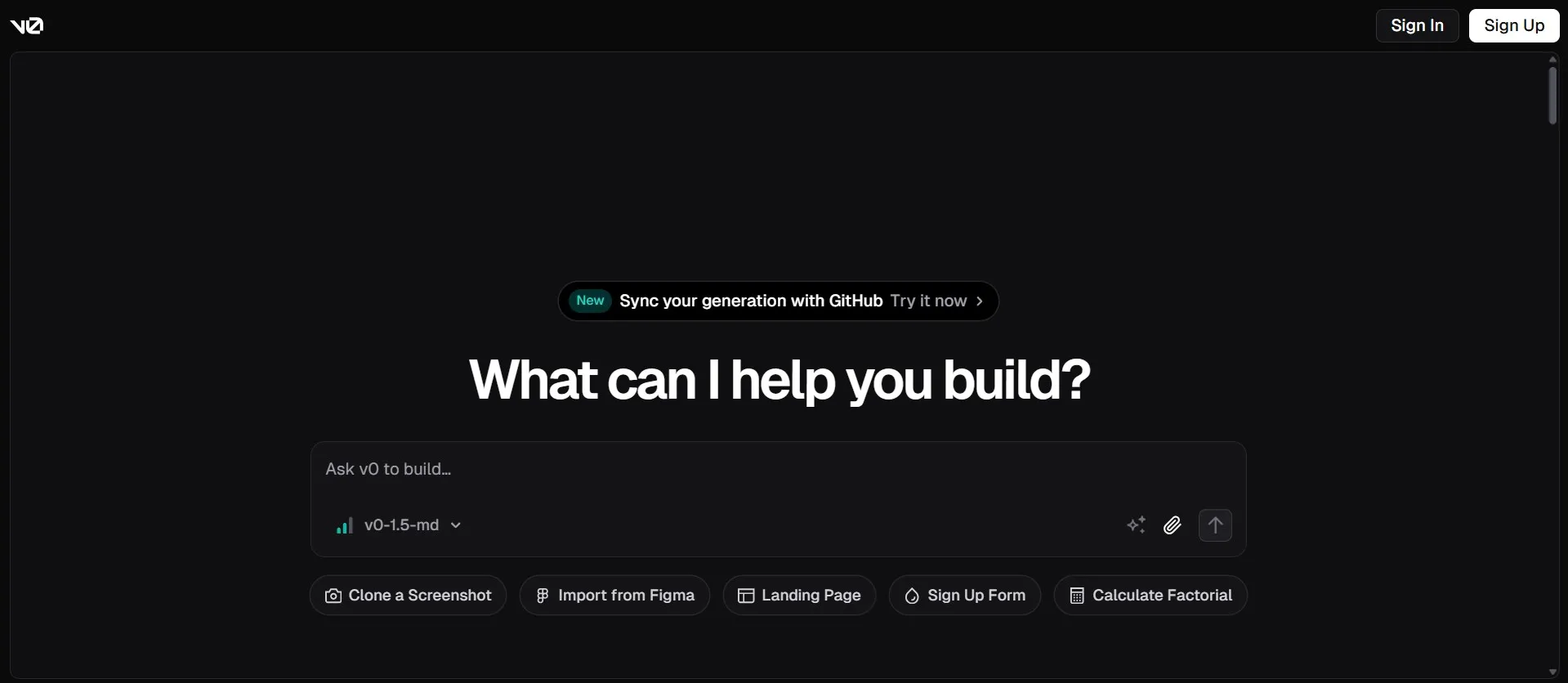
If you only care about the UI “vibe,” v0 is unmatched. It generates polished React components using Tailwind CSS and shadcn/ui. It’s the ultimate tool for developers who have the logic figured out but want a professional, “Apple-standard” design without spending hours on CSS.
- Key Features: Text-to-UI generation, image-to-code (screenshots to React), and one-click Vercel deployment.
- Best For: Frontend-heavy projects where pixel-perfect design and modern UI components are the priority.
- Use Cases: Landing pages, marketing sites, and high-end dashboard frontends.
- Standout 2026 Highlight: Generative UI. v0 uses specialized models to create highly accessible, responsive layouts that follow the latest design trends.
- Pros: Best-in-class code quality for React/Tailwind; extremely fast iteration; seamless integration with the Vercel ecosystem.
- Cons: Lacks backend logic generation (you must bring your own API); can feel restrictive for complex, multi-page app logic.
4. Google AI Studio (Antigravity): The Gemini Powerhouse
Google’s 2026 entry, Antigravity, leverages the massive context window of Gemini 3.0. It can “read” millions of lines of documentation and code simultaneously, making it the best tool for integrating complex Google Cloud services or legacy enterprise systems into your app.
- Key Features: Multi-agent collaboration, Browser Subagents for live testing, and “Artifact” generation (task lists and implementation plans).
- Best For: Google Cloud power users and teams building data-heavy or multimodal applications.
- Use Cases: Building apps that require video/audio processing or deep integration with Google’s ecosystem.
- Standout 2026 Highlight: Multimodal Tracing. You can record a video of a bug or upload a screenshot of a design, and Antigravity will “see” the issue and write the fix.
- Pros: Massive Gemini 3.0 context window; asynchronous tasking (assign one agent to docs and another to code).
- Cons: Heavy resource requirements (runs best on Apple Silicon/High-end PCs); Google Cloud lock-in for one-click deployments.
5. Windsurf (by Codeium): The “Flow State” Leader
Windsurf’s standout feature is Cascade, an agentic assistant that doesn’t just wait for prompts; it “watches” your workflow. If you change a variable in your backend, Cascade will proactively suggest the corresponding update in your frontend, ensuring your project remains in a consistent “vibe.”
- Key Features: Cascade (agentic assistant), Supercomplete (multi-line autocomplete), and built-in terminal integration with natural language support.
- Best For: High-velocity full-stack engineers who want an AI that “watches” and adapts to their every move.
- Use Cases: Building service-oriented architectures and real-time collaborative applications.
- Standout 2026 Highlight: Flow Awareness. Windsurf tracks your terminal commands, file edits, and even your clipboard to infer your next move before you type it.
- Pros: Incredible autocomplete speed; native “web tools” to search docs and deploy within the IDE; very generous free tier.
- Cons: Higher learning curve to master “Cascade” prompts; UI can feel more “engineered” and less polished than consumer-focused tools.
6. Replit Agent 3: The King of Zero-to-One
Replit has effectively solved the deployment hurdle. With Replit Agent 3, you can describe a full-stack app, and the agent provisions the database, handles authentication, and deploys it to a live URL in minutes. It is the go-to tool for rapid prototyping and MVPs.
- Key Features: Autonomous app testing via browser, agent-spawning (agents building agents), and built-in cloud database/auth.
- Best For: “Zero-to-One” builders and non-technical entrepreneurs who want to go from a prompt to a live URL.
- Use Cases: Rapid prototyping, Telegram/Slack bots, and automated internal business tools.
- Standout 2026 Highlight: Max Autonomy Mode. The agent can run for over 200 minutes autonomously, testing and fixing its own code until the app is production-ready.
- Pros: True all-in-one ecosystem (hosting, DB, auth included); handles deployment better than any other tool.
- Cons: Can be expensive (usage-based credits); harder to export code to external environments if you outgrow the platform.
7. Lovable: The Full-Stack “Vision” Builder
Lovable (formerly GPT Engineer) is arguably the fastest-growing platform of 2026. It allows non-technical founders to build complex businesses by chatting with a visual interface. It excels at Supabase integration and two-way GitHub sync, making it a favorite for those who want a “low-code” experience with “pro-code” underlying quality.
- Key Features: Native Supabase and Stripe integration, bidirectional GitHub sync, and Figma-to-Code imports.
- Best For: Founders and designers building SaaS MVPs who need a “pro” look with a “no-code” feel.
- Use Cases: Membership sites, marketplaces, and subscription-based dashboards.
- Standout 2026 Highlight: Full-Stack Logic Sync. Lovable doesn’t just build the UI; it automatically configures your database schema and auth rules in Supabase.
- Pros: Fastest “idea-to-functional-app” pipeline; visual editor for UI tweaks; clean, exportable React code.
- Cons: Pricing can be unpredictable; AI can get stuck in “fixing loops” that drain credits quickly.
8. Bolt.new: The WebContainer Pioneer
Bolt.new runs an entire development environment directly in your browser using StackBlitz WebContainers. It is a lightning-fast “prompt-to-app” builder that is particularly effective for React and Next.js projects, allowing for instant live previews as the AI writes the code.
- Key Features: Browser-based WebContainers, instant full-stack scaffolding, and native Netlify/Supabase integration.
- Best For: Instant prototypes and “viral” web apps where you want to go from a tweet to a live site in 60 seconds.
- Use Cases: Hackathon projects, marketing microsites, and simple CRUD SaaS ideas.
- Standout 2026 Highlight: Prompt Enhancer. It automatically expands your simple “vibe” into a 10-page technical specification before it starts building.
- Pros: Zero local setup; lightning-fast previews; clean, ownable React/Tailwind code.
- Cons: Struggles with very deep framework-level conflicts; token consumption can spike during long debugging loops.
9. Kiro.dev: The Spec-Driven Specialist
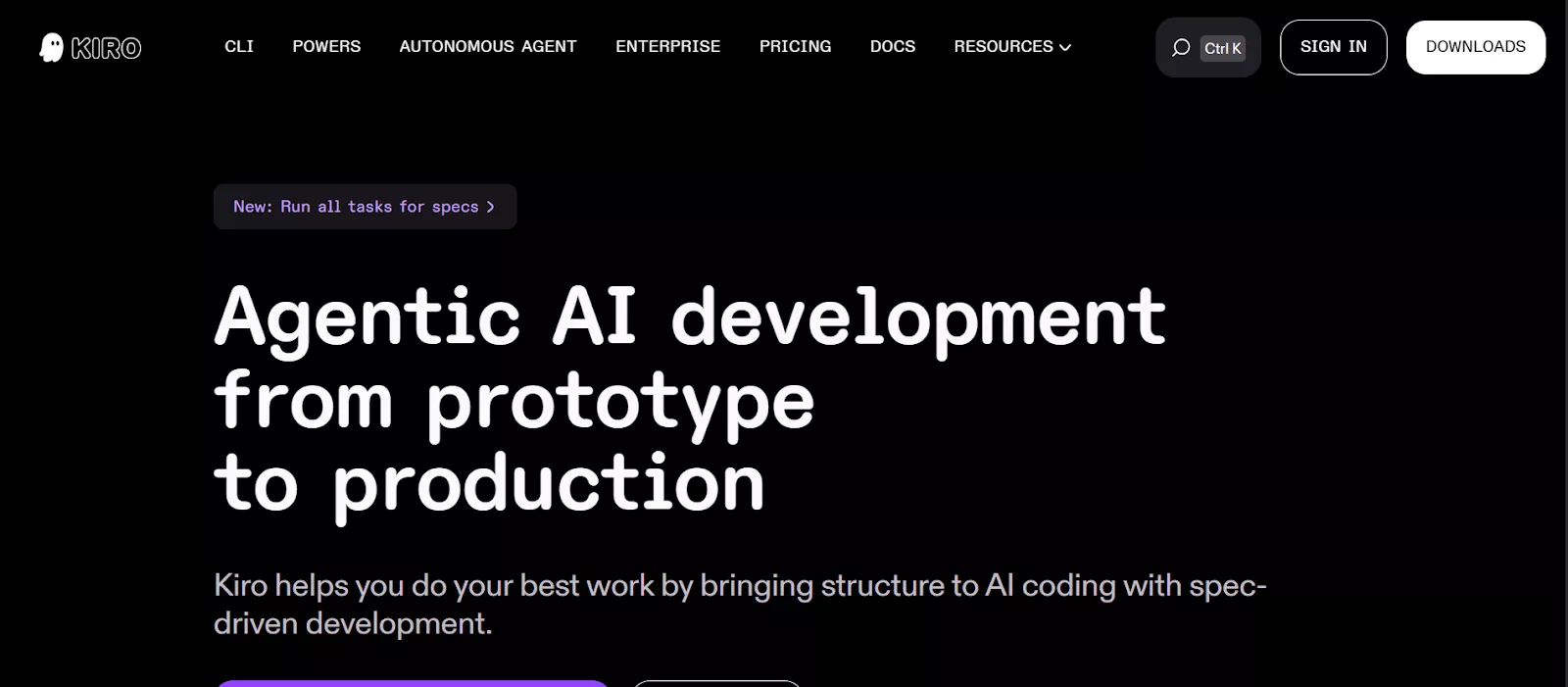
Kiro is the latest challenger from AWS, focusing on “Spec-Driven Development.” Instead of jumping straight to code, Kiro generates an architectural specification first. This prevents the “logic drift” that often happens in long vibe coding sessions, making it superior for larger, more complex projects.
- Key Features: Spec-Driven Development, automated “Agent Hooks” for testing/docs, and full project traceability.
- Best For: Teams that want the speed of vibe coding but the discipline of professional engineering.
- Use Cases: Production-ready software where “uncontrolled” AI changes are too risky.
- Standout 2026 Highlight: Executable Specs. Kiro turns your natural language requirements into Markdown “Specs” that act as a “North Star” for the AI agents to follow.
- Pros: Prevents “logic drift”; excellent for team collaboration; keeps code quality high with mandatory review checkpoints.
- Cons: Less “free-style” than Cursor; requires a more structured mental model to use effectively.
10. GitHub Copilot Extensions: The Ecosystem Giant
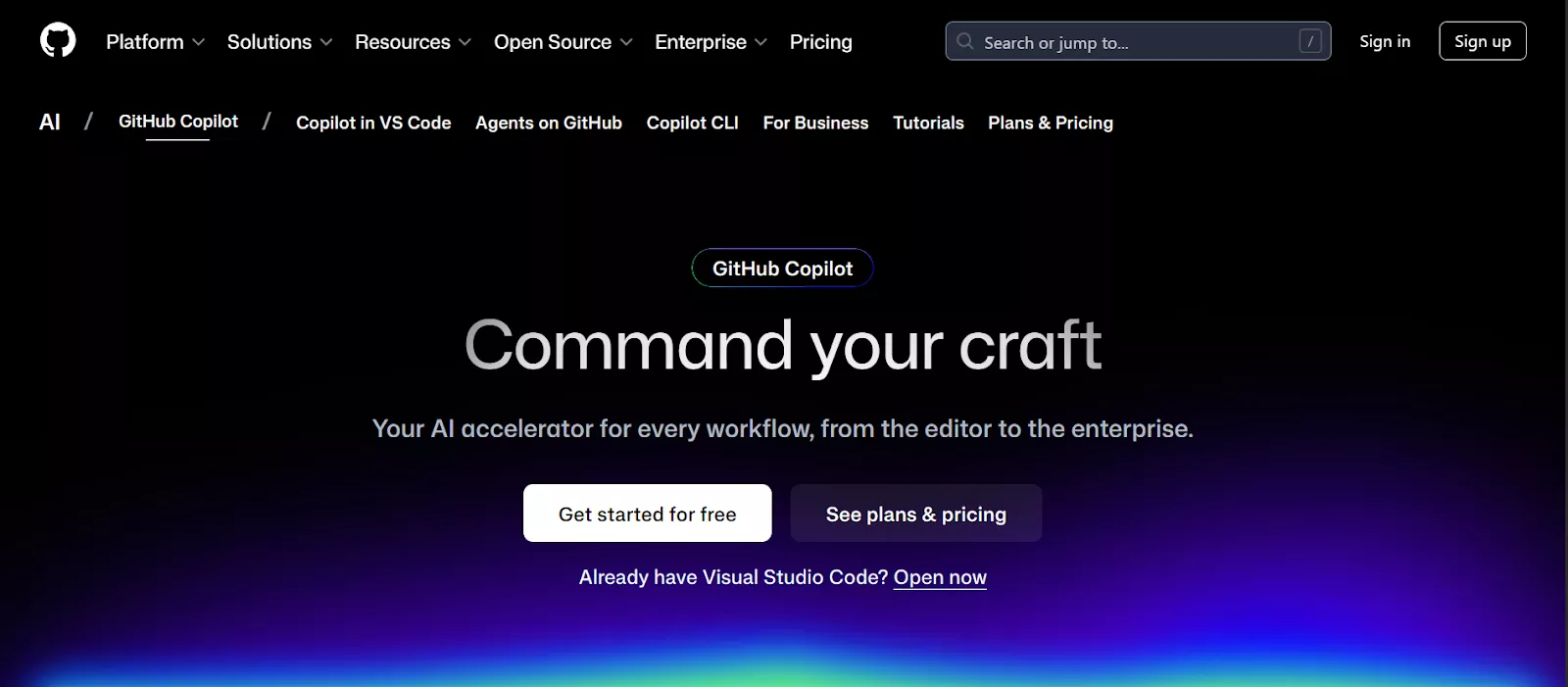
GitHub Copilot has evolved from a simple autocomplete tool into a full Pull Request Agent. In 2026, it can take a GitHub Issue, plan a fix, write the code, and submit a PR for your review. It remains the most integrated tool for teams already deep in the GitHub/Azure ecosystem.
- Key Features: Copilot Edits (multi-file agent mode), PR summaries, and “GitHub Spark” for prompt-to-app generation.
- Best For: Enterprise teams already deeply embedded in the GitHub and Azure ecosystems.
- Use Cases: Maintaining large-scale corporate repositories and automating the Pull Request lifecycle.
- Standout 2026 Highlight: fully Agentic SDLC. Copilot can now take a GitHub Issue, plan the fix, write the code, and submit a ready-to-merge PR autonomously.
- Pros: Most stable ecosystem integration; unmatched enterprise security and compliance features.
- Cons: Can feel “heavier” and less nimble than startup-led tools like Windsurf or Lovable.
Each of these platforms approaches AI assistance from a slightly different angle: some focus on prototyping, others on production readiness, and others on collaboration. The common thread is that all of them make it faster and easier for business-oriented teams to turn ideas into working software.
Selection Matrix: Which 2026 Tool to Pick?
| If you want… | Use… |
| Deep Reasoning | Claude Code |
| Google Ecosystem | Antigravity |
| Browser-only Speed | Bolt.new |
| Structured Quality | Kiro.dev |
| Enterprise Stability | GitHub Copilot |
How to Build an App Using Vibe Coding in 5 Steps
In 2026, building an app using vibe coding has matured into a rigorous 5-step process that balances the speed of AI with the discipline of professional software engineering.
Here is the detailed, step-by-step blueprint for moving from a “vibe” to a production-ready product.
Step 1: The “Architectural Vibe” (Preparation)
Successful vibe coding starts before you open the IDE. In 2026, the quality of your app is directly proportional to the clarity of your initial System Intent.
- Draft a “Micro-PRD”: Instead of one-line prompts, create a “spec.md” file. Define your tech stack (e.g., Next.js 15, Tailwind 4, Supabase), data model (how user info is stored), and core user journey (User lands -> Logs in -> Uploads image -> Gets result).
- Establish the “Visual North Star”: Use a tool like v0.dev or Figma Make to generate a single “Golden Screen” that captures the exact aesthetic you want. This screenshot will act as a visual reference for your coding agent.
Step 2: Setting Up the “Command Center”
Choose your 2026 powerhouse. For professional-grade results, Cursor or Windsurf are the industry standards.
- Initialize the Repo: Run npx create-next-app@latest (or your preferred framework).
- Context Injection: This is the secret sauce. Upload your Micro-PRD and Visual North Star screenshots directly into the agent’s chat window. Tell the agent: “Read these files and images; they represent the rules and style for this entire project. Do not deviate from this stack.”
- MCP Connection: In 2026, use the Model Context Protocol (MCP) to connect your IDE to your live documentation (like the Stripe or OpenAI API docs). This prevents the AI from using outdated “hallucinated” code.
Step 3: The “Vertical Slice” Build
Avoid the “Big Bang” approach. Build one functional feature from top to bottom (UI -> API -> DB) before moving to the next.
- Phase A (Scaffolding): Prompt the agent to build the core layout and folder structure.
“Create a responsive navigation bar and a centered hero section based on the ‘Golden Screen’ screenshot. Use server components where possible.” - Phase B (The Logic): Build the most important feature first.
“Now, implement the image upload logic. Users should be able to drag-and-drop an image, which is then stored in a Supabase bucket. Display a progress bar during the upload.” - Phase C (The Feedback Loop): Run the app immediately after every change. In 2026, your terminal and browser should be side-by-side.
Step 4: Iterative Polishing (The “Vibe Check”)
Once the skeleton is working, you enter the Refinement Phase. This is where you leverage the “Vibe” in Vibe Coding.
- Visual Tweaks: “The upload animation feels too mechanical. Make it follow a ‘spring’ curve and add a subtle neon glow to the border when active.”
- Handling Edge Cases: Instead of writing complex if/else logic, describe the scenario: “What happens if the user uploads a 50MB file? Add a validation check that limits files to 5MB and shows a red ‘File too large’ toast notification.”
- The “Nudge” Debugging: If something breaks, don’t look at the code yet. Copy the error from the console and paste it back into the chat. The AI will often realize its mistake and fix it automatically.
Step 5: Agentic Hardening & Deployment
Before going live, you must transform your “vibe” into a stable system.
- The “Refactor” Command: Tell the agent: “Review all files created today. Remove unused imports, ensure TypeScript types are explicitly defined, and refactor repetitive CSS into reusable Tailwind components.”
- Automated Testing: Ask the agent to write Playwright or Vitest tests for your core journey.
“Write an end-to-end test that ensures a user can successfully log in and see their profile dashboard.” - One-Click Launch: Use a 2026-standard deployment platform like Vercel or Kuberns. Link your GitHub repo, and the agent will handle the environment variables and SSL certificates for you.
| Milestone | Action |
| PDR Created | Did I define the tech stack and data model? |
| Visual Reference | Did I provide a screenshot or UI mockup? |
| Vertical Slicing | Did I build and test one feature at a time? |
| Security Audit | Did I ask the AI to check for exposed API keys? |
| Final Polish | Did I refactor the code for “cleanliness” before deploying? |
The key mindset shift is this: vibe coding is not about skipping rigor; it is about postponing it until it matters. You move fast early, learn quickly, and then apply discipline where it creates the most value. For modern businesses, that balance is what makes vibe coding such a powerful way to build apps.
Vibe Coding in Action: Building a High-Performance Site with v0
In 2026, v0 by Vercel has evolved from a simple UI generator into a comprehensive AI cloud orchestrator.
While it remains the king of frontend polish, it now handles full-stack logic, complex integrations, and team-based version control with ease.
Here is the updated 2026 blueprint for building your business website using v0’s expanded capabilities.
Step 1: Create an Account and Initialize Your Project
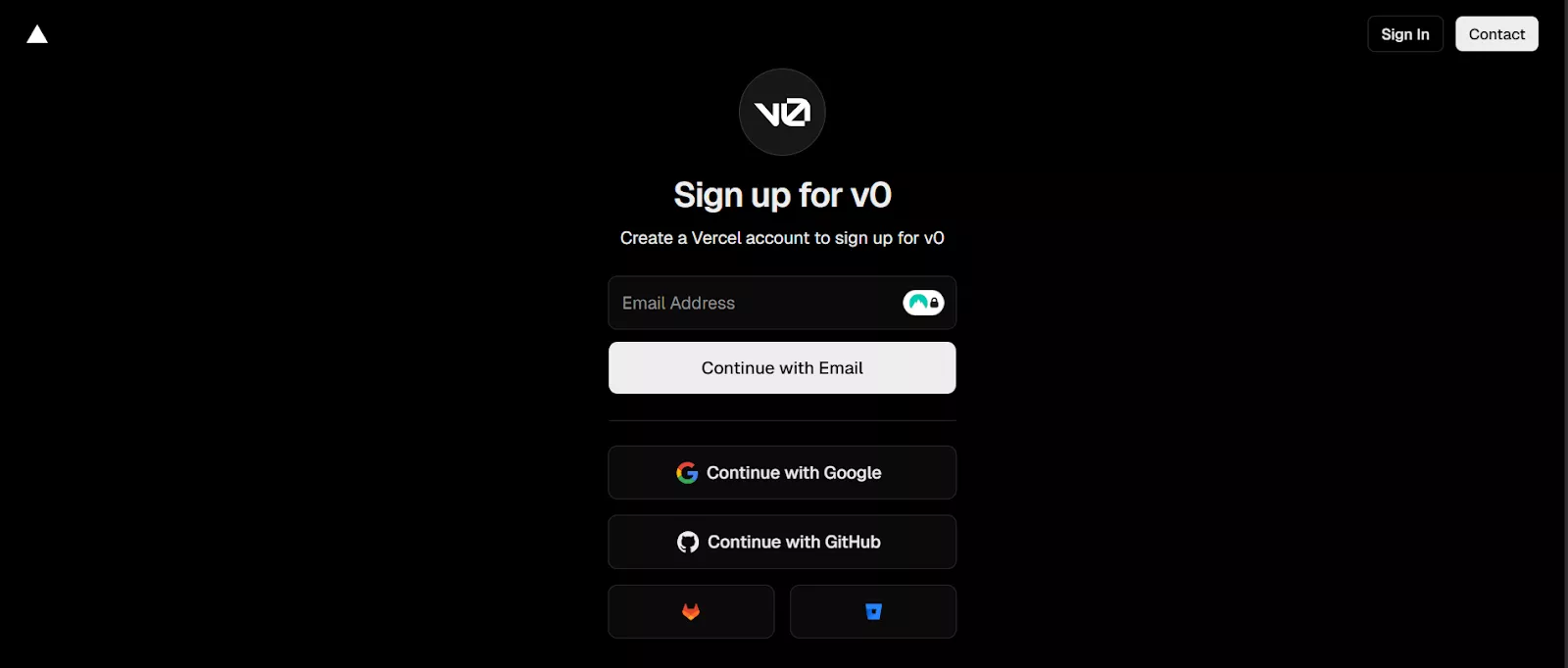
To get started, sign up via Google, GitHub, or GitLab. In 2026, v0 allows you to start a project by either choosing a framework template (like Next.js 15) or by uploading a zip file of your existing source code. This flexibility ensures that you aren’t just starting from scratch but can “vibe” on top of your existing business infrastructure.
Step 2: Describe Your Vision Using Multimodal Prompts
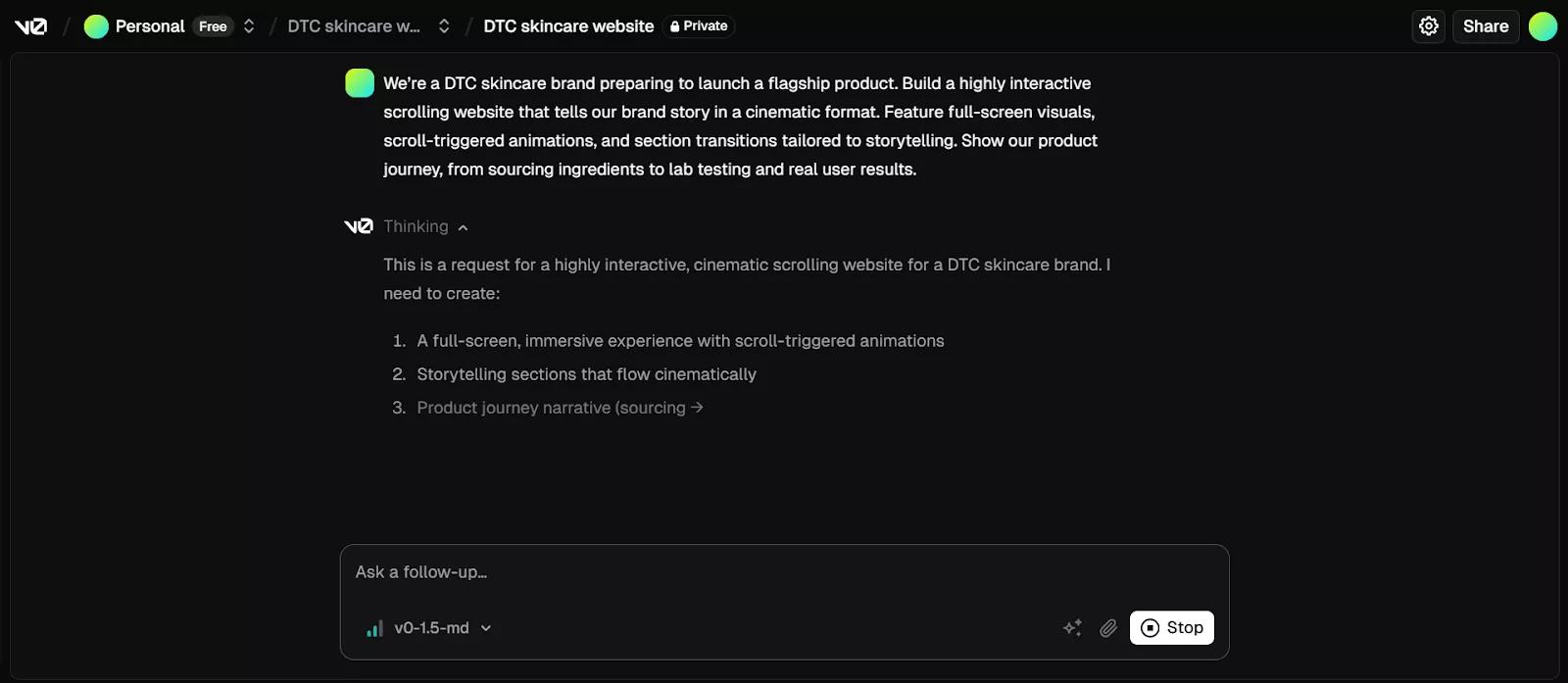
Rather than simple text, v0 in 2026 is multimodal. You can express your website needs in everyday language, or upload a screenshot of a competitor’s site and say, “Make it feel like this, but for a premium coffee brand.”
Example Prompt:
“Build a cinematic, high-performance landing page for a sustainable coffee subscription service. Include scroll-triggered 3D product reveals using Three.js, a dynamic subscription checkout flow, and a dark-mode-first aesthetic with earthy tones. Integrate with our existing Shopify backend for real-time inventory.”
Step 3: Review and Refine with “Agentic Editing”
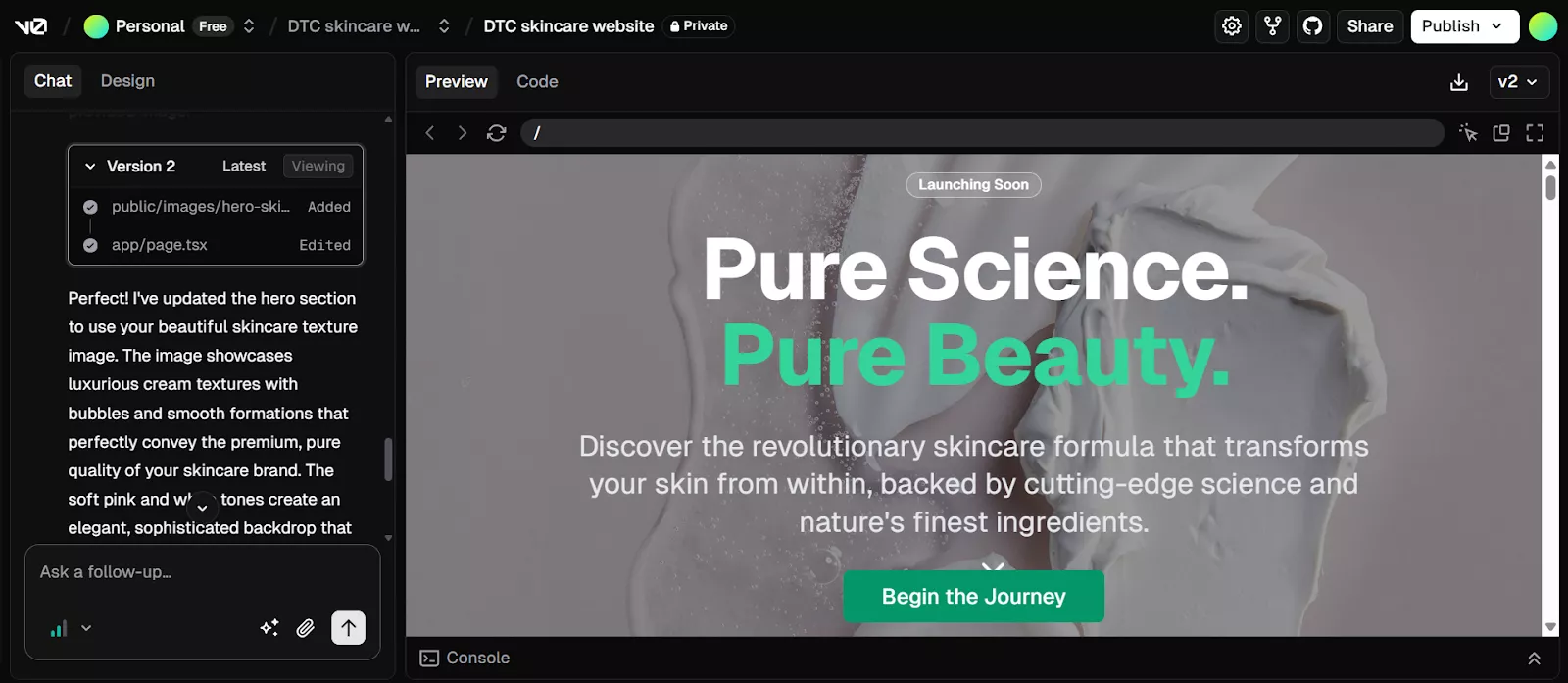
Within seconds, v0 generates a production-ready React structure using Tailwind CSS and shadcn/ui. In 2026, you don’t just edit text; you use the Agentic Sidebar to request complex functional changes:
- UI Refinement: “Update the hero section to have a glassmorphism effect and swap all placeholder images with my brand’s high-res assets from this URL.”
- Logic Integration: “Add a form validation that checks if the user’s email is already in our HubSpot database.”
Step 4: Live Interactive Preview and Debugging

The v0 preview pane in 2026 is a fully functional “sandbox.” You can interact with menus, fill out forms, and test animations in real-time. If something breaks, use the “Fix with v0” button. The AI will scan the console logs, identify the logic error, and suggest a one-click patch to fix the code immediately.
Step 5: GitHub Sync and Team Collaboration
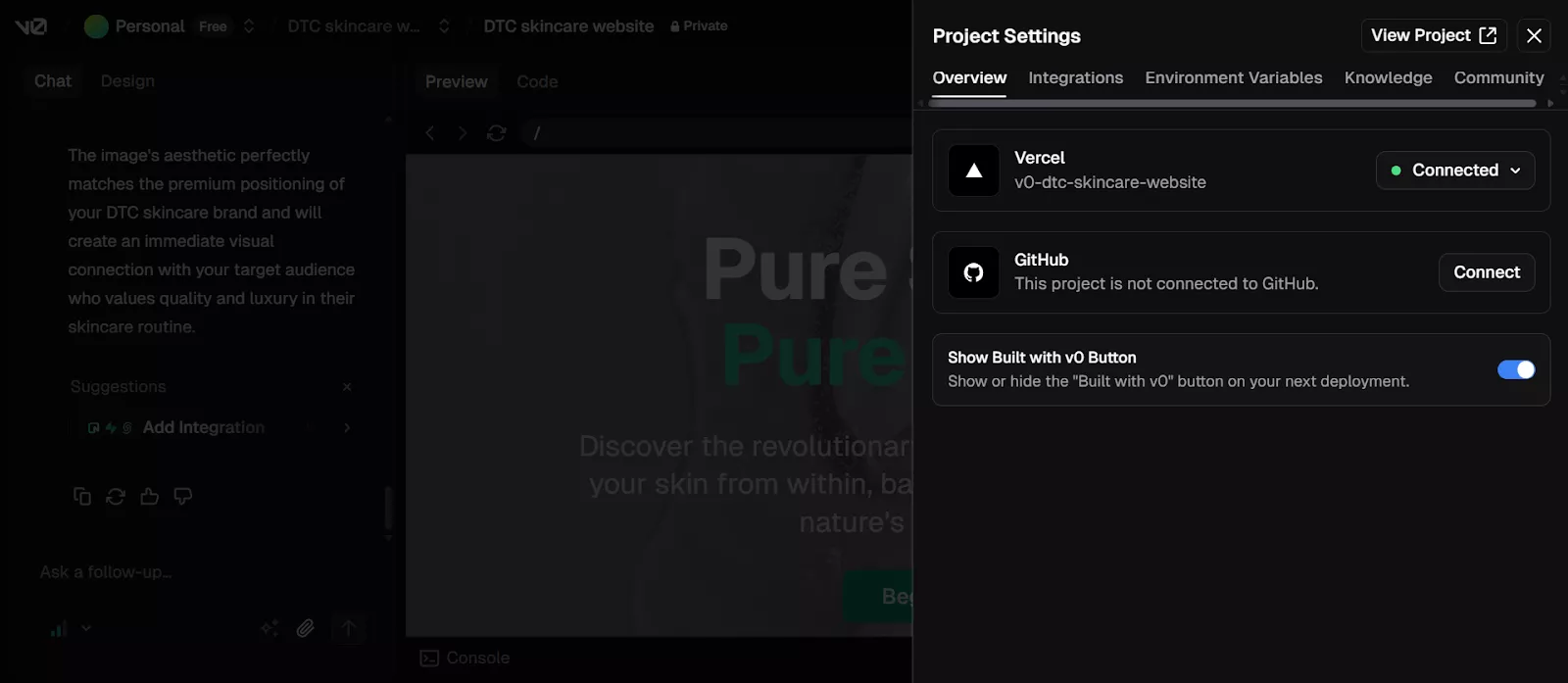
Once the “vibe” is perfect, click “Add Integration” to link your project with GitHub. Unlike older versions, 2026’s v0 features Bidirectional Sync. If your developer makes a manual change in VS Code and pushes to GitHub, v0 “sees” those changes and updates the AI’s mental model of your project so subsequent prompts stay consistent.
Step 6: One-Click Deployment to the Vercel AI Cloud
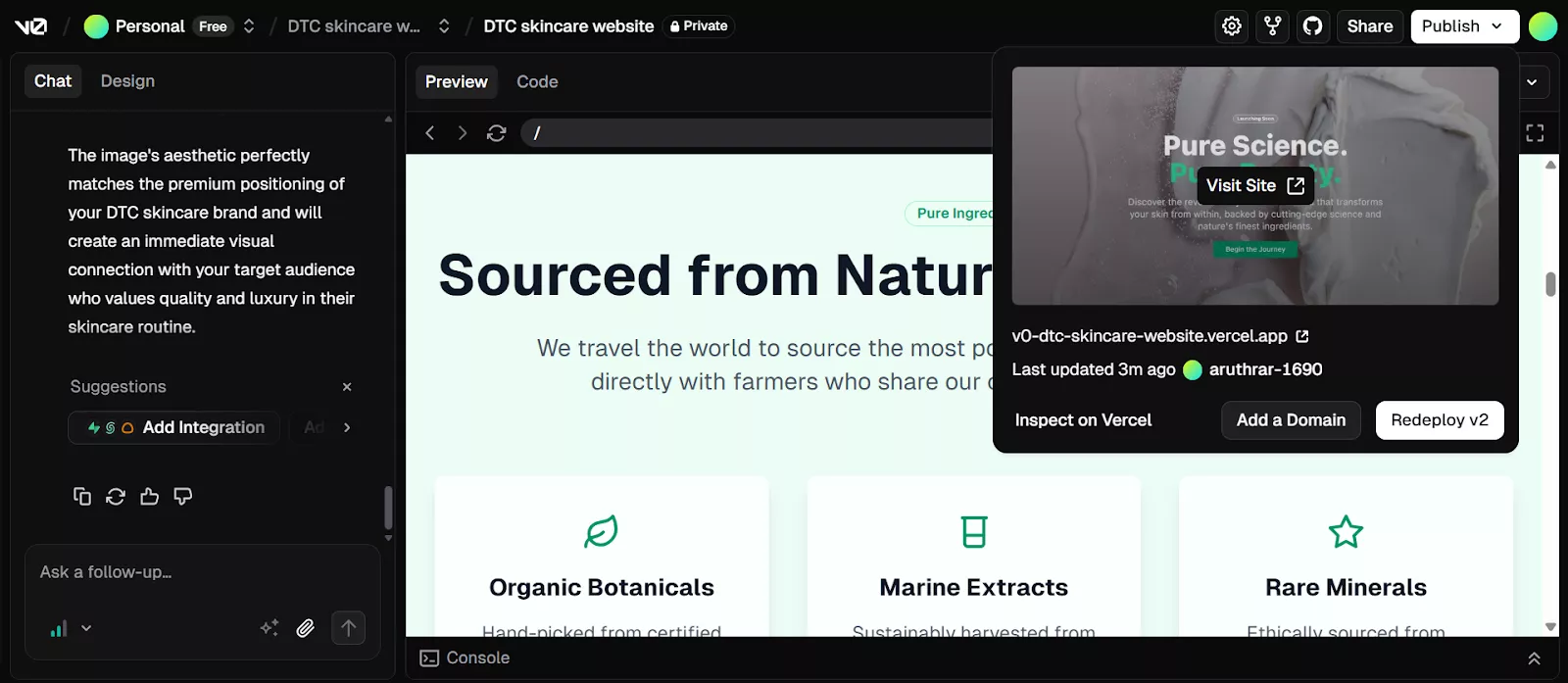
With your code synced, click “Publish.” Your site is deployed to Vercel’s global edge network.
- Instant Optimization: v0 automatically suggests image optimizations and metadata updates to ensure a perfect 100 Lighthouse score for SEO.
- Scalable Infrastructure: Your site is ready for millions of visitors with built-in SSL, DDoS protection, and automatic rollbacks if a future “vibe” goes wrong.
Using v0, businesses can move from idea to live website with less friction, fewer handoffs, and faster results. By combining AI-driven generation with professional-grade tooling, v0 enables teams to launch high-quality websites while maintaining full control over design, code, and deployment.
Best Practices for Vibe Coding with AI Tools
Vibe coding can dramatically accelerate development, but the real advantage comes from using it thoughtfully.
Businesses that get the most value from AI-assisted development treat it as a strategic capability, not a shortcut.
The following best practices help ensure speed does not come at the expense of quality, clarity, or control.
Start with clear intent and constraints
AI performs best when goals are well defined. Before prompting any tool, articulate the business objective, target users, and non-negotiable constraints such as security, compliance, or performance. Clear intent leads to more relevant output and fewer corrective iterations later.
Be specific in your prompts
Vague prompts produce generic results. When describing features or workflows, include context about data sources, user roles, edge cases, and expected behavior. Treat prompts as evolving specifications that become more precise as the product takes shape.
Iterate in small, focused steps
Rather than asking the AI to build everything at once, work in manageable chunks. Generate a feature, test it, refine it, then move on. Smaller iterations make it easier to spot issues early and maintain alignment with business goals.
Review and understand the generated code
AI-generated code should never be treated as a black box. Teams should review outputs for logic, security, and maintainability. Even non-technical stakeholders benefit from understanding the structure at a high level, especially for long-term ownership.
Apply human judgment where it matters most
AI excels at speed and pattern recognition, but humans make the final calls on trade-offs, user experience, and risk. Decisions that impact customers, data integrity, or brand trust should always involve deliberate human review.
Use AI to accelerate, not bypass, engineering standards
Vibe coding works best when paired with existing best practices like version control, testing, and code reviews. AI can help write tests or refactor code, but quality gates should remain in place before anything reaches production.
Know when to bring in specialists
Vibe coding shines in early builds and iterations, but complex systems still benefit from experienced engineers, designers, and security experts. The best teams know when to switch from rapid exploration to disciplined execution.
When applied with intention, vibe coding becomes a powerful way to move faster without losing control. By combining AI speed with human judgment and solid practices, businesses can build better software and adapt more confidently in a rapidly changing environment.
Partner with Bitcot to Build Your App With AI Tools
While vibe coding and AI-native tools like v0 and Cursor democratize development, the gap between a “functional prototype” and a “scalable enterprise product” still requires strategic engineering.
In 2026, Bitcot stands at the forefront of this revolution, acting as your expert partner to turn AI-generated “vibes” into high-performance, market-ready applications.
Why Choose Bitcot for Your AI-Native Journey?
Bitcot doesn’t just use AI for speed; we use it to enhance precision, security, and scalability. We bridge the gap between rapid prototyping and long-term infrastructure maturity.
- Expert AI Orchestration: Our team specializes in the hybrid workflow of 2026, leveraging tools like v0.dev for lightning-fast frontend generation and Cursor for deep, AI-assisted backend logic.
- Rapid Validation (MVP in Days): We use AI-native development to ship usable prototypes in record time. Our clients report up to 60% faster development cycles, allowing you to test market fit before significant capital investment.
- Engineering Muscle: AI can write code, but Bitcot provides the “Product Thinking.” We ensure your app follows DRY (Don’t Repeat Yourself) principles, has a robust data schema, and is optimized for the Vercel AI Cloud.
- Scalability & Security: We implement agentic workflows and Model Context Protocol (MCP) to ensure your AI agents are secure, reliable, and integrated with your specific business data.
Our 2026 AI Development Stack
| Tool Category | Our Preferred Tools |
| Rapid UI/UX | v0.dev, Shadcn/ui, Tailwind CSS |
| AI IDE | Cursor AI |
| AI Frameworks | LangChain, LlamaIndex, LangGraph |
| Deployment | Vercel, AWS Bedrock, Azure OpenAI |
Don’t let the technical complexity of AI hold your business back. Whether you’re a startup looking to launch an MVP or an enterprise ready to integrate autonomous AI agents, Bitcot has the veteran experience to guide you through the 2026 tech landscape.
Final Thoughts
As we move deeper into 2026, it’s clear that “vibe coding” isn’t just a passing trend; it’s a fundamental shift in how we bring ideas to life.
We’re entering an era where the distance between a “what if” and a working URL is shorter than ever. It’s an exciting, slightly wild time to be a creator, whether you’ve been writing C++ for a decade or you’re just someone with a great idea for a skincare brand.
The beauty of our services in AI-powered development with v0 and Cursor is that it meets you wherever you are. For the seasoned engineer, it’s like having a hyper-productive intern who never sleeps. For the entrepreneur, it’s a master key that unlocks a door that used to be guarded by expensive agencies and complex syntax.
Fun Fact: You aren’t alone in this journey. About 63% of users exploring vibe tools are non-developers, using tools like v0 or Cursor to streamline tasks and create custom solutions to their problems.
However, as the “vibe” settles into reality, remember that speed is only half the battle. The most successful projects of 2026 are those that balance AI’s raw velocity with human architectural wisdom. Don’t be afraid to experiment, break things, and “vibe-check” your logic, but always keep an eye on the foundation.
Scaling an idea from a prompt to a production-grade application requires more than just the right tools; it requires the right strategy. Whether you’re looking to build a high-performance web app or a complex enterprise solution, Bitcot is here to help you navigate the future of software.
Our team combines deep engineering expertise with the latest in AI automation to ensure your project isn’t just fast, but built to last.
Partner with Bitcot today and let’s build your next big idea together.