Key Takeaways:
- The RAD market is projected at $79.2 billion by 2026, growing at 40.2% CAGR
- Industry research shows RAD projects succeed at roughly twice the rate of traditional waterfall development
- 70% of new enterprise apps now use low-code or no-code platforms
- Power Apps, Mendix, and OutSystems lead the enterprise RAD space
- Pricing ranges from $20/user/month to $36,300/year depending on scale
- Choosing the wrong RAD tool costs more than building from scratch selection matters
Here’s a number that should make every founder pause.
Companies using rapid application development tools are launching apps in 2-4 weeks, not six months. They’re cutting development costs by 70%. And they’re shipping products that actually hold up in production.
This is what thousands of smart business owners across the United States are discovering right now. But most of them didn’t get there by picking the first tool they found on Google.
They got there by asking the right questions first.
Here’s the real challenge – and it’s not what most people expect.
With dozens of RAD platforms flooding the market, how do you tell which tools deliver genuine value and which ones produce fragile apps that hurt your brand? The marketing looks identical. The feature lists overlap. The promises all sound the same.
So how do you actually decide?
According to recent market research, the global Rapid Application Development market was valued at USD 56.5 billion in 2025 and is projected to reach USD 79.2 billion by 2026, growing at a CAGR of 40.2%. This growth reflects how American businesses are recognizing what tech giants have understood for years: speed determines market success.

What Are Rapid Application Development Tools?
Before diving into the platforms themselves, it’s worth being clear about what RAD tools actually are – and what separates a genuinely useful one from a glorified drag-and-drop toy.
Rapid application development software consists of platforms or frameworks that facilitate the quick creation of applications. These tools provide an environment and set of features that streamline and accelerate the development process, typically through visual interfaces, prebuilt components, and code generation.
A modern RAD platform doesn’t just help you build faster. It changes who can build at all.
RAD tools are designed to enable both professional developers and citizen developers to create applications efficiently, often without extensive coding knowledge. Users build through a visual development environment rather than writing hundreds of lines of code from scratch.
Here’s what makes today’s landscape different from even two years ago.
An estimated 70% of new enterprise applications are now being developed using low-code or no-code platforms. Over 80% of those tool users are individuals outside traditional IT departments – the so-called citizen developers. That wave is reshaping how organizations approach digital transformation entirely.
“With GitHub Copilot and Copilot in Power Platform, we’re turning natural language into the newest programming language, democratizing software creation for everyone.”
– Satya Nadella, CEO of Microsoft
That shift changes everything about who builds software and how fast it ships. Now, the real question is: which platform should your team actually be on?
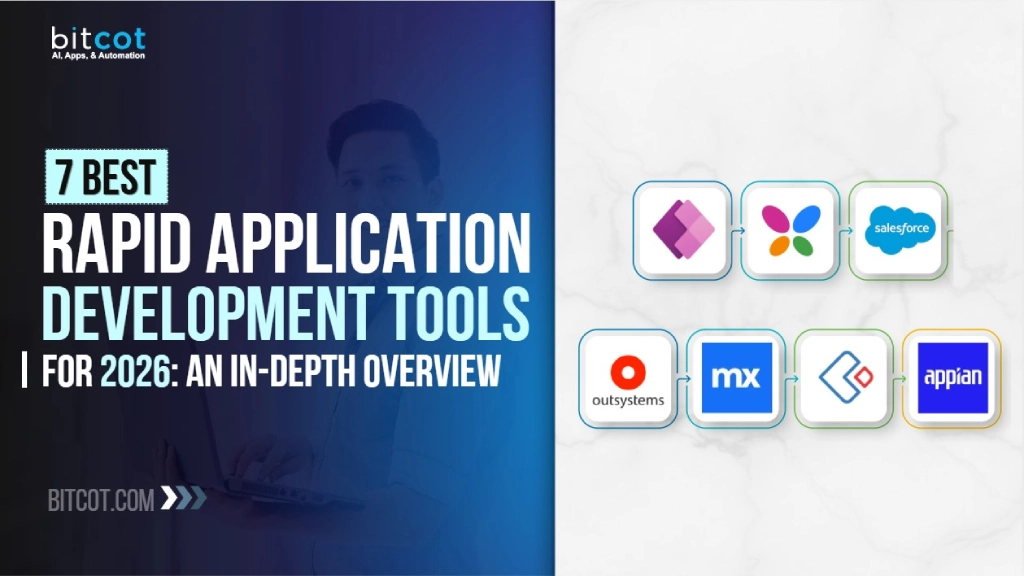
7 Best Rapid Application Development Tools to Consider
Navigating the abundance of RAD tools on the market can feel daunting. New platforms launch every quarter. Existing ones add AI capabilities at a rapid pace. The selection process gets harder, not easier.
For a deeper dive into the broader low-code landscape, check out this breakdown of the best low-code development platforms.
Each platform below has been evaluated based on real-world developer feedback, enterprise adoption, AI capabilities, pricing transparency, and scalability. The goal isn’t to rank them – it’s to help you match the right tool to the right situation.
Let’s start with the one most teams evaluate first.
1. Microsoft Power Apps 
If your company already runs on Microsoft, this is probably where the conversation starts – and for good reason.
Microsoft Power Apps is a low-code RAD platform that allows businesses to create web and mobile applications quickly. It integrates seamlessly with the broader Microsoft ecosystem, including SharePoint, Teams, Dynamics 365, and Office 365, removing the friction of connecting data sources and automating workflows.
The platform provides a drag-and-drop interface, pre-built templates, and connectors for over 1,000 data sources. In 2026, Power Apps continues to strengthen its AI capabilities through deep integration with Microsoft Copilot and AI Builder, allowing users to embed intelligent features into applications without deep technical expertise.
For enterprise teams evaluating Power Apps as part of a larger strategy, this guide on how Power Platform accelerates full-stack development covers architecture, workflow automation, and real-world ROI in detail.
Key Features:
- Drag-and-drop app builder with pre-built templates
- 1,000+ connectors for third-party data sources and services
- Copilot and AI Builder integration for intelligent automation
- Tight integration with Power Automate and Power BI
- Canvas and model-driven app options for different use cases
Pros:
- Deep integration with Microsoft 365 and Azure ecosystem
- User-friendly for citizen developers with minimal coding experience
- Extensive connector library for rapid data integration
- AI-powered features through Copilot and AI Builder
- Scalable through the broader Power Platform
Cons:
- Complex licensing structure; Premium plan runs approximately $20/user/month
- Performance limitations for highly complex applications
- Heavy reliance on the Microsoft ecosystem limits portability
- Monitoring and debugging capabilities lag behind some competitors
Pricing: Free for basic development. Premium plan starts at ~$20/user/month (with volume discounts at ~$12/user/month for large deployments). Additional costs may apply for Power Automate, AI Builder credits, and premium connectors.
Best For: Small to large businesses already invested in the Microsoft ecosystem. Ideal for building internal business apps, automating workflows, and empowering citizen developers.
Power Apps is a strong starting point – but it works best within its own walls. What if your needs go beyond internal tools and you need something built for scale from day one, regardless of which cloud you’re on?
2. Mendix 
That’s exactly the gap Mendix is designed to fill.
Mendix is a comprehensive rapid application development cloud platform that enables businesses to rapidly build and deploy web and mobile applications. It offers an intuitive visual development environment, allowing users to create applications through a model-driven approach one that scales from simple departmental tools to mission-critical enterprise systems.
Mendix provides collaboration tools, automated testing, and seamless integration with third-party systems. It also offers a marketplace of pre-built application components and templates to accelerate development from day one.
As a Siemens company, Mendix has continued expanding its capabilities in 2026 with enhanced agentic AI features, improved cloud-native development, and deeper React Native integration for mobile. It remains consistently recognized as a Leader in Gartner’s Magic Quadrant for Enterprise Low-Code Application Platforms.
Key Features:
- Visual, model-driven development with microflows and nanoflows
- React Native integration for high-performance native mobile apps
- Built-in version control, code merging, and team collaboration
- Cloud-native, containerized application architecture
- Extensive marketplace of reusable components and templates
Pros:
- Powerful visual IDE suitable for both citizen and professional developers
- Strong collaboration features for large development teams
- Portable, cloud-native apps that avoid single-cloud lock-in
- Mature mobile development through React Native
- Comprehensive learning resources and evaluation programs
Cons:
- Steeper learning curve than simpler no-code tools
- Standard plan starts at $998/month; Premium requires custom pricing
- Proprietary components may raise vendor lock-in concerns
- Some users report modeler stability issues under heavy use
Pricing: Free tier available. Standard plan starts at $998/month. Premium plan requires a custom quote.
Best For: Medium to large enterprises seeking a scalable, enterprise-grade platform for building complex web and mobile applications with strong team collaboration.
Mendix handles scale and collaboration well. But scale alone isn’t always the deciding factor. What happens when the application is truly mission-critical – when even a few hours of downtime carries real financial or reputational risk?
3. OutSystems 
That’s the scenario OutSystems was built for.
OutSystems is a platform specifically created to support the RAD technique at the highest level of enterprise complexity. It provides developers with top-tier tools to swiftly and effectively build, deploy, and manage applications where failure simply isn’t an option.
What sets OutSystems apart is how it handles API integration and system connectivity. It seamlessly works alongside other tools and systems, making it a natural fit for organizations with complex, layered technology stacks. It also supports full application lifecycle management – from rapid prototyping through deployment to long-term maintenance.
In 2026, OutSystems has further solidified its position as an AI-enabled low-code platform. Its GenAI toolset, Agent Workbench for orchestrating AI agents, and AI-driven code reviews make it one of the most technically advanced RAD platforms available today.
Key Features:
- Full-stack development with GenAI toolset and Agent Workbench
- Integration with 200+ third-party applications
- AI-driven code reviews, security scanning, and performance optimization
- Built-in DevOps, automated testing, and monitoring tools
- Cloud-native architecture with enterprise-grade security
Pros:
- Enterprise-scale capabilities for mission-critical applications
- Advanced AI integration for development acceleration
- Strong mobile development for both iOS and Android
- Robust deployment, governance, and compliance features
- Pre-built integrations reduce development time significantly
Cons:
- Significant cost; Developer Cloud starts at $36,300/year
- Steep learning curve, particularly for non-technical users
- Proprietary technology creates platform dependency risks
- Community marketplace options more limited than competitors
Pricing: Free Personal Edition available. OutSystems Developer Cloud at $36,300/year. Custom enterprise quotes available.
Best For: Large enterprises needing a scalable, powerful platform for developing complex, mission-critical applications with robust integration and compliance requirements.
The first three platforms on this list are clearly built for teams with dedicated developers, larger budgets, and complex infrastructure. But not every business is in that position – and that’s completely fine. What if the priority is speed and affordability, not enterprise architecture?
3. Zoho Creator 
That’s where Zoho Creator earns its place on this list.
Zoho Creator is the quiet achiever here. No flashy enterprise positioning. No $36,000 annual bills. Just a reliable, low-code platform that gets the job done for small and mid-sized teams who need results fast without the overhead.
It lets businesses automate processes, build apps that run on any device, and incorporate AI without coding. The drag-and-drop interface enables everyone – from developers to business users – to build custom web and mobile applications.
As part of the larger Zoho ecosystem, it offers seamless integration with other Zoho products and over 600 third-party services. In 2026, it has enhanced its AI-assisted migration tools, so businesses can now quickly transform and migrate cluttered data from legacy systems and spreadsheets into unified, structured databases.
Key Features:
- Intuitive visual builder with drag-and-drop and reusable code blocks
- AI-assisted data migration from legacy systems and spreadsheets
- Seamless integration within the Zoho ecosystem (CRM, Books, Desk)
- Built-in automation for data collection, emails, and repetitive tasks
- Multi-device support with responsive app design
Pros:
- Affordable pricing compared to enterprise-grade competitors
- Strong ecosystem integration with other Zoho products
- AI-assisted Smart Import tools for rapid data transformation
- Accessible to non-technical business users
- Solid automation capabilities for workflow simplification
Cons:
- Less suitable for highly complex, enterprise-scale applications
- Limited functionality outside the Zoho ecosystem
- Advanced customization may require Deluge scripting knowledge
- Browser compatibility issues in certain edge cases
Pricing: Tiered pricing based on users and features. Significantly more affordable than platforms like OutSystems or Mendix, making it accessible for small and mid-sized teams.
Best For: Small to medium businesses looking for a versatile, cost-effective RAD tool that integrates well within a larger software ecosystem.
Zoho Creator handles general-purpose app building very well. But what if building an app isn’t really the core need – what if the bigger problem is that your business processes are scattered, slow, and hard to automate?

5. Appian 
That’s where Appian takes a fundamentally different approach from every other tool on this list.
Every platform covered so far builds applications. Appian builds processes – and wraps applications around them. That distinction matters more than most buyers realize when they’re first evaluating tools.
Appian combines business process automation, data management, and user interface design in a single environment. It allows businesses to develop web and mobile applications rapidly, with a focus on process automation and workflow management.
For organizations already using robotic process automation, Appian extends those capabilities with a visual application layer on top. In 2026, it continues to lead in process-centric enterprise development with enhanced AI modeling, case management, document processing, and compliance capabilities – particularly in industries where regulatory demands are non-negotiable, like finance, healthcare, telecom, and government.
Key Features:
- Industry-leading business process management (BPM) engine
- AI-powered document processing and intelligent automation
- Case management and decision rules engine
- End-to-end workflow automation with compliance support
- Drag-and-drop interface design with enterprise system integration
Pros:
- Unmatched BPM and business process automation capabilities
- Powerful intelligent automation and decision management
- Strong compliance and governance features for regulated industries
- AI-powered document extraction reduces manual work
- Suitable for orchestrating complex, multi-step business processes
Cons:
- Custom pricing based on user volume and deployment model; generally premium
- Steeper learning curve with platform-specific vocabulary
- Limited visibility into deeper debugging and troubleshooting
- Complex implementations often require experienced developers or partner services
Pricing: Standard, Advanced, and Premium plans billed per user, per month, per app. Contact Appian for specific pricing details.
Best For: Enterprises requiring end-to-end process automation and workflow management, particularly in regulated industries such as financial services, healthcare, and government.
Appian and OutSystems are both powerful – but they assume you have experienced developers in the room. What if you don’t? What if the team building these tools isn’t IT at all?
6. Kissflow 
That’s the exact problem Kissflow was designed to solve.
Kissflow is one of the few RAD tools that doesn’t require essential IT resources to get started. It’s accessible to people from all backgrounds, making it one of the most approachable no-code app builders on the market.
Kissflow is a unified digital workplace platform that allows businesses to automate workflows and build custom applications without coding. It merges project management, business process management, automation, and case management into a single environment – reducing the need to juggle multiple tools across departments.
In 2026, Kissflow remains a strong choice for organizations looking to consolidate operational tools into one platform, empowering both process owners and IT developers with minimal technical barriers.
Key Features:
- No-code/low-code app builder with minimal learning curve
- Unified platform combining workflows, case management, and project tracking
- Open APIs and webhooks for integration with Slack, GSuite, Salesforce, and more
- Automated performance insights for proactive quality improvements
- Built-in analytics and reporting dashboards
Pros:
- Minimal coding required; intuitive interface accelerates development
- All-in-one platform reduces tool sprawl across teams
- Broad integration capabilities through open APIs
- Affordable and accessible for organizations of all sizes
- Automated insights help improve apps before testing
Cons:
- Risk of oversimplification for complex enterprise projects
- Limited advanced development features compared to OutSystems or Mendix
- Customization depth may not satisfy professional developers
- Scalability constraints for very large deployments
Pricing: Tiered plans based on users and features. Competitively priced for mid-market organizations.
Best For: Organizations aiming to simplify and integrate various operational components. Ideal for businesses seeking a unified platform for process automation without heavy technical investment.
All six tools covered so far are general-purpose RAD platforms – they’re built to serve a wide range of use cases. The final one takes a completely different approach. It’s highly specific, highly powerful, and only makes sense for one type of buyer.
7. Salesforce Lightning 
If your business already runs on Salesforce, this is the tool you’ve been waiting for.
Salesforce Lightning is a component-based framework designed to build dynamic web applications for mobile and desktop devices within the Salesforce ecosystem. It’s not trying to compete with Mendix or OutSystems. Instead, it extends what Salesforce already does – turning your CRM infrastructure into a full application development platform.
It offers a comprehensive suite of tools for creating custom user interfaces, automating business processes, and extending Salesforce CRM capabilities. Salesforce Lightning continues to benefit from deep integration with Einstein AI, offering predictive analytics, intelligent recommendations, and generative AI capabilities directly within custom applications.
Key Features:
- Component-based architecture for modular, reusable development
- Einstein AI for predictive analytics and intelligent automation
- Deep integration with Salesforce CRM and platform services
- AppExchange marketplace with thousands of pre-built components
- Mobile-first responsive design capabilities
Pros:
- Seamless integration with the Salesforce ecosystem and customer data
- Einstein AI delivers predictive insights and automation out of the box
- Reusable components accelerate development and consistency
- Extensive AppExchange marketplace for rapid extensibility
- Strong mobile-first design capabilities
Cons:
- Heavily dependent on the Salesforce ecosystem; limited use outside it
- Costs escalate quickly with additional Salesforce licenses and add-ons
- Requires familiarity with Salesforce-specific technologies (Apex, SOQL, LWC)
- Performance constraints for very large-scale custom applications
Pricing: Pricing tied to Salesforce platform licensing. Costs vary based on edition, users, and additional features.
Best For: Businesses already using Salesforce CRM that want to extend their platform with custom applications, dashboards, and automated workflows.
Seven platforms, seven different strengths. Now that each one has been covered in depth, it helps to see them side by side.
How Do the Top RAD Tools Compare in 2026?
Here’s a side-by-side breakdown across the factors that matter most: target audience, AI capabilities, entry-level pricing, and how steep the learning curve actually is.
| Tool | Best For | AI Features | Starting Price | Learning Curve |
| Microsoft Power Apps | Microsoft ecosystem users | Copilot, AI Builder | ~$20/user/month | Low to Medium |
| Mendix | Enterprise web & mobile apps | Agentic AI | $998/month (Standard) | Medium to High |
| OutSystems | Mission-critical enterprise apps | GenAI, Agent Workbench | $36,300/year | High |
| Zoho Creator | SMBs in Zoho ecosystem | AI-assisted migration | Budget-friendly tiers | Low |
| Appian | Process automation (regulated) | AI document processing | Custom (per user) | Medium to High |
| Kissflow | Workflow unification | Automated insights | Mid-market pricing | Low |
| Salesforce Lightning | Salesforce CRM extension | Einstein AI | Salesforce license-dependent | Medium |
The comparison makes one thing clear: there’s no single best tool. There’s only the best tool for your specific situation. And knowing which situation you’re in leads to the next question – what does the right choice actually unlock?
What Are the Key Benefits of Rapid Application Development?
For companies requiring complex enterprise application development, RAD platforms provide scalable software solutions that handle demanding business processes while maintaining security and compliance standards.
Modern businesses also benefit from integrated AI capabilities that many of these platforms now offer, making them valuable for companies working with an AI-powered development partner to streamline their operations.
The most immediate benefit is time. RAD teams drastically reduce development timelines compared to traditional coding. Instead of waiting months for new features, apps can progress from idea to deployment in just weeks or days. That speed is the core promise of agile development methodology – and RAD tools deliver on it.
“The best tool is the one your team can actually ship with. A platform collecting dust is worth less than a simpler tool that’s live in production and driving results.”
– Raj Sanghvi, Founder of Bitcot
Prebuilt components and drag-and-drop interfaces enable rapid assembly even by citizen developers. And for teams deciding between a RAD platform and a fully custom software development approach, the right choice depends on how much flexibility the project demands versus how fast it needs to launch.
Also Read: How to Build an App Without Coding: A Detailed Guide
Automation also ensures that faster delivery doesn’t introduce additional bugs or security flaws. With RAD platforms, businesses can achieve the agility and time-to-market advantages that drive real growth – without trading away quality to get there.

How Can Bitcot Help You Build Faster with RAD?
Choosing the right RAD platform is only half the equation. The other half is implementation: configuring the platform correctly, integrating it with existing systems, building the right architecture, and ensuring the final product actually scales under real user load.
That’s where most teams hit a wall – and it’s one of the most common problems Bitcot solves for startups, SMBs, and enterprises across the USA.
Bitcot’s development teams work across multiple RAD platforms and low-code development environments, including Microsoft Power Apps, custom React and Node.js stacks, and AI-powered prototyping tools. With over 3000 digital solutions delivered – spanning web applications, mobile apps, SaaS platforms, and AI-enabled systems – the team understands what it takes to go from tool selection to production-ready deployment.
Whether the goal is a rapid MVP to validate a concept or a scalable enterprise application built on a low-code foundation, Bitcot brings the technical depth and product thinking to make it work. For teams still working through budgets, this guide to software development cost estimation can help set realistic expectations before committing to a platform.
“Speed matters in business, plus a high-velocity decision-making environment is more fun too.”
The result? Faster launches, fewer rewrites, and products that hold up under real-world conditions.
Conclusion
The right RAD tool doesn’t just reduce development time it changes what’s possible for your team.
These 7 platforms each offer powerful solutions for businesses seeking to accelerate the application development process. Each has its own set of features, advantages, and tradeoffs, catering to different development requirements and user skill levels. Whether the approach is low-code or no-code, they all share one common goal: getting great software into users’ hands faster.
Choosing the right one comes down to a few honest questions. How complex is the project? How technical is your team? What systems does it need to integrate with? Answer those clearly, and the right platform becomes much easier to identify.
By leveraging these tools effectively, businesses can unlock new opportunities for innovation and growth in the digital landscape of 2026 and beyond.
If you’re ready to move from evaluation to execution, reach out to Bitcot today. The team is ready to help you navigate tool selection, build your roadmap, and turn your vision into a production-ready product.
Frequently Asked Questions (FAQs)
What is rapid application development (RAD)?
Rapid application development is a software methodology that prioritizes rapid prototyping, iterative feedback, and speed over lengthy planning and documentation cycles. It enables teams to build functional applications in weeks instead of months by using visual development environments, prebuilt components, and continuous user collaboration.
Which RAD tool is best for small businesses in 2026?
For small businesses, Microsoft Power Apps (if already using Microsoft products), Zoho Creator (for budget-conscious teams in the Zoho ecosystem), and Kissflow (for workflow-centric needs) are the strongest options. Each offers low entry costs, minimal learning curves, and enough power to build production-ready internal applications without a large IT team.
How much do RAD platforms cost?
Costs vary significantly. Power Apps starts at ~$20/user/month. Mendix Standard begins at $998/month. OutSystems Developer Cloud starts at $36,300/year. Appian and Salesforce Lightning use custom pricing models. Free tiers or personal editions are available from most platforms for evaluation and small projects. For a broader breakdown.
Can RAD tools handle enterprise-grade applications?
Yes, and several on this list are built specifically for that purpose. Platforms like OutSystems, Mendix, and Appian support complex integrations, compliance requirements, robust security, and applications serving millions of users. The key is matching the right platform to the complexity and scale of the project before committing.
What is the difference between low-code and no-code?
Low-code platforms provide visual development environments but still allow custom code for advanced logic. No-code platforms use purely visual interfaces with zero coding required. Low-code tools like Mendix and OutSystems offer more flexibility for professional developers. No-code tools like Kissflow and parts of Zoho Creator are better suited for citizen developers building workflow automation without engineering support.
Do RAD tools create technical debt?
They can—if used carelessly. Rapid iteration without proper governance, documentation, and refactoring practices can lead to poorly structured applications that become hard to maintain. Establishing clear technical standards from the start is essential to keeping long-term costs manageable. A good implementation partner helps prevent this from the beginning.
Is RAD suitable for mobile app development?
Absolutely. Most leading RAD platforms support cross-platform development for mobile. Mendix uses React Native for native mobile apps. OutSystems builds for both iOS and Android. Power Apps and Salesforce Lightning offer mobile-responsive designs out of the box. For a broader comparison of mobile-specific tools, see this guide to mobile app development platforms. With over 311 million smartphone users in the United States alone, mobile readiness is a baseline expectation, not a bonus feature.
How do I choose the right web application framework alongside RAD tools?
RAD platforms handle much of the framework decision for you but some projects require a traditional development stack instead. For teams evaluating both approaches, this comparison of the best web application development frameworks covers when a full-code framework like React, Django, or Laravel makes more sense than a low-code platform.