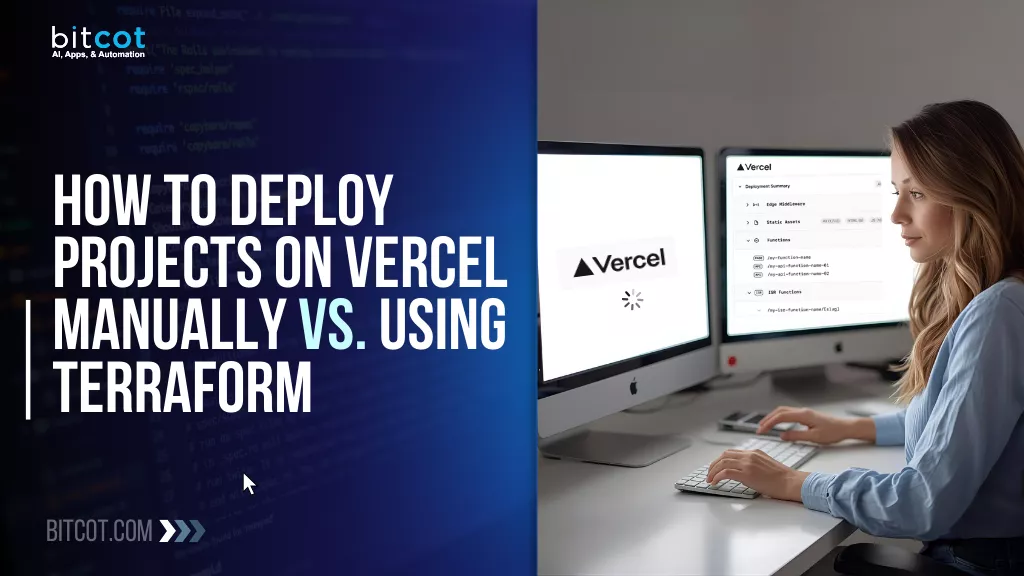
You know that amazing feeling when you finish a big project? The code is clean, the design is pixel-perfect, and now it’s time to deploy.
For a lot of us, that moment means heading over to Vercel, hitting a few buttons, and watching our brilliant creation go live; it’s fast, it’s beautiful, and honestly, it feels like cheating!
Vercel is incredible because it made deployment an afterthought, freeing up our teams to focus on building features instead of fiddling with servers. And for that first project, or even your first few, just clicking “Connect Git” is the perfect approach.
But let’s be real. As your company grows and your product portfolio expands, you start running into bigger questions:
- How do we guarantee that our staging environment is an exact mirror of production, every single time?
- What happens when our lead developer leaves, and all the “tricks” for setting up the environment are lost in their memory?
- How do we manage 50 different environment variables across 10 different projects without making a spreadsheet that’s impossible to maintain?
If these questions are starting to keep you up at night, it might be time to look beyond the simple click-and-deploy model.
That’s where Terraform comes into the picture.
Think of it as putting a highly efficient, robot manager in charge of your entire Vercel setup. Instead of manually connecting domains and typing in variables, you use a simple, low-code script that says, “This is what my Vercel project should look like.”
In this piece, we’re going to have an honest chat about the two strategic paths:
- The Manual Way (The Easy Button): Great for speed, small teams, and pure agility.
- The Terraform Way (The Governance Button): Essential for scale, risk reduction, and enterprise-grade consistency.
We’ll break down what each process actually looks like, step by step, no jargon, no assumptions, and highlight the strengths and trade-offs along the way.
By the end, you’ll have a clear, practical understanding of how both deployment methods work and which one might fit best for your team’s workflows, scale, and long-term goals.
What Are Vercel Manual Deployment and Terraform IaC?
If you’re building modern web apps, you’ve probably heard terms like Vercel Deployment and Terraform IaC. They both get your project out there, but they approach the job in totally different ways.
Let’s break down what each one means in a super-simple way.
Think of Vercel Manual Deployment as the fastest way to get your code live for a one-off task or a quick test.
When you use Vercel, you often connect it directly to your Git repository (like GitHub). The automatic deployment feature means every time you push a change to your main branch, Vercel sees it, builds your project, and updates your live site, all without you doing anything else. That’s the typical, glorious Vercel experience!
But sometimes, you need a quick deploy right now from your local machine, without pushing to Git. That’s where the “manual” part comes in, usually via the Vercel CLI (Command Line Interface).
- How it works: You run a command like vercel deploy (or just vercel) in your terminal. Vercel then takes the files in your current directory, uploads them, builds the project, and gives you a deployment URL.
- Best for: Quick checks, testing a local change that you’re not ready to commit, or deploying a standalone directory that isn’t connected to a Git repo.
- The Catch: It’s great for speed, but if you do this often, you lose the benefits of version control for your deployment history and the automatic, repeatable workflow that Git integrations provide.
Now let’s talk about Terraform Infrastructure as Code (IaC). This is a much bigger concept that applies to managing your entire cloud setup, not just your front-end code.
Infrastructure as Code (IaC) is exactly what it sounds like: managing your entire infrastructure (servers, databases, networks, domains, and deployments) using configuration files instead of manually clicking around in a web dashboard.
Terraform is one of the most popular tools for doing IaC.
- How it works: You write files (using a language called HCL) that declaratively state what your final infrastructure should look like. For example, you write code that says, “I need a Vercel project, and it should use this domain, and it needs these specific environment variables.”
- The Magic: When you run terraform apply, Terraform reads your configuration and makes the necessary API calls to Vercel (or AWS, or Google Cloud, etc.) to set up and manage all those resources for you. If you change a variable in your code, Terraform figures out how to apply only that change.
- Best for: Consistency and scalability. If you need to spin up 10 identical environments for different clients or make sure your staging and production setups are exactly the same, IaC is the way to go. It treats your infrastructure configuration like software, allowing you to version control it, review changes through Pull Requests, and automate the entire process.
The Big Difference in a Nutshell
| Feature | Vercel Manual Deployment (CLI) | Terraform Infrastructure as Code (IaC) |
| Focus | Deploying a specific version of the application code. | Provisioning and managing all resources (projects, domains, env vars, etc.). |
| Workflow | Fast, one-time execution from your local machine. | Planned, repeatable, and version-controlled definition of your desired state. |
| Tool | Vercel CLI | Terraform CLI and HCL configuration files. |
| Best Use | Quick tests, non-Git projects. | Managing complex environments, collaboration, and high consistency requirements. |
In short, manual deployment is like cooking a single meal for yourself, quick and easy. Terraform IaC is like creating a recipe and a kitchen blueprint so a whole team can consistently cook the exact same feast over and over!
How to Create a Project on Vercel Manually in 3 Steps
Creating a project manually in Vercel is a straightforward, guided process that walks you through importing your repository, adjusting the core project settings, and connecting a custom domain.
Below is an expanded breakdown of each key step so you know exactly what to expect.
Step 1: Import Repository
The first step is to connect your source code.
- Access the Dashboard: Log in to your Vercel dashboard and click “Add New,” then select “Project.”
- Select Git Provider: Vercel is built for Git workflows and integrates directly with major providers. Choose your repository source:
▸ GitHub
▸ GitLab
▸ Bitbucket - Select Repository: After granting Vercel access, a list of your available repositories will appear. Select the specific repository you want to deploy. This action links your code directly to Vercel’s deployment pipeline.
Step 2: Create and Configure the Project
Once the repository is selected, Vercel presents the configuration screen, allowing you to fine-tune the deployment environment.
Framework Selection
Vercel is optimized for modern web frameworks and typically identifies them automatically.
- Automatic Detection: Vercel will attempt to auto-detect frameworks like Next.js, React, Vue, Svelte, Nuxt, Gatsby, and others.
- Manual Override: If the detection is incorrect or if you are using a custom setup, you can manually choose the correct framework from a dropdown menu. This ensures optimal build settings (like output directory) and correct routing behavior for Serverless Functions.
Project Name
The name serves as the primary identifier for your application within the Vercel ecosystem.
- Default Naming: By default, Vercel adopts your Git repository name.
- Customization: You can easily rename the project to your preference. The project name influences the default deployment URL (e.g., [project-name].vercel.app).
Build Settings
These settings define how Vercel should transform your source code into a deployable application.
- Build Commands: Vercel pre-populates the installation and build commands (e.g., npm install and npm run build or yarn install and yarn build) based on your selected framework.
▸ Customization: If your project uses non-standard commands, you can customize these fields. - Output Directory: This specifies the folder where the final built assets (HTML, CSS, JavaScript) are generated (e.g., /dist, /build, or /out). Vercel needs this to correctly serve your application.
Environment Variables
Environment variables are crucial for security and application configuration, particularly for sensitive data.
- Configuration: You can define key-value pairs for sensitive information such as API keys, database URLs, or auth tokens.
- Environment-Specific Variables: Variables can be scoped to run in specific environments:
▸ Development: Used when running locally.
▸ Preview: Used for deployments from feature branches or pull requests.
▸ Production: Used for the main, live deployment. This segmentation ensures that secrets are never exposed in your public code.
Step 3: Domain Mapping
After the initial deployment, your project is accessible via its default Vercel URL. The next step is linking a professional custom domain.
- Add Domain: Navigate to the project settings and add your custom domain (e.g., www.example.com).
- DNS Configuration: Vercel will provide the necessary DNS records, typically an A record or a CNAME record, that must be pointed to Vercel’s infrastructure.
- Update Registrar: You must log in to your domain registrar (like GoDaddy, Namecheap, etc.) and add or modify the specified DNS records.
- Propagation and SSL: Once the DNS records are updated and the changes propagate (which can take a few minutes), your project will go live on your custom domain, and Vercel will automatically provision a free SSL certificate (HTTPS) for your domain.
Manual deployment is quick, intuitive, and ideal for teams or individuals who want a simple workflow without the overhead of automation.
Why Manual Deployment on Vercel Has Limitations
While manually creating projects in Vercel works perfectly fine for small teams or one-off deployments, the approach starts to show its limitations as your organization grows.
Here are the most common challenges teams run into:
Time-Consuming Process
Manually setting up each project means repeating the same steps, importing repositories, tweaking settings, configuring environment variables, adding domains, over and over again. This might not seem like a big deal for one or two projects, but it quickly becomes a bottleneck when you’re managing multiple environments or launching new services frequently.
Error-Prone Configuration
Anytime humans have to repeat a series of manual steps, mistakes happen. A missed environment variable, an incorrect build command, or a misconfigured domain can break deployments or cause inconsistent behavior between environments. Troubleshooting these issues often takes longer than the setup itself.
No Standardization
When each project is set up manually, there’s no guarantee that every environment follows the same rules. One developer might configure a project one way, another might choose different settings, and suddenly your team is dealing with inconsistencies. This can cause drift between development, staging, and production environments. making debugging and governance more difficult.
Difficult to Scale
As your engineering team grows or your product expands, the number of projects, environments, and domains increases. Without automation, onboarding new applications becomes slower, harder to manage, and more dependent on tribal knowledge. This makes it challenging for fast-growing teams to maintain reliability and efficiency across their deployments.
Vercel v0 helps reduce some of these problems by generating project structure and configuration automatically… but it does NOT solve governance, multi-environment consistency, or large-scale reproducibility. That’s where Terraform is still essential.
Benefits of Using Terraform for Vercel Projects
To overcome the challenges of manual project creation, using Infrastructure as Code (IaC) tools like Terraform is the recommended best practice for managing Vercel projects at scale.
Terraform provides a declarative, version-controlled way to define and manage your infrastructure.
Create Multiple Projects Easily
- Module-Based Structure: Terraform uses reusable modules to package configurations (e.g., standard build settings, common environment variables).
- Rapid Scaling: You can spin up multiple Vercel projects at once by calling the same module multiple times with different variables. This is essential for architectures based on:
▸ Microservices: Deploying dozens of independent services.
▸ Multi-App Architectures: Managing separate frontends, APIs, and documentation sites.
▸ Multi-Environment Setups: Creating identical Development, Staging, and Production environments.
Standardized Configuration
- Definition in Code: Settings like build commands, detected frameworks, required environment variables, and attached domains are defined once within your Terraform files (modules).
- Consistency Guaranteed: Every project created from the module utilizes the exact same standards and conventions, ensuring uniformity across your organization.
- Eliminates Configuration Drift: This approach prevents the settings of one service from accidentally diverging from the others, solving the problem of manual configuration drift.
Version-Controlled Infrastructure
- Infrastructure as Code (IaC): All project settings live as .tf files (code) and are stored in Git alongside your application code.
- Auditability and Rollback: Every update to the Vercel infrastructure is tracked, reviewable via Pull Requests, and can be rolled back to a previous working state by reverting the code commit.
- Full Visibility: Provides complete visibility and an audit trail for who changed what and when, improving security and compliance.
Reduced Manual Errors
- Declarative Definition: Environment variables, domains, and build steps are defined in Terraform and applied programmatically, rather than being typed manually into a UI.
- Minimal Mistakes: This process greatly minimizes human errors such as typos, missing configurations, or inconsistent naming conventions.
- Validation: Terraform enforces syntax and structure, providing immediate validation feedback before a deployment is even attempted.
Repeatable and Reusable
- High Efficiency: A single, well-written Terraform module is a powerful tool for duplication. The same infrastructure code can be confidently used to deploy:
▸ Different applications (Multiple services).
▸ Identical deployment stages (Multiple environments).
▸ Projects managed by various teams across the organization. - Time Savings: This reusability saves significant time and effort when rapidly scaling infrastructure across dozens of projects.
Automated Deployments
- CI/CD Integration: Terraform is designed to be integrated into your CI/CD pipeline (e.g., GitHub Actions, GitLab CI).
- Zero Human Intervention: New projects or configuration changes can be deployed automatically upon merging changes to your main Git branch, ensuring consistent, hands-off deployments without human intervention in the Vercel dashboard.
Using Terraform transforms Vercel deployments from a manual, error-prone process into a scalable, automated, and auditable workflow, perfect for growing teams and organizations with multiple projects.
How to Create a Project on Vercel Using Terraform in 5 Steps
If you’re used to clicking through the Vercel dashboard, using Terraform might sound a bit intimidating, but don’t worry.
Think of Terraform as a way to tell Vercel exactly what you want, in writing, so it can set everything up for you automatically. You don’t need to be a developer to understand the steps; it’s more about following a clear process.
Step 1: Set Up Your Terraform Environment
Before creating your project, you’ll need a place to store your Terraform configuration:
- Typically, this is a folder on your computer or a shared repository.
- Inside this folder, you’ll create files that describe your project, like the framework, environment variables, domains, and build steps.
It’s like filling out a form once instead of clicking around the dashboard every time.
Step 2: Define Your Project in Code
Even though it’s “code,” you don’t need to write complex programming. A simple Terraform file lists everything Vercel needs to know about your project:
- Project name
- Framework (Next.js, React, etc.)
- Environment variables (API keys, tokens, database URLs)
- Domains (custom URLs for your site)
Once you’ve written this down, Terraform can use it to create the project automatically.
Step 3: Run Terraform to Deploy
After your configuration is ready:
- Open your terminal or command prompt.
- Navigate to your Terraform folder.
- Run a single command, usually terraform apply.
Terraform will read your configuration and create the project in Vercel exactly as specified. No clicking, no manual setup, no risk of missing a step.
Step 4: Review and Confirm
Terraform will show a summary of what it plans to do. You simply review it and confirm. After a few moments, your project is live, just like that.
Step 5: Update and Reuse
The real power of Terraform comes after the first deployment:
- Need a second project with the same setup? Just reuse the configuration file.
- Need to change an environment variable or add a domain? Update the file and run terraform apply again.
Everything stays consistent, repeatable, and error-free, which is especially helpful for teams managing multiple projects or environments.
Using Terraform may sound technical at first, but for non-technical users, it’s really just a way to write down what you want once, and let the system handle the rest. No more clicking through dozens of menus or worrying about small mistakes.
Partner with Bitcot to Build and Deploy Projects on Vercel
Choosing the right partner for your Vercel deployments can make the difference between a smooth, scalable workflow and a process that slows your team down.
At Bitcot, we specialize in helping organizations get the most out of Vercel, whether you’re launching a new product, managing multiple environments, or transitioning to automated infrastructure using Terraform.
Here’s why companies trust us:
- Specialized Vercel Expertise: We know Vercel inside and out, ensuring every project is configured with best practices, optimal settings, and production-ready performance.
- Terraform Automation Done Right: Bitcot builds reusable, scalable Terraform modules that eliminate manual work, reduce errors, and standardize your deployments across teams and environments.
- Reliable, Predictable Delivery: Our proven processes help you launch faster with fewer surprises. We bring structure and consistency to your deployment workflow.
- Reduced Operational Overhead: We handle the complex infrastructure details, such as project settings, domains, environment variables, and CI/CD setup, so your team can stay focused on building great products.
- Scalable Solutions for Growing Teams: As your business adds more services or environments, our automated approach ensures everything scales smoothly without reinventing the wheel each time.
- Long-Term Partnership, Not a One-Off Engagement: We stay with you as your needs evolve, supporting new features, expansions, and infrastructure improvements along the way.
If you’re looking for a partner who brings expertise, automation, and long-term reliability to your Vercel ecosystem, Bitcot is the team you can trust.
Final Thoughts
Look, manually setting up a Vercel project works when you’re just launching one small site. It’s easy, you click a few buttons, and you’re live.
But here’s the problem: The moment your business starts growing, when you launch your second, fifth, or tenth application, or when your team starts managing Dev, Staging, and Production environments, that manual clicking becomes a nightmare. It’s slow, it’s frustrating, and you will miss a critical setting eventually.
This is why Terraform matters.
Terraform takes all those manual steps and puts them into one reliable, written-down procedure. It introduces automation and consistency where you need it most. By using this method:
- You save time: No more clicking through dozens of menus for every single new project.
- You eliminate errors: The machine sets things up perfectly every time, preventing mistakes that cause downtime.
- You gain control: Every change is tracked in code, giving you an audit trail and making sure all your projects stick to the same high standards.
Ultimately, shifting to Infrastructure as Code isn’t about learning new software; it’s about making a strategic decision to build a more predictable, scalable, and resilient deployment workflow for your business.
We’ve covered the full process of manual setup, the challenges, the Terraform solution, and the business benefits. What specific part of this Vercel deployment journey would you like to dive into next? We could explore Vercel’s Edge Functions or perhaps how monitoring works for these projects!
Get in touch with our team today to explore our AI-powered development services.