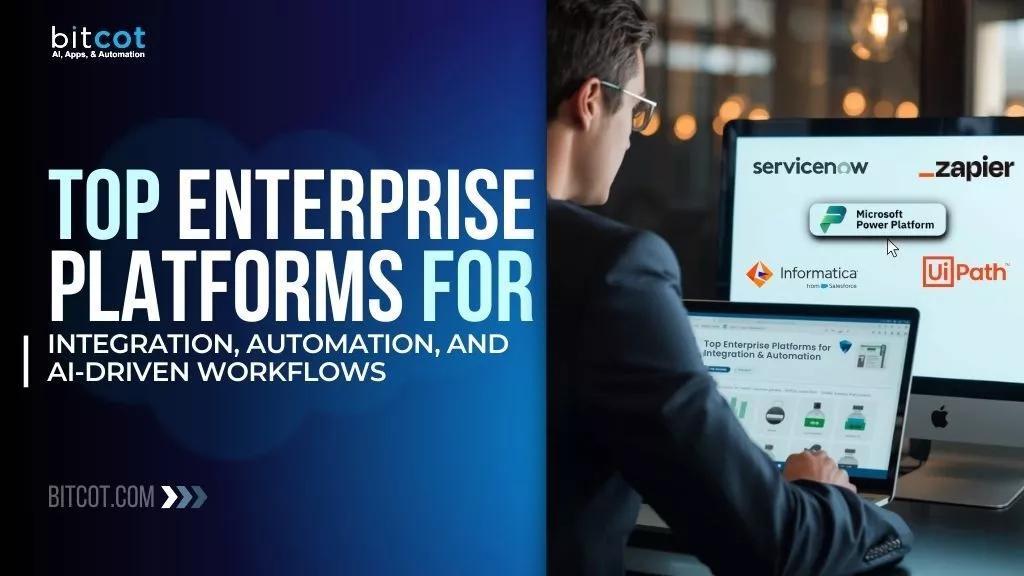
The enterprise software market has reached a critical inflection point. Organizations are no longer asking whether to adopt automation and AI – they’re asking how to scale these technologies across every business function without creating chaos.
Here’s the reality: 70% of organizations will implement structured automation platforms across all business units by 2025, up from just 20% in 2021, according to Gartner research. Meanwhile, the market is projected to hit $650 billion by 2032, growing at a compound annual rate of 11.6%.
But here’s what the statistics don’t tell you – most companies are drowning in disconnected enterprise tools. Marketing teams use one platform, IT uses another, and customer service operates in a completely different ecosystem.
This fragmentation kills productivity, creates data silos, and makes AI implementation nearly impossible. Worse, IT leaders spend countless hours firefighting integration issues instead of driving innovation, while executives watch competitors move faster with unified systems.
This guide breaks down the top 10 enterprise platforms that solve these problems through powerful integration, intelligent automation, and AI-driven workflows. Whether running a growing startup or managing global operations, these platforms offer the foundation needed for digital transformation.
What Are Enterprise Integration and Automation Platforms?
Enterprise integration platforms connect disparate business applications, data sources, and workflows into a unified system. Think of them as the central nervous system of modern business operations – they enable different software tools to communicate, share data, and trigger actions across the entire technology stack.
The best platforms go beyond basic connectivity. They combine three critical capabilities:
Integration: Connecting apps, databases, legacy systems, and cloud services through AI-powered integration without custom coding
Automation: Building intelligent workflows that execute tasks automatically based on predefined triggers
AI Enhancement: Leveraging artificial intelligence for predictive analytics, intelligent decision-making, and autonomous operations
When these three elements work together, businesses can eliminate manual data entry, reduce operational costs by up to 30%, and accelerate time-to-market for new initiatives.
For companies looking to implement these solutions, partnering with specialized firms like Bitcot, an AI automation agency, can accelerate deployment timelines, avoid costly integration mistakes, and ensure proper configuration across complex enterprise environments.
Why Enterprise Integration and Automation Platforms Matter in 2026
The digital transformation stakes have never been higher. Companies that successfully implement integration and automation platforms gain measurable advantages:
Operational Efficiency: Automated workflows reduce manual tasks by 60-80%, freeing teams to focus on strategic work rather than repetitive processes.
Cost Reduction: IDC reports that AI-powered automation can cut operational costs by up to 30% while improving accuracy and scalability.
Faster Innovation: Integrated platforms reduce development cycles from months to weeks, enabling rapid testing and deployment of new business capabilities.
Enhanced Customer Experience: Unified data and automated processes enable personalized interactions at scale, improving satisfaction and retention rates.
Risk Mitigation: Centralized governance, audit trails, and compliance frameworks reduce security vulnerabilities and regulatory violations.
Competitive Advantage: Companies leveraging enterprise platforms can respond to market changes 5x faster than those relying on manual processes and disconnected systems.
The challenge isn’t whether to adopt these platforms – it’s choosing the right ones for specific business needs.
Key Features to Evaluate in Integration and Automation Platforms
Before diving into specific solutions, understanding the must-have capabilities helps narrow down options:
Deep System Integration
The platform should offer extensive pre-built connectors for CRM, ERP, HRIS, data warehouses, and collaboration enterprise tools. Look for 500+ native integrations plus flexible API frameworks for custom connections.
No-Code and Low-Code Capabilities
Business users should be able to build workflows without relying entirely on developers. Drag-and-drop interfaces, visual builders, and pre-configured templates accelerate implementation. Modern low-code workflow automation platforms enable rapid deployment while maintaining enterprise governance.
Multi-Agent Orchestration
Advanced platforms support multiple specialized AI agents working together, sharing context, and executing complex tasks across different systems and departments. These agentic AI workflows enable autonomous decision-making and AI agent development at enterprise scale.
Enterprise-Grade Security
Required features include role-based access controls (RBAC), data encryption, audit logs, compliance certifications (SOC 2, ISO 27001, GDPR, HIPAA), and automated threat detection.
Scalability Architecture
The solution must handle growing data volumes, concurrent users, and expanding use cases without performance degradation or cost explosion.
AI and Machine Learning
Built-in AI capabilities for predictive analytics, intelligent routing, natural language processing, and autonomous decision-making separate leading platforms from basic automation tools. Intelligent process automation (IPA) and cognitive automation capabilities enable systems to handle unstructured data and complex reasoning tasks.
Governance and Observability
Comprehensive monitoring dashboards, error handling, real-time alerts, and end-to-end tracing ensure reliable operations at enterprise scale.
Top 10 Enterprise Platforms for Integration, Automation & AI
These platforms dominate the market, ranked by proven capabilities, market strength, and transformative business impact.
1. Microsoft Power Platform (Power Automate) – Best for Microsoft Ecosystem
Microsoft Power Platform integrates seamlessly with Microsoft 365, Azure, and Dynamics 365, making it the dominant choice for organizations already invested in Microsoft technologies. With hundreds of millions of users worldwide and backing from a $3 trillion company, it’s the most widely deployed enterprise automation platform.
What sets it apart: AI Builder for creating predictive analytics and intelligent bots, combined with tight integration across Microsoft’s entire product suite and familiar Office 365 user experience.
Key Capabilities:
- Hundreds of pre-built connectors
- Low-code/no-code interface
- AI Builder for intelligent automation
- Deep Microsoft 365, Azure, and Dynamics integration
- Robotic Process Automation (RPA)
- Process mining and analytics
- Power Virtual Agents for chatbots
Best for: Microsoft-centric organizations, enterprises using Office 365, teams needing quick deployment within existing infrastructure, companies requiring familiar user experience.
Market Position: Part of Microsoft (MSFT), $3.6 trillion market cap. Over 97% of Fortune 500 companies use Microsoft products.
Pricing: Included with Microsoft 365 subscriptions; standalone plans from $15/user/month.
2. Salesforce Einstein Automate – Best for CRM-Centric Automation
Einstein Automate brings AI-powered automation across sales, marketing, and service operations within the Salesforce ecosystem, backed by one of the world’s largest enterprise software companies.
What sets it apart: Flow Orchestration for scalable process automation combined with MuleSoft integration for data connectivity and Einstein AI capabilities.
Key Capabilities:
- AI-driven predictions and decisions
- Visual workflow builder
- Deep integration with Salesforce products
- MuleSoft connectivity
- Industry-specific templates
- Einstein AI for customer insights
Best for: Customer-centric enterprises, organizations using Salesforce CRM, sales and marketing teams needing intelligent automation, companies prioritizing customer experience.
Market Position: Part of Salesforce (CRM), $243-250 billion market cap. 150,000+ customers globally.
Pricing: Included with Salesforce licenses; additional costs for advanced features.
3. ServiceNow – Best for Enterprise Service Management
ServiceNow has evolved from an IT ticketing system into a comprehensive enterprise application platform supporting IT, HR, customer service, and security operations. As a publicly traded company with over $160 billion market cap, it dominates enterprise service management.
What sets it apart: Workflow engine designed for large-scale enterprise operations with predictive AI for incident and change management.
Key Capabilities:
- Integration Hub for system connectivity
- Custom app development on Now Platform
- AI-powered service management
- Cross-departmental workflow automation
- Real-time analytics and reporting
- Mobile-first design
- ITSM, ITOM, ITAM capabilities
Best for: Large enterprises managing complex IT operations, organizations requiring unified service delivery across departments, and companies needing custom application development.
Market Position: Public company (NOW), $160 billion market cap. Used by 85% of Fortune 500.
Pricing: Subscription-based with custom enterprise pricing.
4. MuleSoft Anypoint Platform – Best for API Management
MuleSoft, a Salesforce subsidiary acquired for $6.5 billion, provides comprehensive API management and integration capabilities for organizations with complex connectivity requirements.
What sets it apart: Cloud platform and desktop IDE (Anypoint Studio) for designing, testing, and deploying API integrations with extensive debugging capabilities. Organizations seeking comprehensive API integration services benefit from MuleSoft’s enterprise-grade API management framework.
Key Capabilities:
- Dedicated API development environment
- Automatic flow generation from API specifications
- CloudHub for cloud deployment
- Pre-built connectors and templates
- XML and drag-and-drop interfaces
- Extensive API lifecycle management
- API-led connectivity approach
Best for: Development teams managing large API libraries, organizations requiring detailed API governance, Salesforce-centric ecosystems, enterprise-scale integration projects.
Market Position: Salesforce subsidiary, acquired for $6.5 billion in 2018.
Pricing: Custom pricing based on requirements.
5. UiPath – Best for Robotic Process Automation (RPA)
UiPath leads the RPA market as a publicly traded company with $9-10 billion valuation, offering AI-driven automation capabilities that handle repetitive tasks across legacy and modern systems.
What sets it apart: Intelligent automation combining RPA with AI and machine learning, plus centralized governance for enterprise-scale deployments.
Key Capabilities:
- Visual workflow designer
- AI-powered document processing
- Integration with ERP and CRM systems
- Centralized orchestration and monitoring
- Process mining and discovery
- Attended and unattended automation
- Computer vision capabilities
Best for: Finance, healthcare, and logistics industries; organizations with heavy data entry requirements; companies modernizing legacy system workflows; high-volume repetitive task automation. Organizations implementing RPA solutions can achieve 60-80% reduction in manual processing time.
Market Position: Public company (PATH), $9-10 billion market cap. 10,000+ customers globally.
Pricing: Custom enterprise pricing based on deployment scale.
6. Zapier – Best for Rapid Cross-App Automation
Zapier dominates the automation space with over 8,000 app integrations and 3+ million users, backed by a $5 billion valuation. The platform excels at creating automated workflows that connect disparate software tools without coding.
What sets it apart: Massive integration library (10x most competitors) combined with AI-powered automation and the ability to build custom chatbots and AI agents for autonomous workflow execution.
Key Capabilities:
- 8,000+ native app integrations
- Visual workflow builder (Zapier Canvas)
- AI automation and agent creation
- Multi-step workflow orchestration
- Templates for common use cases
- Enterprise security and governance
- Tables for data storage
Best for: Organizations needing broad app connectivity, marketing teams building lead nurturing sequences, operations teams automating cross-departmental processes, SMBs to enterprises.
Market Position: Private company, $5+ billion valuation. 3+ million users, 2.2+ million organizations.
Pricing: Free plan available; paid plans from $19.99/month; custom enterprise pricing.
7. Informatica – Best for Enterprise Data Management
Informatica combines integration capabilities with comprehensive data management, governance, and AI-driven intelligence across connected applications. Recently acquired by Salesforce for over $10 billion, it brings deep data expertise to enterprise integration.
What sets it apart: CLAIRE GPT, an embedded AI assistant that understands organizational data and can execute actions, create pipelines, and generate insights.
Key Capabilities:
- 390+ pre-built connectors
- AI-powered data integration
- Master data management
- Business intelligence capabilities
- Compliance framework alignment
- No-code UI with low-code flexibility
- Cloud data warehouse support
Best for: Data-intensive enterprises, organizations requiring robust governance, companies needing to combine legacy and modern data sources, regulated industries.
Market Position: Salesforce acquisition (2025) for $8 billion.
Pricing: Custom pricing based on data volume and features.
8. Kore.ai – Best for Enterprise AI Orchestration
Kore.ai delivers a comprehensive enterprise AI platform that combines agent orchestration, search capabilities, workflow automation, and governance in a single control plane. Recognized as a Leader by Gartner, Forrester, and Everest Group.
What sets it apart: Multi-agent orchestration engine that enables different AI agents to collaborate, hand off context, and execute tasks with varying levels of autonomy – from simple copilots to fully autonomous agents.
Key Capabilities:
- 250+ plug-and-play enterprise integrations
- Agent marketplace with 300+ pre-built AI agents
- No-code and pro-code development options
- Model-agnostic, cloud-agnostic architecture
- Comprehensive AI governance dashboard
- Enterprise-grade security with full audit trails
- Agentic RAG with tool-use memory
Best for: Large enterprises deploying AI across customer experience, employee experience, and business operations. Organizations requiring multi-cloud flexibility and strict governance controls.
Recognition: Named a Leader in Gartner Magic Quadrant for Conversational AI Platforms (2025), Forrester Wave for Cognitive Search Platforms (Q4 2025), and Everest Group’s PEAK Matrix Assessment (2025).
Market Position: Trusted by 400+ Fortune 2000 companies, delivering over $1Bn in cost savings.
Pricing: Flexible models including session-based, usage-based, and per-seat options. Custom enterprise pricing available.
9. Make.com – Best for Visual Workflow Automation
Make.com (formerly Integromat) delivers powerful visual automation with over 3,000 app integrations, enabling teams to build complex workflows without extensive coding.
What sets it apart: Visual orchestration system with routers, conditional logic, and branching workflows that go beyond linear automation, plus AI-powered workflow builder launched in 2025.
Key Capabilities:
- 3,000+ pre-built app integrations
- Visual drag-and-drop workflow builder
- Advanced routers and conditional branches
- AI integration support (OpenAI, Claude, and 400+ AI apps)
- Credit-based pricing with rollover (unused credits don’t expire)
- Real-time execution monitoring and debugging
- No-code interface with pro-code flexibility
Best for: SMBs and mid-market companies needing visual workflow design, marketing and operations teams building complex automations, organizations wanting flexibility without enterprise-level costs.
Market Position: Growing rapidly in mid-market segment with strong developer community.
Pricing: Free plan with 1,000 credits; paid plans start at $10.59/month for 10,000 credits; custom enterprise pricing available.
10. N8N – Best for Self-Hosted and Cost-Efficient Automation
N8N is an open-source workflow automation platform offering both self-hosted and cloud deployment options, providing unmatched control and cost efficiency for technical teams. With 165,000+ GitHub stars, it’s become the go-to choice for organizations prioritizing data sovereignty.
For businesses looking to implement n8n workflow automation services with expert guidance, specialized implementation partners can accelerate deployment while ensuring best practices.
What sets it apart: Free self-hosted version with unlimited executions, making it ideal for high-volume use cases and organizations prioritizing data sovereignty and infrastructure control.
Key Capabilities:
- 1,000+ native integrations plus HTTP/GraphQL nodes
- Execution-based pricing (not per-operation)
- Self-hosted option completely free with unlimited workflows
- LangChain integration for AI agent building
- Git-based version control and collaboration
- Custom code capabilities (JavaScript/Python)
- Visual workflow builder with advanced logic
Best for: Technical teams with DevOps capabilities, organizations with strict data privacy requirements, high-volume automation needs, companies in regulated industries (fintech, healthcare, legal tech).
Market Position: Open-source with 165,000+ GitHub stars. Growing adoption in technical and regulated industries.
Pricing: Self-hosted Community Edition is free; Cloud plans start at €24/month (2,500 executions); Pro at €60/month (10,000 executions); Business at €800/month (40,000 executions).
Note: Self-hosted deployment typically costs $50-200/month for server infrastructure but provides 70-90% cost savings versus SaaS alternatives for high-volume use cases.
Make.com vs N8N: Which Visual Automation Platform?
Both Make.com and N8N offer visual workflow builders, but they serve different organizational needs:
Choose Make.com when:
- Your team prefers fully managed cloud services without infrastructure management
- You need 3,000+ pre-built integrations out of the box
- Budget allows for credit-based pricing ($10-30/month for typical use)
- Non-technical users need to build complex workflows independently
- You want AI workflow builder for rapid automation creation
Choose N8N when:
- Your team has DevOps expertise to manage self-hosted infrastructure
- Data sovereignty and privacy are critical requirements
- You’re running high-volume automations (100,000+ executions/month)
- Cost optimization is a priority (70-90% savings vs. SaaS)
- You need unlimited workflow executions without subscription limits
- Custom code integration is essential for your use cases
Both platforms offer execution-based pricing rather than per-operation costs, making them more predictable for complex workflows compared to task-based competitors.
How to Choose the Right Integration and Automation Platform
Selecting an enterprise platform requires aligning technical capabilities with business objectives. Start by asking these strategic questions:
What’s the primary use case?
- Microsoft ecosystem → Power Platform
- Salesforce environment → Einstein Automate, MuleSoft
- Enterprise service management → ServiceNow
- API management → MuleSoft
- RPA and legacy automation → UiPath
- Cross-app workflows → Zapier, Make.com, N8N
- Data integration → Informatica
- Enterprise AI orchestration → Kore.ai
- Self-hosted/cost-efficient → N8N
What’s the technical environment?
- Microsoft ecosystem → Power Platform
- Salesforce environment → MuleSoft, Einstein Automate, Informatica
- Cloud-agnostic needs → Kore.ai, Zapier, Make.com
- Self-hosted requirements → N8N
What’s the team’s technical expertise?
- Non-technical users → Zapier, Power Automate, Make.com
- Developer-focused → N8N, MuleSoft, UiPath
- Mixed teams → Kore.ai, ServiceNow, Make.com
What’s the governance requirement?
- Highly regulated industries → ServiceNow, Kore.ai, Informatica, N8N (self-hosted)
- Standard enterprise controls → ServiceNow, UiPath, Power Platform
- Flexible governance → Zapier, Make.com
What’s the budget and pricing preference?
- Included in existing licenses → Power Platform, Einstein Automate
- Usage-based → Zapier, Kore.ai
- Credit-based → Make.com
- Free self-hosted → N8N
- Custom enterprise → MuleSoft, ServiceNow, UiPath
For organizations struggling with platform selection or implementation complexity, expert workflow automation services provide guidance on architecture design, integration strategy, and deployment best practices.
The wrong platform choice can cost companies 12-18 months in lost productivity and hundreds of thousands in implementation failures – making expert guidance critical for first-time success.
The Future of Enterprise Integration and Automation
The convergence of integration, automation, and AI is creating entirely new categories of enterprise software. Several trends are reshaping the market:
Agentic AI Platforms: By 2027, Gartner predicts one-third of enterprise AI implementations will combine autonomous agents with different skills to manage complex tasks. These agents won’t just respond to queries – they’ll proactively execute multi-step business processes.
Unified AI Operating Layers: Platforms are evolving beyond point solutions into comprehensive AI operating systems that combine search, copilots, automation, and agentic execution with governance built in.
Hyperautomation: Organizations are moving from automating individual tasks to automating entire business processes end-to-end through process orchestration, including decision-making, exception handling, and continuous optimization.
Industry-Specific Platforms: Generic platforms are giving way to solutions optimized for specific industries – healthcare, financial services, manufacturing – with pre-built compliance, workflows, and integrations.
Real-Time Intelligence: Integration platforms are becoming intelligence platforms, using AI to analyze data flows in real-time and automatically optimize processes without human intervention.
Embedded AI Everywhere: Rather than AI as an add-on feature, leading platforms are building AI into every layer – from integration mapping to error resolution to workflow optimization.
Common Challenges Implementing Enterprise Automation Platforms
Even the best platforms face predictable obstacles during deployment. Understanding these challenges helps organizations prepare:
Challenge: Legacy system integration complexity Solution: Platforms like N8N (with HTTP/GraphQL nodes), MuleSoft (with API management), and UiPath (with RPA capabilities) offer specialized enterprise tools for legacy modernization with automated assessment and migration capabilities.
Challenge: Change management and user adoption Solution: Start with no-code platforms like Zapier, Make.com, or Power Automate that enable business users to build workflows without IT bottlenecks. Provide templates and pre-built solutions to accelerate time-to-value.
Challenge: Data security and compliance concerns Solution: Prioritize platforms with enterprise-grade security certifications (SOC 2, ISO 27001, HIPAA, GDPR) and comprehensive audit trails. ServiceNow, Kore.ai, N8N (for self-hosted data sovereignty), and Informatica lead in governance capabilities.
Challenge: Scaling costs as usage grows Solution: Evaluate pricing models carefully. Execution-based models (N8N), usage-based models (Zapier, Kore.ai), credit-based models (Make.com), and included licenses (Power Platform, Einstein) can be more predictable than per-operation pricing as automation scales.
Challenge: Integration maintenance overhead Solution: Choose platforms with strong community support (N8N, Make.com), managed services, or comprehensive documentation to reduce ongoing maintenance burden.
Challenge: Vendor lock-in Solution: Choose model-agnostic, cloud-agnostic platforms like Kore.ai or open-source solutions like N8N that support multiple LLMs and deployment environments, preserving flexibility for future technology decisions.
Measuring ROI from Enterprise Integration and Automation Platforms
Justifying platform investments requires tracking specific metrics that demonstrate business impact:
Time Savings: Measure hours saved per week across automated workflows. A typical enterprise sees 60-80% reduction in time spent on manual tasks within the first year.
Cost Reduction: Track operational cost savings from reduced headcount needs, fewer errors requiring rework, and decreased software licensing through consolidating enterprise tools.
Revenue Impact: Monitor increases in conversion rates, customer retention, and average deal size resulting from improved automation and personalization.
Quality Improvements: Measure error rates, compliance violations, and customer satisfaction scores before and after platform implementation.
Deployment Velocity: Track time-to-market for new initiatives, from initial concept to production deployment. Leading platforms reduce this timeline by 70-85%.
Employee Productivity: Survey employee satisfaction and measure output per team member before and after automation deployment.
Organizations that comprehensively measure these metrics typically see 300-400% ROI within 18-24 months of platform implementation.
Building Your Enterprise Automation Platform Strategy
Success with integration and automation platforms requires more than selecting the right technology. Organizations need a strategic approach:
Start with Business Outcomes: Define specific business problems to solve rather than implementing technology for its own sake. Whether reducing customer churn, accelerating order processing, or improving employee onboarding, clarity on outcomes drives successful implementation.
Pilot Before Scaling: Begin with a high-value use case that demonstrates ROI quickly. Use early wins to build momentum and secure executive support for broader deployment.
Invest in Governance: Establish clear policies for data access, workflow approval, and security protocols before scaling. Platforms with strong governance frameworks (ServiceNow, Kore.ai, Power Platform) make this easier.
Enable Citizen Developers: Empower business users to build automations with training, templates, and guardrails. This democratization accelerates innovation while maintaining IT oversight.
Plan for Integration: No platform exists in isolation. Ensure your selection integrates with existing systems and supports future technology additions. Developing a comprehensive enterprise application integration strategy helps organizations align platform capabilities with business architecture.
Monitor and Optimize: Implement robust monitoring from day one. Use analytics to identify bottlenecks, optimize workflows, and continuously improve automation effectiveness.
Choosing Your Enterprise Integration Platform: Final Decision Guide
The enterprise platform market offers powerful solutions for every business context. The key is matching platform capabilities to organizational needs:
For Microsoft-centric organizations, Power Platform provides seamless integration with existing infrastructure, familiar user experience, and included licensing.
For Salesforce ecosystems, Einstein Automate and MuleSoft deliver native CRM automation and comprehensive API management.
For enterprise service management, ServiceNow offers the most comprehensive platform for IT, HR, and cross-departmental operations.
For complex API management, MuleSoft provides the most robust development environment and lifecycle management tools.
For RPA and legacy system automation, UiPath leads the market with proven scalability and AI-powered capabilities.
For rapid deployment with minimal coding, Zapier’s massive integration library enables business users to automate workflows immediately.
For data-intensive operations, Informatica combines integration with comprehensive data governance and AI-driven intelligence.
For enterprise AI orchestration, Kore.ai delivers proven multi-agent capabilities with comprehensive governance and flexibility.
For visual workflow design with complex logic, Make.com provides exceptional flexibility at mid-market pricing.
For self-hosted, cost-efficient automation, N8N offers open-source freedom with unlimited executions and complete infrastructure control.
The right platform becomes the foundation for digital transformation, enabling organizations to operate faster, smarter, and more efficiently than competitors. In a market where the average enterprise uses 254 SaaS applications, integration and automation aren’t optional – they’re essential for survival.
The question isn’t whether to invest in these platforms, but how quickly to deploy them before competitors gain an insurmountable advantage. If you’re ready to move from fragmented systems to unified automation, start with a platform audit and clear use case – or partner with specialists who’ve successfully deployed hundreds of enterprise integrations.
Frequently Asked Questions
What's the difference between integration platforms and automation platforms?
Integration platforms connect different applications and systems, enabling data flow between them. Automation platforms execute workflows and processes automatically based on triggers and rules. The best enterprise solutions combine both capabilities, unifying enterprise tools into cohesive workflows.
How long does it take to implement an enterprise platform?
Implementation timelines vary from 2-4 weeks for simple use cases on platforms like Zapier to 6-12 months for complex enterprise deployments on platforms like ServiceNow or MuleSoft. Starting with focused pilots accelerates time-to-value.
What security certifications should enterprise platforms have?
Look for SOC 2 Type II, ISO 27001, GDPR compliance, and industry-specific certifications like HIPAA for healthcare or PCI DSS for payment processing.
Can these platforms replace custom development?
For many business processes, yes. Modern low-code/no-code platforms handle 70-80% of use cases that previously required custom coding. Complex proprietary logic may still need development, but platforms significantly reduce the coding burden.
How do pricing models differ across platforms?
Common models include per-user licensing (Microsoft, ServiceNow), usage-based pricing (Zapier, Kore.ai), credit-based (Make.com), included licensing (Power Platform, Einstein), execution-based (N8N), and custom enterprise pricing (MuleSoft, UiPath). Evaluate based on expected usage patterns and scaling plans.
What's the typical ROI timeline for these platforms?
Most organizations see measurable ROI within 6-12 months, with full ROI (300-400%) achieved within 18-24 months when implementations follow best practices.
Can small businesses use enterprise platforms?
Yes. Many platforms offer tiered pricing with entry-level options suitable for small businesses (Zapier, Make.com, Power Automate, N8N). However, some solutions (ServiceNow, MuleSoft, UiPath) are specifically designed for large enterprise complexity.
How do these platforms handle AI and machine learning?
Leading platforms either have built-in AI capabilities (Kore.ai, Informatica, Make.com, Power Platform) or integrate with AI services (OpenAI, Azure AI). They use AI for intelligent routing, predictive analytics, natural language processing, automated workflow building, and autonomous decision-making. N8N offers LangChain integration for building custom AI agents.
What's the difference between Make.com and N8N?
Make.com is a fully managed SaaS platform with 3,000+ integrations and credit-based pricing starting at $10/month, ideal for teams wanting visual automation without infrastructure management. N8N is open-source with self-hosted (free) and cloud options (starting at €24/month), best for technical teams needing data sovereignty, unlimited executions, or cost optimization at scale. Make.com prioritizes ease of use; N8N prioritizes control and cost efficiency.
When should I choose self-hosted vs cloud-hosted automation platforms?
Choose self-hosted (like N8N) when you have: DevOps expertise, strict data privacy requirements, high-volume automation needs (100K+ executions monthly), or want 70-90% cost savings. Choose cloud-hosted (like Zapier, Make.com, Kore.ai) when you need: rapid deployment, managed infrastructure, minimal IT overhead, or don’t have DevOps resources.