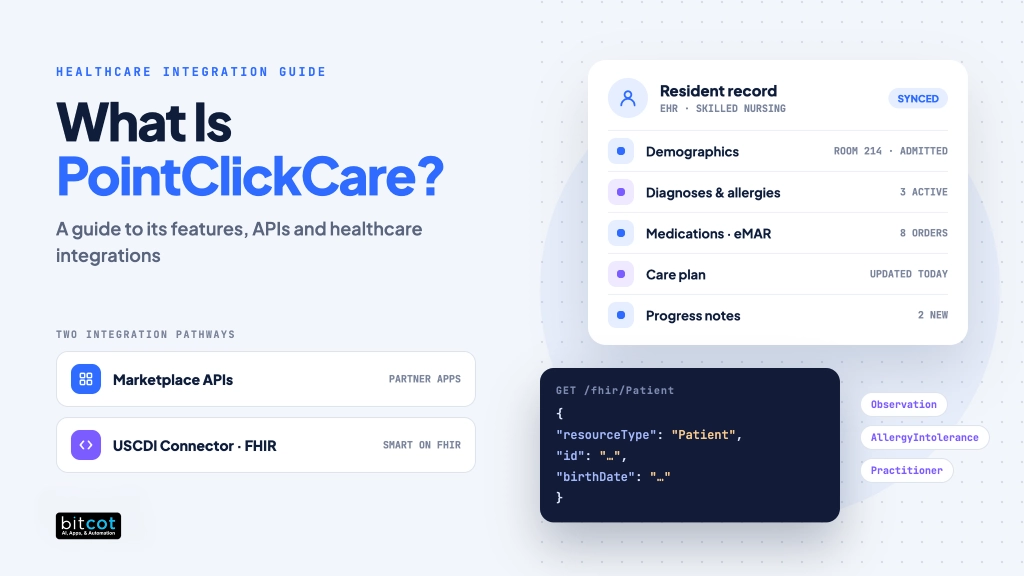
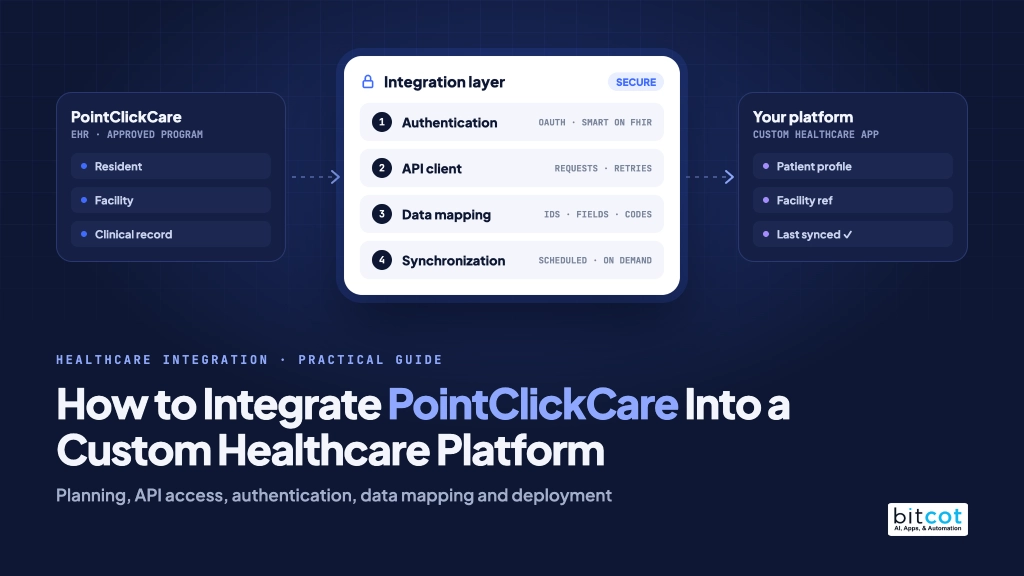
A Practical Guide to Planning, API Access, Authentication, Data Mapping, and Deployment
Key Takeaways
- Pick the right PointClickCare program before designing the integration architecture.
- Marketplace and USCDI Connector have different registration, authentication and approval paths.
- Map data carefully and treat facility context as a core design element.
- Build an integration layer with resilient synchronization, retries and monitoring.
- Sandbox testing and production approval come before any customer facility goes live.
Healthcare organizations increasingly rely on digital platforms to manage clinical information, resident records, care coordination, billing, and day-to-day operations. At the same time, many organizations use multiple software applications to support different parts of their workflows. When those systems do not communicate effectively, staff may need to enter the same information more than once, switch between applications, or manually transfer data.
Integrating PointClickCare with a custom healthcare platform can help reduce these gaps by connecting approved workflows and enabling authorized information exchange. However, a successful integration involves more than sending API requests. It requires a clear understanding of the business use case, the right PointClickCare integration program, secure authentication, accurate data mapping, facility-level access management, robust testing, and a controlled production rollout.
This guide explains how to approach a PointClickCare integration project, what to consider at each stage, and how to avoid common technical and operational challenges.
Start With the Integration Use Case
Before choosing an API or writing code, define what the custom platform needs to accomplish. The integration design should follow the business workflow—not the other way around.
Start by identifying the systems involved, the users who need the information, and the direction in which data must move. For example, a custom healthcare platform may need to retrieve approved patient or resident information from PointClickCare, associate records with the correct facility, or exchange specific clinical or operational information where the selected program supports it.
Questions to answer during discovery
- Which PointClickCare customer organization and facilities will use the integration?
- Which records or data elements are required for the business workflow?
- Will information flow from PointClickCare to the custom platform, from the custom platform to PointClickCare, or in both directions?
- Does the workflow require an interactive user authorization, a backend process, or a FHIR-based application?
- How frequently must information be refreshed: on demand, on a schedule, or through supported event notifications?
- Which users, roles, and facility permissions should control access?
- What should happen when a record is changed, unavailable, duplicated, or no longer active?
Create a requirements document and a data-flow diagram before development begins. These deliverables help the team select the right integration pathway and estimate the work realistically.
Identify the Correct PointClickCare Integration Program
PointClickCare has different integration pathways. The appropriate route depends on the application, intended use case, type of data, and required workflow. Do not assume that every PointClickCare API uses the same registration process, endpoints, permissions, or authentication model.
Marketplace integrations
PointClickCare Marketplace connects healthcare organizations with third-party solutions through approved, API-based integrations. It is relevant to vendors building solutions for PointClickCare customers and workflows supported by the Marketplace program. Vendors should work through PointClickCare’s partnership and developer process to confirm the applicable APIs, technical requirements, validation steps, and commercial terms. [1]
USCDI Connector and FHIR
For applications that need standardized FHIR-based access, PointClickCare provides the USCDI Connector. Its documentation describes application types including patient-facing, provider-facing, and bulk-data applications, along with registration and enablement requirements. The published documentation describes SMART on FHIR authorization for patient-data access.
Actual resource availability and permissions must be checked in the current API specification. [2]
These pathways serve different purposes. Confirm the correct program with PointClickCare before designing the integration architecture. A Marketplace integration should not be treated as interchangeable with a USCDI Connector FHIR application.
Complete Partner and Developer Onboarding
Once the integration pathway is identified, follow the relevant PointClickCare onboarding process. This commonly includes submitting partnership information, establishing the appropriate developer account, registering the application, accepting applicable terms, and completing any required review.
For the USCDI Connector, PointClickCare’s published instructions describe a developer-account approval process, two-factor authentication, application registration, and separate treatment of development and production apps. Development apps are enabled in the FHIR sandbox, while production apps require PointClickCare approval. [2]
For Marketplace integrations, confirm the partner onboarding requirements and the process for making the application available to customer facilities. Keep a record of application identifiers, approved redirect or launch URLs, environments, contacts, and any facility activation prerequisites.
Practical onboarding checklist
- Confirm the intended integration program and use case.
- Complete the applicable partnership or developer registration.
- Register the application with accurate business and technical details.
- Configure approved redirect or launch URLs where required.
- Enable multi-factor authentication if required by the developer portal.
- Record development and production application credentials securely.
- Confirm how customer organizations and individual facilities enable the integration.
- Document approval, validation, and production-readiness requirements.
Design the Authentication and Authorization Flow
Authentication establishes the identity of the application or user. Authorization determines what that identity is permitted to access. Both are essential when working with protected healthcare information.
The implementation must follow the requirements of the selected PointClickCare program. For the USCDI Connector, PointClickCare documents a SMART on FHIR-based approach. Marketplace applications may have their own program-specific authentication requirements. Use the current documentation rather than copying an authentication flow from another integration.
- The application is registered and its approved client details and redirect configuration are available.
- The application initiates the authorization request using the required parameters and scopes.
- The appropriate user authenticates with PointClickCare and grants access where the flow requires consent.
- PointClickCare redirects the user to the configured callback with an authorization response.
- The backend validates the response and exchanges the authorization code for tokens according to the documented flow.
- The application uses the access token to make authorized API requests.
- The application handles token expiry, refresh, revocation, and reauthorization as specified by the program.
Security practices
- Keep client secrets and tokens on the server; do not expose confidential credentials in browser code.
- Use HTTPS for redirects and API communication.
- Validate callback state and other required authorization parameters.
- Request only the scopes and permissions needed for the workflow.
- Encrypt sensitive credentials at rest and restrict access to them.
- Avoid writing tokens or protected health information to application logs.
- Plan for expired, revoked, or invalid credentials and provide a controlled reconnection process.
The exact grant types, scopes, token endpoint, token lifetime, and refresh behavior are program-specific. Confirm each item in the official documentation before implementation.
Build a Reliable API Integration Layer
Avoid scattering PointClickCare API calls throughout the user interface or business logic. A dedicated integration layer makes the code easier to maintain, test, monitor, and update if API requirements change.
Recommended components
Authentication service
Manages authorization callbacks, tokens, token renewal where supported, and connection status.
API client
Centralizes base URLs, headers, request construction, timeouts, and response parsing.
Data mapping service
Converts external API structures into the custom platform’s internal data model.
Synchronization service
Controls initial imports, incremental updates, retries, and reconciliation.
Facility connection manager
Associates each approved customer or facility connection with the correct configuration and permissions.
Logging and monitoring
Captures operational events, request identifiers, failures, and performance information without exposing sensitive data.
Use environment-specific configuration for sandbox and production. Keep endpoint URLs, client credentials, and other secrets outside source code, and make sure the application can distinguish test data from production data.
Map Data Between PointClickCare and Your Platform
Data mapping is one of the most important parts of an integration. Two systems may describe similar concepts using different field names, identifiers, formats, or business rules. A mapping specification should be prepared and reviewed before synchronization is enabled.
Example data-mapping worksheet
| External concept | Custom platform field | Mapping consideration |
|---|---|---|
| Patient / resident identifier | External patient reference | Preserve the source identifier; do not assume names are unique. |
| First and last name | First name / last name | Handle missing values and formatting consistently. |
| Date of birth | Date of birth | Normalize date formats and time-zone assumptions. |
| Facility / organization | Facility reference | Map each record to the correct authorized facility. |
| Admission or encounter date | Admission / encounter date | Confirm definitions and date-time handling. |
| Clinical resource or document | Clinical record / document reference | Map only supported resources and preserve provenance. |
This is an illustrative mapping template, not a statement that every listed field is available through every PointClickCare API. Confirm the actual fields and resource definitions in the selected API specification.

Important mapping rules
- Use stable source-system identifiers to match records across synchronization runs.
- Define how null, missing, unknown, and conflicting values should be handled.
- Normalize dates, timestamps, code systems, and enumerated values carefully.
- Record the source and last synchronization time for each imported record.
- Define which system is authoritative for each field.
- Avoid overwriting newer or locally maintained information without an explicit business rule.
- Test mapping with realistic edge cases, including duplicate names and incomplete records.
Plan Facility-Level and Multi-Facility Access
A healthcare organization may operate several facilities, and the same application may be enabled for only some of them. The integration must therefore treat facility association as a core part of its data model and authorization design.
Create a clear relationship between the customer’s organization, the PointClickCare facility or tenant context, the application connection, and the records retrieved through that connection. Do not rely on a facility name alone when a stable identifier or approved facility context is available.
Recommended facility-mapping approach
- Maintain an organization-to-facility mapping table with the identifiers required by the integration program.
- Store connection status and authorization details at the appropriate organization or facility level.
- Validate that each synchronization job is running under the correct facility context.
- Apply facility-level access checks before displaying or processing records.
- Provide administrators with a clear way to identify connected, pending, or disconnected facilities.
- Test scenarios where an organization has multiple facilities, facilities with similar names, and facilities enabled at different times.
PointClickCare’s Marketplace activation guidance describes facility selection as part of the customer activation request process. The exact enablement workflow depends on the integration program. [3]
Implement Data Synchronization
After authentication, API communication, and data mapping are in place, implement the synchronization process. The design should reflect the capabilities of the specific API and the operational needs of the customer.
Common synchronization patterns
Initial synchronization
Loads the required historical or current records for an authorized facility, subject to API capabilities and approved access.
Scheduled synchronization
Runs at defined intervals to retrieve records that have changed or become available since the previous run, where supported.
Event-driven updates
Uses documented webhooks or notifications if the relevant program provides them.
On-demand synchronization
Allows an authorized user or administrator to request a refresh for a specific record or workflow.
Design for reliability
- Use pagination and documented filtering options when retrieving larger result sets.
- Persist synchronization checkpoints so interrupted jobs can resume safely.
- Make processing idempotent so retrying a request does not create duplicate records.
- Use bounded retries with backoff for transient failures.
- Separate permanent errors, such as invalid permissions, from temporary network or service errors.
- Track last successful synchronization and surface stale or failed connections to administrators.
- Reconcile records periodically where the API and business rules allow it.
Do not assume that every API supports webhooks, write operations, bulk retrieval, or real-time updates. Verify those capabilities for the selected integration program and design a fallback approach where appropriate.
Test in Sandbox Before Production
Sandbox testing helps validate the integration without relying on live patient workflows. PointClickCare publishes a FHIR sandbox for USCDI Connector development; other integration programs may provide different testing environments and procedures. [2]
Core test scenarios
- Successful application authorization and callback handling.
- Invalid, expired, or revoked credentials.
- API success responses, empty results, and error responses.
- Pagination, filtering, and rate or usage limits where documented.
- Correct patient and facility association.
- Duplicate records and repeated synchronization jobs.
- Missing, malformed, or unexpected data values.
- Multi-facility access restrictions.
- Network interruption, timeout, and retry behavior.
- Audit logging and protection of sensitive information.
Testing should include both technical checks and end-to-end business scenarios. Confirm that the data shown in the custom platform is consistent with the records the authorized user is permitted to access in PointClickCare.
Prepare for Technical Validation and Production Deployment
Production readiness is not simply a matter of changing the API base URL. Depending on the integration program, the application may need PointClickCare review, approval, technical validation, customer activation, or facility enablement before live use.
The USCDI Connector documentation states that production apps require PointClickCare approval and that customer enablement is driven at the facility level. Marketplace integrations have their own partner and customer activation process. Confirm the current requirements and expected lead times with PointClickCare. [2][3]
Production-readiness checklist
- Production application registration and approval are complete.
- Customer organization and required facilities have completed the applicable activation steps.
- Production credentials and endpoint configuration have been verified.
- Redirect URLs, scopes, and permissions match the approved configuration.
- Token storage, encryption, access controls, and audit logging are in place.
- End-to-end tests have passed using approved production validation procedures.
- Monitoring, alerting, retry handling, and support ownership are defined.
- A rollback or connection-disablement plan is documented.
- Customer administrators know how to confirm connection status and report issues.
After deployment, monitor the first synchronization cycles closely. Verify that records are associated with the correct facility, failures are visible to support staff, and no unexpected data is being accessed or retained.
Common PointClickCare Integration Challenges
Choosing the wrong integration pathway
Marketplace and USCDI Connector integrations have different purposes and requirements. Confirm the correct program before building the solution.
Authentication and token lifecycle
OAuth implementation details vary by program. Incorrect redirect handling, scope configuration, token storage, or renewal logic can prevent reliable access.
Multi-facility complexity
Organizations may have several facilities with separate activation or access requirements. Facility context must be represented explicitly in the application.
Data-model differences
Field names, identifiers, code systems, and business meanings may not match between platforms. A reviewed mapping specification reduces inconsistencies.
Unclear synchronization expectations
Business users may expect immediate updates even when the API supports scheduled retrieval or a different mechanism. Agree on the achievable update frequency.
Sandbox-to-production differences
Production approval, facility activation, credentials, and permissions may introduce steps not present in development.
Insufficient operational monitoring
An integration can appear connected while synchronization jobs are failing. Track job status, errors, last-success timestamps, and support ownership.
Security and Privacy Considerations
Healthcare integrations may involve protected health information (PHI) and other sensitive data. Security and privacy requirements should be incorporated into the architecture, development process, and operating procedures.
Least-privilege access
Request only the permissions necessary for the approved workflow.
Encryption
Protect sensitive information in transit and at rest using appropriate controls.
Credential management
Store secrets and tokens securely, rotate credentials when required, and restrict access.
Auditability
Maintain appropriate audit trails for access and integration activity.
Data minimization and retention
Retrieve and retain only what is needed, and define retention and deletion procedures.
Environment separation
Keep sandbox and production data, credentials, and configurations separate.
Compliance review
Assess applicable HIPAA obligations, contractual requirements, and organizational security policies with qualified compliance and legal stakeholders.
An API connection alone does not make an application HIPAA-compliant. Compliance depends on the complete service, the parties involved, contracts, safeguards, and operational practices.
A Practical Project Plan
A structured project plan helps product owners, developers, QA engineers, and customer stakeholders coordinate the work. The following phases can be adapted to the scope and approval requirements of the project.
| Phase | Key activities |
|---|---|
| Discovery and requirements | Confirm workflows, facilities, data elements, direction of exchange, and acceptance criteria. |
| Program onboarding | Complete partner or developer registration and confirm API access. |
| Architecture and security | Design authentication, facility mapping, integration services, and data protection. |
| API development | Implement authorization, API client, data mapping, and synchronization workflows. |
| QA and sandbox validation | Run functional, negative, security, multi-facility, and end-to-end tests. |
| Technical review and activation | Complete applicable PointClickCare review and customer/facility enablement. |
| Production rollout | Deploy configuration, verify live connectivity, monitor initial synchronization, and hand over support. |
Conclusion
Integrating PointClickCare into a custom healthcare platform can connect important workflows, reduce repetitive data handling, and make authorized information more useful across applications. But a reliable integration starts with selecting the correct PointClickCare program and understanding its access rules—not simply writing an API client.
A successful project combines clear business requirements, approved developer access, program-specific authentication, accurate data mapping, facility-level controls, resilient synchronization, thorough sandbox testing, and careful production deployment.
By treating integration as an end-to-end product capability—with security, monitoring, and support built in—healthcare software teams can create solutions that are more dependable for providers and better aligned with real operational needs.

Frequently Asked Questions
Can I integrate PointClickCare with an existing custom healthcare platform?
Yes, provided the intended use case is supported and the application completes the applicable PointClickCare developer, approval, and customer enablement requirements.
Which PointClickCare API program should I use?
That depends on the application and workflow. Marketplace and USCDI Connector serve different integration needs. Review the official documentation and confirm the appropriate program with PointClickCare.
Does PointClickCare support FHIR?
PointClickCare provides a USCDI Connector for FHIR-based integrations. Consult its current documentation for supported resources, operations, authorization, and enablement requirements.
Is OAuth required for PointClickCare integration?
Authentication depends on the integration program. The USCDI Connector documentation describes SMART on FHIR authorization. Marketplace integrations must follow their applicable authentication specifications.
Can one custom application connect to multiple facilities?
Multi-facility scenarios must be designed around the customer’s authorized facility configuration and the selected integration program. Maintain explicit facility mappings and enforce access boundaries.
Can patient data synchronize in real time?
The achievable update frequency depends on the API capabilities and approved integration pathway. Some workflows may support event notifications; others may require scheduled or on-demand retrieval.
How long does a PointClickCare integration take?
The timeline depends on the number of workflows, API access, authentication, data mapping, facility activation, testing, and review requirements. Estimate development and external approval or enablement separately.
Can I test before going live?
Use the sandbox or test environment provided for the relevant program. Validate authentication, permissions, mapping, synchronization, error handling, and facility scenarios before production.