Customer service can make or break an eCommerce business.
Recent data reveals that 75% of consumers have switched from one business to another because of poor customer service.
Yet, the traditional approach of hiring more agents to handle growing ticket volumes isn’t sustainable or cost-effective.
If you’re an eCommerce business owner, operations manager, or customer service director, you already know the struggle:
Support tickets flooding in at all hours. Agents overwhelmed by repetitive questions. Customers waiting longer than they should. Costs spiraling upward.
Every delayed response risks losing a customer to a competitor who responds faster.
The solution? Automation.
Smart eCommerce brands are now resolving 40-60% of customer inquiries without human intervention, saving thousands of dollars monthly while actually improving customer satisfaction.
This comprehensive guide explores exactly how businesses can automate customer service operations in 2026, from selecting the right tools to implementing proven workflows that scale with your growth.
What You’ll Learn:
- How to identify which customer service tasks to automate first
- The best automation platforms and technologies for eCommerce
- Step-by-step implementation strategies that minimize disruption
- How to measure ROI and continuously optimize your automation
- Real-world examples from businesses that successfully automated support
What is eCommerce Customer Service Automation?
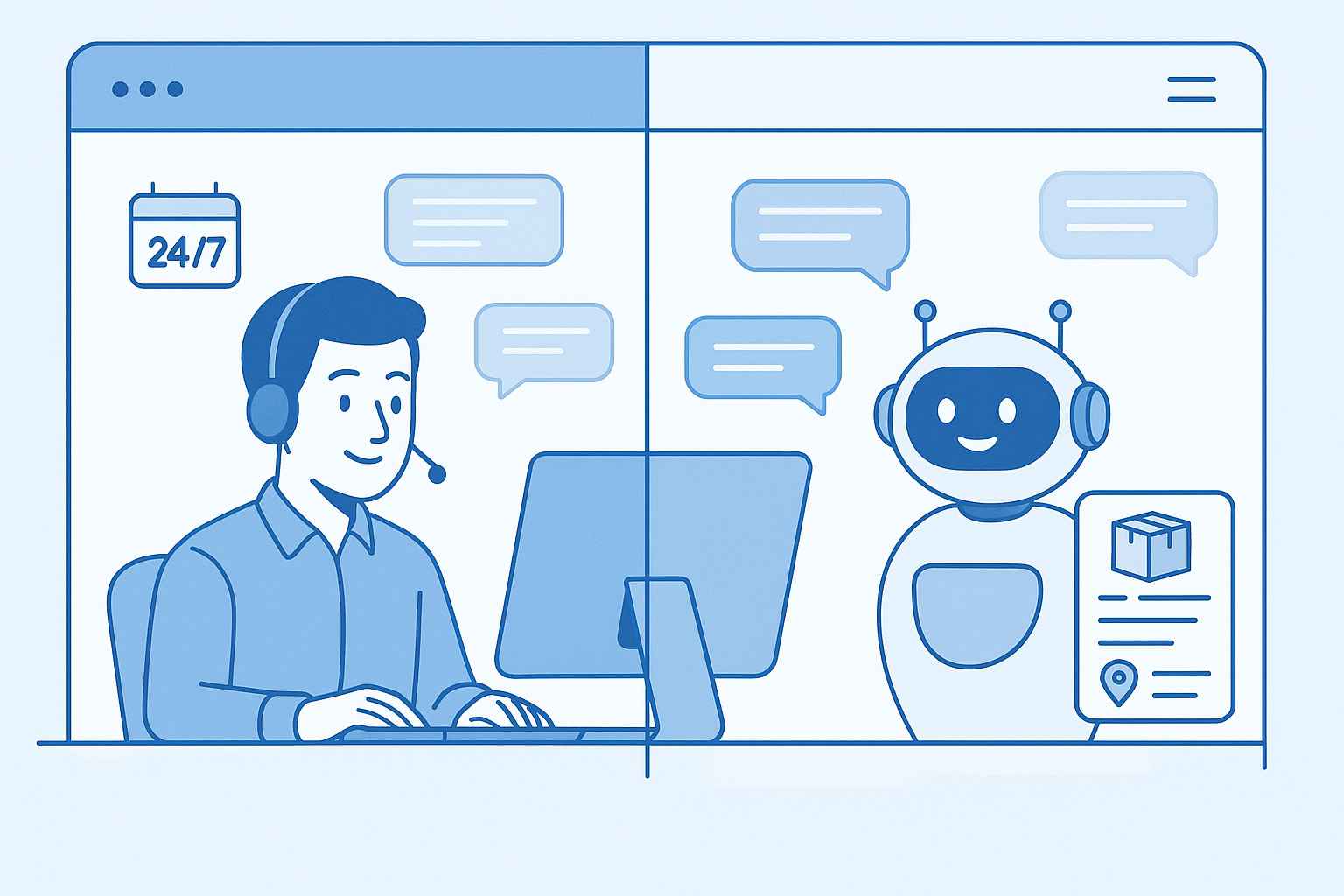
Customer service automation uses technology to handle repetitive support tasks without human involvement.
Instead of agents manually responding to every “Where is my order?” or “How do I process a return?” query, automation systems provide instant, accurate answers.
The goal isn’t replacing support teams entirely.
Automation frees agents from mundane tasks so they can focus on complex issues requiring empathy, critical thinking, and problem-solving skills.
Modern automation includes:
- AI-powered chatbots and virtual assistants
- Self-service portals and knowledge bases
- Automated ticketing and routing systems
- Intelligent email response systems
- Workflow automation tools
According to recent data, 80% of customer service organizations are implementing generative AI by 2025, with automation expected to handle up to 85% of customer interactions, according to Gartner’s Customer Service and Support research.
The numbers explain why:
Automated systems resolve issues 24/7, reduce response times from hours to seconds, and significantly cut operational costs.
Why eCommerce Businesses Must Embrace Automation in 2026
Manual customer service can’t keep pace with modern consumer expectations and seasonal volume spikes.
Rising Customer Expectations
Today’s consumers demand immediate responses.
Research from 2025 indicates that 96% of customers rate an immediate response as important or very important when they have a question.
More specifically, 46% of customers expect email responses within 4 hours, while 31% expect responses within one hour or less.
Meeting these expectations manually requires massive support teams working around the clock.
Automation bridges this gap by providing instant responses regardless of time zones or business hours.
Scalability Challenges
Manual customer service doesn’t scale efficiently.
During peak shopping seasons like Black Friday or holiday sales, ticket volumes can spike 300-400%. Hiring temporary staff isn’t practical or cost-effective.
Picture this: It’s Cyber Monday morning. Your store is running a major promotion. Orders are flooding in at 10x normal volume.
Your support inbox explodes with questions about products, shipping, and order confirmations. Your team of five agents is drowning. Response times balloon from 2 hours to 8 hours, then 12 hours.
Customers grow frustrated and angry. Some cancel orders. Others leave negative reviews.
Your team works overtime, burning out quickly, and you’re desperately trying to hire temporary help that won’t be fully trained for weeks.
This nightmare scenario plays out for countless eCommerce businesses every holiday season.
Automated systems handle volume spikes effortlessly without additional overhead costs, ensuring consistent service quality whether you’re processing 100 orders or 10,000 orders per day.
Cost Efficiency
The average cost per customer service interaction ranges from $8 to $15 when handled by human agents. Automated interactions cost pennies.
Businesses implementing comprehensive automation strategies typically reduce support costs by 25-30% while improving resolution times by up to 87%, all while maintaining or improving service quality, according to McKinsey’s research on customer care automation.
Consistency and Accuracy
Human agents, no matter how well-trained, make mistakes.
They might provide different answers to similar questions or miss important details when fatigued.
Automated systems deliver consistent, accurate information every single time.
Key Benefits of Automated Customer Service for Online Retailers
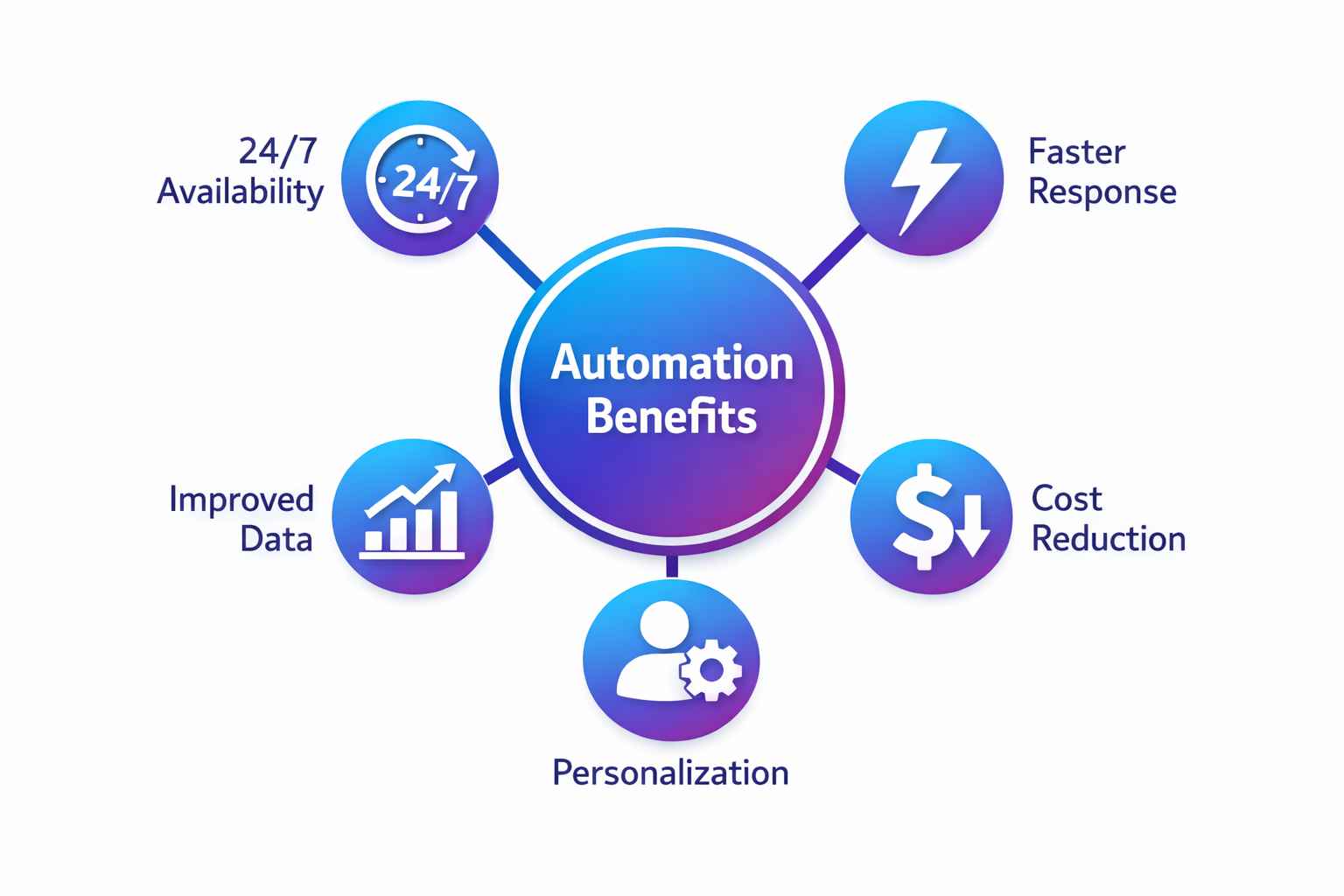
Automation delivers 24/7 support, faster responses, reduced costs, and happier teams, all while improving customer satisfaction.
24/7 Customer Support Availability
Automated systems never sleep.
Customers shopping at 2 AM get the same instant support as those browsing during business hours. This global availability particularly benefits international eCommerce stores serving multiple time zones.
Midnight purchases shouldn’t come with delayed support. Automation ensures customers always receive immediate assistance.
Faster Response and Resolution Times
Speed matters immensely in customer service.
Research from 2025 shows that 90% of customers rate an immediate response as important or very important, with 72% saying they’re more likely to use a company again if complaints are resolved quickly, according to Salesforce’s State of the Connected Customer report.
Automated systems respond within seconds.
A customer asking about shipping policies receives instant information instead of waiting hours for an email reply or sitting in a chat queue.
This speed directly impacts customer satisfaction scores and purchase completion rates.
Reduced Support Team Workload
Support agents spend approximately 69% of their time on repetitive, low-value tasks. Questions like “What’s your return policy?” or “How do I track my order?” appear hundreds of times daily.
The Hidden Cost of Manual Work:
Beyond the inefficiency, there’s a human toll. Your best support agents didn’t join your company to copy-paste the same answers 50 times a day.
They want to solve real problems, build customer relationships, and contribute meaningfully. When 70% of their day is robotic work, engagement plummets, burnout rises, and your top talent starts looking elsewhere.
The cost of replacing a trained support agent ranges from $5,000-$15,000 when you factor in recruiting, training, and lost productivity.
Automating these repetitive queries frees agents to handle complex issues requiring human judgment: irate customers, unusual product problems, or special accommodation requests.
Happier agents provide better service and stay with companies longer, reducing expensive turnover costs. They become problem-solvers instead of human FAQ databases.
Improved Data Collection and Customer Insights
Automated systems capture valuable data from every interaction.
Businesses gain insights into:
- Most common customer questions and pain points
- Peak support times requiring additional resources
- Product issues causing frequent inquiries
- Customer journey bottlenecks
These insights drive better business decisions, from product improvements to website optimization.
Enhanced Customer Experience Through Personalization
Modern automation doesn’t mean robotic, impersonal interactions.
AI-powered systems access customer purchase history, browsing behavior, and past interactions to provide highly personalized responses.
When a returning customer asks about sizing, the system references their previous purchases and preferences.
This level of personalization at scale was impossible with manual support alone.
Top eCommerce Customer Service Automation Strategies

From AI chatbots to intelligent routing, these proven strategies reduce tickets while improving customer experiences.
Implement AI-Powered Chatbots for Instant Query Resolution
AI chatbots represent the frontline of automated customer service.
According to 2025 data, 56% of companies use AI-powered chatbots, showing 30% increases in operational efficiency.
These assistants answer common questions instantly, guide product selection, provide order updates, and escalate complex issues. Well-implemented chatbots resolve 60-80% of routine inquiries without human intervention.
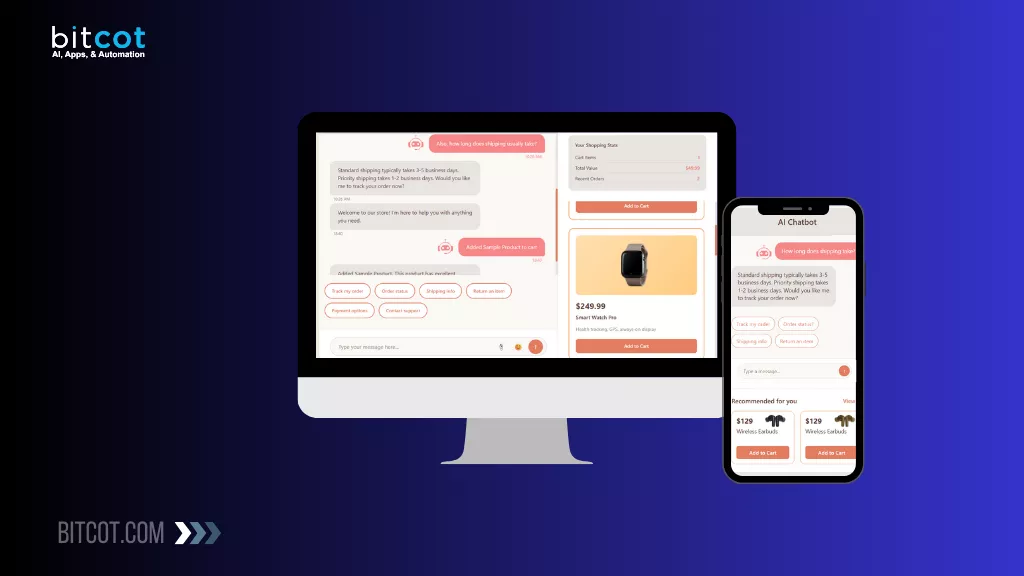
Businesses looking to implement sophisticated AI chatbot solutions for eCommerce can benefit from platforms designed for online retail with deep order management integrations.
Create Comprehensive Self-Service Knowledge Bases
61% of customers prefer self-service resources for simple issues, while 81% want more self-service options.
Effective knowledge bases include searchable FAQs, step-by-step guides, product documentation, and troubleshooting workflows.
Companies looking to build AI chatbots that automate website support can integrate chatbots directly into knowledge bases for seamless self-service experiences.
Automate Order Tracking and Returns
Order status inquiries represent 20-30% of tickets. Automated systems send confirmations, tracking links, milestone updates, and delay alerts, eliminating most “Where is my order?” inquiries.
Automated return workflows let customers initiate returns, print labels, and track status independently, saving hours of agent time weekly.
Deploy Intelligent Ticket Routing
Intelligent routing systems categorize tickets, route to expert agents, prioritize urgent issues, and distribute workload evenly, ensuring customers reach the right person quickly.
Choosing the Right Customer Service Automation Tools
The right platform combines omnichannel support, AI capabilities, seamless integrations, and scalability for growth.
Features to Look For in Automation Platforms
Key capabilities to evaluate:
Omnichannel Integration: Unify conversations from email, chat, social media, SMS, and phone into one interface for consistent omnichannel support.
AI and Machine Learning: Advanced NLP to understand customer intent and provide contextual responses that improve over time.
CRM Integration: Seamless connection with Shopify, WooCommerce, Magento, and BigCommerce for instant access to order history and customer data.
Analytics: Comprehensive dashboards tracking resolution times, ticket volumes, and automation performance.
Leading Platforms for eCommerce Support Automation
Zendesk: Enterprise-grade with robust automation and extensive integrations. Best for larger businesses.
Gorgias: Built specifically for eCommerce with deep Shopify integration.
For Shopify stores, Shopify-specific automation and integrations significantly enhance customer service capabilities through third-party apps and custom workflows.
Freshdesk: Balanced features and affordability with AI chatbots and workflow automation.
Intercom: Excels at conversational support with powerful chatbots and proactive messaging.
Help Scout: User-friendly with solid automation and excellent knowledge base capabilities.
WordPress users can leverage WooCommerce development services to build custom automation workflows and AI-powered support tools directly within their eCommerce infrastructure.
For businesses requiring custom eCommerce solutions, working with development partners ensures automation capabilities and intelligent chatbot systems are built into the platform architecture from the start.
How to Implement Customer Service Automation (Step-by-Step)
Follow this proven 5-phase approach to deploy automation successfully without disrupting current operations.
Phase 1: Audit Current Customer Service Operations
Before implementing automation, understand existing operations.
Analyze Ticket Volume and Types
Review 3-6 months of support data:
- Most common questions (order status, returns, product info)
- Peak support times and seasonal patterns
- Average resolution times
- Categories requiring most agent time
Identify Repetitive Tasks
List tasks agents perform repeatedly: answering FAQs, providing order updates, sharing return instructions, updating customer information.
If your team answers the same 20 questions hundreds of times weekly, those are your automation targets.
Measure Current Performance
Establish baseline measurements: average first response time, resolution time, CSAT scores, ticket volume by channel, cost per ticket, agent utilization rates.
Phase 2: Set Clear Automation Goals and KPIs
Define specific, measurable objectives:
- Reduce average response time from 4 hours to 5 minutes
- Resolve 50% of tickets through self-service within 6 months
- Decrease support costs by 35% annually
- Maintain customer satisfaction scores above 4.5/5
- Handle 2x ticket volume without adding staff
Track these metrics consistently to measure automation success.
Phase 3: Start with High-Impact, Low-Complexity Automations
Begin with quick wins building momentum.
Automated Acknowledgment Emails: Immediately confirm ticket receipt with estimated response times. This simple automation reduces customer anxiety.
FAQ Chatbot: Launch a chatbot answering the 20 most common questions. This alone can deliver support ticket deflection rates of 30-40% for routine inquiries.
Order Status Automation: Connect order tracking to customer portals so customers check status independently.
These foundational automations deliver immediate value while teams build expertise for more complex implementations.
Businesses looking to scale beyond basic automations can explore comprehensive workflow automation services that streamline customer support, sales operations, and back-office tasks through intelligent routing and process optimization.
Phase 4: Train Teams on New Systems and Workflows
Automation changes how teams work. Comprehensive training ensures smooth transitions:
- Explain automation benefits for both customers and agents
- Provide hands-on training with new platforms
- Create documentation for common scenarios
- Establish protocols for when automation needs human intervention
- Gather feedback regularly for continuous improvement
Change management is crucial. Teams must understand automation enhances rather than threatens their roles.
Phase 5: Monitor, Measure, and Optimize Continuously
Automation isn’t “set and forget.”
Regular optimization maximizes results.
Weekly Reviews: Check key metrics for unusual patterns or issues requiring immediate attention.
Monthly Deep Dives: Analyze which automations perform well and which need adjustment. Review customer feedback for improvement opportunities.
Quarterly Strategy Sessions: Evaluate whether automation goals are being met and adjust strategies accordingly.
Continuous Learning: Update chatbot responses based on new questions. Expand knowledge base content. Refine routing rules as business evolves.
The best automation strategies evolve constantly based on data and customer feedback.
Best Practices for eCommerce Support Automation Success
Balance automation with human touch, update regularly, personalize responses, and optimize for mobile experiences.
Maintain the Human Touch in Automated Interactions
Automation should feel helpful, not robotic.
Use conversational language, inject brand personality, provide easy escalation paths, personalize with customer names, and acknowledge frustration with empathy.
Balance Automation with Human Agent Availability
Automation handles routine tasks. Humans resolve complex issues.
Define clear handoff triggers: customer requests human help, issue unresolved after 3 responses, sentiment analysis shows frustration, or complex problems outside automation’s scope.
Provide full context when handing off to agents.
Regularly Update Automation Content
Monthly content audits ensure accuracy. Adjust for seasonal changes. Learn from escalations. A/B test responses. Integrate customer feedback.
Personalize Using Customer Data
Reference customer names, acknowledge purchase history, tailor recommendations, adjust communication style, and remember previous issues.
Modern platforms integrate with CRM systems for scalable personalization.
Ensure Mobile-Friendly Experiences
Over 60% of eCommerce traffic comes from mobile. Optimize chatbot interfaces for small screens, keep messages concise, ensure responsive portals, and make buttons easy to tap.
Common Mistakes to Avoid When Automating Customer Support
Avoid over-automating, rushing implementation, neglecting training, skipping testing, and failing to measure results.
Over-Automating and Removing Human Elements Completely
Some situations absolutely require human agents: angry customers, complex technical issues, special requests, situations requiring judgment, and high-value relationships.
Balance is essential.
Implementing Too Many Changes at Once
Rushing creates chaos. Start with 2-3 high-impact automations, monitor for 2-3 months, gather feedback, then gradually expand.
Neglecting Team Training
Poor training leads to agents bypassing automation, incorrect escalations, and resistance.
Invest heavily in training and change management.
Failing to Test Thoroughly
Test all conversation paths, verify integrations, check edge cases, conduct user acceptance testing, and have backup plans.
Not Measuring Performance
Regularly track ticket deflection rates, CSAT scores, resolution times, escalation rates, cost per ticket, and agent productivity.
The Success vs. Failure Framework
Failures Happen When:
- Automating everything at once
- Focusing only on cost-cutting
- Poor integration
- Neglecting training
- Unrealistic expectations
- No post-launch optimization
Success Happens When:
- Starting with high-impact, low-complexity tasks
- Prioritizing efficiency AND satisfaction
- Choosing integrated platforms
- Investing in training
- Setting measurable KPIs
- Committing to continuous improvement
Advanced eCommerce Automation Techniques for 2026
Predictive AI, voice automation, multilingual support, and emerging technologies take customer service to the next level.
Predictive Customer Service Using AI
Predictive analytics anticipate issues before they happen: predicting shipping delays, identifying products likely to generate tickets, flagging at-risk customers, and anticipating peak support periods.
Voice Automation and IVR Systems
Voice automation handles phone support using natural language processing for 24/7 availability, instant responses, intelligent routing, and reduced hold times.
Multilingual Support Automation
AI-powered translation in chatbots, knowledge bases in multiple languages, and automated email translation enable global expansion without hiring multilingual teams.
Customer Service Automation ROI: How to Measure Success
Track cost savings, efficiency gains, customer satisfaction, and business impact to prove automation value.
Key Metrics to Track
Cost Savings: Reduced labor costs, lower handling times, decreased overtime
Efficiency: Self-service resolution percentage, average resolution time, first contact resolution rate, agent productivity
Customer Experience: CSAT scores, NPS, customer effort score, repeat purchase rates
Business Impact: Conversion improvements, cart abandonment reduction, lifetime value increases
Calculating Cost Savings
Annual Savings = (Tickets Deflected × Cost per Manual Ticket) + (Agent Time Saved × Hourly Cost)
Example: 100,000 annual tickets × 50% deflection × $10 per ticket = $500,000 annually
Satisfaction Impact
Track CSAT before and after implementation, compare automated vs. manual channels, analyze sentiment, and monitor retention.
Quality automation improves satisfaction by reducing wait times.
Future Trends in eCommerce Customer Service Automation
Advanced AI, hyper-personalization, IoT integration, and blockchain will reshape how businesses support customers.
Conversational AI and Advanced Chatbots
Next-generation chatbots will understand complex questions, handle entire conversations, detect emotion, remember context across sessions, and initiate proactive conversations.
These AI-powered customer service systems will become indistinguishable from human agents.
Organizations investing in AI automation services position themselves to leverage these capabilities, ensuring customer experience automation scales efficiently.
Hyper-Personalization Through Machine Learning
Machine learning enables predicting needs before customers ask, tailoring communication styles, recommending products based on support conversations, and creating unique customer journeys automatically.
Modern architectures like headless commerce allow greater flexibility in delivering personalized experiences.
Businesses exploring eCommerce platform options should prioritize platforms with strong automation and AI capabilities for real-time customer engagement.
IoT and Blockchain Integration
IoT devices enable smart products to self-diagnose issues, automatically reorder consumables, and provide predictive maintenance alerts.
For understanding how workflow automation transforms operations beyond customer service, implementing end-to-end strategies creates competitive advantages.
Blockchain may revolutionize support through immutable interaction records, transparent resolution tracking, and smart contract automation.
eCommerce Automation Case Studies and Success Stories
Real businesses achieving 85% faster response times, 40% cost reduction, and dramatically improved customer satisfaction.
Example 1: Fashion Retailer Reduces Response Time by 85%
A mid-sized online fashion retailer implemented comprehensive automation.
Challenge: 6-hour average response time, high cart abandonment.
Solution: AI chatbot for sizing/shipping/returns, searchable knowledge base, automated order tracking portal.
Results: Response time dropped to 53 minutes, 48% self-service resolution, 23% less cart abandonment, CSAT rose from 3.7 to 4.5/5.
Key Takeaway: Quick responses during purchase decisions directly impact conversions.
Example 2: Electronics Store Cuts Support Costs by 40%
A consumer electronics company struggled with technical support costs.
Challenge: Complex products generated high volumes requiring expensive specialists.
Solution: Comprehensive troubleshooting guides with videos, AI diagnostic assistant, community forum, automated warranty processing.
Results: 40% annual cost reduction, 62% self-service resolution, agents refocused on real challenges, stronger brand loyalty.
Key Takeaway: Self-service resources significantly reduce specialist support needs.
Partnering with eCommerce Development Experts
Implementing sophisticated automation requires technical expertise many businesses lack.
Partnering with experienced eCommerce development companies provides custom platform development, system integration expertise, AI implementation support, scalability planning, and ongoing optimization.
Professional eCommerce development partners like Bitcot accelerate automation initiatives while avoiding costly mistakes.
Their expertise spans custom platforms, AI chatbot integration, omnichannel support, and workflow automation.
Bitcot’s Development Process:
- Discovery & Strategy (Week 1-2): Audit operations, identify opportunities, create roadmap with ROI projections
- Design & Architecture (Week 2-4): Map customer journeys, design workflows, plan integrations
- Development & Integration (Week 4-10): Build custom solutions using React frontends, Node.js backends, AI/ML chatbots, API integrations
- Testing & Optimization (Week 10-12): Comprehensive testing, agent training, fine-tuning
- Launch & Support (Ongoing): Phased rollout, monitoring, continuous optimization
Technologies Bitcot Specializes In:
- Platforms: Shopify, WooCommerce, Magento, BigCommerce, custom
- Automation: n8n, Zapier, Power Automate
- AI & Chatbots: GPT-based, Dialogflow, Microsoft Bot Framework
- Helpdesk: Zendesk, Gorgias, Freshdesk, Intercom
- Stack: React, Node.js, Python for AI/ML, AWS/Azure
Getting Started with Customer Service Automation Today
Customer service automation is no longer optional for competitive eCommerce businesses.
Technology has matured, implementation costs have decreased, and rising customer expectations now demand faster, smarter support.
Your Success Framework
- Start Today: Begin with FAQ chatbots and order tracking to achieve quick, proven wins
- Think Long-Term: Build a comprehensive 12–24 month automation roadmap
- Stay Customer-Focused: Test early with real customers and refine based on feedback
- Measure Rigorously: Track deflection rates, response times, and CSAT scores
- Iterate Continuously: Schedule monthly optimization and performance reviews
Three Ways to Get Started
- Option 1: Free Automation Assessment: A personalized evaluation of your current operations and potential ROI opportunities
- Option 2: Pilot Project: A focused 30–60 day pilot designed to validate impact and demonstrate value
- Option 3: Full Implementation: End-to-end transformation by partnering with experts in eCommerce automation
Businesses that act now position themselves for long-term, sustainable growth.
Those who delay risk falling behind more agile competitors.
Our professional eCommerce website development services seamlessly integrate intelligent automation, AI-powered chatbots, and omnichannel customer support into your existing infrastructure.
Contact us today to explore how custom development and intelligent automation can accelerate growth while delivering exceptional customer experiences.
Frequently Asked Questions (FAQs)
How much does eCommerce customer service automation cost?
Costs vary widely based on business size and complexity.
Basic chatbot platforms start at $50-200/month. Mid-tier solutions with AI capabilities range from $500-2,000/month. Enterprise custom implementations can cost $10,000-50,000+ upfront with ongoing maintenance.
However, most businesses see ROI within 3-6 months through reduced labor costs and increased efficiency.
For a business handling 10,000 monthly tickets at $10 per manual interaction, automating 50% saves $60,000 annually—easily justifying the investment.
How long does it take to implement customer service automation?
Implementation timelines depend on scope and complexity.
Basic automations (FAQ chatbots, order tracking) can launch in 2-4 weeks.
Comprehensive automation with custom integrations typically takes 8-12 weeks.
Enterprise implementations with multiple systems may require 3-6 months.
The key is starting small with high-impact automations, proving value, then gradually expanding.
Will automation replace my customer service team?
No. Automation augments teams, not replaces them.
The goal is eliminating repetitive, low-value tasks so agents can focus on complex issues requiring human judgment, empathy, and problem-solving.
Most businesses maintain or slightly reduce support staff while dramatically increasing capacity and service quality.
Agents transition from answering the same FAQs 100 times daily to handling escalated issues, building customer relationships, and driving business value.
Is automation suitable for small eCommerce businesses?
Absolutely. Small businesses often benefit most from automation.
With limited staff and resources, automation provides 24/7 support capabilities impossible to achieve manually.
Many affordable platforms offer robust features specifically designed for small businesses. Starting with $50-100/month solutions can automate 30-40% of tickets immediately.
Small businesses processing 50-200 orders daily see significant impact from basic chatbots and automated order tracking.
Which automation platform should I choose?
The best platform depends on your specific needs:
Gorgias: Best for Shopify stores with deep eCommerce integration Zendesk: Ideal for enterprises needing extensive customization Freshdesk: Great balance of features and affordability for growing businesses Intercom: Perfect for businesses prioritizing conversational engagement Help Scout: Excellent for teams wanting simplicity and ease of use
Evaluate based on your eCommerce platform, budget, required integrations, and team technical expertise. Most platforms offer free trials or tests before committing.
What are the biggest challenges when implementing automation?
Common challenges include:
Integration complexity: Connecting automation tools with existing systems can be technically demanding
Training resistance: Team members may resist change or fear job loss without proper communication
Over-automation: Automating too much too fast creates poor customer experiences
Maintenance requirements: Automation needs regular updates, monitoring, and optimization
Balancing automation with human touch: Finding the right mix takes time and testing
Working with experienced implementation partners helps navigate these challenges and accelerate success.