Remember those days (way back in 2024) when “automation” meant wrestling with rigid “If This, Then That” logic or writing complex scripts just to move a file from Gmail to Drive?
Well, welcome to 2026. The game has officially changed.
With the wide release of Google Workspace Studio, we’ve moved past simple automation and entered the era of the AI Agent. We aren’t just chaining tasks together anymore; we’re building intelligent assistants that can actually reason through a cluttered inbox, understand the context of a frantic Chat thread, and take proactive steps to keep our projects on track.
Whether you’re leading an AI-first startup or managing a global enterprise team, the goal for this year is simple: Do less of the “work about work” and more of the high-level strategy that only you can do.
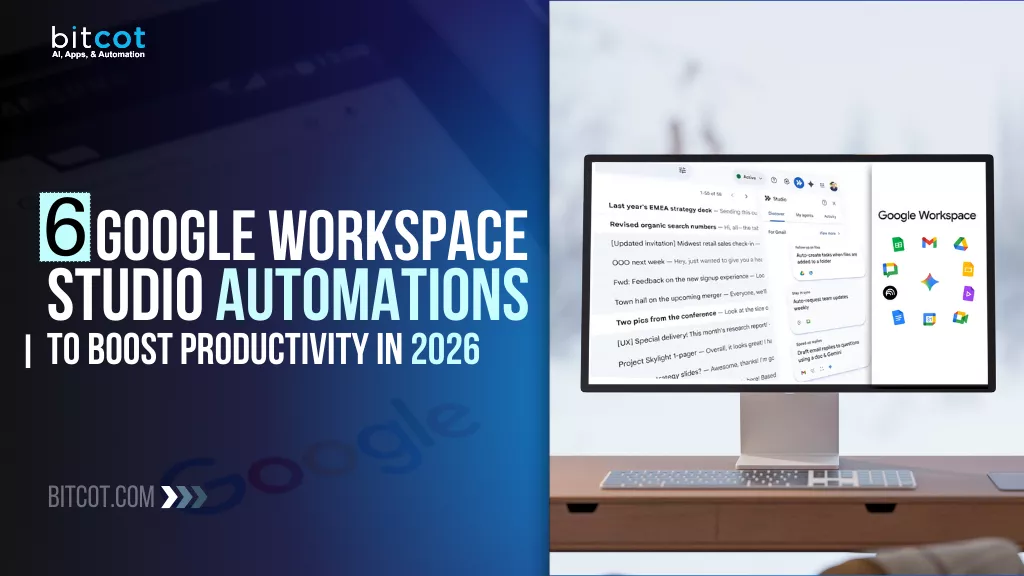
In this post, we’re diving into the 6 essential Google Workspace Studio automations, or rather, “agents”, that are currently saving top-tier teams over 40 minutes of manual labor every single day.
From self-sorting inboxes to autonomous meeting briefs, these are the workflows that will give you the ultimate competitive edge in 2026.
Ready to see what your new AI taskforce can do?
Let’s get started.
What Is Google Workspace Studio?
Launched at the end of 2025, Google Workspace Studio is the new central hub for creating, managing, and sharing AI agents directly within the Google ecosystem.
It marks a shift from traditional automation to agentic automation and intelligent workflows.
Under the hood, Workspace Studio is powered by Gemini 3, Google’s most advanced multimodal model. This allows your agents to do more than just follow instructions; they can actually reason through unstructured data.
For example, an agent can look at an incoming email, understand the sentiment of the text, and decide whether to escalate it to a manager or file it for later, all based on the context of your business.
Key Features of Google Workspace Studio
Workspace Studio is designed to be accessible for everyone, from solo entrepreneurs to enterprise IT directors.
- No-Code Agent Builder: You can build a fully functional agent in minutes by simply typing a prompt like, “When I get an invoice, save it to Drive and notify the finance team in Chat.”
- Deep Workspace Integration: Agents have native access to Gmail, Drive, Docs, Sheets, Calendar, and Chat. This means they operate within the same “security bubble” as your other corporate data.
- Pre-Built Templates: To get moving quickly, Google provides dozens of “Zero-Configuration” templates for common 2026 use cases like meeting briefings, lead sorting, and automated follow-ups.
- Enterprise Extensibility: For more complex needs, you can connect your agents to third-party apps like Salesforce, Jira, and Asana, or even use Apps Script for custom logic.
In 2026, productivity is no longer about how many emails you can send, but how many tasks you can successfully delegate to your AI taskforce. Workspace Studio is the “front door” for this transition, turning Google Workspace from a suite of productivity tools into an autonomous orchestration engine.
Why Agentic Automation Is the Competitive Edge of 2026
In 2026, the gap between market leaders and everyone else is no longer defined by who has the best data, but by who has the fastest execution.
Traditional automation (RPA) was built on “if-then” logic. It was great for predictable tasks but brittle when faced with change. If a website button moved or a vendor changed an invoice layout, the automation broke.
Agentic automation changes this by moving from process-based scripts to goal-based reasoning.
The Shift from “Assistants” to “Agents”
Until recently, AI acted mostly as an assistant; it waited for you to ask a question before providing an answer. In 2026, Google Workspace Studio allows you to deploy Agents that take the initiative. They don’t just suggest a response; they execute the workflow from end to end.
| Feature | Traditional Automation | Agentic Automation (2026) |
| Logic | Rigid, rule-based scripts | Goal-oriented reasoning (Gemini 3) |
| Adaptability | Breaks if variables change | Self-corrects to achieve the outcome |
| Interaction | Prompt-driven (Passive) | Autonomous (Proactive) |
| Scope | Single, isolated tasks | Multi-step, cross-functional flows |
Why Businesses are Making the Switch
Organizations that have integrated agentic workflows are seeing a massive shift in their operational DNA:
- Operational Velocity: Agents operate at machine speed. Processes like supply chain re-routing or lead qualification that used to take hours of human back-and-forth now happen in seconds.
- Cost Decoupling: Traditionally, scaling a business meant hiring more people to manage the “glue work” (the coordination between departments). Agentic AI handles this orchestration, allowing companies to grow their revenue without linearly increasing their headcount.
- Contextual Intelligence: Because Gemini 3 understands context, these agents can handle “messy” data, like a vaguely worded customer complaint or a handwritten expense report, with the same precision as a structured database.
The 2026 ‘Agentic Economy’ is defined by lean organizations with high output per employee. Success is no longer measured by how much work you do, but by how much work you successfully delegate to your AI taskforce.
Benefits of Using Google Workspace Studio for AI-First Teams
For teams that have adopted an “AI-First” mindset, Google Workspace Studio is not just an add-on; it is the operating system for their entire workflow.
By 2026, the most successful teams are those that have moved away from manual task management toward Agentic Orchestration.
Democratizing Automation (No-Code Empowerment)
In traditional setups, building a complex automation required a ticket to the IT department or advanced knowledge of Apps Script. Workspace Studio removes this bottleneck by allowing anyone to build a functional AI agent using Natural Language Creation.
- The Benefit: A marketing manager can describe a lead-routing agent in plain English, and Gemini 3 builds the logic instantly. This democratizes innovation, allowing the people who understand the business problems best to solve them directly.
- The ROI: This decentralization reduces application development time by up to 80%. By turning “citizen developers” into AI architects, companies slash the time from idea to production from months to just a few weeks.
Multi-Step Reasoning with Gemini 3
Unlike basic “trigger-action” tools, Workspace Studio agents use Gemini 3’s reasoning power to handle ambiguity.
- The Benefit: If an agent receives an email that is “vaguely negative” but doesn’t contain a specific complaint, it can interpret the sentiment, cross-reference the sender’s history in a Google Sheet, and proactively draft a high-priority apology for the account manager.
- The ROI: Agentic reasoning allows employees to save an average of 40 minutes per AI interaction. For a large enterprise, this “time recapture” translates to a double productivity gain, effectively doubling the output of high-value strategic roles.
Deep Multimodal Integration
AI-first teams often deal with fragmented data types: PDFs, meeting recordings, spreadsheets, and chat logs. Workspace Studio agents are multimodal, meaning they can “read” and process all of these formats simultaneously.
- The Benefit: An agent can monitor a recorded Google Meet, extract the action items discussed, find the relevant project proposal in Drive, and update a Jira ticket with the new deadlines, all without a human clicking a single button.
- The ROI: Multimodal agents reduce transactional processing time by 80% to 95%. In sectors like manufacturing and finance, this shifts operational speed from “days” to “near real-time,” drastically lowering the cost per transaction.
Effortless Collaboration and Sharing
The value of an AI agent shouldn’t be trapped with its creator. Workspace Studio treats agents like any other Google file.
- The Benefit: Once you’ve built a high-performing agent for “Project Triage,” you can share it with your entire department as easily as a Google Doc. This creates a force multiplier effect, where one person’s innovation boosts the productivity of the entire team.
- The ROI: Sharing agents ensures 100% process consistency and is a major driver of a reported 336% ROI over three years. It allows organizations to scale best practices instantly, eliminating the “skill gap” between junior and senior staff.
Seamless Third-Party Connectivity
An AI-first team’s stack usually extends beyond Google. Workspace Studio features pre-built connectors for the tools teams actually use, like Salesforce, Slack, Jira, and Asana.
- The Benefit: Your agents become the “connective tissue” of your business, moving data between Google Sheets and your CRM or ERP system autonomously, ensuring that your “source of truth” is always up to date.
- The ROI: Enterprises report a 30% reduction in customer acquisition costs and a 15% increase in sales revenue due to automated lead qualification and cross-platform data accuracy. By killing “Shadow IT,” you consolidate costs and secure your data perimeter.
By adopting Google Workspace Studio, AI-first teams gain a platform that not only automates tasks but also enhances intelligence, collaboration, and strategic decision-making. This combination makes it an essential tool for enterprises aiming to operate efficiently and stay ahead in a competitive, AI-driven business environment.
6 Essential Google Workspace Studio Agents to Deploy in 2026
Google dropped a bombshell in the world of productivity: Google Workspace Studio. While many dismissed it as just another experimental feature, it has quickly proven to be a game-changer for anyone looking to build powerful AI agents without writing a single line of code.
By leveraging the power of Gemini 3 directly within your workspace, you can now automate complex tasks that used to require expensive third-party tools or hours of manual labor.
Here are 6 “insane” automations you can build right now to reclaim your time and supercharge your workflow.
1. The AI Email Labeler
We all know the “inbox dread”, that feeling when you have 50 new emails and no idea which ones actually matter. The AI Email Labeler acts as a high-level executive assistant. It scans incoming emails, understands the context, and applies custom labels based on your criteria.
- The Magic: It can distinguish between a “High-Value Lead” and a “Low Budget Inquiry” or flag “Urgent Support” versus “Newsletter.” You can walk into your office and see exactly what needs your attention first.
- The ROI: Enterprise teams using intelligent prioritization see a 40% reduction in manual triage time, allowing leaders to focus on high-impact decision-making rather than sorting.
2. The “Podcast” News Reporter
Staying on top of industry trends is vital, but who has time to read 20 articles a morning? This workflow turns the web into your personal radio station. Workspace Studio researches specific topics or competitors, summarizes the latest news into a Google Doc, and then generates an audio summary using Gemini’s native text-to-speech.
- The Magic: You can literally listen to a personalized “daily news podcast” about your niche while you drink your coffee or commute to work.
- The ROI: This agent transforms hours of research into minutes of consumption. Teams report saving 5+ hours per week on market intelligence gathering, ensuring they stay ahead of competitors without sacrificing deep-work blocks.
3. The Meeting Inviter
How many times have you started a meeting only for a client to message you saying, “Where’s the link?” This automation eliminates that friction. It is programmed to trigger exactly 10 minutes before any scheduled Google Calendar event.
- The Magic: It sends a polite email to all guests with the direct video link, ensuring it’s at the very top of their inbox right when they need it. No more late starts or frantic searching.
- The ROI: Beyond saving 5 minutes of “frantic searching” per meeting, this agent improves professional perception. Organizations see a 15% increase in meeting punctuality, leading to more efficient schedules and higher client satisfaction.
4. The AI Invoice Maker
Manual billing is a time sink. This automation bridges the gap between your inbox and your accounting. When a client sends an email regarding billing or a project completion, the AI detects the financial details, tracks the request in a Google Sheet, and can even draft the invoice for you.
- The Magic: It turns a messy email thread into a structured financial record, ensuring you never miss a payment.
- The ROI: Automated financial tracking has been shown to reduce unbilled hours by 20%. By removing the friction of manual entry, small to mid-sized firms accelerate their “time-to-pay” and significantly improve cash flow.
5. The Document Summarizer & Drafter
If you deal with long contracts, research papers, or project briefs, this automation is a lifesaver. You can set up a workflow where any document dropped into a specific Google Drive folder is automatically analyzed by Gemini 3.
- The Magic: It generates a concise summary and even drafts a response or a “next steps” document based on the content, allowing you to process hours of reading in seconds.
- The ROI: Multimodal processing has helped enterprise customers automate over 20 million tasks in 2026. Legal and operations teams report an 80% reduction in document review time, moving from days to near real-time processing.
6. The Personalized Customer Responder
Generic “we received your message” emails are boring. Workspace Studio allows you to build an agent that reads a customer’s specific question and drafts a personalized response using your own company documents as a knowledge base.
- The Magic: Your customers get an instant, helpful response that sounds human and is grounded in your actual business data, significantly boosting your customer satisfaction scores.
- The ROI: Enterprises report a 30% reduction in customer support costs while increasing sales productivity. By automating the “first touch,” your human team only steps in for complex, high-value problem solving.
Deploying these agents allows AI-first teams to reclaim time, reduce errors, and supercharge productivity. Enterprises that implement Workspace Studio effectively can turn routine tasks into automated, intelligent workflows, giving them a clear advantage in 2026.
How to Automate Complex Workflows with Gemini 3 and Workspace Studio
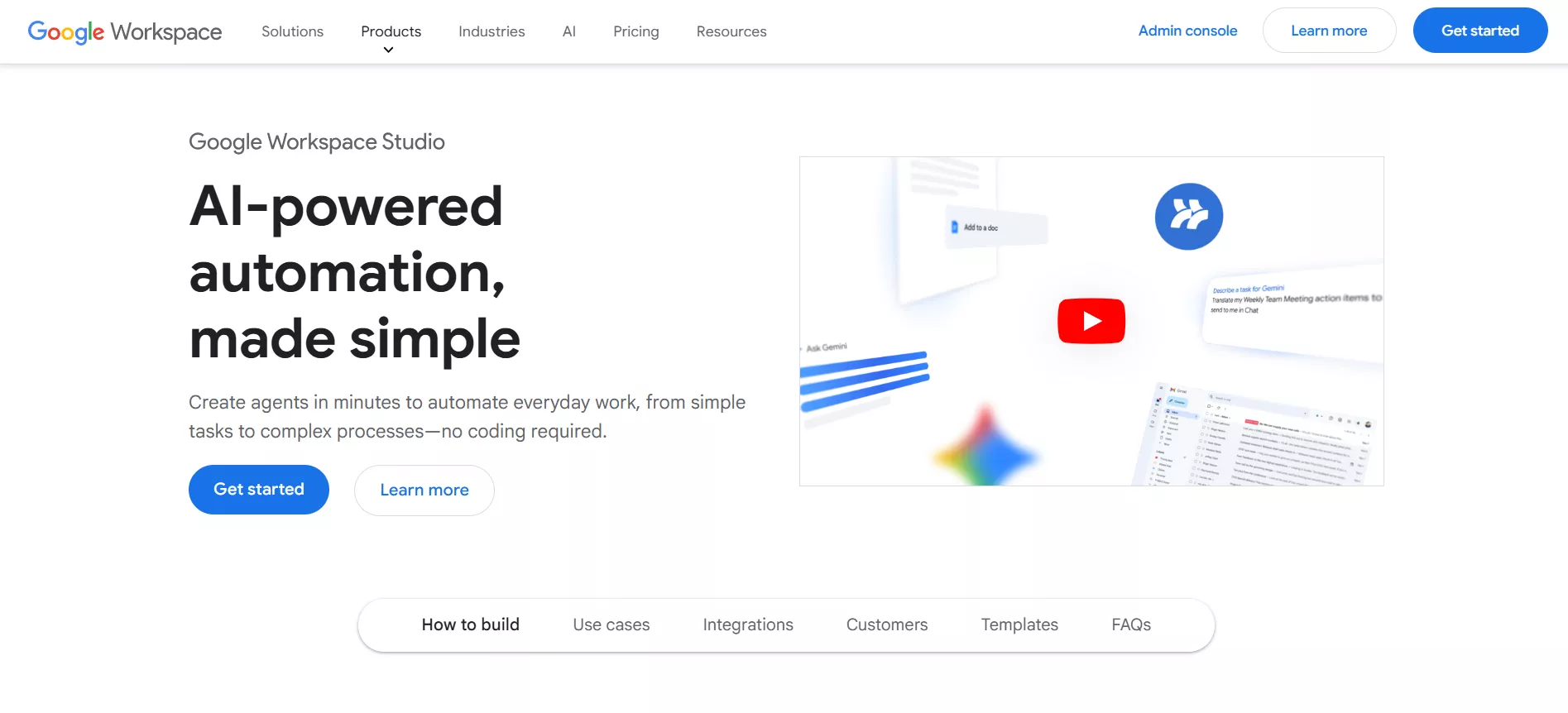
In 2026, the real power of Google Workspace Studio isn’t just in running single tasks; it’s in orchestrating multi-step, intelligent workflows that can think for themselves.
Because it is powered by Gemini 3, you can build “agents” that don’t just move data from point A to point B, but actually analyze, reason, and make decisions along the way.
Here is the 5-step blueprint for building your first high-level automation.
Step 1: Define the “Starter” (The Trigger)
Every workflow begins with an event. In Workspace Studio, you can set “Starters” based on time, specific events, or even natural language descriptions.
- How to do it: Navigate to studio.workspace.google.com and click “New Flow.” You can choose a specific trigger like “When a new email arrives” or “Every Monday at 9:00 AM.”
- Pro Tip: Be specific. Instead of “When I get an email,” try “When I get an email from a client containing the word ‘Proposal’.”
Step 2: Describe the Task to Gemini 3
This is where the magic happens. You don’t need to manually map every click. You can simply describe the desired outcome in plain English.
- How to do it: In the prompt bar, type your objective: “Analyze the attached PDF, summarize the three main budget requirements, and save that summary into our Team Sync Google Doc.”
- What happens: Gemini 3 will automatically generate the logic blocks needed to bridge Gmail, Drive, and Docs.
Step 3: Refine the Reasoning Steps
For complex workflows, you may want the agent to perform a “Decision Step.” This allows the agent to branch off into different actions based on what it finds.
- How to do it: Add a “Decision Step” block. For example, tell the agent: “If the budget requirement is over $10,000, send a priority notification to the Director in Google Chat. If it’s under $10,000, simply draft a standard approval reply.”
- The Benefit: This replaces the need for complex “If/Else” coding, using AI-driven sentiment and data analysis instead.
Step 4: Map Your Variables
To make your agent dynamic, you need to use Variables. These are placeholders that pull real-time data from the previous steps (like the sender’s name, the email subject, or specific text found in a document).
- How to do it: Click on any field (like an email body) and select the “Variable” icon. Map the “Sender Name” from Step 1 into your “Draft Reply” in Step 3 to ensure every message is personalized.
Step 5: Test and Activate
Before you let your agent run wild, Workspace Studio includes a built-in Sandbox for testing.
- How to do it: Click “Test Run.” You can select a recent email or file from your actual Workspace to see how the agent handles it. Once the “Run Completed” message appears and you’ve verified the output, hit “Turn On.”
By combining Gemini 3’s AI capabilities with Workspace Studio’s integration and workflow tools, enterprises can automate even the most complex processes efficiently. This approach transforms Google Workspace into a central hub for intelligent, enterprise-grade automation.
Enterprise Note: In 2026, all Workspace Studio agents run within your organization’s existing security perimeter. They respect your Data Loss Prevention (DLP) rules and never use your sensitive business data to train external models.
Best Practices for Using Google Workspace Studio: Security and ROI in 2026
To truly lead an AI-first organization in 2026, it isn’t enough to just build agents; you must govern them.
As Google Workspace Studio becomes the central nervous system of your business, the focus shifts to keeping your data in the “security bubble” and ensuring your automation strategy scales effectively.
Here are the enterprise-grade best practices to ensure your AI taskforce is both safe and impactful.
1. Implement “Context-Aware” Access Control
In 2026, identity is the new perimeter. Just because an employee has access to a tool doesn’t mean their AI agent should have access to every file in the company.
- The Practice: Use Google’s Context-Aware Access to set granular permissions for your agents. You can restrict agentic workflows so they only trigger if the user is on a corporate-managed device or within a specific geographic location.
- Business Impact: By enforcing “Least Privilege” access, you reduce the risk of accidental data exfiltration. High-security environments see a 70% reduction in breach risk when AI agents are properly sandboxed.
2. Standardize “Human-in-the-Loop” for External Flows
While it’s tempting to let agents handle everything, 2026 enterprise standards require oversight for high-stakes interactions.
- The Practice: For any agent that interacts with clients or handles financial data, set the final action to “Draft Only” or “Require Approval.” This ensures a human expert reviews the AI’s reasoning before it becomes official.
- Efficiency Gain: This hybrid approach maintains quality while still cutting drafting time by 90%. It prevents “hallucination costs”, the expensive mistakes made when an AI misinterprets a complex contract or pricing structure.
3. Track “Time Recapture” as Your Primary KPI
The most successful organizations don’t just look at “how many agents” they have; they measure the literal hours returned to the business.
- The Practice: Build an AI-Adoption Scorecard in Looker Studio. Track the average time saved per employee per day. Early benchmarks suggest that “Leading” organizations see employees save an average of 40 minutes per day through agentic triage.
- Operational Result: If a team of 100 people saves 40 minutes a day, you are recapturing over 300 hours of high-value labor every week. This allows you to scale your business output without a linear increase in headcount.
4. Use “Clean Data” Silos for Agent Training
An agent is only as good as the data it can “read.” If your Google Drive is a mess of outdated versions, your agent will be too.
- The Practice: Create specific, purpose-built folders for your agents (e.g., 2026_Standard_Operating_Procedures). Use AI Classification in Workspace to automatically label and sort current documents, then point your Studio agents only at those verified sources.
- Accuracy Improvement: Reducing “Data Decay” ensures your agents provide accurate responses 99% of the time. This drastically lowers the error rate in automated customer service and internal reporting.
5. Regular Audit of AI Logs and Usage
Security in 2026 is a process, not a one-time setting.
- The Practice: Schedule a weekly review of the Workspace Studio Audit Logs in the Admin Console. Monitor for “Consent Phishing”, where agents might be granted excessive permissions, and revoke access for any automation that hasn’t been used in 90 days.
- Cost Consolidation: Proactive auditing kills “Shadow AI” and prevents redundant tool spending. Consolidating your automations into a single, audited platform typically results in a 25% reduction in third-party software costs.
By following these best practices, enterprises can harness the full potential of Google Workspace Studio safely and efficiently. The result is not only enhanced security and compliance but also a significant boost in productivity, cost savings, and overall ROI in 2026 and beyond.
Partner with Bitcot to Build Your Custom Agentic Workflows for Enterprise
While Google Workspace Studio provides a powerful foundation for everyday tasks, global enterprises often require more than “out-of-the-box” solutions. To truly transform your operations, you need a system that connects your Google ecosystem to your proprietary data, legacy software, and complex industry requirements.
This is where Bitcot comes in.
As a leader in agentic AI development, we specialize in bridging the gap between standard tools and bespoke enterprise intelligence.
Moving Beyond Templates to Custom Ecosystems
Most teams start with simple triggers, but Bitcot helps you architect multi-agent systems that handle end-to-end business processes.
Whether it is a ‘Hire-to-Retire’ workflow for HR or a mission to transform Accounts Payable with agentic automation using Power Automate, we build agents that communicate across platforms like Salesforce, Jira, and your internal ERP.
- Bespoke Agent Engineering: We go beyond basic prompts to develop custom agents using advanced frameworks like LangChain and CrewAI, ensuring your workflows can handle high-level reasoning and complex decision-making.
- Legacy System Integration: Most businesses don’t live entirely in the cloud. We specialize in connecting modern AI agents to your existing on-premise databases and legacy software, creating a unified flow of information.
- Enterprise-Grade Compliance: Security is non-negotiable. Our team ensures that every custom workflow meets standards and integrates seamlessly with your organization’s Secure Software Development Life Cycle (SSDLC).
The Bitcot Advantage: Strategic AI Partnership
Partnering with Bitcot isn’t just about hiring developers; it’s about gaining a strategic ally in the 2026 AI economy. We help you move from pilot programs to full-scale production, ensuring your AI initiatives deliver measurable gains.
- Accelerated Time-to-Market: Our modular deployment approach allows us to ship usable, production-ready agents in days, not months.
- Proven Business Results: Our clients report significant operational shifts, including up to a 30% boost in team capacity and a 50% reduction in manual data entry errors.
- Continuous Optimization: AI isn’t “set and forget.” We provide ongoing monitoring and learning loops to ensure your agents stay accurate and adaptive as your business grows.
Transform the way your enterprise works in 2026. Partner with Bitcot to design, deploy, and scale custom AI agents that streamline workflows, boost productivity, and deliver measurable ROI. Your intelligent, automated future starts here.
Final Thoughts
Look, we’ve all been through the “AI hype” cycles where things sound great in a demo but fall apart when you actually try to use them in your Monday morning workflow.
But 2026 feels different.
With Google Workspace Studio, the barrier between “I have a cool idea” and “I have a working AI agent” has finally vanished.
You don’t need to be a coding wizard or have a massive R&D budget to reclaim your time. You just need to start. Whether it’s something as simple as letting an AI agent label your inbox or as complex as an automated invoice engine, these small “micro-wins” compound. Before you know it, you aren’t just managing tasks, you’re orchestrating an entire digital workforce.
The future of work isn’t about being replaced by AI; it’s about becoming the person who knows how to direct it. So, take that first step, build your first agent, and see how it feels to have 40 minutes of your day handed back to you.
If you’re looking to move beyond basic automations and build a truly custom, enterprise-grade AI ecosystem, we’re here to help. At Bitcot, we provide specialized AI agent development services designed to integrate Gemini 3 and other advanced models directly into your unique business DNA.
Schedule a free strategy session with Bitcot and let’s turn your “what if” into your most productive “right now.”