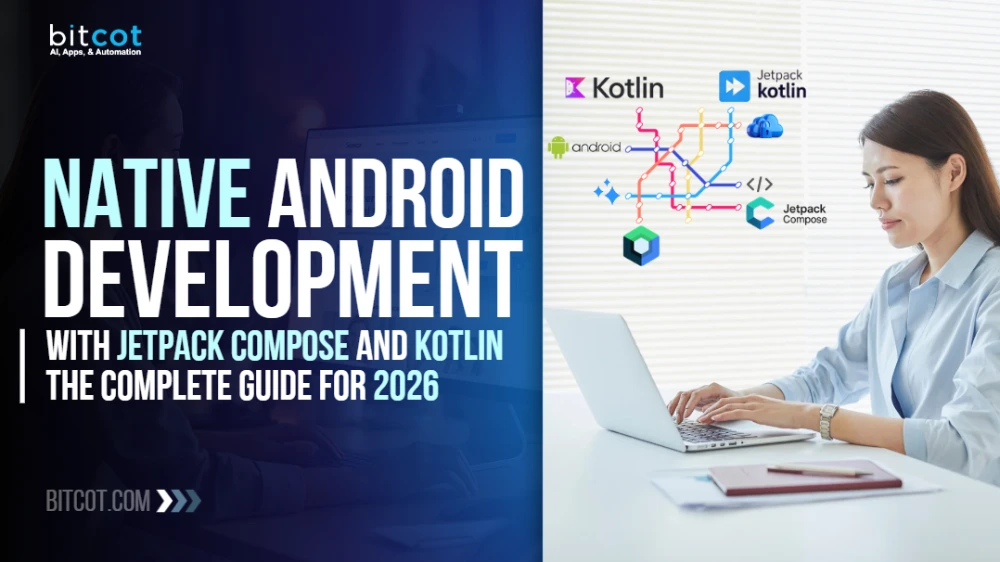
Android powers over 71% of the global smartphone market as of early 2026.
Every poor architecture decision made today shows up later as delayed launches, angry reviews, and engineering time spent on expensive rebuilds instead of new features.
Most enterprise Android apps still struggle with the same problems: bloated XML layouts, fragile state management, slow build cycles, and UI code that breaks every time business logic changes. The result? Delayed launches, frustrated users, and engineering teams drowning in tech debt.
The shift to Jetpack Compose and Kotlin changes all of that. Not just for developers – for business outcomes. It directly affects how fast you ship, how much maintenance costs, and whether your app can scale without a full rewrite in 18 months. It’s a foundational rethink of how Android apps are architected, scaled, and maintained.
If you’re a CTO, founder, product leader, or engineering head evaluating what a scalable, production-ready native Android app actually requires in 2026, this guide is built for you. By the end, you’ll know which technologies matter, why they matter, and how enterprise-grade Android apps are built and maintained without accumulating debt.
What Is Jetpack Compose and How It Transforms Android App Development
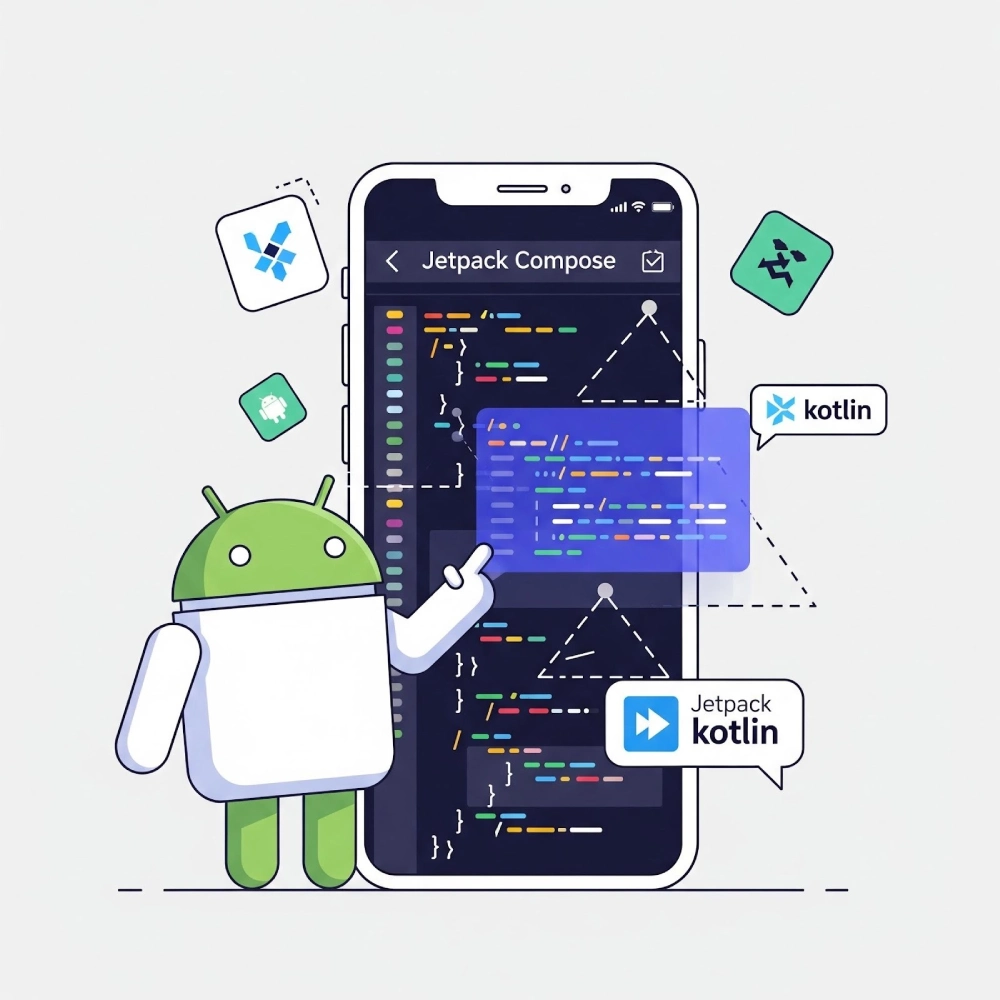
Jetpack Compose is Android’s official declarative UI toolkit – now the industry-standard approach for building native Android interfaces. Instead of inflating XML layouts and wiring them manually, Compose lets developers write UI as composable Kotlin functions that react to state automatically.
The result is faster development, fewer bugs, and dramatically better developer experience.
Kotlin is the primary language. It’s concise, null-safe, and brings modern language features – coroutines, sealed classes, extension functions – that make Android development faster and less error-prone than Java. For teams evaluating whether to build native or cross-platform, understanding the tradeoffs at the language and toolkit level is the right starting point before committing to an architecture.
The practical impact:
- UI and business logic are clearly separated
- State changes automatically trigger UI updates – no manual refresh logic
- Fewer lines of code to read, review, and maintain
- Compose components are inherently testable
“Is Jetpack Compose production-ready for enterprise apps?” Yes – and it’s been the recommended path from Google since 2021. By 2026, it’s the dominant approach across both startups and Fortune 500 Android teams.
Jetpack Compose Architecture: Core Tech Stack for Android
Getting the tech stack right at the architecture layer is where enterprise Android development wins or loses. Get this wrong, and no amount of feature work fixes it later. Here’s what a production-grade setup looks like.
Dependency Injection – Hilt
Hilt (built on Dagger) provides compile-time dependency injection across the entire app – ViewModels, repositories, data sources. It keeps modules clean, loosely coupled, and testable without runtime overhead.
State Management – ViewModel, StateFlow, and Kotlin Flow
State management is where many Android apps break down at scale.
The modern pattern uses immutable UiState classes exposed from ViewModels via StateFlow, consumed in Compose with collectAsStateWithLifecycle(). This ensures:
- Lifecycle-safe UI updates (no memory leaks, no stale data)
- A single source of truth for every screen
- Zero state inconsistency across configuration changes
For complex real-time pipelines – sensor data, BLE streams, model inference – Kotlin Flow and SharedFlow handle continuous data delivery with backpressure support built in.
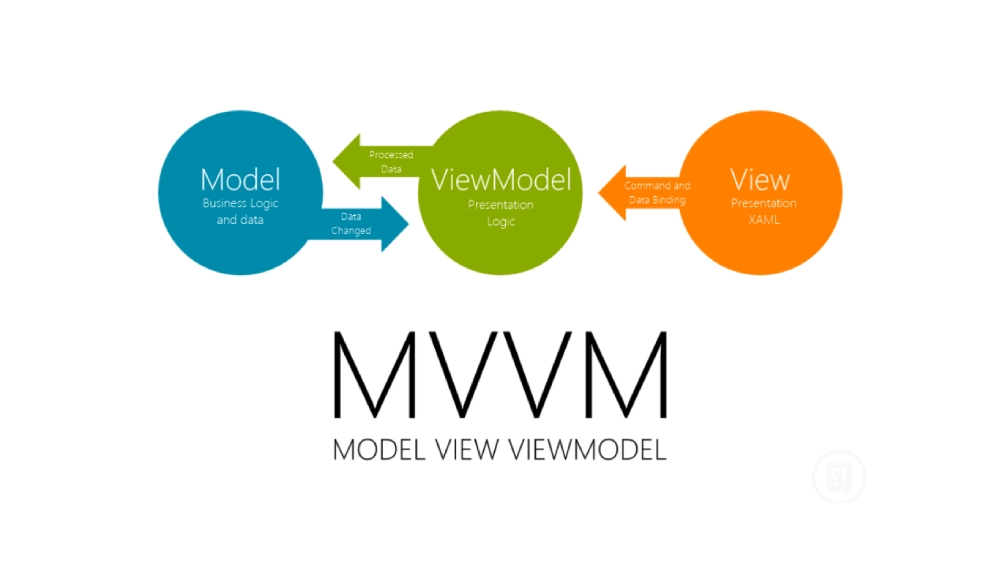
MVI (Model-View-Intent) adds another layer of predictability for complex flows: user intents flow into the ViewModel, which produces new immutable state, which triggers Compose recomposition. The entire flow is testable and traceable.
Local Persistence – Room Database
Room is Jetpack’s SQLite-backed database layer. It integrates natively with Kotlin Coroutines and Flow, meaning live database updates stream directly into Compose UI – no polling, no manual refresh.
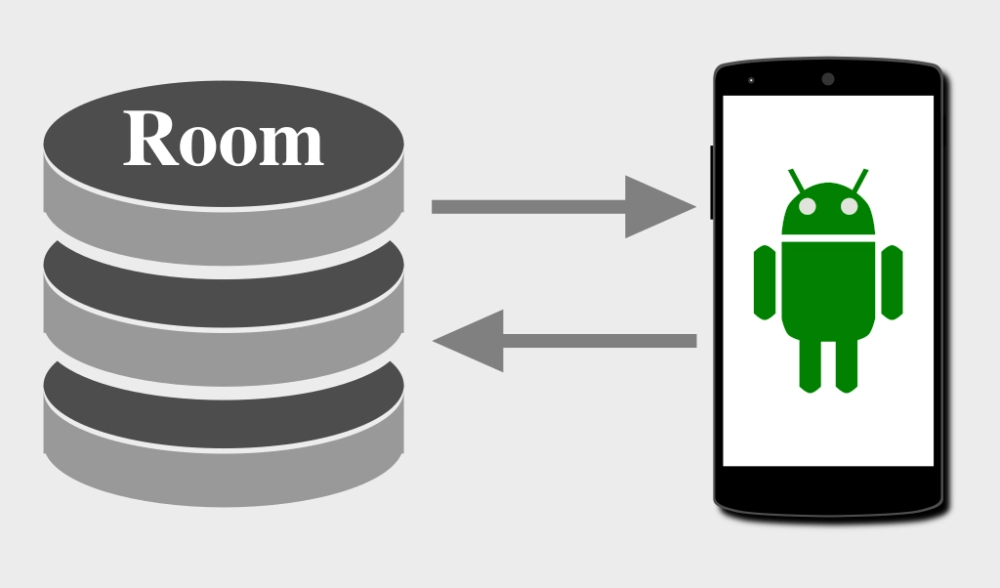
For offline-first enterprise apps (field service, healthcare, logistics), Room is the backbone of reliable local caching and sync architectures.
Async Operations – Kotlin Coroutines
LaunchedEffect, rememberCoroutineScope, and produceState bridge async operations into the Compose lifecycle cleanly. Combined with Result<T> error handling, they make network calls, file operations, and background tasks predictable and composable.
A solid architecture handles state well. Navigation is where the user journey either holds together – or quietly unravels.
Navigation is often underestimated at planning time – and overengineered at build time. Here’s what scales.

Jetpack Navigation Component (Compose) provides a centralized NavHost with animated transitions, type-safe route arguments, and deep link support. Paired with NavigationBar and NavigationRail composables, it covers both bottom navigation (phones) and side navigation (tablets) from a single codebase.
State-based navigation with AnimatedContent handles screen transitions driven by ViewModel state – ideal for multi-step flows like onboarding, checkout, or authentication without multiple Activity overhead.
Deep Linking deserves its own mention for enterprise apps:
| Deep Link Type | Use Case |
| Universal App Links (autoVerify) | Web-to-app routing, email campaigns |
| Digital Asset Links | Domain binding for verified links |
| Custom URI Schemes | Fallback routing across environments |
| Deferred Deep Linking | Post-install payload routing |
| Branch.io Contextual Links | Notifications and external URL routing |
Authentication-state routing – resuming the original destination after sign-in – is a detail that separates polished enterprise apps from mediocre ones.
Get navigation right, and the next conversation becomes the UI: what users actually interact with, and how it performs under real conditions.
Jetpack Compose UI Components: Production-Grade Android UI
“What does a modern Android UI actually look like under the hood?”
Every screen in a Compose-first app is built from composable functions – declarative, stateless, and testable by design.
Key UI layers in a production Android app:
- Scaffold – Top bar, bottom bar, FAB, snackbar hosting
- LazyColumn / LazyRow / LazyVerticalGrid – Performant rendering for feeds, logs, and catalogs
- HorizontalPager / VerticalPager – Onboarding flows and carousels with PagerState control
- ModalBottomSheet – Mini-players, filter panels, action drawers
- AnimatedVisibility / animateContentSize / Crossfade – State-driven transitions and layout changes
Material Design 3 drives the visual layer – dynamic color schemes, MaterialTheme with custom Typography, ColorScheme, and Shapes, plus production-ready components like TopAppBar, Card, and FloatingActionButton.
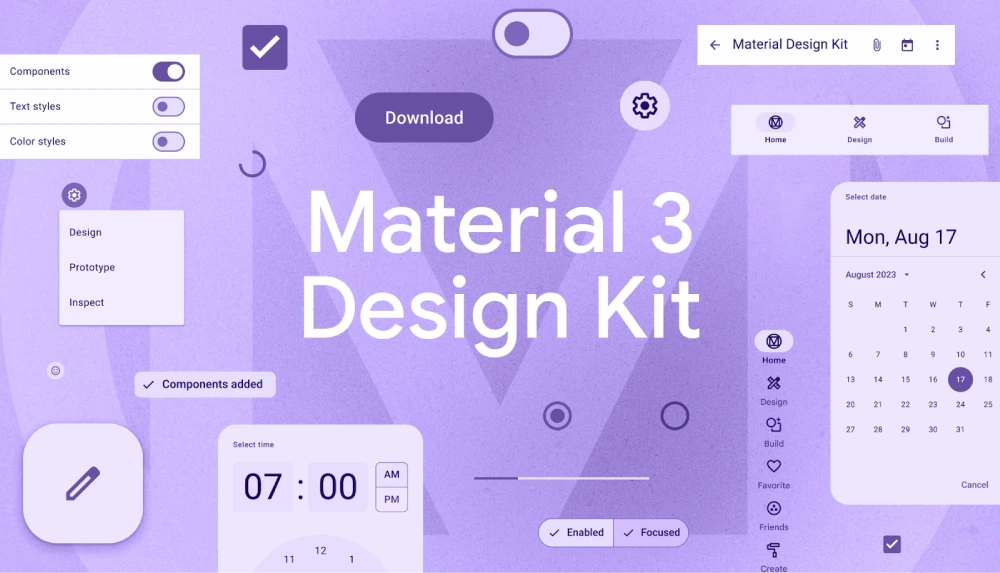
For data-heavy screens, MPAndroidChart renders health trend charts and operational dashboards via AndroidView interop. Lottie Compose brings After Effects animations into the UI for micro-interactions and onboarding sequences.
Coil’s AsyncImage handles image loading – caching, crossfade, placeholders, and GIF support – without boilerplate.
The UI layer covers what users see. What they increasingly expect, though, is intelligence – and that’s where Android in 2026 has moved well beyond the interface layer.
On-Device AI and ML for Android: MediaPipe, TFLite, ML Kit
This is where Android in 2026 gets genuinely powerful.
On-device AI – running inference directly on Android hardware – eliminates cloud latency, protects user privacy, and enables offline functionality. For teams building AI-powered mobile applications, this shift from cloud-dependent to edge-capable architectures is one of the most consequential decisions in 2026. The tools that make this possible:
MediaPipe Tasks (GenAI, Text, ImageGen)
Runs large language models and image generation entirely on-device. No cloud call. No data transmission. Model initialization and cleanup are tied to DisposableEffect and LaunchedEffect for leak-free Compose screen navigation.
TensorFlow Lite
Lightweight inference for classification and prediction tasks. Results stream into Compose UI via StateFlow – reactive, low-latency, and lifecycle-aware.
Dynamic Model Management
GB-sized model files require their own architecture. WorkManager handles background downloads with progress exposed as a Flow to Compose status composables. HuggingFace OAuth 2.0 / OpenID Connect provides authenticated access to gated model repositories.
Google ML Kit
Real-time on-device object detection, image labeling, text recognition, and face detection – inference results drive reactive Compose UI updates.
Augmented Reality (Sceneform)
3D model rendering and AR overlays anchored in physical space – ML Kit detections drive AR composable overlays alongside standard Compose UI layers.
“Can an Android app run an LLM without a server?” Yes – with MediaPipe Tasks and the right hardware support, production Android apps in 2026 run full LLM inference entirely on-device.
On-device inference handles privacy and latency. For apps that need the scale, speed, or multimodal capabilities of cloud LLMs, the integration layer looks different.
Conversational AI for Android: Groq, RAG, and Voice Interaction
For apps that need cloud LLM power alongside or instead of on-device inference:
Groq API delivers high-speed LLM inference – llama-3.1-8b-instant for text, llama-4-scout for vision. Responses stream into Compose StateFlow for real-time character-by-character UI rendering.
RAG-inspired context injection pre-filters queries against a local knowledge base before each API call. Only relevant snippets are injected as context – minimizing token usage and reducing sensitive data exposure to external APIs.
Voice interaction loop:
- SpeechRecognizer via rememberLauncherForActivityResult captures voice input
- Transcribed text flows into the Compose input state
- LLM processes the query
- TextToSpeech API reads the response aloud via LaunchedEffect
Complete hands-free AI interaction – entirely on-device for the audio layer.
Offline AI fallback: A local JSON dataset serves responses on network failure, with Compose UI transparently badging replies as “Offline Response” via a UiState flag. Users always get an answer.
Intelligent assistants cover the software side of AI. The other side is hardware – sensors and medical devices feeding real-world data directly into the app.
Android Sensors and Health Device Integrations: BLE and PPG
Healthcare and fitness apps demand hardware-level reliability. These are the integrations that hold up in production:
Hardware Step Counter Sensor – A persistent Foreground Service continuously tracks device steps. Live counts stream via StateFlow into Compose health dashboards in real-time without battery-draining polling.
Optical Heart Rate (PPG via CameraX) – CameraX video stream processes Photoplethysmography signals to estimate BPM on-device – no external hardware required. Results surface in Compose UI via DisposableEffect-managed lifecycle binding.
Biometric Prompt API – Fingerprint and face unlock gates access to sensitive health data. Authentication results flow into UiState to reactively unlock protected Compose screens.
Validic SDK – Enterprise BLE orchestration for third-party medical hardware: blood pressure cuffs, scales, glucometers. Validated readings are emitted into Compose health composables via StateFlow.
RxAndroidBle – Reactive BLE streams for custom hardware integrations, bridged into StateFlow for lifecycle-safe Compose consumption.
With health sensor data handled, the next layer is media – streaming audio, video, and real-time communication that users expect to work reliably in the background.
Audio Streaming, Media Playback, and Real-Time Communication
ExoPlayer / Media3 powers audio and video streaming with background playback via Foreground Service – uninterrupted when the screen is off or the app is backgrounded.
Azure Communication Services handles enterprise video calling and chat via an overlay Activity – reliable for telehealth and enterprise communication workflows.
CameraX covers photo capture, video recording, image analysis, PPG processing, and on-device image generation input pipelines from a single unified camera API.
WebRTC (Peer-to-Peer with Custom Signaling) – Full peer-to-peer real-time audio and video calling built on the WebRTC Android SDK. A custom Firebase-backed signaling architecture uses Firestore for SDP offer/answer exchange and Firebase Cloud Functions for secure TURN server credential generation – eliminating the need for a dedicated signaling server while maintaining enterprise-grade call reliability and NAT traversal.
A performant media layer keeps users engaged. A solid backend is what keeps data reliable, synced, and secure at scale.
Android Backend Architecture: REST APIs, Firebase, and Cloud
A reliable backend layer is what separates an app that works in a demo from one that holds up under real users, real load, and real network conditions.
Networking Layer
| Tool | Role |
| Retrofit | Type-safe HTTP client with multi-environment build variant support |
| OkHttp | HTTP engine with interceptors; used for LLM APIs and large file downloads |
| Kotlinx Serialization | Compile-time-safe, Kotlin-native serialization |
| Moshi | Modern JSON parsing with null-safety and Kotlin data class compatibility |
| Protobuf | Binary serialization for ML model configs and structured app state |
Chucker provides in-app HTTP inspection during development. Token Refresh Interceptor patterns via Kotlin Coroutines handle silent JWT refresh without disrupting the user session.
Firebase Stack
- Authentication – Email/Password and Google Sign-In
- Realtime Database – Low-latency event-driven data sync
- Cloud Messaging (FCM) – Push notifications and remote ML test automation triggers
- Remote Config – Server-driven feature flags without Play Store updates
- Crashlytics – Real-time crash reporting
- Analytics – Behavior and engagement tracking
- Cloud Functions – Serverless backend logic for WebRTC TURN credentials and call signaling
- Firestore – Real-time signaling layer for WebRTC SDP exchange and ICE candidate negotiation
Authentication Methods
Enterprise Android apps in 2026 support layered authentication:
- JWT with silent refresh interceptors and OTP MFA
- OAuth 2.0 / OpenID Connect (AppAuth) for gated HuggingFace model access
- Mutual TLS (mTLS) for certificate-based auth on regulated healthcare networks
- Biometric Prompt API for app-level security
- Facebook SDK social login alongside Google Sign-In
- BuildConfig credential injection for API keys out of version control
The network and auth layers handle how data moves between the app and the cloud. Local storage is what keeps the app functional when that connection isn’t available.
Android Local Storage: Room, DataStore, and Offline-First
Getting local storage right is the difference between an app that works offline and one that corrupts data under poor connectivity. This is especially critical in regulated industries – a healthcare app losing patient data during a network drop is not just a UX failure; it’s a compliance risk.
Room Database – SQLite-backed, integrated with Coroutines and Flow. The foundation of offline-first architectures.
DataStore (Preferences and Proto) – Jetpack’s modern replacement for SharedPreferences. Preferences DataStore handles simple key-value data. Proto DataStore handles typed, schema-enforced structured objects (ML model configs, user preferences, app state) – fully async and crash-safe.
SharedPreferences – Still valid for simple flags and session data where DataStore overhead isn’t warranted.
Reliable offline storage is only part of the picture. Protecting that data – especially in regulated industries – is where security architecture takes over.
Android App Security and Compliance: Encryption and HIPAA
Security isn’t an afterthought in production Android apps – it’s baked into the architecture. For teams building apps in regulated spaces like healthcare or fintech, this is the layer that determines whether an app can be deployed at scale or gets blocked at the compliance gate.
Key security layers:
- AES encryption with Android Keystore and EncryptedSharedPreferences
- Mutual TLS (mTLS) for bidirectional certificate auth on regulated networks
- BouncyCastle for advanced certificate parsing and secure key management
- Silent JWT refresh maintains session continuity without user interruption
- Room and DataStore caching with offline sync and cloud reconciliation
- Biometric Prompt API gatekeeping personal and medical data on app launch
- BuildConfig credential injection – API keys and certificates managed out of version control
- RAG-based data minimization – local pre-filtering before LLM calls, reducing sensitive context transmitted to external APIs
- OAuth 2.0 / OIDC gated model access for proprietary ML model weight protection
Healthcare apps on this stack can satisfy HIPAA-relevant technical safeguard requirements with the right implementation.
With data secured and compliance addressed, the final infrastructure layer for most consumer and enterprise apps is payments.
Android Payments: Google Play Billing, Stripe, and Google Pay
Three payment paths cover most enterprise and consumer Android app requirements:
- Google Play Billing (billing-ktx) – In-app subscriptions with plans, trials, and full lifecycle management
- Stripe Android SDK – PCI-compliant payment processing for e-commerce and SaaS billing
- Google Pay – Native one-tap checkout for transactional flows
Payment flows are in place. The next question is whether the rest of the app – and every future change – ships without regressions.
Android App Testing and Code Quality: Compose, MockK, CI/CD
Shipping fast without breaking things requires discipline in tooling. For teams managing large codebases or multiple concurrent feature streams, a well-structured testing strategy is what separates a maintainable codebase from one that becomes unshippable after six months:
- Ktlint – Kotlin code style enforcement across the team
- Detekt – Static analysis for code smells and complexity
- JUnit 4 / JUnit 5 – Unit testing for ViewModels, repositories, and business logic
- Compose UI Testing – Semantic tree-based assertions for Compose screens
- MockK – Kotlin-native mocking for isolated unit tests
- Espresso – UI instrumentation testing for Android View-based components
A disciplined testing setup catches issues before they reach users. Monitoring surfaces the ones that make it through anyway.
Android App Monitoring and Analytics: Crashlytics and Datadog
Shipping is step one. Knowing what’s breaking in production – and why – is what keeps apps reliable at scale. The standard observability stack for enterprise Android apps:
- Firebase Crashlytics – Real-time crash reporting
- Firebase Analytics – Behavior and engagement tracking
- AppDynamics – Enterprise APM for high-availability deployments
- Datadog – Performance monitoring and error insights
- Mixpanel – Custom event and funnel analytics
- Smartlook – Session recording and heatmaps
- Tealium – Enterprise tag management and analytics orchestration
That’s the full technical stack. Here’s what it looks like when all of it ships together in production.
Real-World Android Apps Built with Jetpack Compose and Kotlin
These aren’t concept demos. Each app below runs in production, built on the same architecture and tools covered in this guide.
Pegdesk – Enterprise Field Workforce Management
We built Pegdesk as a comprehensive enterprise app for field workforce management – scheduling, facility audits, digital forms, and operational asset tracking.
Key capabilities we delivered: biometric face detection clock-in/out (preventing buddy punching), shift swaps, leave requests, meal break tracking, QR-based asset check-in/out via CameraX and ZXing, and extensive dynamic audit forms (safety logs, training checklists, building profiles) delivered as reactive Compose flows.
The offline-first architecture with Room Database and a dedicated sync layer keeps field workers productive in any network condition.
inHarmony – Meditation and Wellness Audio
We developed inHarmony as a meditation and wellness audio streaming app built around background audio playback via ExoPlayer within a persistent Foreground Service – uninterrupted streaming when the screen is off.
Features we implemented: custom playlist management, offline downloads, Google Play Billing subscriptions with a 14-day free trial, and adaptive UI theming via AndroidX Palette, extracting tones from album art into a fully immersive Compose experience.
Health Monitor – Unified Wellness Dashboard
We combined step counting, hydration logging, sleep tracking, optical heart rate measurement, and real-time weather into a single Compose wellness dashboard.
CameraX processes PPG signals for BPM estimation without external hardware. A persistent Foreground Service ensures continuous step tracking. All data syncs to Firebase Firestore with offline reconciliation via Room. Secured behind the Biometric Prompt on launch. Health trends visualized through MPAndroidChart composables.
ChatbotAI (MedBot) – AI Healthcare Assistant
We built ChatbotAI as an AI-powered virtual healthcare assistant for medical queries, symptom assessment, and prescription and lab report image analysis.
Powered by Groq’s LLM API with RAG-inspired local context injection. Voice input via SpeechRecognizer. Offline fallback to a local medical dataset with responses transparently badged as “Offline” via Compose state.
Mayo-AME – On-Device AI Playground
We built Mayo-AME as a native Android AI benchmarking app running LLM inference, image generation, text-to-speech output, and automated ML testing pipelines entirely on physical hardware – no cloud dependency.
GB-sized model files managed securely via WorkManager with HuggingFace OAuth 2.0 access. Remote ML test automation via FCM, deep links, and Foreground Services triggers AI workflows on physical devices without manual interaction.
Native Android App Development Use Cases by Industry
The same Jetpack Compose and Kotlin stack adapts across industries – what changes is the integration layer, the compliance needs, and where the real complexity lives.
Enterprise Field Service and Workforce Management
- Dynamic calendar views, shift management, biometric clock-in/out, and real-time timesheet tracking
- Dynamic forms for safety logs, inspections, and compliance documentation
- QR/barcode-based asset check-in/out and stock management
- Room-backed caching for offline productivity
- Real-time tickets, escalations, and inspection tracking
Also Read: Employee Portal App Development Guide – Features, Benefits, Tech Stack and Cost – A deep-dive into enterprise workforce apps built with Kotlin, ML Kit on-device face detection, and Kotlin Coroutines – directly relevant to field service and workforce management builds.
Healthcare and Telemedicine
Building a healthcare mobile app that handles real clinical workflows – not just digitized paperwork – demands a fundamentally different approach to architecture, security, and device integration than a typical consumer app.
- OAuth 2.0 and mTLS-backed patient identity verification
- BLE medical device integration via Validic and RxAndroidBle for remote vital signs
- Azure Communication Services for enterprise telehealth video and chat
- LLM-powered symptom assessment and medical document analysis with offline fallback
- mTLS, BouncyCastle, AES encryption, and Biometric Prompt API for compliance
AI-Powered and On-Device ML
- MediaPipe Tasks GenAI for on-device LLM inference – no cloud, no latency
- TFLite custom model inference for classification and prediction
- Groq API for cloud LLM multimodal document analysis
- Remote ML test automation via FCM and Foreground Services
- Full voice-in/voice-out hands-free AI interaction
Fitness and Personal Health
- Hardware sensor Foreground Service for loss-free continuous step tracking
- Camera-based PPG BPM measurement without hardware
- MPAndroidChart dashboards for trends and analytics
- Room and DataStore with Firebase Firestore offline-first sync
Also Read: Fitness App Development Services – Our full-service fitness platform builds, covering workout tracking, health analytics, trainer scheduling, and subscription monetization for consumer and enterprise wellness apps.
Audio Streaming and Wellness
- ExoPlayer Foreground Service for uninterrupted background playback
- Google Play Billing lifecycle management for subscriptions
- AndroidX Palette dynamic color theming from media artwork
E-Commerce and Booking
- Product catalog and AI-powered search
- Stripe, Google Pay, and native payment integration
- Real-time availability and booking with Android calendar sync
Understanding which patterns apply to your industry is step one. How those patterns get executed in a real engagement is what the next section covers.
How Bitcot Builds Native Android Solutions
Our Android app development team specializes in production-grade Jetpack Compose and Kotlin applications – from initial architecture through long-term scaling.
The delivery approach:
Architecture First – Every engagement starts with architecture decisions: state management pattern (MVI vs MVVM), DI framework (Hilt vs Koin), navigation strategy, and offline-first requirements. Getting this right upfront prevents expensive rewrites.
Modular Codebase – We build multi-module codebases with Gradle Kotlin DSL and Version Catalogs. Each feature module is independently testable and deployable – faster build times, cleaner ownership boundaries.
Multi-Environment Build System – Staging and Production environments with environment-specific API endpoints, credentials, and feature flags managed via BuildConfig and Firebase Remote Config.
CI/CD Integration – GitHub Actions, Azure DevOps, or Bitbucket Pipelines for automated quality checks, Ktlint/Detekt validation, and consistent Play Store deployments.
AI-Capable by Default – Whether on-device MediaPipe inference, Groq cloud LLM integration, or RAG-based context injection, our team brings production-proven AI integration patterns to every engagement that needs them.
Healthcare-Grade Security – mTLS, BouncyCastle, AES encryption, Biometric Prompt API, and OIDC-gated model access for regulated industries.
We’ve delivered production apps across enterprise field service, healthcare, on-device AI, wellness, and content-driven verticals – each one built on the same architecture principles outlined in this guide.
Conclusion
Building a custom Android app in 2026 that’s fast, scalable, secure, and AI-capable is entirely achievable – but it requires the right architecture decisions from day one.
Jetpack Compose and Kotlin are the foundation. Hilt, StateFlow, Room, and Kotlin Coroutines handle the architecture. MediaPipe, Groq, and TFLite bring intelligence to the UI. Firebase, Retrofit, and a layered authentication stack connect it to the cloud. And a disciplined testing and CI/CD setup keeps it maintainable as the team scales.
The gap between a working Android app and a production-grade one isn’t visible in the first sprint. It shows up in the architectural decisions most teams don’t revisit until it’s expensive to fix – usually when users are already leaving.
If you’re planning a new Android app or scaling an existing one – and you want a team that’s already navigated every layer of this stack in production – get in touch with us for a technical consultation. The right architecture conversation happens before a single line of code is written.
Frequently Asked Questions (FAQs)
What is the difference between Jetpack Compose and the traditional Android XML layout approach?
Jetpack Compose is a declarative UI toolkit – you describe what the UI should look like for a given state, and Compose handles rendering. XML layouts are imperative: you inflate views and manually wire them to data. Compose requires significantly less code, is inherently more testable, and handles state-driven UI updates automatically without manual refresh logic.
Is Jetpack Compose ready for production enterprise apps in 2026?
Yes. Jetpack Compose has been Google’s recommended UI approach since 2021 and is now the dominant pattern across enterprise Android development. Major apps across healthcare, fintech, logistics, and consumer verticals run on Compose in production.
How does state management work in a Jetpack Compose app?
The modern pattern uses ViewModel + StateFlow with immutable UiState classes. The ViewModel holds and mutates state; Compose screens observe it via collectAsStateWithLifecycle(). This ensures lifecycle safety, a single source of truth, and predictable UI behavior across configuration changes.
Can Android apps run AI models on-device without a server?
Yes. MediaPipe Tasks GenAI enables full LLM inference on Android hardware. TensorFlow Lite handles custom classification and prediction models. WorkManager manages GB-sized model downloads. HuggingFace OAuth provides authenticated access to gated model repositories. On-device AI in 2026 is production-viable for many use cases.
What is the best way to handle offline functionality in an Android app?
The most reliable approach combines several Jetpack components working together. Room Database handles local persistence, DataStore manages preferences and structured config, and a dedicated sync architecture reconciles local state with the cloud when connectivity is restored. WorkManager handles background sync tasks with guaranteed execution – even across app restarts and device reboots.
How is authentication handled in enterprise Android apps?
Production apps layer multiple auth methods: JWT with silent refresh interceptors, Firebase Authentication for social login, OAuth 2.0 / OpenID Connect via AppAuth for enterprise identity, mTLS for regulated network communication, and Biometric Prompt API for app-level security. The right combination depends on industry, compliance requirements, and user base.
What is the typical tech stack for a healthcare Android app?
While the exact stack varies by compliance requirements and device integrations, most production healthcare Android apps combine: Hilt for DI, Room + DataStore for local persistence, Retrofit + OkHttp with token refresh interceptors for networking, Firebase Authentication + mTLS for identity, Validic or RxAndroidBle for BLE medical device integration, Azure Communication Services for telehealth video, BouncyCastle + AES encryption for data security, and Biometric Prompt API for app access control.