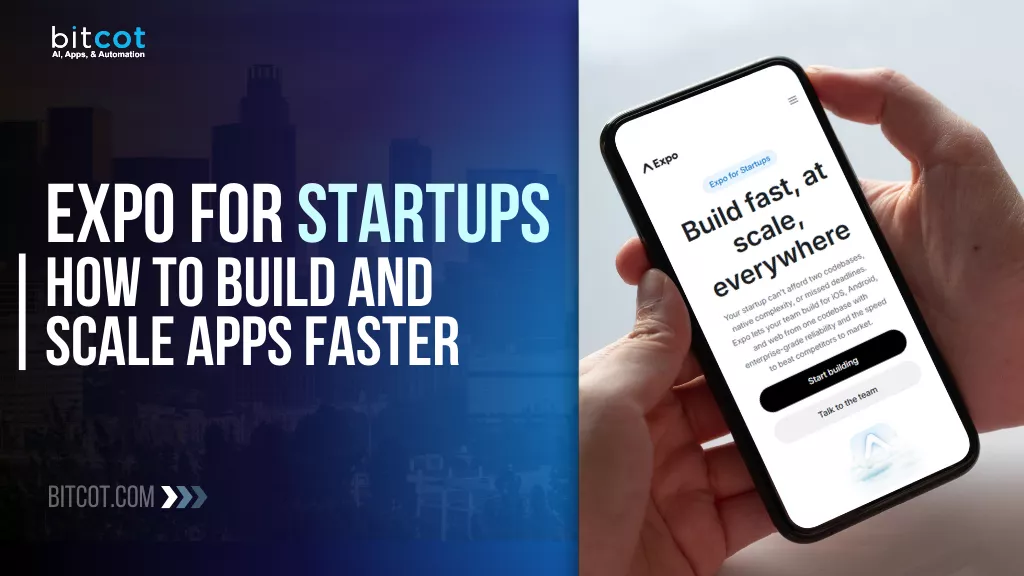
- Expo has matured from a beginner-friendly wrapper into a production-grade framework trusted by companies like Coinbase, Bluesky, and Tesla in 2026.
- Continuous Native Generation (CNG) and EAS (Expo Application Services) eliminate the native configuration bottlenecks that have historically stalled startup timelines.
- A single JavaScript/TypeScript team can ship to iOS, Android, and web simultaneously, cutting engineering overhead significantly compared to maintaining separate native codebases.
- Over-the-Air (OTA) updates via EAS Update allow startups in competitive markets, including California and New York, to push critical fixes in minutes rather than waiting days for App Store review cycles.
- With React Native’s New Architecture now stable, Expo apps deliver 60 FPS performance that is indistinguishable from pure native for the vast majority of business use cases.
Introduction
For a startup, every development hour spent wrestling with build pipelines, Xcode configurations, or App Store review queues is a competitive disadvantage. Expo for startups has emerged as the definitive answer to that problem. In 2026, the framework has evolved from a convenient shortcut into a serious production platform backed by Meta and powered by cloud-grade tooling through Expo Application Services (EAS).
According to Stack Overflow’s Developer Survey, React Native remains among the top five most-used frameworks for cross-platform mobile development, and Expo is the primary way teams adopt it. The performance gap between Expo apps and pure native apps has effectively closed thanks to React Native’s New Architecture reaching full stability.
This guide breaks down exactly how Expo works, where it outperforms traditional native approaches for early-stage teams, the challenges founders actually encounter, and the 2026 best practices that separate polished, scalable products from buggy MVPs. Whether you are building your first app in San Diego or scaling to millions of users in New York, the framework decisions you make today determine how much you pay, and how fast you move, for the next three years.
What Is Expo and How Does It Work for Startup Teams?
Expo is an open-source ecosystem of tools and services built on top of React Native. While React Native provides the runtime for rendering native UI components from JavaScript, Expo provides the complete delivery infrastructure: pre-built native modules, cloud build services, and an update distribution system.
For a startup, the practical difference is significant. A pure React Native project requires developers to manage native iOS and Android folders, coordinate Xcode and Android Studio configurations, and manually link third-party libraries. Expo abstracts all of that.
The Three Pillars That Make Expo Work
Continuous Native Generation (CNG): Rather than storing native iOS and Android project folders in version control, CNG generates them automatically from your app configuration file at build time. This means your team never touches Xcode or Android Studio directly, and the class of build errors that native configuration produces simply does not occur.
The Expo SDK: Expo ships a curated, pre-tested library of native modules covering camera access, biometric authentication, push notifications, haptic feedback, sensors, and much more. These APIs are maintained by the Expo team and guaranteed to work together without version conflicts.
EAS (Expo Application Services): EAS is a suite of cloud services covering building, signing, submitting, and updating your app. According to Expo’s official documentation, EAS Build handles production-ready binary generation in the cloud, meaning developers on any operating system can produce a signed iOS binary without owning a Mac.
Why Do Startups Choose Expo Over Native Development in 2026?
Startups choose Expo because it converts mobile development from a specialized, high-overhead discipline into an iterative, product-focused practice. The reasons are structural, not merely a matter of preference.
Single-Team Engineering Coverage
Traditional native development requires platform specialists: one team for iOS (Swift/Objective-C) and a separate team for Android (Kotlin/Java). Expo allows a React web development team to own both platforms from a single TypeScript codebase. According to research published by McKinsey Digital, engineering team fragmentation is among the top contributors to delayed product launches in early-stage companies. Expo directly addresses that fragmentation.
Over-the-Air Updates: Bypassing the App Store Gatekeeper
App Store review cycles average 48 to 72 hours. For a startup that discovers a critical bug during an investor demo or a live launch, that wait is unacceptable. EAS Update allows teams to push JavaScript bundle changes directly to users’ installed apps, bypassing review entirely for non-native changes. This capability is one of the most strategically important features Expo offers founders who operate under time pressure.
Scalability That Does Not Require a Rewrite
A widespread misconception positions Expo as an MVP tool that teams outgrow. The production record contradicts this. Bluesky, the decentralized social network, used Expo to manage rapid feature iteration during viral growth. Coinbase, which serves over 100 million users, relies on Expo’s framework for performance-sensitive fintech software development. Burger King’s global mobile ordering system uses EAS Update to push menu changes and bug fixes to millions of devices without App Store submissions. These are not prototype use cases.
Hardware Access Without Native Configuration
Features like Face ID authentication, push notifications, and camera integration require complex native configuration in a standard React Native project. The Expo SDK provides stable, well-documented APIs for all of these. A development team can implement biometric login in a single afternoon, compared to a week or more of native bridge configuration. For iOS app development teams under sprint pressure, this is a meaningful productivity difference.

Expo vs. Native Development: How the Two Approaches Compare
The debate between Expo and pure native (Swift/Kotlin) is ultimately a resource allocation question. Each approach involves genuine tradeoffs, and understanding them clearly is more useful than a reflexive recommendation in either direction.
Development Time and Code Sharing
Expo enables approximately 70 to 90 percent code sharing between iOS and Android. According to the React Native team’s published benchmarks, the New Architecture’s synchronous JavaScript Interface (JSI) eliminates the asynchronous bridge latency that characterized earlier versions. The practical result is that Expo teams can launch on both app stores simultaneously, whereas native teams building separate codebases face sequential platform launches by default.
Performance in 2026
The performance gap that justified native-only development for most business applications has narrowed to the point where it is effectively irrelevant for the majority of use cases. With Fabric (the new rendering system) and TurboModules (the new native module system) fully stable in React Native’s New Architecture, Expo apps render at 60 FPS with startup times comparable to native. The remaining performance cases where native still holds a clear advantage are limited to high-end 3D games, complex AR/VR engines, and applications requiring direct low-level hardware access.
Maintenance Over Time
Native development creates two parallel codebases with separate dependency trees, separate testing requirements, and separate deployment workflows. When a new iOS or Android release introduces breaking changes, native teams must address them independently on each platform. Expo’s managed workflow centralizes that maintenance: the Expo team handles OS-level compatibility updates, and teams upgrade through a single version bump.
| Factor | Expo (Cross-Platform) | Native (iOS & Android) |
|---|---|---|
| Development Timeline | 3 to 4 months | 7 to 10 months |
| Team Requirement | 1 cross-platform team | 2 platform-specific teams |
| App Updates | Instant via EAS Update (OTA) | App Store review (48 hours+) |
| Performance Ceiling | Near-native (60 FPS, JSI) | Peak native |
| Maintenance Overhead | Single codebase, managed updates | Two codebases, parallel maintenance |
How to Build and Scale a Startup App with Expo: Stage by Stage
Building a startup app with Expo follows a natural progression from rapid validation to production-grade infrastructure. Each stage uses different Expo tooling, and knowing when to graduate between stages prevents both premature optimization and under-engineering.
Stage 1: Prototype with Expo Go
Expo Go is a client app for iOS and Android that runs your development build by scanning a QR code. No compilation. No builds. Developers iterate on a physical device in real time. This stage is the fastest path from a product idea to a clickable prototype that non-technical stakeholders can hold in their hands. Bluesky’s engineering team used this rapid iteration loop to test and ship social features during periods of viral user growth.
Stage 2: Move to Development Builds with CNG
Once the core feature set is validated, teams graduate to Development Builds. CNG generates the native iOS and Android folders from configuration, adding custom native modules through Config Plugins without requiring manual Xcode or Android Studio work. This stage is where complex integrations live: custom AI pipelines, AI/ML development modules, specialized Bluetooth hardware, or proprietary fintech security libraries.
Rosebud, an AI-powered journaling startup, shipped a fully featured app with voice recording and AI-generated insights in five months using this stage. A team of three engineers owned the entire product across all platforms, sharing roughly 70 percent of their business logic code.
Stage 3: Automate Everything with EAS
At scale, manual deployments introduce risk and slow delivery velocity. EAS Build and EAS Submit automate the entire CI/CD pipeline: building signed binaries, submitting to the App Store and Google Play, and distributing OTA updates to segmented user groups. This is the infrastructure layer that allows a product like Coinbase to maintain high reliability at massive scale without a dedicated platform operations team managing native build systems.
Common Expo Challenges Startups Face and How to Resolve Them
Expo’s managed workflow removes a significant class of problems, but teams building complex products in 2026 still encounter specific friction points. Knowing these in advance prevents the kind of mid-sprint surprises that derail timelines.
The Native Module Wall
The challenge: a required library, whether a specialized fintech security SDK, a custom Bluetooth interface, or a proprietary AI inference engine, does not exist in the standard Expo SDK.
The resolution: Development Builds with Config Plugins. Since 2023, Expo’s CNG workflow has allowed teams to incorporate any native library through Config Plugins, which automate native configuration changes. The project stays managed while gaining full access to the native layer. This means teams building cross-platform mobile applications no longer face a hard choice between Expo’s convenience and native extensibility.
Binary Size Optimization
The challenge: earlier Expo versions included the full SDK in every binary, resulting in inflated app sizes that hurt conversion rates in regions with slower connectivity.
The resolution: modern Expo CLI, combined with the Hermes JavaScript engine and EAS Build’s selective bundling, performs automatic tree shaking during the build process. Unused modules are removed. Production binaries now approach the size of comparable pure native applications.
OTA Update Compatibility Errors
The challenge: pushing a JavaScript bundle update that references native code not yet installed on a user’s device causes app crashes on launch.
The resolution: Runtime Versions. Linking each EAS Update to a specific Runtime Version ensures that a device only downloads an update when its installed native code is fully compatible. This is a non-negotiable configuration step for any production Expo application.
Build Queue Bottlenecks
The challenge: during a high-stakes launch week, EAS cloud build queues on lower-tier plans can slow deployment velocity.
The resolution: either run eas build --local on your own CI infrastructure to bypass queues entirely, or upgrade to EAS Production for concurrent builds and priority queuing. For teams with consistent release cadences, local builds on a dedicated machine are typically the more predictable option.
2026 Best Practices for Startup Apps Built on Expo
The practices that separate maintainable, scalable Expo applications from technical debt in disguise come down to four consistent patterns observed across production projects.
Enable the New Architecture from Day One
React Native’s New Architecture, specifically the Fabric renderer and TurboModules, is the default in 2026. Starting a new project without it enabled means inheriting the performance and compatibility limitations of the legacy bridge architecture. All third-party libraries selected for the project should be verified for Fabric compatibility before integration.
Use File-Based Routing with Expo Router
Expo Router brings web-style file-based navigation to native apps. Every file in the app/ directory becomes a route, and every route is automatically deep-linkable. For startups using referral programs, shareable product pages, or SMS-based growth campaigns, this automatic deep linking is a product feature, not just a technical convenience. Bundle splitting by route also reduces the initial download payload meaningfully.
Adopt React Server Components for Data Fetching
React Server Components reached stability in the Expo ecosystem in 2026. Moving data-fetching logic and API credentials to the server side keeps the client JavaScript bundle small, prevents sensitive keys from appearing in compiled code, and enables React Suspense-based skeleton loading for a perceived performance improvement. According to Apple’s App Store Review Guidelines, apps that demonstrate slow or unreliable loading are subject to rejection. Server Components directly address that risk.
Manage Secrets Through EAS Environment Variables
Hardcoded API keys and committed .env files are among the most common security errors in early-stage mobile apps. EAS Environment Variables provide a structured approach: public variables prefixed with EXPO_PUBLIC_ are embedded at build time for client use, while EAS Secrets are injected at build time only and never appear in the compiled JavaScript bundle. This distinction matters for any application handling user credentials or sensitive third-party API access.
Our Perspective
Across the React Native app development projects our San Diego team has delivered for startups in healthcare technology, fintech, and consumer mobile, the most consistent source of timeline delay is not the complexity of the product itself. It is the time teams spend resolving native configuration conflicts, dependency incompatibilities, and build environment discrepancies between developer machines.
Expo’s CNG workflow closes that category of problems almost entirely. The projects where we have seen the fastest time from validated prototype to App Store submission are uniformly those where the team committed to the Expo managed workflow from day one rather than treating it as a starting point to be abandoned when things got complex. Config Plugins handle the complexity that used to force teams off the managed path. That shift, more than any specific feature, is what makes Expo a serious production choice in 2026.

Conclusion
Expo has earned its place as the practical default for startup mobile development in 2026, not because it is the easiest option, but because it is the one that removes the constraints that kill product momentum without sacrificing the performance or extensibility that serious applications require. The combination of CNG, EAS, Expo Router, and a now-stable New Architecture means that the traditional tradeoff between development speed and production quality no longer exists in any meaningful way for the vast majority of business use cases.
The startups that move fastest in mobile are the ones that stop spending engineering cycles on platform infrastructure and focus entirely on the product decisions that determine whether users stay. Expo makes that focus possible. If you are building a mobile product and want a practical assessment of how the right architecture decisions translate into faster delivery and a more maintainable codebase, reach out to our team for a conversation.
Frequently Asked Questions
What is Expo and how does it differ from standard React Native?
Expo is an open-source framework and set of cloud services built on top of React Native. Standard React Native requires developers to manually manage native iOS and Android project folders, handle library linking, and configure platform-specific build tooling. Expo abstracts that layer through Continuous Native Generation (CNG), which generates native folders automatically from a configuration file, and through the Expo SDK, which provides pre-built, pre-tested native modules for common hardware features. The practical result is that teams write JavaScript or TypeScript and ship to iOS, Android, and web without interacting directly with Xcode or Android Studio.
How does Expo compare to building separate native iOS and Android apps?
Building separate native apps in Swift and Kotlin requires two platform-specific teams, two codebases, and two separate maintenance tracks. Expo enables a single cross-platform team to share approximately 70 to 90 percent of code between iOS and Android. Native development retains a performance advantage for specialized use cases such as high-end 3D games, AR/VR engines, and applications requiring direct low-level hardware access. For the vast majority of business applications, including fintech, healthcare, e-commerce, and consumer social products, Expo apps built on React Native’s New Architecture deliver performance that is effectively indistinguishable from native.
How do startups push app updates without waiting for App Store review?
Expo’s EAS Update feature enables Over-the-Air (OTA) updates for the JavaScript portion of an app. When a startup needs to fix a bug or update UI without changing native code, EAS Update pushes the new JavaScript bundle directly to users’ installed apps. The update is applied on the next app launch. This process bypasses the App Store and Google Play review cycles entirely for eligible changes. To prevent version incompatibilities, teams link each OTA update to a specific Runtime Version that confirms the update is compatible with the native code currently installed on the device.
Is Expo a good fit for startups building apps in competitive markets like California and New York?
Yes. For startups operating in fast-moving markets, the speed advantages of Expo are directly competitive. The ability to ship OTA fixes in minutes, launch simultaneously on iOS and Android, and iterate on features without platform-specific engineering bottlenecks means shorter feedback cycles with users. Bitcot has delivered Expo-based mobile applications for startups and enterprise clients across San Diego, Los Angeles, San Francisco, and New York, and the projects that have moved most quickly to market share a consistent pattern: they committed to Expo’s managed workflow from the start and used EAS for the full build and deployment pipeline.
Will a startup outgrow Expo as it scales to millions of users?
No, and the production record is clear on this point. Coinbase, which processes transactions for over 100 million users, operates on Expo. Bluesky handled viral growth with an Expo-built product. Burger King manages global mobile ordering through EAS Update. The scaling constraints teams worry about, primarily performance and native extensibility, are addressed by React Native’s New Architecture and Expo’s Development Build workflow with Config Plugins. The more realistic scaling challenge is organizational: maintaining code quality and deployment discipline as a team grows. Expo’s structured tooling, particularly EAS for CI/CD and Expo Router for navigation, supports that organizational scaling as well as the technical kind.