Key Takeaways
- Siri AI is the biggest iOS 27 change, with its own app.
- Apple says apps launch up to 30% faster in iOS 27.
- iOS 27 runs on iPhone 11+; Siri AI needs newer iPhones.
- San Diego app teams should test Spotlight and Liquid Glass now.
- Most iOS 27 headline features grew from iOS 12 ideas.
Introduction
When we first wrote about iOS 12, the headline features were faster performance, Siri Shortcuts, grouped notifications, Screen Time, and Group FaceTime with Memoji. Eight years later, iOS 27 is out, and almost every one of those ideas has grown into something far more capable.
This guide covers the top 5 iOS 27 features, explains which iPhones support them, and shows how each one evolved from its iOS 12 starting point. It closes with what the update means for businesses that build iPhone apps.
Whether you are an iPhone owner in San Diego deciding whether to update or a product team planning your next release, you will find the short answers first and the detail after.
What Is iOS 27?
iOS 27 is Apple’s iPhone operating system for 2026 and 2027, announced at WWDC on June 8, 2026 and released to the public in September 2026. It focuses on a rebuilt Siri, Apple Intelligence features inside everyday apps, design controls for Liquid Glass, and speed improvements.
Apple moved to year-based version numbers in 2025, which is why the release after iOS 26 is iOS 27 rather than iOS 19. The number now matches the year most of its life is spent in.
iOS 27 builds on the speed focus that began with iOS 12
The Top 5 iOS 27 Features
These are the five iOS 27 features that change daily iPhone use the most. Each one includes what it does and how it grew from iOS 12.
1. Siri AI and the New Siri App
Siri AI is a rebuilt version of Siri that understands context, answers follow-up questions, and can act across apps. According to Apple’s Siri AI announcement, it can search across Photos, Messages, and Mail using personal context, answer questions about what is on screen, and keep conversation history in a dedicated Siri app synced through iCloud.
There are limits to know about. Siri AI launches as a beta for devices set to English, requires iPhone 16 models, iPhone 15 Pro, or iPhone 15 Pro Max or later, and is not initially available in the EU or China.
Since iOS 12: iOS 12 introduced Siri Shortcuts, where you programmed a chain of actions behind a phrase like “Heading home.” In iOS 27, you can describe a workflow in plain language and Apple Intelligence builds the shortcut for you.

2. Apple Intelligence Inside Everyday Apps
iOS 27 puts Apple Intelligence directly into the apps people use every day instead of keeping it in a separate tool. The most useful additions are:
- Messages: suggestions based on the conversation, such as creating a reminder or note.
- Safari: Notify Me watches a web page for changes like a restock or price drop, and AI helps organize tabs.
- Photos: Spatial Reframing adjusts a photo’s composition after you take it.
- Passwords: fixes weak or compromised passwords with far less effort.
- Image Playground and Genmoji: photorealistic image creation and an overhauled Genmoji.
Since iOS 12: iOS 12 introduced Memoji, a cartoon avatar that mirrored your expressions. Genmoji and Image Playground in iOS 27 let you create almost any image or emoji from a short description.
3. Liquid Glass You Can Adjust
Liquid Glass, the translucent design Apple introduced in iOS 26, gets a new Settings slider in iOS 27. Apple says the slider runs from ultra-clear to fully tinted, so people who found the transparent look hard to read can make it more solid.
App icons and interfaces also get a new layered take on Liquid Glass. For readability and accessibility, the slider is one of the most practical changes in the update.
Since iOS 12: iOS 12 kept the flat design introduced in iOS 7. iOS 27 is the first version where users can tune how much of the new glass effect they see.
4. Faster Performance on More iPhones
iOS 27 makes everyday actions noticeably quicker. According to Apple’s iOS 27 announcement, iPhone apps launch up to 30 percent faster and AirDrop transfers are up to 80 percent faster.
Support is also broad. As TechCrunch reported, iOS 27 runs on every iPhone from iPhone 11 onward, though the most advanced on-device AI features need much newer models.
Since iOS 12: Performance was the headline of iOS 12, which made older iPhones faster instead of slower. iOS 27 continues that promise across a much wider range of devices.
5. Stronger Parental Controls and Screen Time
iOS 27 gives parents much finer control over a child’s iPhone. New tools include Ask to Browse, which requires a child to request access to new websites in Safari, daily Time Allowances for entertainment, games, and social media, and Schedules that control which apps are available at different times of day.
Communication Safety also expands to block violent content in shared images and videos. For families, these controls are reason enough to update.
Since iOS 12: iOS 12 introduced Screen Time and App Limits, which only showed how long you used your phone and let you set limits. iOS 27 turns that idea into a complete family safety system.

Which iPhones Support iOS 27?
iOS 27 supports iPhone 11 and every newer model, but Siri AI and the newest Apple Intelligence features need more recent hardware. This table shows what each group of devices gets.
| iPhone | iOS 27 | Siri AI and Apple Intelligence |
|---|---|---|
| iPhone 11 to iPhone 15, iPhone 15 Plus | Yes | No |
| iPhone 15 Pro and 15 Pro Max | Yes | Yes |
| iPhone 16 models and later | Yes | Yes |
| iPhone Air, iPhone 17 Pro and 17 Pro Max | Yes | Yes, including the most advanced on-device features |
Availability also depends on region and language. At launch, Siri AI requires a device set to English and is not available initially in the EU or China.
iOS 12 vs iOS 27: How the Headline Features Evolved
Most iOS 27 headline features are mature versions of ideas Apple first shipped in iOS 12. This side-by-side view shows how far each one has come.
| Area | iOS 12 (2018) | iOS 27 (2026) |
|---|---|---|
| Assistant | Siri Shortcuts you set up by hand | Siri AI with context, plus Shortcuts built from a plain-language prompt |
| Screen use | Screen Time reports and App Limits | Ask to Browse, Time Allowances, and Schedules |
| Performance | Faster app launch and keyboard on older iPhones | Apps launch up to 30% faster, AirDrop up to 80% faster |
| Expression | Memoji and Animoji | Genmoji and photorealistic Image Playground |
| Notifications | Grouped by app and thread | AI suggestions and contextual actions across apps |
| Calling | Group FaceTime for up to 32 people | Phone app pulls context from Mail and Messages during a call |

What Does iOS 27 Mean for App Developers and Businesses?
iOS 27 changes how people discover and use apps, because Siri AI can now act inside apps and search their content. Apps that expose their data and actions to the system will feel built-in; apps that do not will be skipped.
Four updates deserve a place on every product team’s roadmap:
- Integrate with Spotlight. Apple says Siri AI’s personal context extends to third-party apps when developers integrate with Spotlight, so indexed content becomes answerable by Siri.
- Expose app actions. Siri AI uses systemwide app actions, so common tasks in your app should be available to the system, not hidden behind several screens.
- Retest your design with Liquid Glass. Check icons, contrast, and readability at both ends of the new transparency slider.
- Plan for regional differences. Siri AI is limited at launch in the EU and China, so features that depend on it need fallbacks.
Teams handling iOS app development should treat this as a release cycle, not a quick patch.
For apps that add their own AI features, generative AI integration now needs to work alongside Apple Intelligence rather than duplicate it.
Industry apps feel the change most. A telemedicine software development team, for example, can let patients ask Siri about their next visit.
In finance, fintech software development teams must decide which account actions are safe to expose to an assistant.
What We Are Seeing as Teams Prepare Apps for iOS 27
The most common gap we find in iPhone apps is not visual design; it is discoverability. Many apps store useful information that Siri AI could surface, but none of it is indexed for Spotlight, so the assistant cannot see it.
The second pattern is risk around actions. When an assistant can trigger tasks inside an app, teams have to decide which actions need confirmation, especially in health and finance apps that handle sensitive data.
Our advice from the Bitcot mobile team is to start with one high-value flow, such as booking an appointment or checking an order, expose it to the system, and measure how many users reach it through Siri. Product teams looking for software development in San Diego and across California are applying the same step-by-step approach.
Conclusion
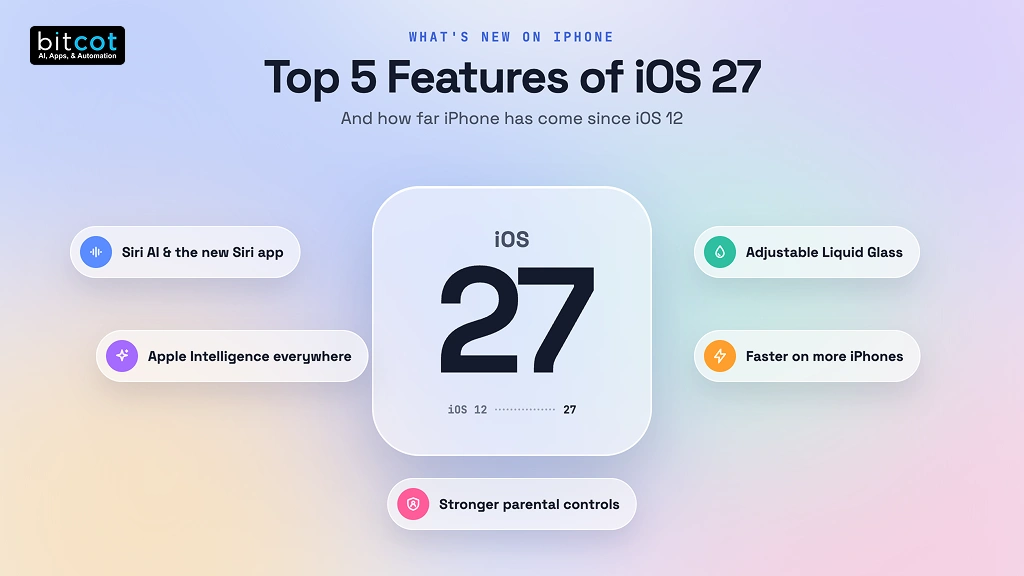
iOS 27 is one of the biggest changes to everyday iPhone use in years. Siri AI, Apple Intelligence inside core apps, an adjustable Liquid Glass design, faster performance, and stronger parental controls all build on ideas Apple first introduced in iOS 12.
For iPhone owners, the update is worth installing on any iPhone 11 or later, with the AI features reserved for newer models. For businesses, the bigger shift is that the assistant can now reach into apps, which rewards apps that are indexed, action-ready, and easy to read in the new design.
A good next step is to list the three tasks your users perform most often in your app and check whether Siri can find or start each one.

Frequently Asked Questions
What are the new features in iOS 27?
The main new features in iOS 27 are Siri AI with a dedicated Siri app, Apple Intelligence inside Messages, Safari, Photos, and Passwords, an adjustable Liquid Glass design, faster app launches, and stronger parental controls. Shortcuts can also now be created from a plain-language description.
What is the difference between iOS 12 and iOS 27?
iOS 12 focused on speed, Siri Shortcuts, Screen Time, and Group FaceTime, while iOS 27 adds an AI-powered Siri, Apple Intelligence across apps, and a new design. Many iOS 27 features are advanced versions of iOS 12 ideas, such as AI-built Shortcuts and a full parental control system that grew from Screen Time.
How do I get Siri AI on my iPhone?
You get Siri AI by updating to iOS 27 on an iPhone 15 Pro, iPhone 15 Pro Max, or any iPhone 16 or later, with the device language set to English. At launch, Siri AI is a beta and is not initially available in the EU or China.
How should San Diego businesses prepare their apps for iOS 27?
San Diego businesses should prepare their apps for iOS 27 by indexing key content for Spotlight, exposing common actions to the system, and retesting their design with the Liquid Glass slider. Health and finance apps should also review which actions are safe for Siri to trigger.
Should I update my iPhone to iOS 27?
You should update to iOS 27 if you have an iPhone 11 or later, because it brings faster performance, new features, and the latest security fixes. Older models in that range still get the speed and design improvements even though they do not get Siri AI.