Key Takeaways
- Vision analysis needs its own code path, separate from chat history.
- A local keyword layer cut API calls by 40 to 60 percent.
- A blank screen during a health question is a trust failure.
- San Diego digital health teams keep hitting the same handoff gap.
- Architecture decides retention, not which model you pick.
Introduction
Two engineers can build the same AI health assistant app with the same model and get completely different retention numbers. The difference is rarely the model. It comes down to two architecture decisions made in the first week of the build, and most teams get both of them wrong.
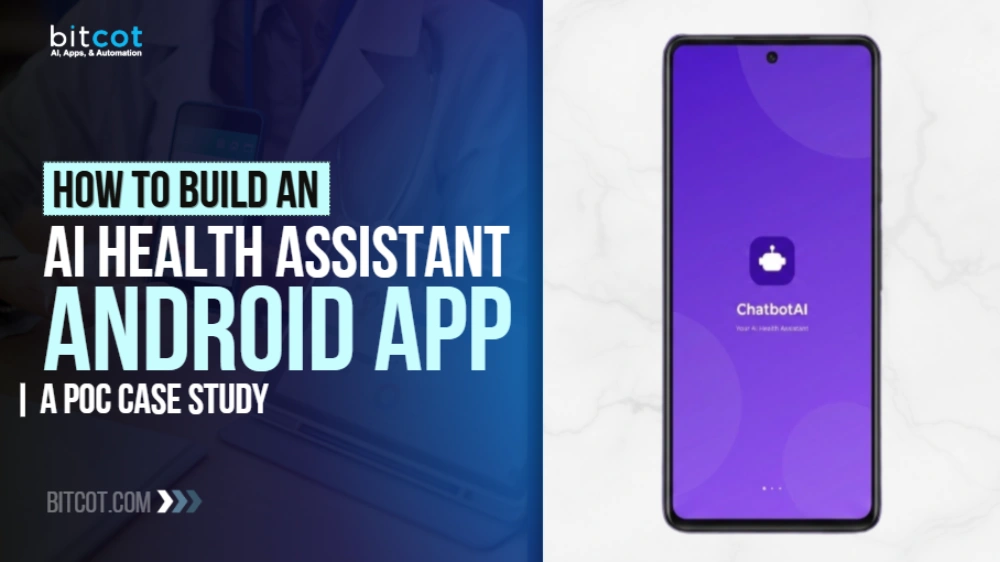
We saw this pattern clearly while building ChatbotAI, a native Android health assistant developed as a working proof of concept. Users describe symptoms in text, speak them aloud, upload a photo of a prescription or a skin condition, receive a structured analysis, and book a physician, all inside one chat thread.
The first decision that matters is whether image analysis shares a code path with text conversation. The second is what the app does when the network drops mid-question. Neither shows up in a demo. Both determine whether a user opens the app a second time.
This is the build breakdown for engineering and product teams in San Diego and across California evaluating what a production-grade medical AI app actually requires.
What Is an AI Health Assistant App?
An AI health assistant app is a mobile application that accepts symptom descriptions through text, voice, or images, returns a structured medical interpretation, and routes the user toward an appropriate next step such as a physician consultation. It differs from a general chatbot in three ways: it handles clinical context, accepts visual medical inputs, and ends in a care action rather than an answer.
That last property is where most products stop short. A user describes chest tightness at two in the morning, receives a generic paragraph, and is left with nowhere to go. Our engineers see the same gap repeatedly in healthcare chatbots and AI assistants brought to us for rebuild: the conversation works, then it dead-ends.
The regulatory framing matters here too. According to the U.S. Food and Drug Administration, software that provides a specific diagnosis or directs a particular treatment is treated differently from software that surfaces general medical information for a user to consider. That distinction shaped how we structured every AI response in this build.
The practical consequence: responses are written as observation plus context, never as instruction. The app tells a user what the model sees and what clinical information is relevant, then routes to a physician when a consultation is warranted.
The Architecture Decision Most Multimodal Health Apps Get Wrong
Isolate the vision analysis code path from the text conversation history. This is the single decision that separates a multimodal health app that stays coherent from one that degrades within a handful of exchanges.
Here is what goes wrong when teams skip it. A user uploads a photo of a rash. The vision model returns a structured description. That description gets appended to the same rolling conversation history the text model reads from. Three messages later, the text model is reasoning over its own image descriptions as if the user had typed them, and the thread turns into a jumble of mismatched context.
In ChatbotAI, we built a dedicated sendMessageWithImage path that submits base64-encoded images to a vision model and returns results without polluting the chat history the text model consumes. The user sees one continuous conversation. The models do not share a context window; they were never designed to share.
This is the kind of decision that costs an hour during architecture and weeks during debugging if you defer it. Teams that build AI agents for regulated domains learn this the expensive way.
Handling three input types without three interfaces
Text, voice, and image each need their own pipeline, and all three need to land in one visible thread. For voice, we used Android’s native SpeechRecognizer API with partial results enabled, streaming live transcription into the text field as the user speaks.
For images, a multi-attachment system supports gallery, camera, and file picker, accepting up to five images per message. That limit is deliberate. A user photographing a skin condition needs multiple angles, and a lab report runs several pages. Single-image chatbots force users to split what should be one question into several.
Can an AI Health App Work Without an Internet Connection?
Yes, for common queries, and it should. We bundled a local medical knowledge base into the app’s assets covering more than fifteen medical categories. Before any network call fires, the app checks the user’s message against a set of over one hundred medical keywords.
If the query matches a common condition such as fever, headache, or fatigue, the response is served locally in milliseconds. Only novel or complex queries route to the cloud model. Across our testing, this pre-filter reduced unnecessary API calls by an estimated 40 to 60 percent for everyday symptom queries.
The performance gain is real, but it is not the reason we built it. A health app that shows a blank screen to an anxious user has broken trust in a way that a retry button does not repair. That principle drives the same design thinking behind offline AI in healthcare more broadly.
Network reliability is not a hypothetical concern for mobile health tools. According to the Pew Research Center, a meaningful share of American adults rely on a smartphone as their primary means of internet access, which means connectivity gaps are a normal condition rather than an edge case.
How Do You Keep a Medical Conversational AI Accurate?
Lower the temperature and inject local context on every turn. We integrated the Groq API with the llama-3.1-8b-instant model tuned to a temperature of 0.4, which produces more deterministic and grounded responses than default settings.
Creativity is a liability in a medical context. When a user describes chest pain, the goal is a consistent, conservative response, not a novel one. Every message is appended to a rolling conversation history and submitted alongside a system prompt and local context injection, so the model retains what the user said several turns earlier.
This matters more than model selection. A carefully constrained smaller model with good context management outperforms a larger model prompted carelessly. The pattern generalizes well beyond health, which is why it shows up across our work in AI in medical diagnosis and adjacent clinical tooling.
Closing the Handoff Gap Between Analysis and Appointment
The last mile problem in health chatbots is the handoff. A user receives an assessment and then has to leave the conversation, open a directory, and start over. Most abandon at that seam.
We solved it with inline Doctor Info Cards injected directly into the chat thread. When the model determines a physical consultation is warranted, the ViewModel injects a DoctorInfo message showing the physician’s name, specialty, verification badge, experience, rating, and a booking action.
Tapping the card opens a full detail sheet with the physician’s profile, specializations, and availability. The user never leaves the conversation. This turns the chat from a question-and-answer surface into an actionable care pathway, and it draws on the same scheduling patterns we use when building appointment scheduling software.

Clean Architecture That Survives Contact With Production
The app follows a strict MVVM and Clean Architecture pattern across three layers, which is what allows a single engineer to swap the AI provider without touching a line of UI code.
The data layer holds the API client for both text and vision, plus a static data source backed by the local JSON knowledge base. The presentation layer uses Jetpack Compose screens. The ViewModel serves as the authoritative state machine for the entire chat experience.
Every piece of UI state, including conversation phase, message list, attachment URIs, suggestion chips, typing indicator, and voice listening state, is exposed as StateFlow properties. The Compose layer is purely reactive and contains no business logic, which makes it testable and predictable.
That separation is what distinguishes a prototype from something you can hand to another team. It is also the discipline that underpins genuine AI-native app development rather than a chat feature bolted onto an existing product.
The hybrid engine in practice
The two-layer response strategy works in a fixed order. Layer one checks the query against categorized medical keywords in the bundled knowledge base and returns a match in milliseconds with no network call. Layer two routes anything requiring multi-turn reasoning or vision analysis to the cloud model with full conversation context.
The result is an app with the responsiveness of a local tool and the reasoning of a cloud model, without forcing a tradeoff between them.
The ChatbotAI Interface, Screen by Screen
Everything above lives inside a single Android experience. Here is what the user actually moves through.
Animated splash screen
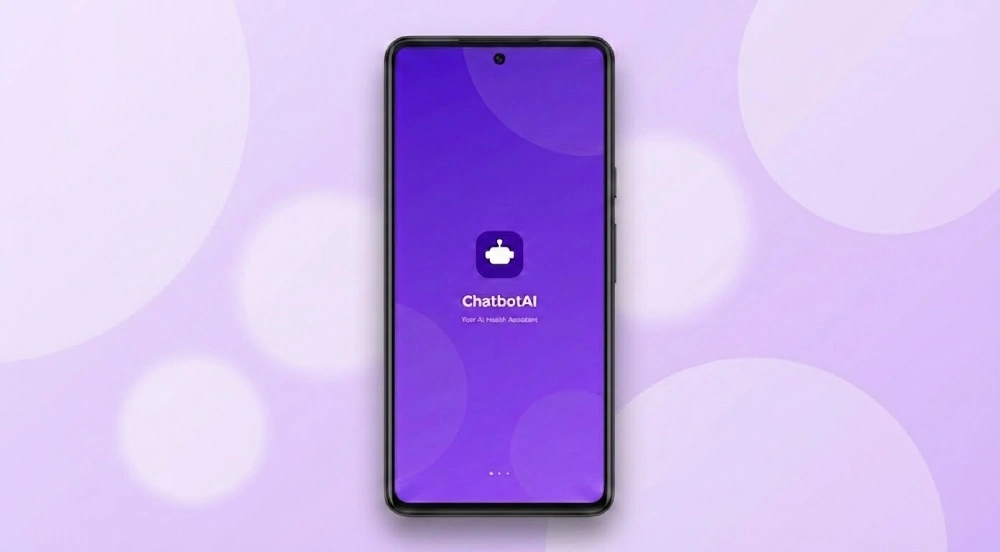
A branded launch screen with a spring-bounce logo animation and loading dots. First impressions set how users read the reliability of a health tool before they have used a single feature.
Personal health dashboard
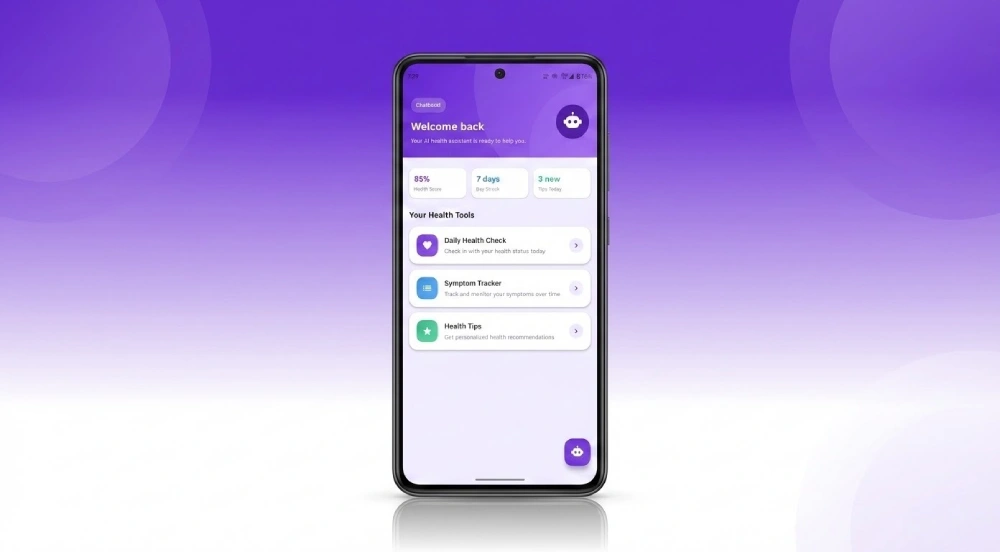
Three metrics sit at the top: an overall Health Score, a seven-day engagement streak, and a count of unread health tips. Shortcut tiles cover daily check-ins, symptom tracking, and curated advice. A floating chat icon opens the assistant.
One-tap greeting phase
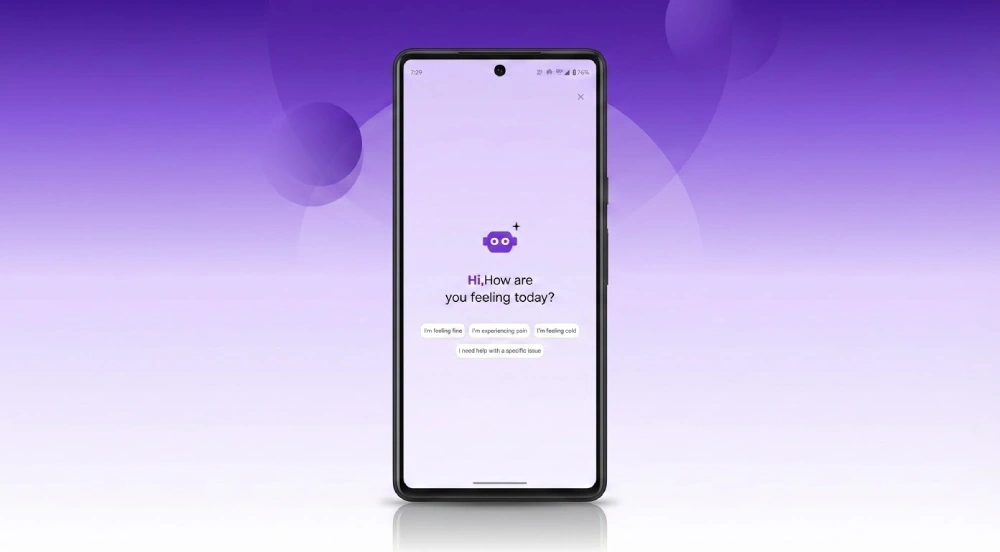
Four response chips replace an onboarding form. Tapping any chip sends it as a message and transitions the interface into full conversation. No blank input field, no dropdowns, one tap to start.
Multi-turn chat with typewriter animation
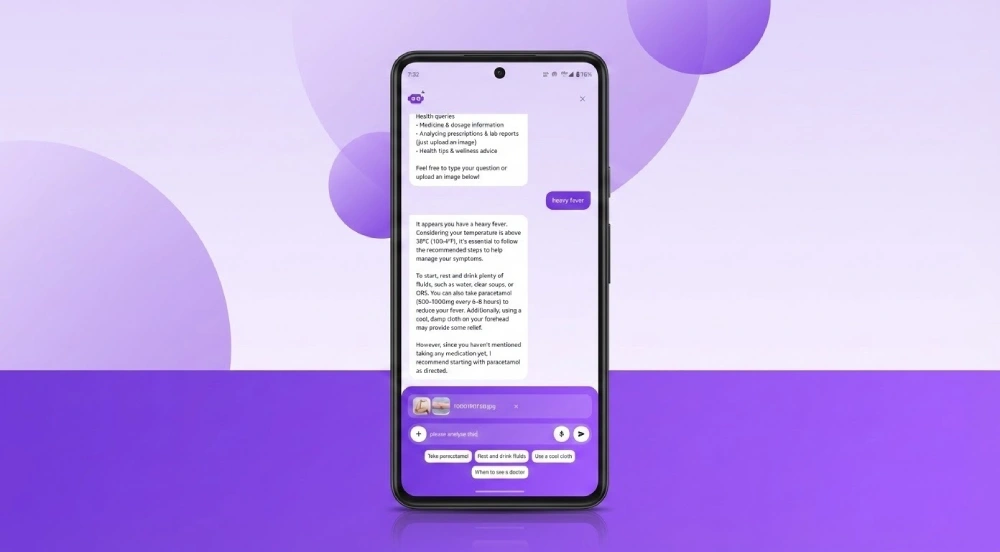
Responses stream character by character, which improves perceived speed on longer answers. Below each response, three to four contextual suggestion chips guide the next question rather than leaving the user to invent one.
The chips exist for a reason beyond convenience. According to the Centers for Disease Control and Prevention, people commonly struggle to find and use health information even when it is available to them, which means a health tool that requires the user to know what to ask next will fail the people who need it most.
Medical image analysis
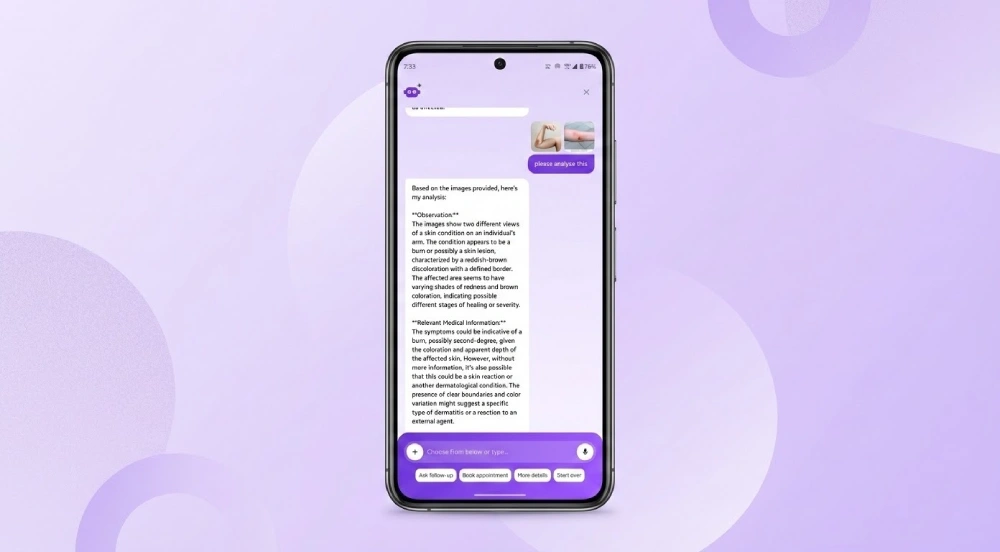
The vision model returns a two-part structure: what it observes in the image, and relevant clinical context. Thumbnails sit inside the user’s own message bubble so both sides of the exchange stay visually self-contained.
Attachment options
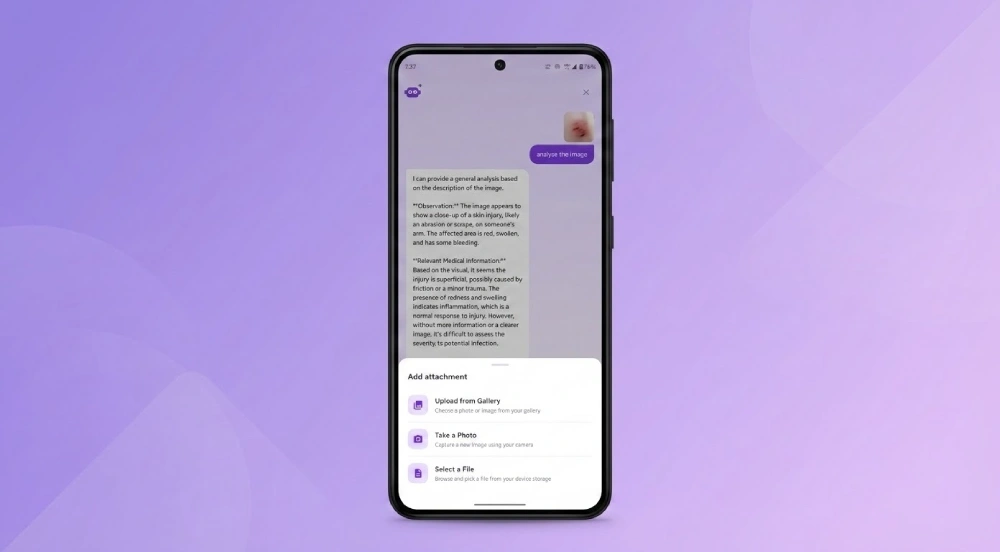
A slide-up panel offers gallery, camera, and file browser, each paired with an icon and short description. Up to five files per message.
Voice input with live transcription
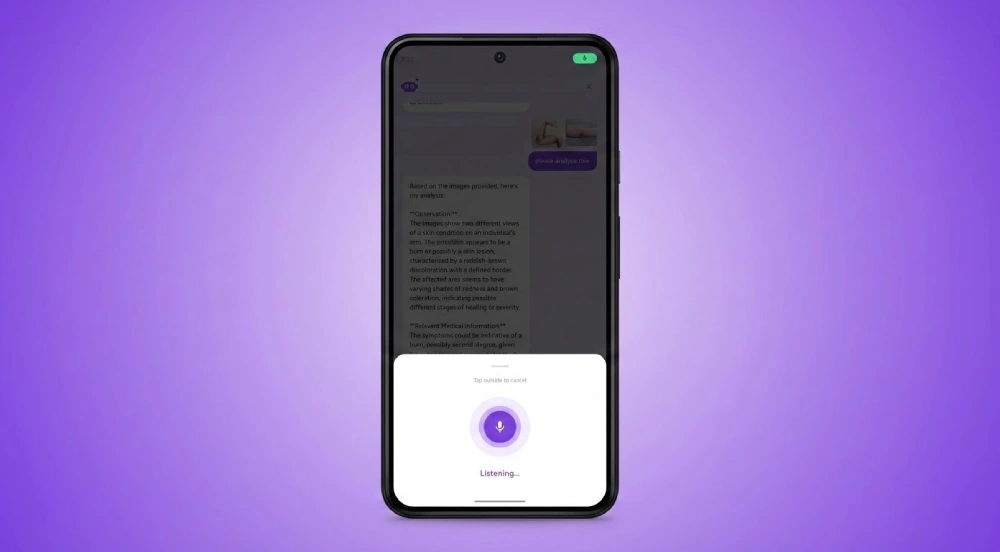
A pulsing ring signals active recording while spoken words appear in the input field. Accessibility drove this feature as much as convenience. The W3C Web Accessibility Initiative sets out input modality alternatives as a core requirement, and someone feeling unwell frequently cannot type comfortably.
From analysis to booking
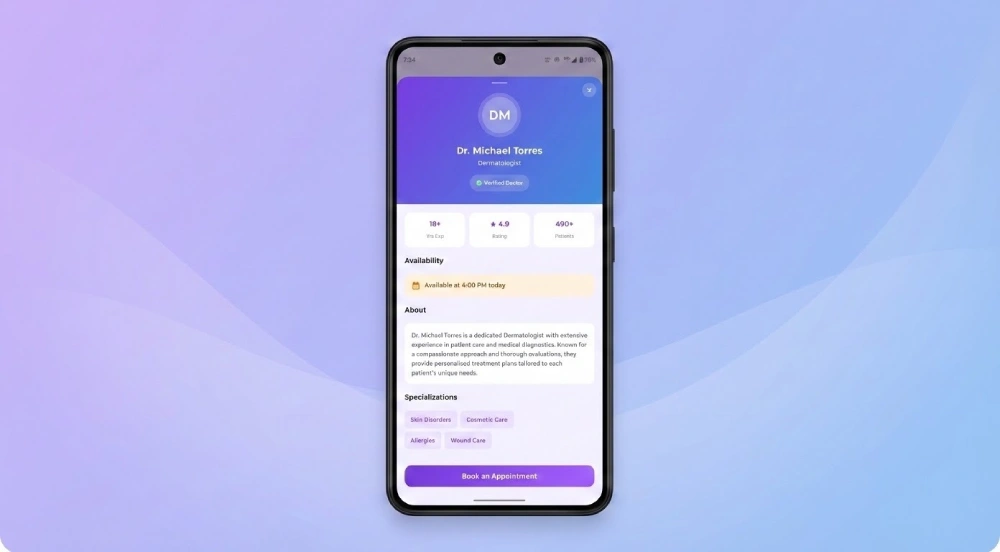
The Doctor Info Card appears inline. Its detail sheet shows years of practice, patient rating, total consultations, and current availability, with specialization tags and a booking button. Eight screens, one unbroken journey, zero dead ends.
The Full Tech Stack
| Component | Technology |
| Language | Kotlin |
| UI Framework | Jetpack Compose with Material Design 3 |
| Architecture | MVVM, Clean Architecture, Repository Pattern |
| AI Model (Chat) | Groq API with llama-3.1-8b-instant |
| AI Model (Vision) | Groq API with llama-4-scout-17b |
| HTTP Client | OkHttp 4.12.0 |
| Image Loading | Coil-Compose 2.6.0 |
| State Management | Kotlin StateFlow |
| Voice Input | Android SpeechRecognizer API |
| Local Data | Bundled JSON knowledge base |
| Min SDK | Android 7.0 (API 24) |
| Target SDK | Android 15 (API 36) |
What San Diego Digital Health Teams Keep Getting Wrong
Across projects with digital health teams in San Diego and Irvine, our engineers see the same sequencing mistake: model selection happens first, architecture second. A team picks a provider, builds a chat interface around it, then discovers six weeks later that image handling breaks the conversation and offline behavior was never designed at all.
The teams that ship durable products reverse that order. They map the user journey, decide where the app must respond without a network, decide which inputs need isolated code paths, and only then choose a model. Model providers change. Architecture does not.
There is a regional pattern behind this too. San Diego has an unusually dense concentration of medical device and digital health companies, which means engineering talent here tends to have seen a compliance review before. That familiarity shows up in how the same team scopes telemedicine software development versus how a generalist shop scopes it, and it is a large part of why teams pursuing software development in San Diego often keep the work local.

Conclusion
This build proves a narrow and useful point: a single well-architected Android app can carry medical conversation, image interpretation, voice input, offline resilience, and physician booking without a seam the user can feel. The technical decisions that made it possible- an isolated vision path, a local response layer, and a ViewModel acting as the single state machine- are not specific to healthcare.
They apply anywhere reliability and user trust are non-negotiable. Get the architecture right, and every feature you add makes the product stronger. Get it wrong, and every feature makes it more fragile.
If you are scoping something similar, the useful next step is a conversation about your user journey before anyone picks a model.
Frequently Asked Questions
What is an AI health assistant app?
An AI health assistant app accepts symptom descriptions through text, voice, or images, returns a structured medical interpretation, and routes the user toward a next step such as a physician appointment. It differs from a general chatbot because it handles clinical context, accepts visual medical inputs like prescriptions and lab reports, and ends in a care action rather than an answer.
What is the difference between a health chatbot and an AI symptom checker?
A health chatbot answers questions, while an AI symptom checker interprets a described condition and produces a structured assessment. The distinction that matters more than either label is whether the product connects that assessment to a real next step. A chatbot that ends the conversation with a paragraph and no path forward loses users regardless of how accurate the paragraph was.
How does an AI health app handle image uploads without breaking the conversation?
By routing vision analysis through a separate code path that does not write into the text model’s conversation history. In this build, images are base64 encoded and submitted to a dedicated vision endpoint, and the returned analysis is displayed to the user without being appended to the rolling context the text model reads. Skipping this step causes the chat thread to degrade within a few exchanges.
Why are digital health teams in San Diego building AI assistants now?
San Diego has a dense concentration of medical device and digital health companies, which means both the buyer demand and the engineering familiarity are locally available. Teams here tend to scope these projects with regulatory context already in mind, which changes how the architecture is planned from the first week rather than retrofitted after a review.
Is building a custom AI health assistant worth it over using an off-the-shelf chatbot?
It depends on whether your product needs the handoff. An off-the-shelf chatbot handles question and answer well, but it cannot inject a physician card into the thread, serve a response with no network, or isolate a vision path from your chat context. If your retention depends on the user reaching an appointment rather than an answer, those three capabilities are the reason to build rather than buy.