Key Takeaways
- Access control must live at the embed layer, not the page layer.
- WooCommerce Subscriptions automates billing, trials, and cancellations natively.
- Vimeo domain-level locking prevents video sharing outside your platform.
- San Diego fitness and wellness creators are replacing Teachable with custom WordPress builds.
- Modular architecture lets you upgrade payments or video hosting independently.
Introduction
According to Statista, the global video streaming market is projected to surpass $330 billion by 2030, yet most content creators who try to monetise video end up locked inside third-party marketplaces that take 30% of every transaction and offer zero control over subscriber data. The more instructive question is not whether to build a video subscription platform, but where: and for fitness instructors, yoga studios, and online educators in San Diego and across California, WordPress has become the architecture of choice precisely because it hands full ownership back to the creator. This article explains the specific engineering decisions, not just the plugin list, that determine whether a WordPress video platform holds up under real subscriber load or collapses the first time someone tries to share a video link.
What separates a production-ready build from a patched-together experiment is access control architecture. Most tutorials wire a membership plugin to a video page and call it done. The problem is that page-level access control only hides the URL: it does not prevent a paying subscriber from copying the embed code and replaying it elsewhere. Solving that requires locking access at the video delivery layer itself, before the browser ever receives a playable stream.
Why WordPress Is a Viable Foundation for Video Subscription Platforms
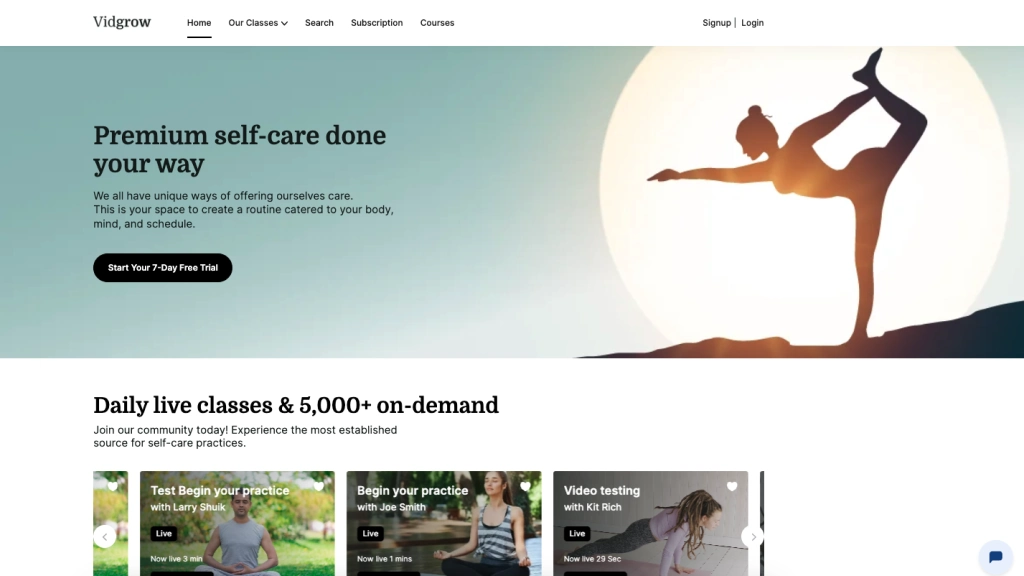
WordPress powers 43% of all websites on the internet, according to W3Techs, but raw market share is not the reason it works for video subscriptions. The real reason is composability: WordPress does not try to own the video layer, the payment layer, or the delivery layer: it provides the content management and user account substrate that connects each of those components without enforcing a proprietary lock-in on any of them.
For a creator who wants to run WooCommerce development for billing while hosting video on Vimeo and accepting payments through Stripe, WordPress acts as the integration layer rather than the bottleneck. Each component can be upgraded or replaced on its own timeline. A payment gateway change does not require touching the video delivery configuration. A new content category does not require a platform migration. That modularity is what makes WordPress a defensible long-term choice rather than a convenient short-term shortcut.
How Do I Protect Video Content on WordPress from Piracy?
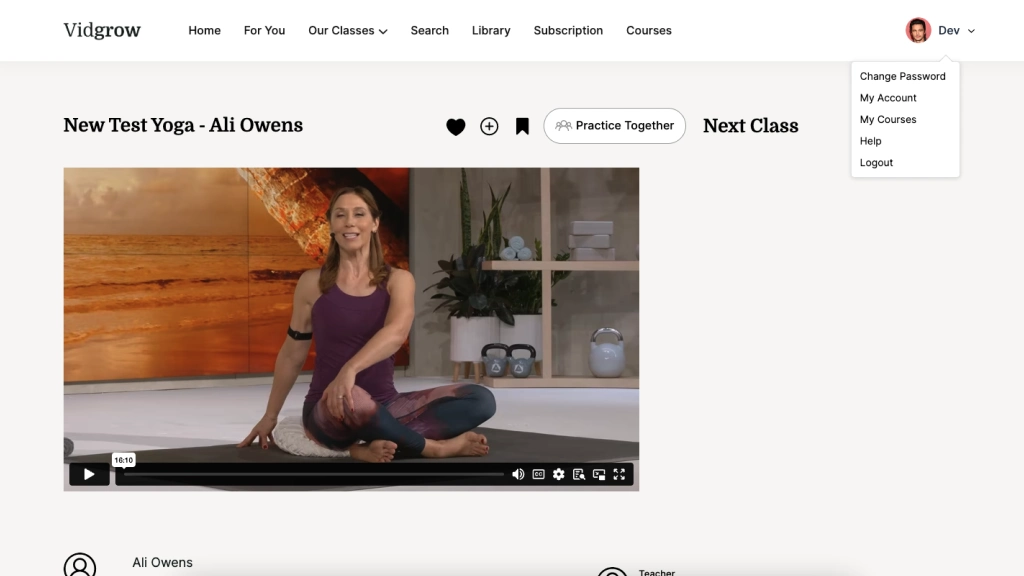
Protecting video content on WordPress requires restricting access at the video host level, not just the WordPress page level. The most effective approach combines Vimeo’s domain-level access controls with WooCommerce’s subscription status checks, so that a video embed is only rendered when both conditions are true: the viewer is on your domain and their subscription is active.
Vimeo’s Privacy settings allow you to restrict playback to a specific list of approved domains. Even if a subscriber copies the embed code from your page source, the video will not play on any other website: Vimeo’s CDN checks the referring domain on every request and blocks playback if it does not match. This is fundamentally different from hiding the video URL behind a logged-in page, which a motivated user can bypass by inspecting network traffic.
On the WordPress side, the access control logic should check WooCommerce subscription status before outputting the embed shortcode. A non-subscriber visiting the page should receive a redirect to the subscription purchase flow, not a broken page or a visible-but-unplayable embed. That redirect itself is a conversion opportunity: it presents the subscription offer at the exact moment the visitor has demonstrated interest in the content.
The Core Technology Stack: What to Use and Why
A production WordPress video subscription platform requires four distinct layers, each solved by a purpose-built tool rather than a custom-coded workaround.
Content Management: WordPress CMS: WordPress handles user accounts, content publishing, page rendering, and the shortcode system that ties the other layers together. Its REST API also makes it straightforward to expose content metadata to external tools or mobile clients if the platform grows in that direction.
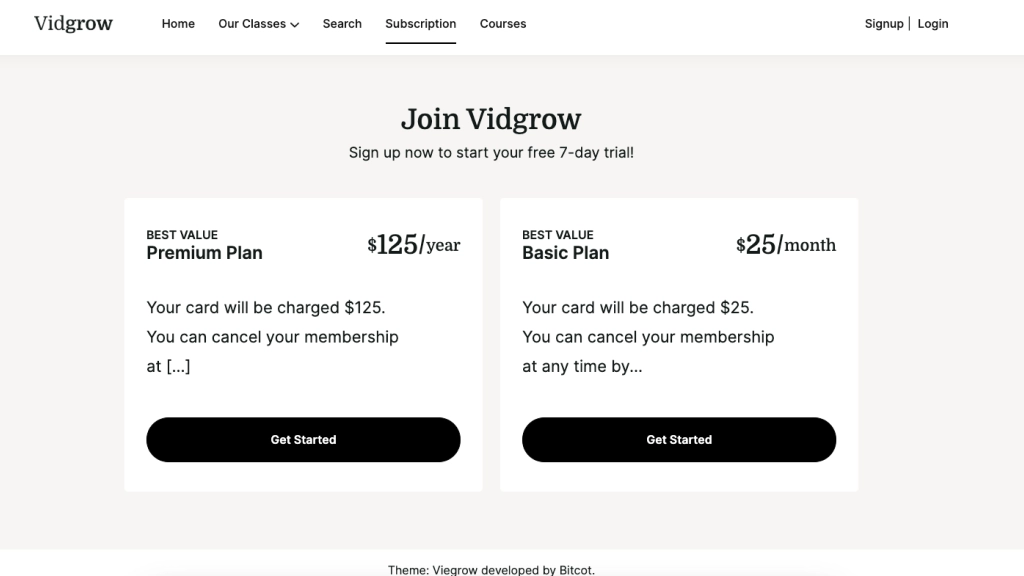
Subscription Billing: WooCommerce Subscriptions: WooCommerce Subscriptions manages the complete billing lifecycle: sign-up, free trial expiration, automatic renewal, failed payment retry, and voluntary cancellation. It stores subscription status in the WordPress user record, which is what the access control layer queries before rendering a video embed. Manual billing management does not scale past a few dozen subscribers: automation is not a luxury here, it is a structural requirement. Teams exploring SaaS platform development patterns will recognise this as the standard subscription state machine.
Video Hosting and Delivery: Vimeo: Vimeo provides private video hosting with domain-level access controls, a reliable global CDN, and an embed API that works cleanly inside WordPress shortcodes. The key configuration is setting each video’s privacy to “Only on sites I choose” and entering the platform domain. Videos hosted on Vimeo never expose a direct download URL to the browser: the stream is served through Vimeo’s delivery infrastructure, not your server.
Payment Gateway: Stripe: Stripe processes the actual subscription transactions through WooCommerce’s Stripe gateway integration. It handles card storage, recurring charges, and dispute resolution without requiring PCI-sensitive card data to touch your WordPress server. Stripe’s webhook system also sends real-time subscription status updates back to WooCommerce, keeping the access control layer current without polling.

How Do I Create a Video Subscription Website on WordPress? A Step-by-Step Architecture
Building a WordPress video subscription platform follows a specific sequence. Doing these steps out of order, particularly wiring the frontend before the access control logic is in place, creates security gaps that are difficult to patch retroactively.
Step 1: Install and Configure WooCommerce with the Subscriptions Extension. Create at least one subscription product with your chosen billing cycle and, if applicable, a free trial period. The subscription product ID is what you will reference in access control checks later. Set up your Stripe payment gateway and run a test transaction before configuring any content access rules.
Step 2: Configure Vimeo Privacy Settings. Upload your video library to Vimeo and set every video’s privacy to domain-restricted. Add your WordPress site domain to the allowed list. Test by attempting to play the embed from an unlisted domain: it should fail. This test is mandatory before launch, not optional.
Step 3: Implement Subscription Status Gating. Use a membership plugin such as MemberPress, Restrict Content Pro, or a custom WooCommerce integration to gate content pages based on active subscription status. The gating logic must check WooCommerce subscription status directly: do not rely on user role alone, since roles are not automatically revoked when a subscription lapses. Platforms built around WordPress development best practices use a custom function that queries wcs_get_users_subscriptions() and checks the active status before shortcode execution.
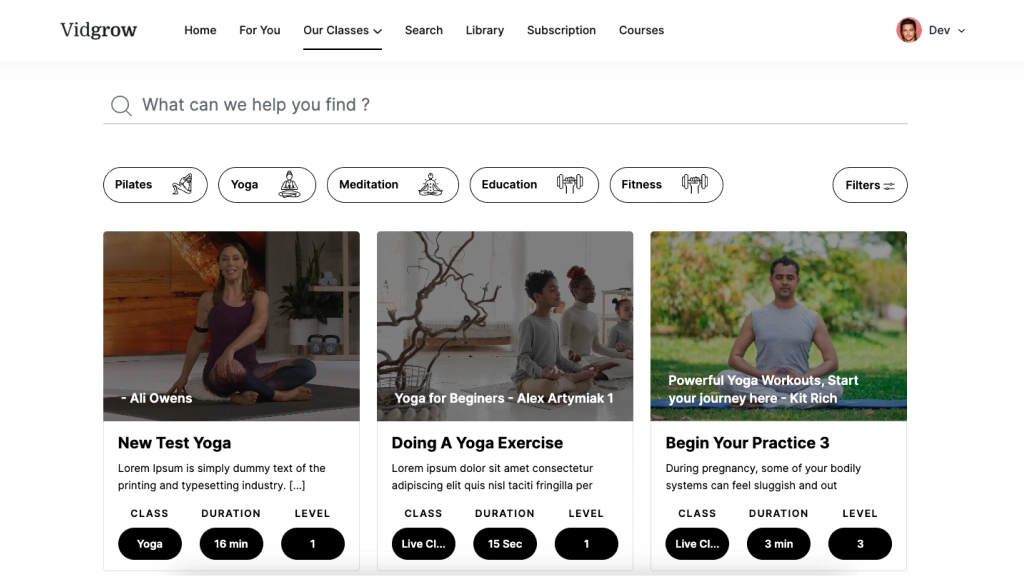
Step 4: Build the Subscriber Dashboard. The subscriber dashboard is the retention interface. It should surface enrolled content, progress indicators, upcoming live sessions, and content filtered by category or difficulty. A dashboard that requires subscribers to scroll through an unfiltered library to find relevant content increases churn: the filtering layer is a product decision with direct revenue implications, not a cosmetic feature.
Step 5: Configure Live Streaming (Optional but High-Value). For fitness and wellness platforms, scheduled live classes generate community engagement that recorded content alone cannot replicate. Vimeo supports live streaming with the same domain-level access controls as on-demand content. Live session links should be surfaced in the subscriber dashboard on a schedule, with calendar integration to reduce no-shows.
Step 6: Test the Full Subscription Lifecycle. Before launch, run through the complete user journey: sign-up, free trial, card charge, failed payment, renewal, and cancellation. Each state should produce the correct access outcome: active subscription renders content, lapsed subscription redirects to renewal. Subscription lifecycle testing is the most commonly skipped pre-launch step and the most common source of subscriber complaints post-launch. Teams building scalable web applications treat this as a non-negotiable QA gate.
Personalisation and Engagement: The Features That Reduce Subscriber Churn
The most technically correct platform still loses subscribers if the user experience gives them no reason to return. According to Harvard Business Review, acquiring a new customer costs five to twenty-five times more than retaining an existing one: making subscriber retention an engineering priority, not just a marketing one.
Three features have an outsized impact on retention in video subscription platforms. The first is progress tracking across content series: subscribers who can see where they left off in a multi-week program return at significantly higher rates than those who must manually locate their last session. The second is content filtering by attribute: difficulty level, duration, instructor, and style. A subscriber who spends three minutes searching for a beginner-level 20-minute class is more likely to abandon the session than one who finds it in two clicks. The third is proactive content recommendations, which can be implemented at the WordPress layer using subscriber watch history stored in custom post meta, without requiring an external AI service.
Each of these features requires intentional data architecture decisions made before content is uploaded, not retrofitted afterwards. Difficulty levels, instructors, and class attributes should be registered as custom taxonomies in WordPress at project start, so that filtering queries are performant at scale. Teams building content platforms with custom software development principles treat taxonomy design as a first-class architecture decision rather than an afterthought.
AI-Powered Support: Reducing Operational Overhead at Scale
As a video subscription platform grows past a few hundred active subscribers, the volume of repetitive support queries: billing questions, password resets, and content navigation help, becomes a meaningful operational burden. Integrating a conversational AI layer handles the majority of these interactions without human intervention.
For WordPress-based platforms, tools like Botpress can be embedded as a persistent chat widget with a trained knowledge base covering subscription management, content navigation, and onboarding guidance. The chatbot does not replace human support for complex issues: it resolves the tier-1 queries that account for roughly 70% of total support volume, freeing the creator to focus on content production rather than inbox management. This pattern applies equally to fitness platforms and enterprise AI chatbot deployments in larger organisations.
Modular Architecture: Why It Matters for Long-Term Scalability
The single most consequential architectural decision in a WordPress video subscription platform is keeping each component: video hosting, billing, content management, and support, independently replaceable. This is not an abstract engineering preference. According to Forbes Technology Council, modular software design reduces the scope and cost of technology upgrades by isolating change to individual components rather than requiring system-wide rebuilds. It has direct operational consequences when the platform grows.
When a video hosting provider changes its pricing model, a platform with a clean abstraction between the embed layer and the WordPress template layer can migrate to a new provider by updating the embed shortcode, rather than rewriting the subscription-gating logic. When a payment gateway raises fees or introduces new compliance requirements, a properly structured WooCommerce integration can swap gateways without touching the content delivery configuration. The same principle applies to legacy application modernisation work: systems built with clean component boundaries are substantially easier to evolve than monolithic implementations.
For creators planning to expand across multiple content verticals: adding corporate wellness or continuing education alongside a fitness library, for example, modular architecture means new categories can be added as custom post types and taxonomies without restructuring the billing or delivery layers. Software product development discipline treats this kind of forward-compatible design as a cost-reduction measure, not an engineering luxury.
What We’ve Learned Building Video Platforms for California Content Creators
The most consistent pattern our engineering team observes when building video subscription platforms for fitness studios and wellness educators in San Diego and the broader California market is that the first architecture decision, where access control lives, determines the security posture of the entire platform. Creators who start with a simple membership plugin and a YouTube embed end up in a corner: the video URL is exposed in the page source regardless of subscription status, and fixing it after launch requires restructuring the content delivery layer from scratch.
The platforms that hold up under growth are the ones where the Vimeo domain lock is configured before the first piece of content is uploaded, where WooCommerce subscription status is the single source of truth for access decisions, and where the subscriber dashboard is treated as a product surface rather than a utility page. These are not expensive decisions: they are sequencing decisions that cost nothing extra when made at project start and significant rework when deferred. Los Angeles and San Francisco creators expanding from single-instructor studios to multi-instructor platforms face the same structural challenge: the content taxonomy and the access control logic must be designed for the scale you intend to reach, not the scale you currently operate at. Applying custom software solutions thinking to this problem at the project start eliminates the most common growth bottlenecks before they appear.

Conclusion
Building a video subscription platform on WordPress is an architecture problem before it is a plugin selection problem. The tools: WooCommerce Subscriptions, Vimeo, Stripe are well-documented and reliable. What determines whether the platform is secure, scalable, and capable of retaining subscribers over time is the sequence and specificity of the decisions made before any content goes live: access control at the embed layer, subscription status as the single gating authority, taxonomy design that supports filtering at scale, and a modular component structure that can absorb growth without requiring a rebuild. Creators who treat those decisions as foundational rather than iterative ship platforms that serve their subscribers well from day one, and avoid the expensive retrofits that come from building the wrong layer first.
Frequently Asked Questions
What is a WordPress video subscription platform?
A WordPress video subscription platform is a web application built on WordPress that restricts access to video content: live or on-demand: to users with an active paid subscription, typically managed through WooCommerce Subscriptions and a secure video hosting service like Vimeo. It combines content management, billing automation, and access control into a single system that the creator owns and operates independently of third-party marketplaces.
What is the difference between a video subscription platform and a standard membership site?
A video subscription platform is optimised specifically for media delivery, requiring a secure video hosting layer with domain-level access controls that a standard membership site does not need. A membership site typically gates access to pages or posts: content that loads directly from the WordPress database. A video platform must also gate the video stream itself, which lives on an external CDN, making the access control architecture fundamentally more complex than a simple page-visibility toggle.
How do I add a paywall to a WordPress video site?
Adding a paywall to a WordPress video site requires three coordinated components: a subscription product in WooCommerce Subscriptions, a content gating plugin or custom function that checks active subscription status before rendering a video embed, and a video host (such as Vimeo) configured to restrict playback to your domain only. The paywall is only complete when all three are in place: gating the page without locking the video embed leaves the stream accessible to anyone who inspects the page source.
Can a WordPress video subscription platform serve fitness creators in San Diego?
WordPress is well-suited for fitness and wellness creators in San Diego and across California who need to monetise recorded classes, live sessions, or multi-week programs without paying marketplace fees. The platform supports multiple subscription tiers, free trials, class filtering by difficulty and style, and personalised subscriber dashboards: the specific features that drive retention in the fitness category. The modular component design also means a single-instructor studio can scale to a multi-instructor platform without rebuilding the underlying architecture.
Is building a custom WordPress video subscription platform worth it compared to using Teachable or Kajabi?
A custom WordPress video subscription platform is worth the investment for creators who have reached the point where marketplace fees represent a meaningful revenue loss, who need subscriber data ownership for marketing and retention, or who want to combine live streaming, on-demand content, and community features in a way that closed platforms do not support. For early-stage creators with fewer than 100 subscribers, an off-the-shelf platform is the faster starting point. For established creators or businesses building a long-term content asset, the ownership and extensibility of a custom WordPress build produces compounding returns that justify the upfront development investment.