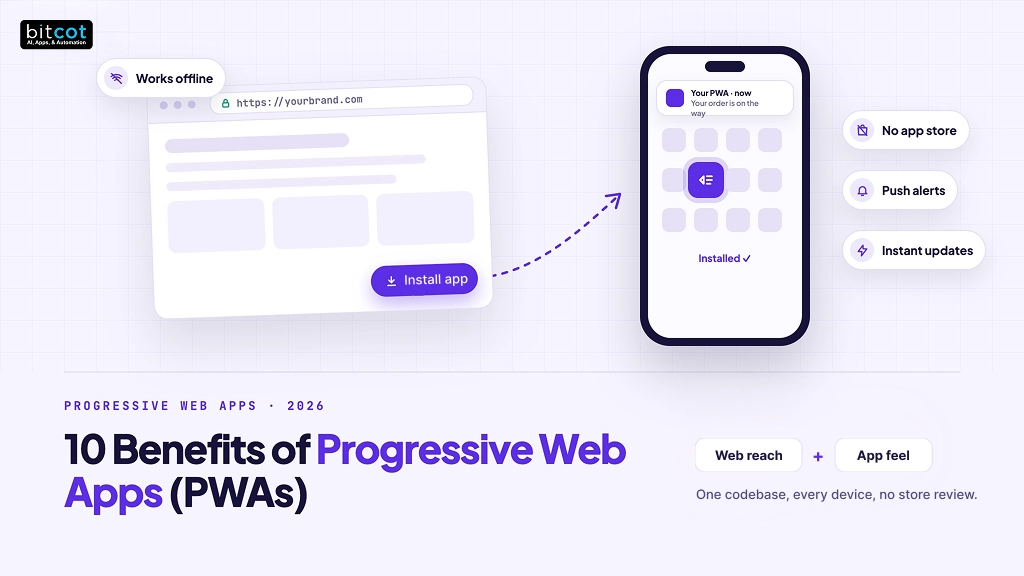
Key Takeaways
- Since iOS 26, every Home Screen site opens as a web app.
- Twitter Lite saw a 20% lower bounce rate after launch.
- Top PWA benefits: speed, offline use, install, and push alerts.
- PWAs suit San Diego healthcare, retail, and fitness products.
- Pick a PWA first when users arrive from search or links.
Introduction
The benefits of progressive web apps look different in 2026 than they did when most PWA guides were written. In fall 2025, iOS 26 began opening every website added to the iPhone Home Screen as a web app by default. Combined with web push on iPhone, that closes most of the gap that once made progressive web app benefits an Android-only story for US businesses.
Teams weighing a website rebuild against two native apps usually want one outcome: app-level engagement without building the same product three times. For a retailer, clinic, or SaaS company in San Diego, the question in 2026 is no longer whether a PWA works on iPhone. It is whether your customers arrive through search and shared links, or through a daily habit of opening an app.
This guide covers what changed for PWAs in 2026, the 10 benefits that matter now, and the limits that still favor native apps. You will also see how businesses across California use PWAs and what to check before you hire a development partner.
What Is a Progressive Web App?
A progressive web app (PWA) is a website built with standard web technologies that installs on a device and behaves like a native app. It opens in its own window, works offline, and sends push notifications, yet it still lives at a normal URL that anyone can open in a browser.
According to MDN Web Docs, a PWA uses web platform technologies to deliver an experience close to a platform-specific app, and a single codebase runs across operating systems and devices. Three building blocks turn an ordinary site into a PWA:
- HTTPS: the site is served over an encrypted connection, which browsers require before they enable app features.
- Web app manifest: a small JSON file that names the app, sets its icon, and controls how it launches after install.
- Service worker: a background script that caches files for offline use, syncs data, and handles push messages.
The word “progressive” means the app adapts to each browser. A user on current Chrome or Safari gets install and push features, while a user on an older browser still gets a fully working website.
What Changed for the Benefits of Progressive Web Apps in 2026?
Three Apple releases between 2023 and 2025 changed the benefits of a progressive web app on iPhone, which is the platform most US businesses worried about. Together they make 2026 the first year a PWA can reach iPhone and Android users with nearly the same feature set.
| Release | What changed for PWAs | Why it matters in 2026 |
|---|---|---|
| iOS 26 (fall 2025) | Every site added to the Home Screen opens as a web app by default | Any well-built site now installs as an app on iPhone |
| iOS 18.4 (March 2025) | Declarative Web Push for Home Screen web apps | Push alerts arrive more reliably, without a service worker |
| iOS 16.4 (March 2023) | Web Push for Home Screen web apps | iPhone users can receive PWA notifications |
According to the WebKit team’s Safari 26 release notes, users can still switch off “Open as Web App” if they prefer a plain bookmark, but the default now favors the app experience. For businesses, that turns the Home Screen into a realistic distribution channel for any site, with or without a native app.
What Are the Advantages of Progressive Web Apps Over Native Apps and Websites?
The main advantages of progressive web apps are web-level reach and instant updates combined with app-level install, offline, and notification features. The table compares the three options feature by feature.
| Feature | Traditional website | Progressive web app | Native app |
|---|---|---|---|
| How users get it | Visit a URL | Visit a URL, then add to Home Screen or install | Download from App Store or Google Play |
| Works offline | No | Yes, with cached content | Yes |
| Push notifications | No | Yes, including installed iPhone web apps | Yes |
| Indexed by Google | Yes | Yes | No, app store search only |
| Codebases to maintain | 1 | 1 | 2 (iOS and Android) |
| How updates reach users | Instantly | Instantly | Through store review and user updates |
| Device hardware access | Minimal | Partial | Full |
The PWA advantages cluster in distribution: a native app earns its Home Screen spot through an app store, while a PWA earns it from a single visit to your site.
10 Benefits of Progressive Web Apps in 2026

These PWA benefits fall into three groups: speed and reliability, reach and engagement, and simpler delivery for your product team.
Faster Load Times on Every Visit
Service workers cache the app shell, meaning the HTML, CSS, and JavaScript that frame every screen, so repeat visits skip most network requests. According to Google’s Twitter Lite case study on web.dev, the PWA started in under 3 seconds for returning users even on slow phones and networks. Twitter (now X) also reported 65% more pages per session and a 20% drop in bounce rate after launch.
Works Offline and on Weak Connections
A PWA keeps working when the signal drops. Cached screens, menus, and previously loaded records stay available, and actions such as form submissions wait in a queue until the connection returns. Field technicians, travelers, and shoppers in stores with poor Wi-Fi feel this benefit first.
Installs Without an App Store
Users add a PWA to their Home Screen or desktop straight from the browser, and it launches in its own window with your icon. There is no store listing, no large download, and no review queue between your team and your users. Businesses that still want store visibility can list a PWA in Google Play and the Microsoft Store.
Push Notifications on iPhone and Android
Push notifications bring users back with order updates, appointment reminders, or price alerts. According to the WebKit team at Apple, Declarative Web Push on iOS 18.4 lets web apps show notifications without a service worker, which makes delivery simpler and more energy efficient. On iPhone, a user must add the PWA to the Home Screen before it can ask for notification permission.
One Codebase for Every Device
A single PWA runs on Android phones, iPhones, tablets, and desktops. Your team designs, builds, and tests one product, and every user receives new features on the same day. Compare that with running a website alongside separate iOS app development and Android projects, each with its own release schedule.
Discoverable Through Search
Every PWA screen has a URL that Google can crawl and index, so product pages, articles, and listings inside the app can rank. A native app’s content stays inside the app store. Being a PWA earns no direct ranking boost, but according to Google Search Central, its ranking systems use Core Web Vitals, which reward the fast, stable pages a well-built PWA delivers.
Instant Updates With No Store Review
When your team ships a fix, users get it on their next visit, as soon as the service worker detects the new version. No one waits for an app store review or for users to tap Update. For teams that release weekly, this removes days of delay from every change.
Smaller Footprint and Lower Data Use
PWAs need a small fraction of the storage a native app takes. The same Twitter Lite case study put the PWA at about 600 KB over the network, compared with 23.5 MB to install the native Android app. That gap matters for users on older phones, prepaid data plans, or nearly full storage.
Secure Connections by Default
Service workers only run on pages served over HTTPS, so every PWA encrypts traffic between the user and your server. This protects logins, payments, and personal details in transit. For protection at the application layer, pair it with secure web app development practices such as strong authentication and input validation.
Higher Re-engagement From Installed Users
Users who install a PWA return more often, because the icon sits on their Home Screen beside the apps they use every day. Installed PWAs also support app badges and full-screen launch, which make return visits feel native. With iOS 26 opening Home Screen sites as web apps by default, this benefit now reaches iPhone users as fully as Android users.

Which Progressive Web App Benefits Matter Most for Your Business?
The progressive web app benefits that matter most depend on how your customers reach you. Search-first and link-first businesses gain the most from speed, discoverability, and zero install friction. Habit-driven products gain the most from installation, push notifications, and offline use.
| How customers arrive | Typical products | Benefits that matter most | Best starting point in 2026 |
|---|---|---|---|
| Search, ads, or shared links | eCommerce, content, booking sites | Speed, search visibility, no install step | PWA first |
| Weekly habit | Fitness, scheduling, field service tools | Install, push notifications, offline use | PWA, then native if a feature demands it |
| Deep hardware or heavy graphics | Bluetooth devices, 3D, games | Full native device access | Native or cross-platform app |
Trivago shows the habit-driven pattern in action. According to Think with Google, push notification subscriptions on Trivago’s PWA overtook email subscriptions, giving the brand a re-engagement channel it previously lacked.
Online stores follow the search-first pattern. A store can add a manifest and service worker without rebuilding its catalog, which makes a PWA upgrade a natural next step after WooCommerce development or a similar platform build.
What Are the Limitations of Progressive Web Apps?
PWAs still trail native apps in four areas in 2026: iPhone install discovery, hardware access, iOS App Store presence, and graphics-heavy workloads. Knowing these limits up front prevents a painful mid-project switch.
- No automatic install prompt on iPhone: iOS 26 opens Home Screen sites as web apps, but users still add them from the Share menu. Your app needs a clear in-app message that walks them through it.
- Limited hardware APIs in Safari: features such as Web Bluetooth and Web NFC are not available on iPhone, which rules out PWAs for many connected-device products.
- No App Store listing on iOS: Google Play and the Microsoft Store accept PWAs, but Apple’s App Store does not.
- Graphics-heavy workloads: 3D rendering, augmented reality, and high-frame-rate games run better as native code.
When one of these limits blocks a core feature, a cross-platform framework is the next option. Flutter app development lets one team ship native iOS and Android apps from a shared codebase while keeping full device access.
How California Businesses Use Progressive Web Apps
PWAs fit California’s mix of healthcare, retail, and SaaS companies because each serves mobile users who arrive from search long before they consider an app download.
In San Diego, healthcare, biotech, and fitness organizations serve patients and members who book, check in, and track progress on their phones. A PWA lets a clinic send appointment reminders and offer offline check-in forms without asking a first-time patient to install anything. Teams exploring that path often begin with a site audit from a partner focused on software development in San Diego.
In San Francisco and the wider Bay Area, SaaS companies use PWAs to give customers one installable dashboard on desktop and mobile. That approach keeps a small product team on a single release train, and it pairs well with mobile app development in San Francisco when a native companion app is added later.
In Los Angeles, retail and media brands depend on traffic from social posts and search results. That is the search-first pattern where PWAs perform best, because every visitor gets the fast, installable experience from the first click.
How Do You Choose a PWA Development Partner?
Choose a partner who has shipped live PWAs, tests on real iPhones running iOS 26, and will tell you when native is the better fit. Use these five checks before you sign:
- Install their live PWAs. Add them to your own iPhone and Android Home Screens, then switch to airplane mode to test offline behavior.
- Ask about caching strategy. A strong team explains what it caches, how updates roll out, and how it prevents users from seeing stale data.
- Check architecture depth. Most PWAs run on React, Angular, or Vue, and the team should know how to build scalable web applications that hold up as traffic grows.
- Confirm real-device iOS testing. Safari behaves differently from Chrome, so emulators alone miss install and push issues.
- Expect honest fit advice. A good partner names the features a PWA cannot support before the project starts.
The same checklist applies to internal portals and field tools, where offline use and fast rollout matter as much as polish in enterprise web app development.
To see how these criteria translate into a delivery process, review our progressive web app development services.

Our Perspective: Start With How Users Arrive
Across mobile and web projects for healthcare, fitness, and fintech clients, the first request we hear is usually “we need an app.” When we map how customers actually reach the product, most first visits come from search, referral links, or a provider’s email, not from an app store.
In those cases, our San Diego team recommends shipping a PWA first, measuring install and repeat-visit rates, and committing to native apps only when a specific feature, such as Bluetooth device pairing, demands it. Since iOS 26, the iPhone install step is simpler, but users still need to find the Share menu. Teams that design a clear install prompt early avoid the most common reason iPhone users never install.
Conclusion
The benefits of PWA adoption are no longer limited to Android users. With web push on iPhone and iOS 26 opening every Home Screen site as a web app, PWAs in 2026 can install, notify, and re-engage customers on every major platform from one codebase. Speed, offline access, search visibility, and instant updates make them the strongest starting point for businesses whose customers arrive through search or shared links.
The deciding factor is how your users reach you. If most first visits come from Google, ads, or links, a PWA delivers app-level engagement without sending anyone to an app store. If your product depends on deep hardware access, plan for native from day one. Start by mapping where your customers come from, and the right build path becomes clear.
Frequently Asked Questions
What is a progressive web app?
A progressive web app is a website that installs on a device and behaves like a native app, with offline access and push notifications. It is built with HTML, CSS, and JavaScript, uses a web app manifest and a service worker, and still opens at a normal URL in any browser.
What are the advantages of progressive web apps over native apps?
The main advantages of progressive web apps over native apps are search visibility, instant updates, and one codebase for every device. The benefits of a progressive web app also include installation without an app store. Native apps still lead on hardware access, graphics performance, and iOS App Store presence.
How does a progressive web app work offline?
A progressive web app works offline through a service worker that caches screens, files, and data on the device. When the connection drops, the app serves those cached files, and queued actions such as form submissions sync once the device is back online.
How are progressive web apps used by businesses in San Diego?
San Diego healthcare, biotech, and fitness businesses use progressive web apps to reach patients and members on their phones without an app download. Common uses include appointment reminders sent as push notifications, offline check-in forms, and installable member dashboards.
Why use a PWA in 2026 if competitors already have native apps?
Use a PWA in 2026 when most of your customers find you through search, ads, or shared links, because a PWA reaches them on the first visit with no download. Since iOS 26 opens Home Screen sites as web apps and iPhone supports web push, a PWA now delivers app-level engagement on both iPhone and Android. If your product depends on Bluetooth, NFC, or heavy graphics, a native or cross-platform app remains the better fit.