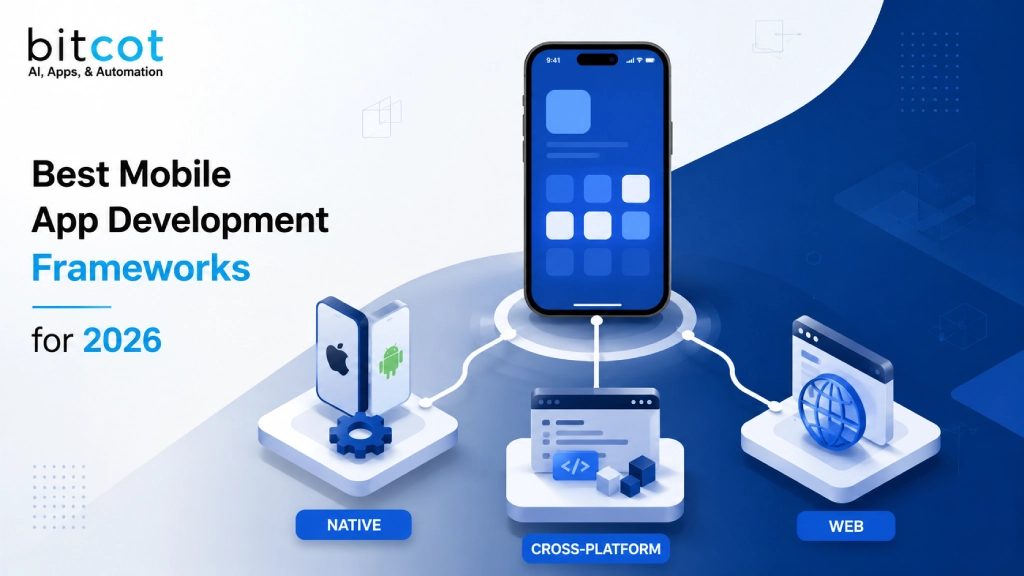
The wrong mobile app development framework rarely fails on launch day. It fails eighteen months later, when a feature that should take a sprint takes a quarter, when your Android and iOS teams stop agreeing on anything, and when rebuilding the app from scratch starts to look cheaper than maintaining it.
That is not a technology problem. It is a decision that got made too fast, usually by whoever was loudest in the room.
This guide breaks down the mobile app development frameworks actually worth considering in 2026, what each one is genuinely good at, where it falls short, and how to match a framework to your team, your timeline, and your platform goals. It is written for founders, product leaders, and technical decision-makers across the United States who are choosing a framework for a new build or reconsidering one that is no longer serving them.
What Is a Mobile App Development Framework?
A mobile app development framework is a structured set of tools, libraries, and APIs that developers use to build applications for iOS and Android without writing everything from raw platform code. It handles the repetitive plumbing, UI rendering, device access, and navigation, so your engineering team can focus on the product itself instead of reinventing the same wiring on every project.
The framework you choose determines three things you will live with for years: how much of your codebase you can share across platforms, how closely your app can match native performance and feel, and how easily you can find developers to maintain it. Get this decision right, and it barely comes up again. Get it wrong, and it becomes the recurring line item in every engineering retro.
Native, Cross-Platform, Hybrid, and Web Apps: The Real 2026 Split
Most articles on this topic still describe three categories. In practice, there are four paths worth knowing in 2026, and the line between them matters more than it used to.
Native Apps
Built with platform-specific languages, Swift for iOS, Kotlin for Android, native apps get first access to every device capability and typically deliver the smoothest performance. The tradeoff is that you are maintaining two separate codebases, which means two teams, two release cycles, and roughly double the long-term maintenance.
Cross-Platform Apps
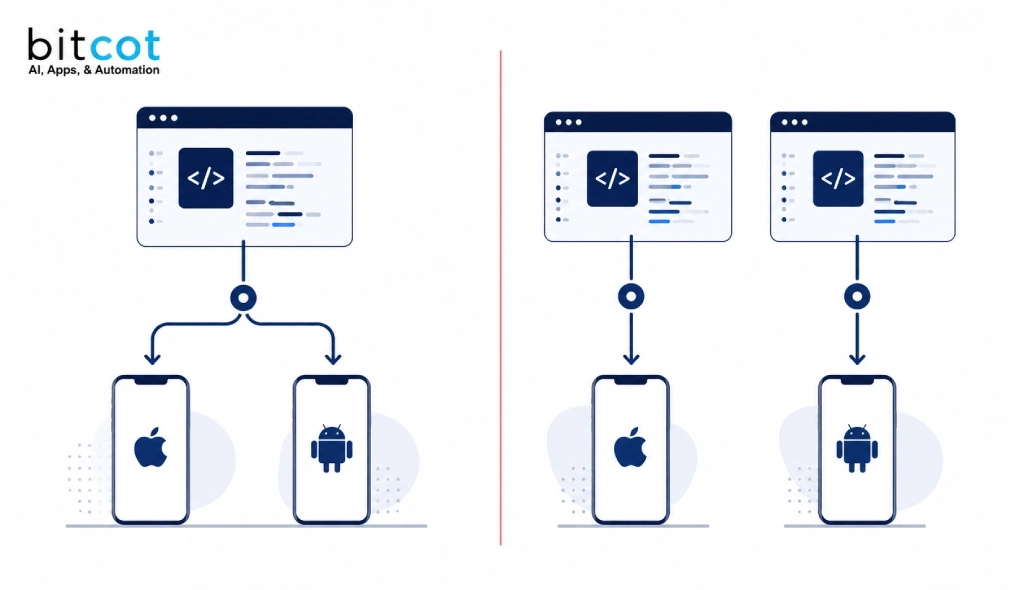
Cross-platform frameworks like React Native and Flutter let you write the majority of your app once and ship it to both iOS and Android. The performance gap between well-built cross-platform apps and native apps has narrowed significantly, and for most consumer and business apps, it is no longer the deciding factor it was five years ago.
Hybrid Apps
Hybrid apps wrap standard web technology, HTML, CSS, and JavaScript, inside a native shell so they can be distributed through the App Store and Google Play. They remain the fastest, lowest-cost path to a store-listed app, with the tradeoff of a thinner feature ceiling for animation-heavy or hardware-intensive products.
Progressive Web Apps (PWAs)
A PWA is a mobile-optimized website that behaves like an app, installable, capable of some offline use, without ever touching an app store. PWAs are worth considering for content-driven products and internal tools, but they still lag behind native and cross-platform apps on push notifications (especially on iOS), background processing, and deep device access. If your product depends on any of those, a PWA is not enough on its own.
For a broader look at frameworks used outside the mobile context, see our breakdown of top web application development frameworks.
Why Framework Choice Matters More in 2026
Here is what has actually changed. The cross-platform performance gap has closed enough that framework choice is now driven by team skills and platform strategy, not raw speed. At the same time, the number of credible options has grown, Kotlin Multiplatform and .NET MAUI have matured into real enterprise choices, and SwiftUI and Jetpack Compose have become the default, not the exception, for teams building natively.
The stakes are higher because the market keeps growing. Grand View Research puts the global mobile application market at roughly $322.6 billion in 2026, expanding at better than 15% a year. More competition for the same screen time means less room for a framework decision that slows you down.
So the real question is not “which framework is best.” It is “which framework lets my specific team ship the specific product my specific users need, without painting me into a corner in eighteen months.” That is what the rest of this guide answers.

Best Mobile App Development Frameworks for 2026: Quick Comparison
Before the detailed breakdown, here is how the frameworks worth considering in 2026 stack up side by side.
| Framework | Best For | Language | Cross-Platform? | Enterprise Fit |
|---|---|---|---|---|
| React Native | JavaScript/React teams building for both platforms | JavaScript / TypeScript | Yes (iOS + Android) | High |
| Flutter | Pixel-consistent UI across platforms and devices | Dart | Yes (iOS, Android, web, desktop) | High |
| SwiftUI | Apple-only products with deep iOS integration | Swift | No (Apple platforms only) | High (iOS-first orgs) |
| Jetpack Compose | Android-only products with deep platform integration | Kotlin | No (Android only) | High (Android-first orgs) |
| Kotlin Multiplatform | Sharing logic while keeping a fully native UI | Kotlin (logic) + Swift/Kotlin (UI) | Partial (shared logic only) | High, growing fast |
| .NET MAUI | Teams are already standardized on C# and .NET | C# / XAML | Yes (iOS, Android, Windows, macOS) | High (Microsoft shops) |
| Ionic | Web teams shipping a store-listed app quickly | HTML / CSS / JavaScript | Yes (iOS + Android) | Medium |
| NativeScript | JS/TS teams needing native API access without WebViews | JavaScript / TypeScript | Yes (iOS + Android) | Low-Medium |
| Capacitor | Web apps needing a fast, plugin-based path to app stores | JavaScript / TypeScript | Yes (iOS + Android) | Medium |
| Unity | Games and graphics-heavy, real-time apps | C# | Yes (iOS + Android) | High (gaming/AR-VR) |
The Top 10 Mobile App Development Frameworks for 2026
React Native
React Native is Meta’s open-source framework for building mobile apps with JavaScript and React, rendering through real native UI components rather than a WebView. It remains the most widely adopted cross-platform framework in 2026, with a mature ecosystem, strong tooling through Expo, and a performance profile close enough to native that most users cannot tell the difference.
Choose this if: your team already knows React or JavaScript, you need to ship on iOS and Android without maintaining two codebases, or you want to share logic between a web app and a mobile app.
Think twice if you are building a graphics-intensive app or a game, where dropping into native code frequently will offset most of the cross-platform time savings.
Companies shipping production apps on React Native today include Shopify and Discord, alongside Meta’s own family of apps.
Flutter

Flutter is Google’s UI toolkit that renders every pixel itself through its own engine rather than wrapping native components, giving teams pixel-identical apps across iOS, Android, web, and desktop from one codebase written in Dart.
Choose this if: consistent visual design across every platform matters more than matching each platform’s native look and feel, or you want to target mobile, web, and desktop from the same codebase.
Think twice if: your users expect an interface that looks and feels exactly like a native iOS or Android app, since Flutter’s Material and Cupertino widgets get close but are not identical.
Google Pay and eBay are among the larger production apps built on Flutter.
SwiftUI
SwiftUI is Apple’s declarative framework for building native apps across iOS, iPadOS, macOS, watchOS, and visionOS, and it is now the default starting point for new Apple-platform projects rather than a newer alternative to UIKit.
Choose this if: you are building exclusively for Apple platforms and want first-day access to new iOS features, HealthKit, ARKit, and Core ML without waiting for a cross-platform framework to catch up.
Think twice if you need Android support now or in the near future, since SwiftUI has no cross-platform path of its own.
Jetpack Compose

Jetpack Compose is Google’s modern, declarative toolkit for native Android UI, replacing the older XML layout system, and it is now the standard approach Google recommends for new Android development.
Choose this if: Android is your primary or only platform and you want the deepest possible integration with Android’s architecture components and lifecycle.
Think twice if you need iOS support from day one. Compose alone covers Android only, and Compose Multiplatform’s iOS support is still maturing.
Kotlin Multiplatform (KMP)
Kotlin Multiplatform takes a different approach entirely: instead of sharing UI, it shares business logic, networking, and data layers written in Kotlin, while each platform keeps its own fully native UI, Jetpack Compose on Android, SwiftUI on iOS.
Choose this if: you have dedicated Android and iOS developers who each want to keep working in their native toolkit, but you are tired of writing the same business logic twice.
Think twice if: your team is small and cannot justify maintaining two separate UI layers. A fully cross-platform framework will be more efficient for a lean team.
Netflix, Cash App, and Philips are among the companies running Kotlin Multiplatform in production.
.NET MAUI
.NET MAUI is Microsoft’s evolution of Xamarin, the successor framework for teams that want to build iOS, Android, Windows, and macOS apps from a single C# and XAML codebase. If your organization is still evaluating Xamarin, note that Microsoft has moved new development to MAUI.
Choose this if: your engineering organization is already standardized on C# and the .NET ecosystem, and you want to extend existing backend skills into mobile without adopting an entirely new stack.
Think twice if you are not already in the .NET world. The community and package ecosystem are smaller than React Native’s or Flutter’s, so there is little reason to start here for mobile alone.
Ionic
Ionic, paired with Capacitor, lets web development teams build store-listed mobile apps using HTML, CSS, and JavaScript, with a plugin-based bridge to native device features when needed.
Choose this if: you have a strong web team, need to ship quickly, and your app is closer to a content or forms-driven experience than an animation-heavy interface.
Think twice if: your app is the core product rather than an extension of an existing web platform, or if smooth, complex animation is central to the experience.
NativeScript
NativeScript gives JavaScript and TypeScript developers direct access to native platform APIs without rendering through a WebView, striking a middle ground between Ionic’s web-first approach and React Native’s bridge architecture.
Choose this if: your team wants native API access while staying in a JavaScript or TypeScript codebase, and you are comfortable with a smaller community than React Native or Flutter.
Think twice if you need a large pre-built component ecosystem. NativeScript’s library of ready-made UI components is thinner than the alternatives.
Capacitor
Capacitor is the modern native-runtime bridge from the Ionic team, and in 2026, it is worth treating as its own entry rather than a footnote under Ionic. It wraps any web app, built in plain JavaScript, React, Vue, or Angular, in a native container and gives it plugin-based access to device features, without requiring Ionic’s own UI component library.
Choose this if: you already have a modern web app or web team and want the fastest path to a store-listed app without adopting a new UI framework on top of it.
Think twice if your app needs complex, native-feeling animation or heavy device processing. Capacitor apps still run through a WebView for their UI layer.
Unity
Unity is the dominant cross-platform framework for mobile games and highly interactive, graphics-heavy apps, using C# and its own real-time rendering engine to target iOS and Android from a single project.
Choose this if: you are building a game, an AR/VR experience, or an app where custom real-time graphics and physics are the core of the product, not a supporting feature.
Think twice if: you are building a standard business, e-commerce, or content app. Unity is built for real-time graphics workloads, and it is significant overhead for a form-driven or content-driven product that the frameworks above handle better.
A Note on Apache Cordova
Apache Cordova still appears on older “top frameworks” lists, and it can still work for very simple, low-interaction apps. But it is best understood today as a legacy technology. Most teams that would have reached for Cordova a few years ago are better served by Capacitor, which covers the same ground with better performance and active development.
Where AI-Assisted Development Fits, and Where It Does Not
You have probably noticed a new category creeping into these conversations: AI app builders that generate a working product from a natural-language prompt. They are useful for early-stage prototyping and for non-technical teams validating an idea before committing engineering budget.
Here is the part most vendors in that space will not tell you. AI-generated code still needs the same things every codebase needs to survive contact with real users: a real architecture, security review, performance testing under load, and a plan for what happens when the product needs a feature the generator was never designed to build. AI-assisted tooling changes how fast the first version comes together. It does not change what a mobile app needs to become to scale.
The teams getting real leverage from AI in 2026 are not replacing framework decisions with AI tools. They are using AI-assisted development, AI-generated boilerplate, AI-assisted QA, AI-assisted code review, inside a properly chosen framework and a real engineering process. That combination is where the actual speed gains show up, without creating a codebase nobody can maintain a year later.
How to Choose the Right Framework: A Decision Framework
Work through these five questions in order. Each one narrows the field further than the last.
- Team skills first. What does your team already know? A React team ships faster in React Native than they ever will in Flutter. A .NET team is more productive in MAUI. Hiring for a framework nobody on your team knows is the single most common way this decision goes over budget.
- Platform targets. Are you building for iOS and Android together, or one platform only? Single-platform products get more value from SwiftUI or Jetpack Compose than from any cross-platform framework.
- UI requirements. Does the app need to feel identical on both platforms, or match each platform’s native conventions exactly? Flutter wins on consistency. React Native and Kotlin Multiplatform with native UI wins on platform-native feel.
- Team structure. Do you have one team covering both platforms, or dedicated Android and iOS developers? Dedicated platform teams get more value from Kotlin Multiplatform than from a framework that asks everyone to learn one new toolkit.
- Long-term maintenance appetite. Cross-platform frameworks mean one codebase to maintain, but a dependency on a third-party abstraction layer. Native development means two codebases but no abstraction risk. There is a real tradeoff either way, and it is worth deciding on purpose rather than by default.
The table below maps common decision priorities to the frameworks that typically fit them best.
| Decision Factor | Recommended Framework(s) |
|---|---|
| Fastest path to both iOS and Android from one team | React Native or Flutter |
| Pixel-perfect visual consistency across platforms | Flutter |
| Deepest possible iOS-only integration | SwiftUI |
| Deepest possible Android-only integration | Jetpack Compose |
| Dedicated native iOS and Android teams sharing logic | Kotlin Multiplatform |
| Existing C#/.NET engineering organization | .NET MAUI |
| Web team shipping a lightweight store app quickly | Ionic or Capacitor |
| Games, AR/VR, or real-time graphics-heavy apps | Unity |
| Regulated industries (healthcare, finance) need strict platform-native security controls | SwiftUI + Jetpack Compose, or Kotlin Multiplatform |
Why This Decision Looks Different in Healthcare and Other Regulated Industries
Most framework comparisons stop at performance and team skills. For healthcare, finance, and other regulated products, there is a third factor: how much control you have over data handling, device-level security, and platform-specific compliance behavior. Native and Kotlin Multiplatform approaches tend to give engineering teams more direct control over exactly how sensitive data is stored, encrypted, and transmitted on each platform, which matters when your product needs to be built with strict regulatory guidelines in mind from day one, not retrofitted later.
This is one of the reasons our own delivery work increasingly pairs framework selection with the same architecture-first discovery process we use across every project, mobile included. You can see how that plays out in our AI development and automation work for regulated and enterprise clients.
Why Businesses Choose Bitcot to Build Their Mobile Apps
We do not sell a single framework. We start every mobile project with a discovery process that maps your business goals, your team’s existing skills, and your platform strategy before recommending an approach, because the frameworks above are tools, not answers, and the right one depends entirely on what you are building and who is building it with you.
Our engineers are senior-level across React Native, Flutter, Kotlin Multiplatform, and native iOS and Android development, and we build with AI-native workflows already embedded in how we work, not bolted on afterward. If you want to see how that comes together, take a look at our mobile app development work or browse our case studies to see the kinds of products we have shipped across the United States.
We work with founders building their first serious product, SME owners digitizing before their competitors do, and enterprise teams modernizing systems that have outgrown their original architecture. Whatever stage you are at, the goal is the same: a framework decision you will not have to reverse eighteen months from now.
Ready to Build the Right Way?
Choosing a framework is one decision. Choosing the right development partner to execute on it is the one that actually determines whether your app ships on time, performs the way your users expect, and scales without a rebuild.
Let’s talk through what you are building. Get in touch with Bitcot, and we will help you land on the right framework, the right team structure, and a realistic path from where you are to launch.
Frequently Asked Questions
What is the best mobile app development framework in 2026?
There is no single best framework, only the best fit for your team and goals. React Native and Flutter lead for teams building on both iOS and Android from one codebase. SwiftUI and Jetpack Compose lead for teams building natively on a single platform. Kotlin Multiplatform leads for teams that want shared logic with fully native UI on each platform.
Is React Native or Flutter better?
Neither is universally better. React Native is the stronger choice if your team already knows JavaScript or React and you want to share logic with an existing web app. Flutter is the stronger choice if pixel-consistent design across platforms matters more than matching each platform’s native look and feel.
Is Xamarin still a good choice?
No. Microsoft has moved new development to .NET MAUI, which is the direct successor to Xamarin.Forms. If your team is already invested in the .NET ecosystem, MAUI is the current recommendation, not Xamarin.
Which framework is best for an enterprise or healthcare app?
Enterprise and healthcare apps typically benefit from the tighter platform-level control that SwiftUI, Jetpack Compose, or Kotlin Multiplatform provide, since these approaches give engineering teams more direct oversight of data handling and device-level security on each platform. The right choice still depends on your existing team and platform priorities.
Can AI app builders replace a mobile app development framework?
Not for a product meant to scale. AI-assisted tools are useful for early prototyping and validating an idea quickly, but a production app still needs real architecture, security review, and performance testing, the same requirements any framework-based build needs. AI tooling changes how fast you get a first version, not what the product needs to become to succeed long-term.
Which framework should a startup choose for its first app?
Most startups are best served by React Native or Flutter, since both let a small team ship to iOS and Android from one codebase without doubling the engineering headcount needed. The better choice between the two usually comes down to what your founding engineers already know. A team with React or JavaScript experience will move faster in React Native. A team open to learning Dart, or one that prioritizes pixel-consistent design, will get more out of Flutter.