Key Takeaways
- Remove from sale is reversible; deleting the record forfeits the name.
- Apple clears a delisted app from all storefronts within 24 hours.
- Take subscriptions off sale first; that step ends renewals.
- San Diego teams should map backend and identifiers before clicking.
- The permanent step is a billing and identity decision, not cleanup.
You can delete an app from the App Store in about four clicks, and those clicks settle who owns your app name, whether your bundle ID ever returns, and what happens to every customer still paying you. Most walkthroughs treat the permanent step as housekeeping. It is an engineering and billing decision, and the mistakes show up months later.
In App Store Connect, “deleting an app” is really two separate actions. Removing the app from sale hides it from customers and can be reversed at any time. Removing the app record takes it out of your account and gives up your claim on the app name.
A product lead in San Diego retiring a pilot app and a fintech team in San Francisco closing a companion app after a rebrand face the same order of operations. Get that order wrong and you can lose a bundle ID you still need, or leave subscribers paying for an app you already switched off. This guide covers both steps, the checks that come first, and what Apple’s documentation says happens afterward.
What Does It Mean to Delete an App from the App Store?
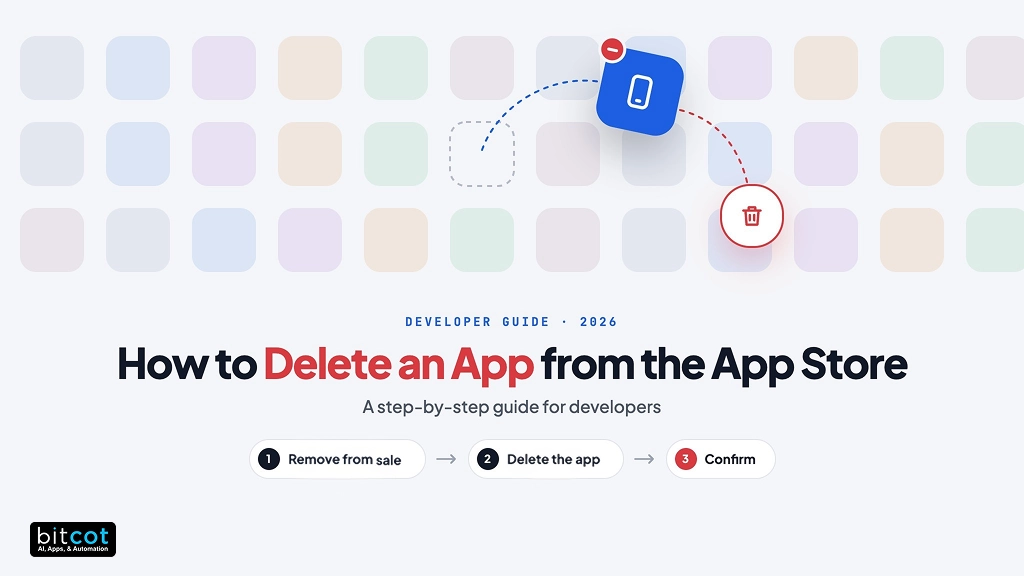
Deleting an app from the App Store means completing two actions in App Store Connect: removing the app from sale, then removing the app record from your account. Apple treats them as separate steps with separate consequences, and the first must be finished before the second is possible.
Removing the app from sale hides the listing in every country and region, or only in the ones you choose. You can reverse it whenever you like. Removing the record takes the app out of your main Apps list and surrenders ownership of the name.
Roles matter here. Account Holders, Admins, and App Managers can remove an app from sale, but only Account Holders and Admins can remove the record.
| Remove from Sale | Remove App (delete the record) | |
|---|---|---|
| What it does | Hides the app from the App Store in all countries, or only in the ones you choose | Takes the app record out of your Apps list in App Store Connect |
| Reversible? | Yes, any time from Pricing and Availability | Only while no other developer account is using the app name |
| App name | You keep it | You lose ownership of it |
| Bundle ID and SKU | Both kept | The SKU cannot be reused in the same organization, and the bundle ID cannot be reused if a build was ever uploaded |
| Existing users | Keep the app and can redownload it from their purchase history | Same as removal from sale, because the app must already be off sale |
| Who can do it | Account Holder, Admin, App Manager | Account Holder, Admin |
| Best for | Pausing, regional exits, retiring while keeping options open | Permanently cleaning up apps you will never ship again |
The rule of thumb that prevents the most trouble: if there is any chance the app comes back, stop after removing it from sale. Pausing keeps your name and identifiers intact. Deleting the record gives up the name and, once you have uploaded a build, the bundle ID.
Remove from Sale or Remove the Record: Which Path Fits?
Stop at Remove from Sale unless the app is gone for good. That path keeps your app name, bundle ID, and SKU, and it works for a full shutdown, a regional exit, or a quiet pause while you decide.
- Might the app come back? If yes, remove it from sale only. The step reverses at any time.
- Is a version in review or a transfer pending? If yes, cancel or resolve that first, then retry.
- Is the app gone for good? Remove it from sale in every country and region, take every in-app purchase off sale, then use Remove App under App Information.
Match the path to the reason. A retired product or an ended client contract points toward full removal, while a rebrand, a regional exit, or a legal review points toward a pause until the facts settle.
Rebrands and platform rewrites replace an app rather than end it. If your team is moving a native client to Flutter app development, keep the old record in its removed-from-sale state until the new build is live and the migration path for existing users is proven.
Retirement is also the moment to ask whether the product should be rebuilt instead of closed. A product-level review under software product development answers that question faster than a feature backlog does.
Which Dependencies Should Engineering Clear Before Removal?
Clear these nine dependencies before you click anything: Apple blocks some removals outright, and the ones it allows are hard to reverse.
- Confirm your role. Open Users and Access in App Store Connect and check that you are an Account Holder, Admin, or App Manager for removal from sale. Only Account Holders and Admins can remove the record.
- Check the app status. Apps in Ready for Review, Waiting for Review, In Review, Metadata Rejected, or Rejected cannot be removed, and neither can apps in the middle of a transfer or inside an app bundle. Cancel the submission, finish the transfer, or take an unapproved app out of its bundle first.
- Take every in-app purchase off sale. Apple requires it before the record can go. For auto-renewable subscriptions this also ends renewals, so settle the subscriber plan before you act.
- Clear alternative marketplaces. If the app is distributed through alternative marketplaces, deselect it from each one in the Integrations tab under Users and Access.
- Wind down TestFlight. Expire builds or remove testers so nobody keeps installing beta versions of a retired app.
- Review connected services. List Game Center, push notification certificates and keys, Xcode Cloud workflows, other platform versions such as macOS, tvOS, and visionOS, and any API integration that authenticates with the app’s identifiers, because each needs its own shutdown.
- Plan the backend and the data. Decide how long servers keep running for people who already have the app, and follow your own privacy policy for deletion and export.
- Tell users early. Publish a shutdown date through an in-app message, email, or social post, and explain how to export their data.
- Back up your metadata. Save screenshots, descriptions, keywords, and analytics exports before the record leaves your Apps list.
According to Apple’s App Store Connect Help, an app must be off sale in every country and region before its record can be removed, even if it was never released. In practice that rule turns the checklist into a sequence: statuses first, subscriptions second, removal last.
Sometimes the checklist reveals that the app is not the real problem. When an aging codebase is the driver, a conversation about legacy application modernization is more useful than a shutdown date.
TestFlight needs its own attention. According to Apple’s TestFlight documentation, a build becomes unavailable to testers after 90 days, so a beta build uploaded last month stays installable for two more months unless you expire it.
How Do You Remove an App from Sale in App Store Connect?
Removing an app from sale takes seven steps in App Store Connect and pulls the app from every storefront within 24 hours.
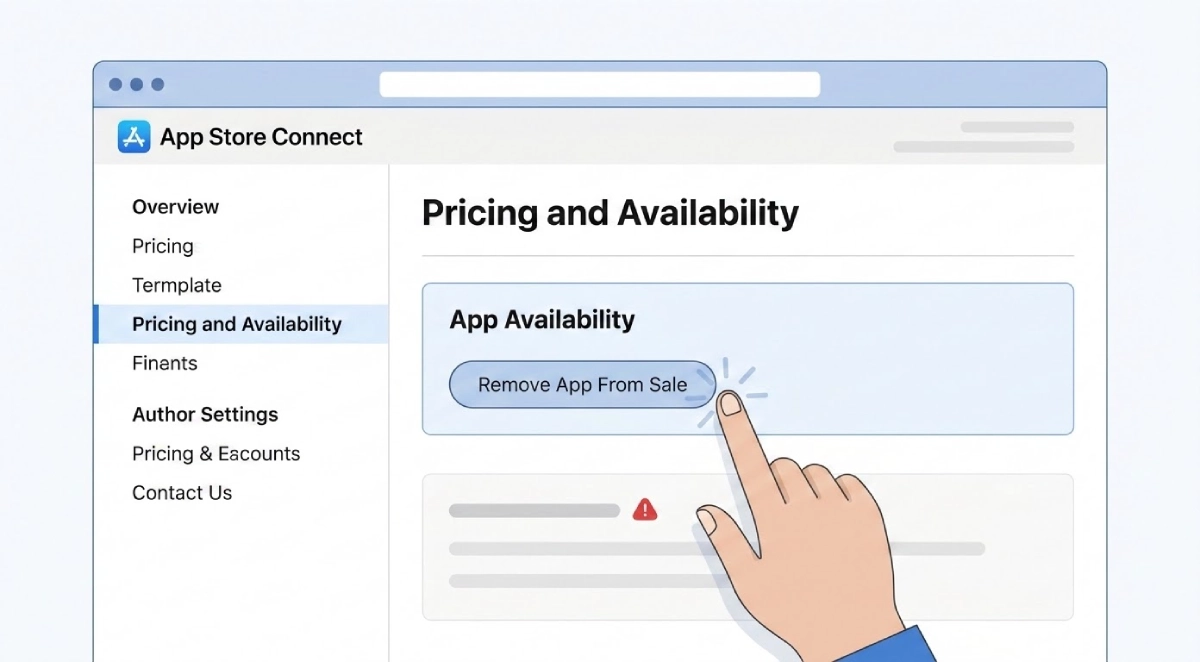
- Sign in to App Store Connect. Go to appstoreconnect.apple.com with an Account Holder, Admin, or App Manager Apple Account.
- Open the app. Select Apps on the home screen and choose the app you want to remove.
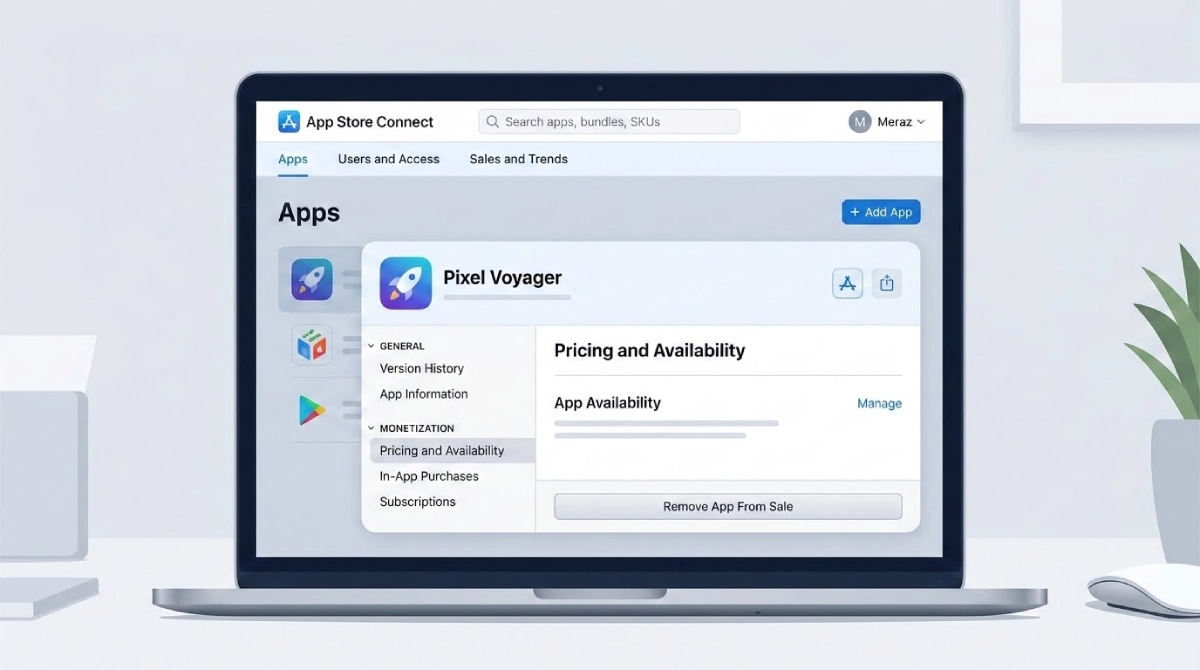
- Go to Pricing and Availability. It sits in the left sidebar.
- Click Remove App From Sale. Scroll to the bottom of the page to find it.
- Confirm. Click Remove in the dialog. By default the app leaves every country and region.
- Take subscriptions and in-app purchases off sale. For each subscription, deselect Cleared for Sale in its Availability section, confirm the Removing from Sale dialog, and save. Use each product’s availability settings to take other in-app purchases off sale.
- Check the result. The app’s status changes to Developer Removed from Sale. Search for it on an iPhone after 24 hours to confirm it is gone.

According to Apple’s availability documentation, the app disappears from all countries and regions within 24 hours. Customers who already downloaded it keep receiving updates and can redownload from their purchase history while the relevant agreement stays active.
To exit only some markets, open Pricing and Availability, choose Manage under App Availability, select Manage Availability, deselect the countries or regions, click Next, and confirm. The app stays live everywhere else, and the change takes effect immediately even though full visibility can take up to 24 hours.
Changed your mind? Return to Pricing and Availability and select the countries or regions again. Nothing in this step touches your name, bundle ID, or SKU, so the app returns with its identifiers unchanged.
Assign this step to the person who owns iOS app development for the product, because they know which regions, roles, and release builds are still live. Record the date and the person who clicked, so support can answer the first customer ticket without guessing.
How Do You Permanently Remove an App Record?
Permanently removing the app record takes five steps and is open only to Account Holders and Admins once the app is fully off sale. Do this only after Step 1 is finished and you are sure the app will not return under the same name.
- Confirm the app is off sale everywhere. Every country and region must be cleared, even for an app that was never released, and every in-app purchase must be off sale.
- Open the app. Select it in Apps.
- Go to App Information. It is in the left sidebar under General.
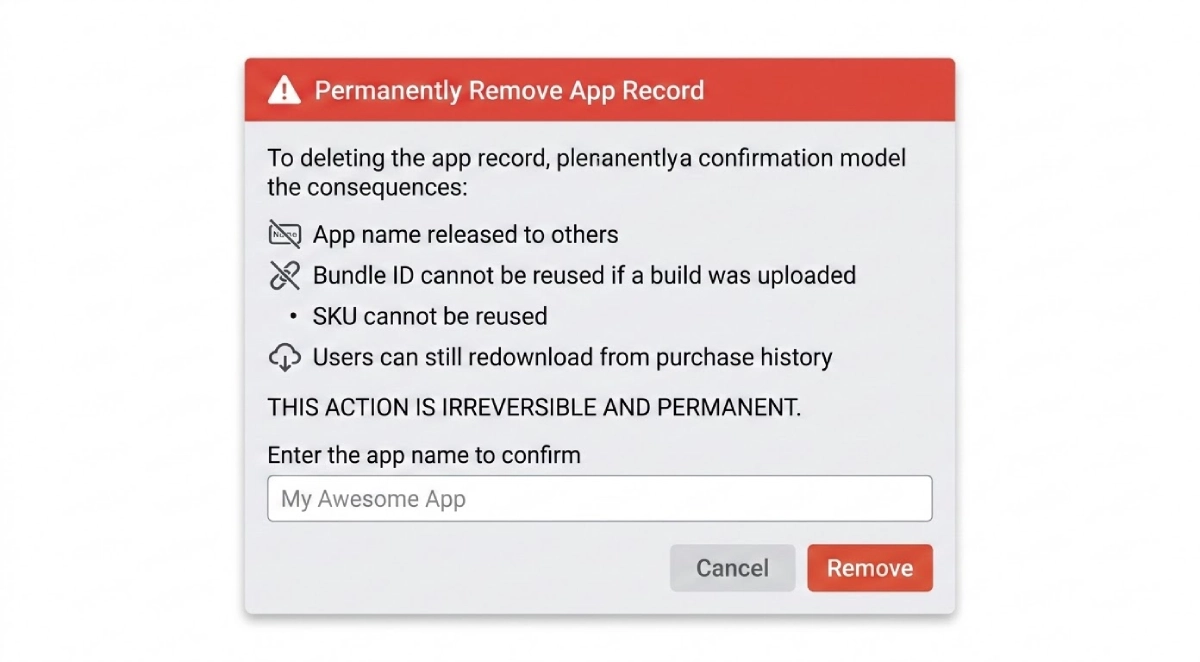
- Scroll to Additional Information and click Remove App. The button appears only when the app is in a state that allows removal. If it is missing, return to the checklist above.
- Confirm. Click Remove in the dialog. The app leaves your main Apps list.
How Do You Restore a Removed App?
You restore a removed app from the Removed Apps filter, and it works only while no other developer account is using the name.
- In Apps, click the arrow next to All Statuses in the top right.
- Choose Removed Apps and select the app.
- In the sidebar, click App Information.
- Scroll to Additional Information and click Restore App.
- Choose Limited Access or Full Access, then click Restore. Full Access gives all users access to the app.
If the name is gone, the app cannot be restored, and you will need a new name and a new bundle ID. Apple offers a claim process for cases where a removed app’s name blocks your trademark.
What Happens After You Delete an App from the App Store?
Customers who already installed the app keep it, and the parts that change are your name, your identifiers, and your billing relationships. Each deserves a plan before the permanent step, not after.
Existing users and your Apple membership
Apple does not remotely uninstall a removed app, so every customer who downloaded it keeps a working copy until they delete it. Your Apple Developer Program membership becomes the next dependency.
If the membership expires, App Store Connect warns that your apps are removed from the store until you renew. Keep it active for as long as you want existing customers to have access.
Your backend and data
The app breaks the day the servers stop, so the shutdown date belongs to engineering as much as to the store listing. Disable new sign-ups first, keep read and export endpoints running until the announced date, and return a clear end-of-life message to old app versions.
If a custom software development partner runs your API, agree on the shutdown date in writing so the servers outlive the last supported app version. Ask for a final data export and the date the partner will delete their copies.
Digital healthcare solutions that hold patient-facing records need an export window written into the sunset plan, with a named owner for each export. The same discipline applies to any app that stores personal or financial history.
Subscriptions
According to Apple’s subscription availability documentation, you remove an auto-renewable subscription from sale before discontinuing it, which stops new sign-ups and renewals. Existing subscribers cannot renew once you act, so the notice to them has to go out first. Because Apple requires in-app purchases to be off sale before the app record can be removed, deleting the record forces this decision.
For fintech software development teams, each subscription also maps to a billing relationship that support staff need to understand before the first renewal fails. Prepare a refund and cancellation script for the support desk the week before the switch.
App name, bundle ID, and SKU
Removing the record gives up ownership of the app name, and restoring is possible only while no other developer account is using it. The SKU cannot be reused within the same organization, and if you ever uploaded a build, the bundle ID is spent as well. A replacement app needs a new bundle ID and a new SKU.
Studios that handle mobile app development in San Francisco, Los Angeles, or Irvine and publish many apps from one organization account should keep a register of SKUs and bundle IDs. A shared sheet that lists each app’s SKU, bundle ID, and owner prevents a dead identifier from blocking a launch.
Why Can’t You Delete Your App? Common Errors and Fixes
You cannot delete an app when it is still on sale somewhere, sits in a blocked review state, is mid-transfer, belongs to an app bundle, or when your role is below Admin.
| Problem | Likely cause | Fix |
|---|---|---|
| No “Remove App” button | The app is still on sale somewhere, a version is in review, a transfer is pending, or your role is below Admin | Remove it from sale in all regions, resolve the submission or transfer, and confirm your role |
| “Remove App From Sale” is greyed out | Your role is below App Manager | Ask the Account Holder or an Admin to change your role |
| The app still shows in search | Store listings have not refreshed yet | Wait up to 24 hours |
| A removed app cannot be restored | Another developer account is using the name | Publish under a new name and a new bundle ID |
| Upload fails with “bundle ID in use” | The removed app used that bundle ID | Register a new bundle ID in Certificates, Identifiers & Profiles |
Most of these errors trace back to the checklist. Work through role, status, and sale settings in that order before you contact Apple Developer Support.
Retiring an App Is a Release Plan, Not a Cleanup Task
On the healthcare and fintech products our engineers build for California teams, the retirement checklist is rarely where a shutdown stalls. The stall comes from ownership: nobody can say which services, certificates, and subscription groups still depend on the app.
At Bitcot, we treat a shutdown like a release. It gets a dependency map, a dated sunset notice, and one named person who approves the permanent step. For teams that rely on software development in San Diego, that map also lists where patient-facing or payment data lives and who exports it. The record removal always comes last, after the exports and subscription decisions are signed off.\

Conclusion
Deleting an app from the App Store is quick; deleting it well is an engineering exercise. Remove from sale first, because that protects your name, your identifiers, and your option to return. Treat record removal as a billing and identity decision that follows signed-off data exports and subscription plans.
Keep the Apple membership and the backend alive until customers have been told and the sunset date has passed. If you are unsure whether to pause or delete, pause. When the app is part of a larger replacement or modernization plan, a short conversation with an experienced delivery team saves rework.
Frequently Asked Questions
What does it mean to delete an app from the App Store?
Deleting an app from the App Store means removing it from sale and then removing its app record in App Store Connect. The first step hides the app from customers and can be reversed, while the second takes it out of your Apps list and releases the app name. Customers who already installed the app keep their copies.
What is the difference between removing an app from sale and removing the app record?
Removing from sale hides the app while keeping your name, bundle ID, and SKU, whereas removing the record gives up the name and SKU and, after a build upload, the bundle ID. Removal from sale is open to Account Holders, Admins, and App Managers, while record removal is limited to Account Holders and Admins. Only the first is freely reversible.
How do I restore an app I removed?
Open Apps, use the All Statuses filter to choose Removed Apps, select the app, and click Restore App under Additional Information in App Information. Choose Limited Access or Full Access and confirm. Restoring works only when no other developer account is using the name.
How should a California healthcare or fintech team plan an app shutdown?
Start with a dependency map and a dated sunset notice, then settle data exports and subscriptions before removing anything. A San Diego healthcare team needs a named owner for each patient-facing export, and a San Francisco fintech team needs a plan for every subscription tied to a billing relationship. The record removal comes last.
Is it worth deleting the app record, or should I just remove the app from sale?
Remove the app from sale unless you are certain you will never need the name or identifiers again. Pausing keeps every option open, while deleting the record forfeits the name and can strand the bundle ID. Delete only when the app is permanently retired and its data and subscriptions are settled.