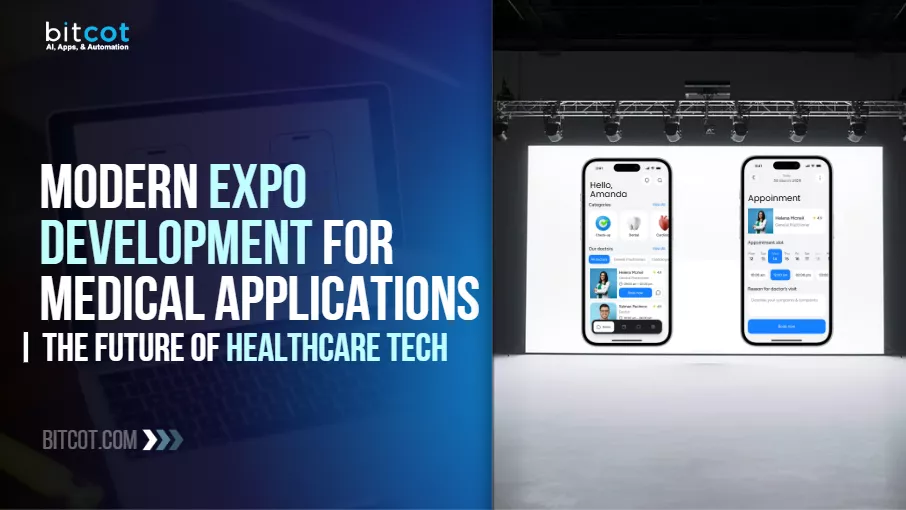
Modern Expo Development for Medical Applications: The Future of Healthcare Tech
Here’s a question most healthcare CTOs eventually face in a board meeting:
“Why is our app slower than our competitors’ and why does every fix cost twice what we budgeted?”
The answer is rarely the team. It’s the foundation.
Most medical apps were built to launch, not to scale. And in 2026, that distinction is costing funded healthcare companies more than they realize in engineering hours, in compliance exposure, and in users who quietly switch to something that works better.
The product leaders who are pulling ahead aren’t rebuilding everything. They’re making smarter architecture decisions, and most of them are using Expo and React Native to do it.
At Bitcot, we’ve helped fund healthcare teams across the United States convert exactly this problem into a competitive advantage: turning slow, fragile legacy builds into secure, scalable healthcare mobile app solutions that clinicians trust and patients actually stay with.
Before we get into the how, here’s what this article covers and what you’ll take away from it:
- Expo SDK 54 is the current stable release. SDK 55, running on React Native 0.83 with the New Architecture permanently enabled, is in beta as of early 2026, and the clear direction for all production builds
- HIPAA compliance built into architecture from day one, not added pre-launch, is what separates scalable products from fragile ones
- EAS Update can reduce compliance-critical patch deployment from weeks to hours
- HL7 FHIR integration with Epic and Cerner is now table stakes for any serious healthcare platform
- AI features only create clinical value when teams enter with validated data and a defined outcome
- EHR interoperability and BLE device integration are the two most underestimated scoping variables in healthcare builds
- Architecture decisions made in month one determine your maintenance cost in year three
With that framing in place, let’s start with the part most teams get wrong first.
Legacy Healthcare App Migration to Expo – What Teams Get Wrong
Most healthcare product teams reach the same inflection point.
The app works, barely. It’s slow, expensive to maintain, and every new feature feels like defusing a bomb. Engineering velocity drops. Incident rates climb. And the roadmap that made sense eighteen months ago is now blocked by technical debt that nobody budgeted for.
For growth-stage teams and enterprise product organizations, this isn’t a technical inconvenience. It’s a compounding business risk that gets more expensive every quarter it goes unaddressed.
So what does a structured migration actually look like? And how do you do it without derailing the product that’s already in users’ hands?
Here’s what’s worth understanding before the next planning cycle: migrating to Expo isn’t a lift-and-shift exercise. Done right, it’s a strategic re-platforming that improves performance, reduces long-term maintenance overhead, and builds a foundation that can actually support the product roadmap you have, not just the one you launched with. The teams that treat it as a technical project rather than a product decision are the ones who end up doing it twice.
Migration Strategy
Transitioning core features of legacy apps to Expo ensures compatibility with current mobile standards and positions the product for long-term scalability.
Expo SDK 54 is the current stable release for production apps. SDK 55, which runs on React Native 0.83 with the New Architecture permanently enabled and no option to disable it, is in active beta and is the clear upgrade path for all teams planning ahead.
The legacy architecture was officially frozen in June 2025, meaning no new features or bug fixes are being developed for it. For teams building cross-platform medical apps, this isn’t a future consideration. It’s the current production reality.
Understanding how this shift changes your development workflow is covered in depth in our guide to building React Native apps with Expo, which walks through the business case in plain terms. This is also the foundation that makes mHealth app development sustainable at scale rather than a constant fire drill. For teams still on legacy architecture, the migration window is now.
“Why does our app crash every time we push a new update?” This is one of the most consistent questions healthcare CTOs raise before starting a migration.
The answer almost always traces back to architecture decisions made under time pressure years ago and never revisited. And it almost always has a clear fix, once someone has actually looked at the foundation.
Speed Optimization
Speed isn’t a nice-to-have in healthcare. It’s clinical.
A physician checking a patient record mid-consultation cannot wait three seconds for a screen to load. A nurse documenting vitals on a shared device needs an instant response. Expo’s New Architecture eliminates the old JavaScript bridge bottleneck through JSI, Fabric, and TurboModules, delivering near-native performance across both platforms.
The New Architecture, now the only supported path in React Native 0.82 and later, brings measurably smoother UI thread behavior, faster component rendering, and reduced startup latency across high-frequency clinical workflows. For healthcare teams where every screen transition has a clinical consequence, these aren’t benchmark improvements. They’re adoption-rate improvements.
“In healthcare, a slow app isn’t just a bad experience. It’s a barrier to care. Speed is a clinical requirement, not a product preference.”
-Raj Sanghvi, Founder and CEO, Bitcot
64-bit and Memory Optimization
With 32-bit support fully deprecated across Android 15 and iOS 18, any production healthcare app still running on older architecture is carrying both a performance liability and a quiet compliance risk.
Resolving it requires a full dependency audit, architecture refactoring, and targeted performance profiling, not a patch. Expo’s managed workflow makes this significantly more structured and predictable than doing it in a bare React Native environment. That structured approach becomes even more critical when you factor in the UI complexity most healthcare apps carry across multiple user roles and device types.
Expo UI Development for Healthcare Apps – Scaling Across Every Device and Role
With the migration and performance foundation addressed, the next challenge becomes one that most teams underestimate until it’s already costing them.
“How do we make the app work for a cardiologist on an iPad, a nurse on a shared terminal, and a patient on a mid-range Android phone, without maintaining three separate codebases?”
That’s the real UI challenge in enterprise healthcare. It’s also more operationally expensive than most product teams account for upfront, and it quietly drains engineering capacity that should be going toward new features. The answer isn’t three codebases. It’s one architecture designed to flex across all of them.
Expo solves this through a declarative, component-based approach that builds adaptive interfaces once and deploys them consistently across device types. Getting this right also sets up the architecture conversation directly. The two are more connected than most teams expect.
Responsive Layouts
Using Expo Router v4, React Native Paper, and Expo’s improved Image and Camera APIs, teams can build interfaces that scale cleanly across smartphones, tablets, and foldable devices without duplicating layout logic.
In a clinical setting, this matters beyond UX polish. A responsive layout reduces training overhead for clinical staff, lowers tier-1 support volume, and eliminates the fragmentation that comes with maintaining separate mobile and tablet builds. Less surface area. Fewer failure points. Faster iterations. And those efficiency gains compound as the product grows and new device types enter clinical environments.
Cross-Platform Consistency for Clinical Workflows
Consistency across devices isn’t just a design goal in healthcare. It’s a patient safety consideration.
When a clinician switches from a tablet in the ICU to a phone in the hallway, the interface has to behave predictably. Expo’s declarative component model enforces that consistency at the code level, not the design level, which means it holds up across OS updates, device generations, and new platform releases without requiring a separate QA cycle for each surface.
Accessibility and Clinical Usability Standards
Healthcare apps serve users under pressure, in low-light environments, with gloved hands, and on aging hardware.
Expo’s built-in accessibility APIs support screen readers, dynamic type scaling, sufficient color contrast, and touch target sizing that meets WCAG 2.1 AA standards. For teams building apps that will be used in clinical environments, accessibility isn’t a compliance checkbox. It’s a core usability requirement that affects whether clinical staff actually adopt the tool or work around it.
React Native App Architecture for Healthcare – MVVM, Agile, and Long-Term Scalability
A responsive UI buys you user adoption. The right architecture is what protects that adoption when the product starts to grow.
Scalability problems don’t show up on launch day. They surface six months later when user volume doubles, a new payer integration lands on the roadmap, and the codebase starts showing its seams. By that point, the fix is expensive. The teams that don’t hit that wall planned for it before they started building, specifically in how they structured their architecture from the start.
MVVM Architecture
Separating UI from business logic using MVVM keeps healthcare apps maintainable at scale. We at Bitcot have open-sourced an Expo MVVM Template specifically designed to enforce this structure from day one, eliminating the architectural drift that turns fast-moving codebases into expensive maintenance problems.
In 2026, many growth-stage and enterprise teams are layering in Feature-Sliced Design (FSD) alongside MVVM to manage the complexity of multi-role clinical workflows, including patient-facing features, clinician tools, and admin surfaces, without creating the kind of tightly coupled code that makes every change a risk.
This matters especially when the app is handling sensitive, regulated data flows: lab results, prescription records, real-time vitals, care team communications. The architecture has to absorb new requirements without cracking. Healthcare app scalability isn’t something you retrofit. It’s something you architect from the start.
Agile Development
Medical software requirements don’t stay still.
Regulations update. Payer requirements shift. Healthcare automation opportunities surface once the product is live. Feedback from nurses and physicians surfaces edge cases that no product spec ever anticipated. Agile delivery gives healthcare product organizations the ability to incorporate that feedback in structured, budgeted increments, without the scope creep and cost overruns that come from trying to anticipate everything upfront.
Reusable Components
Expo’s component architecture means features like medication reminders, appointment scheduling, and patient record management are built once and deployed consistently across the product.
For teams managing multiple product lines or planning to extend into adjacent clinical workflows, this isn’t just a development efficiency. It’s a long-term cost control strategy, one that compounds in value as the digital health platform grows. And that structural discipline pays its biggest dividends in the next layer: how teams manage deployment, updates, and compliance across every release.
Expo EAS and CI/CD for Healthcare App Deployment – Speed, Compliance, and Control
Architecture determines what you can build. Deployment determines how reliably you can ship it. And in regulated healthcare software, reliability in shipping isn’t just an engineering metric. It’s a compliance obligation.
“What does the actual development and deployment workflow look like at scale?”
For enterprise and growth-stage healthcare teams, the answer needs to go well beyond local development setup, because the bottlenecks that slow clinical software teams down are rarely in the coding phase. For a deeper look at how Expo performs in enterprise environments, our guide to Expo for enterprise mobile apps covers the full CI/CD picture in practical terms.
Expo CLI handles local development, including Fast Refresh, native module integration, and cross-device testing across simulators and physical hardware. Android Studio Ladybug and Xcode 16 handle native-layer work and platform-specific debugging where required.
EAS (Expo Application Services) handles everything downstream:
- EAS Build — cloud-based builds for iOS and Android without requiring local Mac infrastructure for every engineer on the team
- EAS Update — over-the-air updates that push critical patches to production users without waiting for an app store review cycle
- EAS Submit — automated submission to the App Store and Google Play with auditable build provenance
For healthcare product teams shipping compliance-critical patches, EAS Update alone can reduce deployment time from weeks to hours. At scale, that’s a material risk reduction, and it’s the kind of operational advantage that shows up in post-incident reviews and board reporting. That same deployment discipline becomes the backbone of a much harder problem: keeping a fast-moving product HIPAA-compliant without letting compliance slow the roadmap to a crawl.
SDK Compatibility
Expo SDK 54 maintains full compatibility with iOS 18 and Android 15 APIs, keeping apps current with platform security requirements as both ecosystems evolve. SDK 55, currently in beta, continues this compatibility while making the New Architecture the only supported path.
For regulated healthcare software, falling behind on SDK compatibility isn’t just a technical inconvenience. It’s a gap that auditors notice, and one that gets harder to close the longer it’s ignored.
How Do You Keep a Healthcare App HIPAA-Compliant Without Slowing Down Development?
This is the question that separates teams shipping clinical-grade software from teams shipping software that happens to handle clinical data.
The question most healthcare CTOs are actually asking isn’t “is this secure?” It’s: “How do we maintain HIPAA compliance across a fast-moving development cycle without turning it into the bottleneck that kills roadmap velocity?”
That’s the right question. And the answer is straightforward, even if the execution isn’t: compliance has to be built into the architecture from the start, not added as a pre-launch audit gate when the pressure is highest, and the options are fewest. Teams navigating this for the first time often find it useful to understand the full scope of healthcare software development standards and EHR/EMR development requirements before architecture decisions are locked in.
Cloud-Based Encrypted Data
All sensitive patient data, including medical records, imaging files, lab results, and care team notes, is encrypted using AES-256-GCM both in transit and at rest.
This baseline meets HIPAA and HITECH requirements and aligns with the EU’s updated eHealth data regulations for teams operating across markets. Role-based access control, session management, and comprehensive audit logging are implemented as architecture standards, not afterthoughts applied under pre-launch pressure. The compliance posture should be defensible on day one, not assembled in the final sprint.
AI for Sensitive Image Detection
Before any medical image reaches cloud storage, on-device AI models analyze it for compliance flags, including unredacted patient identifiers, unauthorized content markers, and data anomalies outside acceptable parameters.
Running inference on-device means raw data never touches an external server during the review step. For teams handling radiological or dermatological imagery at volume, that’s a meaningful privacy and liability advantage, one that holds up under regulatory scrutiny rather than just in a product demo.
That same on-device capability is also reshaping how healthcare apps are deploying AI more broadly across clinical workflows, which is where the next critical question comes in.
Which AI Features Actually Deliver Clinical Value in a Healthcare App?
Knowing how to keep an app compliant is necessary. Knowing which AI features are worth building into it is what separates products that improve outcomes from those that just add complexity.
AI in healthcare apps has moved past the hype phase. Product teams that ran pilots in 2024 and 2025 are now making production decisions. The ones doing it well share one consistent trait: they started with a specific clinical outcome, not a technology preference. The teams chasing AI features without validated use cases or data readiness are generating support tickets, not clinical results.
For a current view of where AI investment is creating real outcomes in digital health across America, our breakdown of healthcare technology trends in 2026 is worth reading before scoping any AI feature set.
“Which AI capabilities actually improve patient outcomes or clinical efficiency, and which ones just look good in a pitch deck?”
That question deserves a direct answer before any AI feature makes it onto a roadmap. Expo integrates cleanly with TensorFlow Lite, MediaPipe, and major LLM APIs, making it practical to build AI features that are production-ready and clinically grounded rather than experimental additions that create more overhead than value.
On-Device AI vs. Cloud AI for Healthcare Apps
One of the most consequential architectural decisions in healthcare AI isn’t which model to use. It’s where to run it.
On-device inference, powered by TensorFlow Lite and MediaPipe, processes sensitive medical data locally without it ever leaving the device. This approach reduces latency, eliminates a class of HIPAA exposure around data transmission, and keeps the app functional in low-connectivity clinical environments like hospital basements or rural clinics.
Cloud-based inference offers more computational power for complex models but introduces data transfer obligations that require careful compliance architecture. The right choice depends on the specific use case, the sensitivity of the data involved, and the connectivity profile of the intended clinical environment.
AI Validation and Regulatory Classification
Deploying AI in a clinical setting without a validation framework isn’t just a technical risk. It’s a regulatory one.
The FDA’s Software as a Medical Device (SaMD) framework applies to AI features that influence clinical decision-making. Teams need to determine early whether their intended AI feature falls under this classification because it affects the entire development and testing process.
Features that offer administrative automation, such as scheduling assistance or documentation drafting, carry a lighter regulatory burden than features that support diagnostic or treatment decisions. Getting this classification right before development begins is significantly less expensive than getting it wrong after launch.
AI-Assisted Development
GitHub Copilot with agent mode, Cursor AI, and Claude are now standard across mature development teams.
These tools reduce time spent on boilerplate and surface architecture issues earlier in the cycle, and compress the feedback loop between writing code and catching problems. For healthcare development specifically, where compliance documentation, audit trails, and code review requirements add significant overhead, AI-assisted tooling has a measurable impact on time-to-ship without compromising quality gates.
The productivity gains are real. The key is integrating them into a workflow that still enforces the review standards that regulated software requires. With that foundation in place, let’s look at where these capabilities translate into concrete, production-ready use cases.
Modern Use Cases for Expo in Medical Applications
Everything covered so far, migration, architecture, deployment, compliance, and AI, comes together in how these capabilities play out across real healthcare product categories. Here’s where Expo creates tangible business value for funded healthcare product teams. Not theoretical capability, but production use cases with real operational impact that CTOs and product leaders can connect directly to business outcomes.
AI-Powered Health Tracking and Diagnostics
Expo makes it practical to build AI tools that do more than collect data. They help clinicians act on it faster.
Symptom Checkers and AI Assistance
Expo supports the development of structured AI triage tools that analyze user-reported symptoms and route patients appropriately before clinical contact. Done well, this reduces unnecessary appointments, improves care utilization, and creates a measurable efficiency gain for clinical operations teams, the kind that shows up in unit economics, not just product demos.
Medical Imaging and Analysis
On-device models now support dermatological screening, retinal imaging review, and X-ray workflow assistance. In validated use cases, accuracy is approaching clinical-grade thresholds, positioning these as genuine decision-support tools rather than consumer wellness features.
Teams building in this space need validated datasets, regulatory clarity on their intended use classification, and a clinical validation plan before development begins. The technology is ready. The question worth asking honestly is whether the product team is.
Remote Patient Monitoring (RPM) and Wearables
Continuous care doesn’t stop when the patient leaves the clinic. Expo keeps that connection live and actionable.
BLE Device Integration
Expo supports direct integration with BLE-enabled medical devices, including continuous glucose monitors, ECG patches, and pulse oximeters, syncing real-time data into clinical workflows. For health systems and mobile health platforms running remote patient monitoring programs at scale, this integration layer is what connects device-collected data to the care teams who act on it. The device handles the measurement. The app handles the meaning.
Wearable Data Aggregation
Through Apple Health and Google Health Connect, apps can aggregate longitudinal data from consumer wearables, including Fitbit, Garmin, and Apple Watch, and surface it in clinical dashboards. This gives care teams a richer, more continuous view of patient health between appointments and creates the data foundation that predictive intervention programs require to function well.
Telehealth and Virtual Care
Virtual care is no longer a backup plan. It’s where millions of Americans now expect to receive care first.
HIPAA-Compliant Video Consultations
Telehealth is a primary care channel now, not a contingency. Enterprise healthcare teams are building telemedicine platforms that support AI-assisted pre-visit intake, real-time clinical transcription, and automated post-visit documentation, integrated into the consultation workflow rather than bolted on after the fact.
Expo enables a cross-platform video consultation infrastructure that supports these workflows at scale, without requiring separate iOS and Android codebases, separate compliance reviews, or separate maintenance cycles.
Virtual Clinics
Full platform builds, including patient-facing apps and clinician portals, can be developed and maintained within a single Expo codebase. For enterprise teams managing multiple product surfaces, this directly reduces ongoing engineering overhead and accelerates feature parity across user roles. One codebase. Two audiences. Significantly less coordination overhead.
Patient Engagement and Management Tools
Keeping patients engaged between visits is where outcomes are won or lost. These tools make that gap smaller.
Medication Management
Smart adherence systems built in Expo track dosage schedules, adapt reminder timing based on patient behavior patterns, and surface refill alerts proactively. Medication non-adherence costs the US healthcare system between $100 billion and $289 billion annually in avoidable hospitalizations and preventable complications, according to peer-reviewed research published in the Annals of Internal Medicine. For digital health companies building chronic disease management products in America, solving this isn’t a feature. It’s the product thesis.
Appointment Scheduling
Expo-built scheduling tools connect directly with Epic and Cerner through HL7 FHIR integration, enabling a complete experience from booking through post-visit follow-up without manual data reconciliation or parallel scheduling infrastructure running in the background.
For teams building out patient-facing web touchpoints alongside the mobile app, our guide to patient portal development covers how mobile and web surfaces can share the same data layer cleanly. Teams looking to extend further should also explore our healthcare automation solutions that connect scheduling, reminders, and follow-up workflows into a single, orchestrated system.
How Bitcot Builds Expo-Based Healthcare Solutions
Understanding what’s possible with Expo is one thing. Knowing how to actually deliver it, on time, within compliance, and built for scale, is where most engagements succeed or fail.
Healthcare product teams rarely fail because they chose the wrong framework. They fail because the pre-build phase was too shallow, compliance was treated as a final checkpoint, and the architecture was designed for launch day rather than for where the product needs to be eighteen months later. By the time those problems surface, the cost to fix them is multiples of what it would have cost to avoid them.
We work with funded startups with validated clinical use cases, growth-stage companies scaling proven products, and enterprise organizations modernizing platforms with real users and real regulatory obligations. That’s a deliberate scope, because those are the engagements where our structured process and clinical domain expertise produce compounding returns rather than a one-time delivered build.
Two areas where our healthcare engineering expertise has translated into measurable outcomes include modern patient management platforms and on-demand telehealth systems built for real-world care delivery.
In one case, we automated centralized patient management and physician assignment workflows across multiple facilities while maintaining strict compliance requirements. This reduced operational friction for care teams and improved care coordination at scale.
In another, we delivered a cross-platform, on-demand telehealth experience that connects underserved patients with providers remotely. This removed geographic and access barriers to timely care.
Both reflect what EHR interoperability and real-world clinical workflow constraints actually demand from an engineering team: deep domain understanding, compliance-first architecture, and systems designed to perform under real clinical pressure, not demo environments.
Our process starts with a structured technical discovery that maps clinical workflows, surfaces integration requirements, including EHR systems, BLE devices, and third-party APIs, and identifies compliance obligations before architecture decisions are made. This phase exists to surface the late-stage surprises that derail timelines before they have a chance to.
Development runs on Agile sprints with clinical domain input embedded in the review process, not just engineering feedback, but stakeholder input from people who understand how the product will function in actual care settings under actual clinical pressure.
Security and compliance review is continuous, not a pre-launch gate. HIPAA documentation, encryption validation, audit logging, and access control are validated sprint by sprint, so there’s no compressed, high-stakes compliance review in the final weeks before go-live.
The output is a product built to scale, maintainable by your internal team, and positioned for the roadmap ahead rather than just the one that got it to launch.
Conclusion – The Future of Healthcare with Expo
The healthcare platforms that define the next three years won’t be built by teams that moved the fastest.
They’ll be built by product organizations that made the right architecture decisions early, treated compliance as a continuous process, and chose partners who understood both the technology and the clinical context in which it has to operate, under pressure, at scale, with real regulatory consequences.
Expo provides a mature, scalable foundation for cross-platform medical app development. But the difference between a healthcare product that ships on time and one that holds up past launch comes down to the strategy and execution behind it. That’s the part that doesn’t come from a framework.
If you’re leading a funded healthcare startup, scaling a clinical digital health platform, or modernizing enterprise medical software, and you have a clear outcome, an engaged product team, and a roadmap that needs to move, the right next step is a direct technical conversation, not a discovery call that starts from scratch.
Schedule a consultation with our healthcare technology team to receive a well-defined, compliance-ready technical roadmap tailored to your product journey.
Frequently Asked Questions (FAQs)
Before closing out, here are the questions we hear most often from CTOs, founders, and product leaders evaluating Expo for healthcare. If your question isn’t here, it’s worth raising in a direct conversation.
What is Expo, and why is it used for medical app development?
Expo is an open-source framework built on React Native that enables cross-platform mobile development for iOS and Android from a single codebase. In healthcare, it’s valued for performance, SDK compatibility, and the ability to integrate native device capabilities, including BLE, camera, and biometric authentication, within a HIPAA-compatible architecture.
Expo SDK 54 is the current stable release. SDK 55, running on React Native 0.83 with the New Architecture permanently enabled, is in active beta as of early 2026 and is the clear upgrade path for all production teams. For funded teams shipping to both platforms, Expo compresses development timelines significantly compared to maintaining separate native codebases. It has become the preferred foundation for mHealth app development teams who need clinical-grade reliability without doubling engineering overhead. For a non-technical overview of why this matters, see our guide on why Expo is gaining adoption among React Native developers.
Is Expo suitable for HIPAA-compliant applications?
Yes. Expo is a development framework. HIPAA compliance is achieved through how the application is architected, what encryption standards are applied, how data is stored and transmitted, and what access controls are implemented. Expo supports all of these requirements and integrates with HIPAA-compliant cloud infrastructure across AWS, Azure, and GCP. The framework itself doesn’t create compliance risk. The architecture around it does, or doesn’t.
How long does it take to migrate a legacy healthcare app to Expo?
Timelines depend on codebase complexity, number of integrations, and compliance scope. A structured migration of a moderately complex app typically runs 3 to 6 months under a sprint-based model. Teams with a defined scope and strong internal product ownership tend to land at the shorter end. Teams that come in with vague requirements or limited internal bandwidth consistently land at the longer end or require a scope reset. Product readiness before the engagement starts is not optional.
Can Expo integrate with EHR systems like Epic or Cerner?
Yes. Expo apps connect to EHR platforms through HL7 FHIR integration, enabling real-time data exchange for scheduling, patient records, lab results, and clinical documentation. EHR interoperability complexity depends on the specific environment and available API access, both of which we map during the discovery phase. For teams considering custom EHR/EMR development alongside mobile, our EHR software development practice covers the full integration architecture.
What AI features can be built into a healthcare app using Expo?
Production-ready use cases include symptom triage assistants, on-device medical image analysis, medication adherence tracking, predictive health alerts, and AI-assisted clinical documentation. The teams that get the most value enter with validated training data, a defined clinical outcome to improve, and a regulatory classification for the intended use. The technology is available. The differentiator is always product and data readiness on the team’s side, not the framework.
How does Expo handle real-time data from wearables and BLE medical devices?
Expo supports BLE device integration through libraries like react-native-ble-plx, enabling direct communication with medical-grade hardware. Combined with Apple Health and Google Health Connect integrations, apps can aggregate and display continuous real-time patient data streams from FDA-cleared devices into clinical workflows without requiring separate integration layers for each device type. This is the technical backbone most serious remote patient monitoring systems across the US are running on in 2026.
What should a CTO or product leader evaluate before starting an Expo healthcare build?
The most important pre-build questions are: Is the clinical use case validated? Is there a clear compliance pathway for the intended features? Does the team have the internal product ownership bandwidth to run an Agile engagement effectively? And is the architecture being designed for the two-year roadmap, not just launch?
Teams that can answer yes to those questions are positioned to get measurable business value from the build. Teams that can’t are likely to hit avoidable walls mid-project, and at that point, the cost isn’t just financial. It’s the roadmap, the budget, and sometimes the product itself.