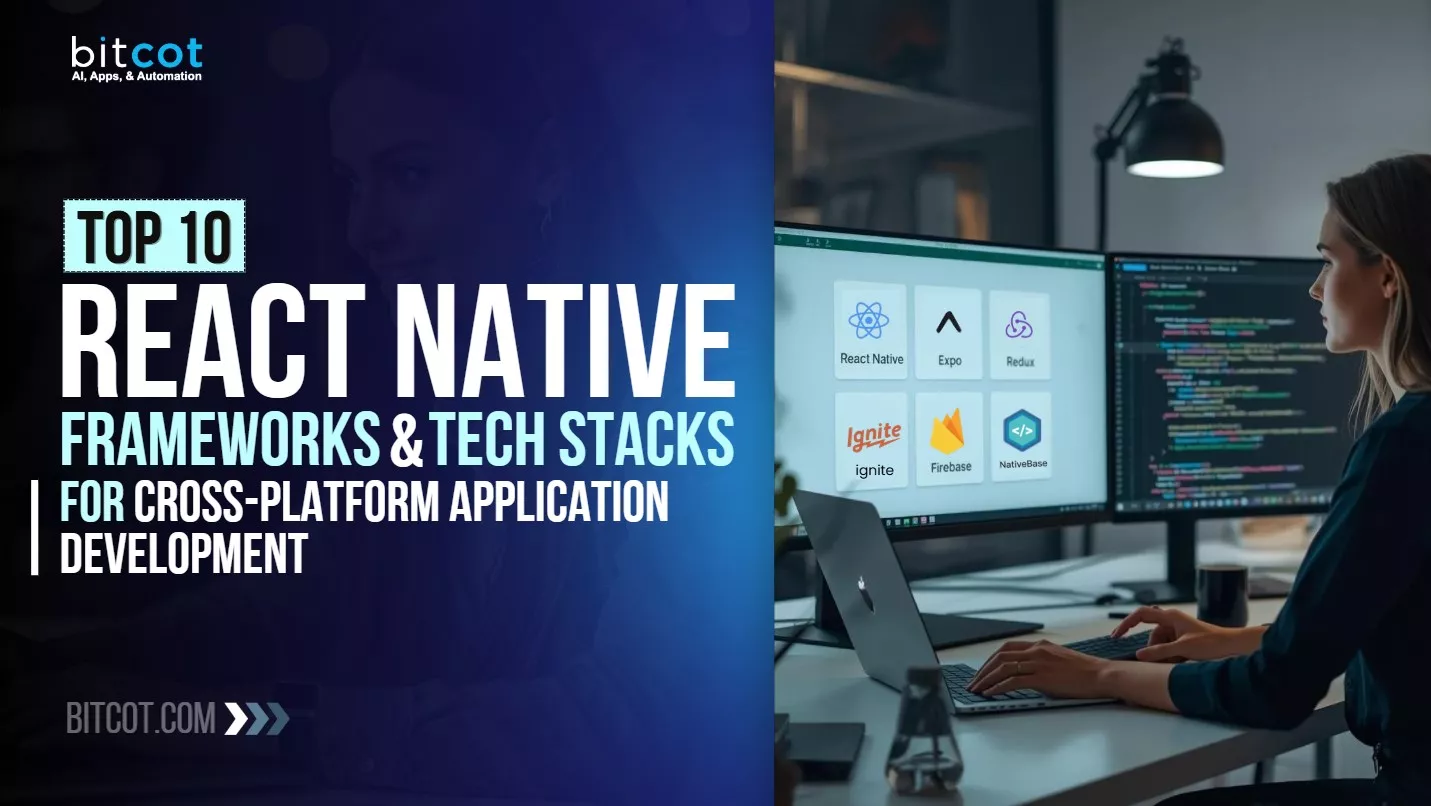
React Native has changed the game for mobile application development. It powers apps used by billions of people worldwide, from Instagram and Facebook to Tesla and Microsoft Teams. With 125,078+ GitHub stars and over 500,000 packages, React Native leads the way for building cross-platform mobile applications.
But here’s the challenge: picking the right React Native framework and tech stack can feel overwhelming. Should you start with Expo for quick prototyping? Or go with bare React Native for more control? Which UI component library fits your design, Gluestack UI, React Native Paper, or React Native Elements?
Here’s what’s at stake: making the wrong choice creates technical debt, delays your launch by months, and burns your budget. For startups, it means missing your market window. For CTOs, it means budget overruns and team friction. For dev teams, endless refactoring and maintenance nightmares.
But the right choice? It cuts development time by 40%, reduces bugs by 60%, and gives you confidence in a solid foundation that scales from MVP to millions of users.
Here’s what makes this guide different: at Bitcot, we’ve built hundreds of React Native applications across fintech, healthcare, e-commerce, and enterprise SaaS. Our San Diego, California teams have tested every major framework in the ecosystem, not in theory, but in production apps serving real users.
In this guide, you’ll discover:
- The 10 most reliable React Native frameworks (with honest pros, cons, and real use cases)
- Complete tech stack recommendations for startups, production apps, and enterprise projects
- How React Native compares to Flutter and native development
- Real-world Fortune 500 examples and critical mistakes to avoid
Before we dive into specific frameworks, let’s first understand what React Native is and why it has become so popular.
What Is React Native? Understanding the Ecosystem
Learn the fundamentals of React Native and why it powers billions of mobile app users worldwide.
What Is React Native?
React Native is an open-source JavaScript framework created and maintained by Meta (Facebook). It lets developers build native mobile applications using JavaScript and React. Unlike hybrid frameworks that show apps in webviews, React Native uses real native UI components. This delivers performance that’s almost the same as apps built with Swift or Kotlin.
Key Statistics:
- 125,078+ GitHub stars – One of the most popular repositories on GitHub
- Powers 42% of cross-platform mobile apps worldwide
- Used by Fortune 500 companies including Meta, Microsoft, Shopify, and Tesla
- Active community of 25,000+ contributors
What Is a React Native Tech Stack?
A React Native tech stack is the complete set of technologies, frameworks, libraries, and tools used throughout the software development lifecycle to build, test, and deploy mobile applications. It typically includes:
- Programming Languages: JavaScript/TypeScript, JSX
- Core Framework: React Native
- UI Frameworks: Component libraries for faster development
- Navigation Libraries: For managing app screens and routing
- State Management: Redux, MobX, Zustand, or Context API
- Development Tools: IDEs, CLI tools, debuggers
- Backend Integration: APIs, databases, authentication services through API integration
- Testing Tools: Jest, Detox, Appium, Maestro
- CI/CD Pipeline: Automated builds, testing, and deployment
- Monitoring & Analytics: Crash reporting, performance tracking
- Build Tools: Metro bundler, Babel, Webpack
The right tech stack choice can dramatically impact:
- Development speed and efficiency – Ship features 40% faster
- App performance and user experience – 60% fewer bugs in production
- Maintenance costs and scalability – Reduce long-term costs by 50%
- Team productivity and onboarding time – New developers productive in days, not weeks
Now that you understand what React Native is, let’s look at the essential components that make up a complete tech stack.
Essential Components of React Native Tech Stack
Discover the core technologies that form the foundation of every successful React Native application.
1. JavaScript and TypeScript
JavaScript remains the main language for React Native development. It offers unmatched ecosystem support and is familiar to most developers. However, TypeScript has gained huge traction, with over 75% of new React Native projects now using it for type safety and better developer experience.
Why TypeScript in 2026?
- Catches bugs during development, not in production
- Better IDE support with intelligent autocomplete and inline documentation
- Self-documenting code through type definitions
- Easier refactoring and safer team collaboration
- Reduced runtime errors by up to 15%
2. JSX (JavaScript XML)
JSX is a syntax extension that lets you write HTML-like code within JavaScript. It makes component creation easy to understand and maintain:
const WelcomeScreen = ({ userName }) => {

  return (

    <View style={styles.container}>

      <Text style={styles.heading}>Welcome, {userName}!</Text>

      <Button title="Get Started" onPress={handlePress} />

    </View>

  );

};
3. React Native Core Framework
As of January 2026, React Native is on version 0.83.x (stable) with version 0.84.x coming in February 2026. The framework has added major improvements:
- New Architecture (Fabric): Complete UI layer rewrite for better performance and synchronous rendering
- Turbo Modules: Lazy loading of native modules for faster startup times
- Hermes Engine: Optimized JavaScript engine that reduces app size by 40% and improves startup by 50%
- Codegen: Automatic type-safe native code generation
- Concurrent Rendering: Better UI responsiveness during heavy operations
4. Essential Development Tools
Explore the must-have tools that streamline React Native development and boost team productivity.
Expo CLI: The fastest way to create and manage React Native projects. Expo SDK 52 (released with React Native 0.77) offers zero-config development and over-the-air updates.
Xcode & Android Studio: Required for iOS and Android native builds and debugging. However, Expo’s EAS (Expo Application Services) can build apps in the cloud without local setup.
Metro Bundler: React Native’s default JavaScript bundler, optimized for mobile development with fast refresh and efficient caching.
Reactotron: Powerful debugging tool for inspecting state, API calls, performance metrics, and async storage.
Flipper: Facebook’s extensible mobile app debugger for network inspection, layout debugging, and native logs.
With the core components covered, let’s explore the top 10 frameworks that will supercharge your React Native development.
Top 10 React Native Frameworks for 2026
From rapid prototyping to enterprise-grade solutions, here are the frameworks that power modern apps.
1. Expo
Expo has evolved from a simple development tool to a complete platform for building, deploying, and updating React Native apps. With 34,000+ GitHub stars and 3M+ weekly downloads, Expo SDK 54 is the #1 choice for startups and MVPs across the USA, powering over 55% of new React Native projects.
Key Features:
- Zero Native Configuration: Build apps without touching Xcode or Android Studio
- EAS (Expo Application Services): Cloud-based builds for iOS and Android
- Over-the-Air Updates: Push updates without app store approval
- Pre-built Modules: Camera, notifications, location, sensors, and 100+ more
- Expo Router: File-based routing system similar to Next.js
- Expo SDK 54 Integration: Supports React Native 0.81, React 19.1, and mandatory New Architecture
- 10x Faster iOS Builds: Precompiled XCFrameworks reduce build times from 120s to 10s
- On-Device AI Support: Native integration with React Native ExecuTorch for local LLMs
| Best For | Pros | Cons |
|
|
|
2026 Update: Expo SDK 54 introduces precompiled XCFrameworks for iOS, reducing clean build times by up to 10x (from 120s to 10s on M4 Max). The New Architecture is now mandatory, ending support for the Legacy Architecture. Expo also supports Continuous Native Generation (CNG) for on-demand native project generation. Learn more about why Expo is gaining popularity among React Native developers.
While Expo provides the foundation, you’ll need a robust UI component library to build beautiful interfaces quickly.
2. NativeBase / Gluestack UI
NativeBase has been a go-to component library for React Native since 2016, accumulating 20,000+ GitHub stars. In 2025, the team launched Gluestack UI v3-a complete rewrite focused on performance, accessibility, and web support, now transitioning the entire NativeBase community to this modern framework.
Key Features (Gluestack UI v3):
- 30+ Pre-built Components: Buttons, inputs, modals, toasts, forms, and more
- Unstyled by Default: Complete styling freedom using Tailwind CSS
- NativeWind Integration: Write Tailwind CSS classes for React Native
- Expo SDK 54 Optimized: Full support for the latest Expo version
- Accessibility First: WCAG 2.1 AA compliant out of the box
- Type-Safe: Full TypeScript support with autocomplete
| Best For | Pros | Cons |
| • Business applications and dashboards
• Healthcare and fintech apps with accessibility needs • Multi-platform apps (iOS, Android, Web) • Teams transitioning from NativeBase |
• Design system consistency across platforms
• Excellent WCAG 2.1 AA accessibility support • Highly customizable with Tailwind CSS • Lightweight and performant architecture |
• Breaking changes from NativeBase
• Smaller community than React Native Paper • Learning curve for unstyled components • Migration requires refactoring styling logic |
Migration Note: If you’re using NativeBase 3.x, Gluestack UI provides a migration guide. But expect to refactor styling logic.
Beyond UI components, professional apps need solid architecture and project structure to scale effectively.
3. Ignite CLI
Ignite isn’t just a boilerplate-it’s a battle-tested architecture maintained by Infinite Red with 17,000+ GitHub stars. Now in version 9.x, it’s used by companies building long-term, scalable React Native applications. Many development teams in New York and other tech hubs rely on Ignite for enterprise projects.
Key Features:
- Opinionated Project Structure: Clear separation of concerns (screens, models, services, utils)
- Pre-configured Tech Stack:
▸ React Navigation 6.x for routing
▸ MobX-State-Tree for state management
▸ Reactotron for debugging
▸ Jest for unit testing
▸ Detox for E2E testing - Component Generators: CLI commands to scaffold new screens and components
- TypeScript First: Type safety throughout the entire project
- API Layer: Pre-built REST and GraphQL integration patterns
| Best For | Pros | Cons |
|
• Production-grade architecture out of the box
• Saves 40-60 hours of initial setup time • Built-in best practices and design patterns • CLI generators for faster development |
• Opinionated structure limits flexibility
• Learning curve for junior developers • Overkill for simple apps or prototypes • MobX-State-Tree steeper than Redux Toolkit |
2026 Update: Ignite 9.x adds full support for React Native New Architecture and improved TypeScript strictness. For teams looking for scalable MVVM architecture patterns, Ignite provides excellent scaffolding.
If you prefer Google’s Material Design language, React Native Paper offers a polished, ready-to-use solution.
4. React Native Paper
React Native Paper implements Material Design 3 guidelines and is maintained by Callstack with 13,000+ GitHub stars. Now in version 5.x, it’s perfect for apps that need to follow Google’s design language for user interface design.
Key Features:
- 60+ Material Design Components: Buttons, cards, chips, dialogs, FABs, and more
- Theming Engine: Easy dark mode and custom theme support
- Accessibility Built-in: Complies with WCAG 2.1 guidelines
- TypeScript Support: Comprehensive type definitions
- Web Support: Works with React Native Web
- Portal System: Render components outside their parent hierarchy (useful for modals)
| Best For | Pros | Cons |
| • Apps following Material Design guidelines
• Android-first applications • Teams familiar with Material UI • Internal business tools and dashboards |
• Consistent Material Design 3 implementation
• Lightweight library with minimal bundle size • Well-documented with clear examples • Active maintenance by Callstack |
• Limited if design doesn’t follow Material
• Less customizable than unstyled libraries • iOS-specific styling requires custom work • Not ideal for unique brand identities |
For developers who want more design flexibility beyond Material Design, React Native Elements is worth considering.
5. React Native Elements
React Native Elements is one of the most popular cross-platform UI toolkits with 25,000+ GitHub stars and 200K+ weekly downloads. Now in version 4.x, it offers highly customizable components that adapt to any design system.
Key Features:
- 30+ Cross-Platform Components: Avatar, Badge, Card, CheckBox, Icon, Input, Overlay, and more
- Theming System: Global and component-level theme customization
- Icon Library Integration: Built-in support for FontAwesome, Ionicons, Material Icons
- Responsive Design: Easy responsive layouts with props
- Minimal Styling: Components designed to be easily customized
| Best For | Pros | Cons |
| • Custom-branded applications
• Apps with unique design requirements • Marketing-heavy consumer apps • Teams with dedicated designers |
• Extremely customizable components
• Active open-source community • Works seamlessly with React Native Web • Comprehensive icon library support |
• More design decisions fall on your team
• Requires additional styling work • Inconsistent cross-platform rendering • No built-in theming system |
UI components are crucial, but seamless navigation between screens is equally important for user experience.
React Navigation is the industry standard for routing and navigation in React Native applications with 23,000+ GitHub stars and an impressive 2.5M+ weekly downloads. Now in version 6.x, it’s used in over 90% of React Native apps built across America.
Key Features:
- Multiple Navigator Types:
▸ Stack Navigator (push/pop screens)
▸ Tab Navigator (bottom tabs, material top tabs)
▸ Drawer Navigator (side menu)
▸ Native Stack Navigator (better performance) - Deep Linking: Handle URLs and universal links
- Custom Transitions: Full control over screen animations
- TypeScript Support: Type-safe navigation with proper parameter typing
- Web Support: Works with React Native Web and React Router
| Best For | Pros | Cons |
| • Any React Native app with multiple screens
• Apps requiring complex navigation patterns • Projects needing deep linking support • Cross-platform apps (iOS, Android, Web) |
• Industry standard with massive community
• Extremely flexible and customizable • Excellent TypeScript support • Great documentation and examples |
• Complex setup for nested navigators
• Performance degrades with 50+ screens • Requires optimization for large apps • Deep linking config can be tricky initially |
2026 Update: React Navigation 6.x added native stack navigation as default for 60% better performance.
Great navigation is essential, but smooth, high-performance animations make apps feel truly professional and polished.
7. React Native Reanimated
Reanimated is the most powerful animation library for React Native with 9,000+ GitHub stars and 1.7M+ weekly downloads. Version 4.2.1 runs animations entirely on the UI thread for buttery-smooth 120 FPS performance.
Key Features:
- UI Thread Animations: Animations run independently of the JavaScript thread
- Worklets: Write JavaScript that runs directly on the native side
- Gesture Handler Integration: Seamless gesture-based animations
- Layout Animations: Animated adding/removing of components
- Shared Values: Synchronize values across components and threads
- Spring and Timing Animations: Physics-based and custom easing
| Best For | Pros | Cons |
| • Apps with complex animations and transitions
• Interactive UI (drag-and-drop, swipe gestures) • Gaming and entertainment apps • High-performance dashboards |
• Runs at 120 FPS on supported devices
• Zero JavaScript thread blocking • Seamless gesture integration • Works with React Native New Architecture |
• Steeper learning curve than Animated API
• Requires New Architecture for v4 • Complex animations hard to debug • Breaking changes between major versions |
Critical Note (2026):
- Reanimated 4.x requires React Native New Architecture (Fabric)
- Reanimated 3.x still maintained for legacy architecture apps
While animations handle the frontend experience, most apps need a powerful backend infrastructure to function.
8. React Native Firebase
React Native Firebase provides a comprehensive suite of backend services without needing to build custom infrastructure. Maintained by Invertase with 12,000+ GitHub stars and 500K+ weekly downloads, it simplifies API integration for mobile applications.
Key Features:
- Authentication: Email, phone, social login (Google, Facebook, Apple)
- Firestore Database: Real-time NoSQL database
- Cloud Messaging (FCM): Push notifications for iOS and Android
- Analytics: Track user behavior and app performance
- Crashlytics: Real-time crash reporting
- Remote Config: Update app behavior without redeployment
- Cloud Functions: Serverless backend logic
- Storage: File upload and management
| Best For | Pros | Cons |
| • MVPs needing rapid backend setup
• Real-time chat applications • Apps requiring push notifications • Startups without backend developers |
• Comprehensive backend solution included
• No server management required • Google Cloud infrastructure reliability • Fast integration (1-2 days for basic setup) |
• Vendor lock-in to Google ecosystem
• Expensive at scale (100K+ users) • Limited query capabilities vs SQL • Cold start times for Cloud Functions |
Cost Consideration: Firebase’s free tier is generous for startups. But costs can jump quickly beyond 100K users.
For apps requiring extensive theming capabilities and white-label solutions, UI Kitten offers a unique approach.
9. UI Kitten
UI Kitten is based on the Eva Design System with 10,000+ GitHub stars and 25K+ weekly downloads. Now in version 5.x, it offers a complete UI framework with advanced theming capabilities.
Key Features:
- 40+ Customizable Components: Buttons, inputs, cards, lists, modals, and more
- Eva Design System: Professional design methodology
- Light/Dark/Custom Themes: Easy theme switching
- 480+ Eva Icons: Beautiful icon set included
- JSON-based Theming: Define entire themes in JSON
- TypeScript First: Full type safety
| Best For | Pros | Cons |
| • White-label apps (same app, multiple brands)
• B2B SaaS products • Apps requiring multiple theme variants • Enterprise applications |
• Excellent JSON-based theming system
• Professional Eva Design out of the box • Great documentation and guides • Perfect for white-label products |
• Smaller community than alternatives
• Slower update cycle than major libraries • Slightly larger bundle size • Limited customization beyond Eva Design |
Finally, for teams focused on quick prototyping and validation rather than production-scale apps, Shoutem UI offers value.
10. Shoutem UI
Shoutem UI is designed for rapid prototyping with 5,000+ GitHub stars and 15K+ weekly downloads. It helps you get apps to market quickly with minimal styling effort.
Key Features:
- Pre-styled Components: Buttons, cards, images, text, overlays
- Layout Helpers: Easy responsive layouts
- Typography System: Consistent text styles
- Theme Support: Basic light/dark mode
- Minimal Configuration: Works out of the box
| Best For | Pros | Cons |
| • Hackathons and rapid prototypes
• Internal tools and admin panels • Proof of concepts • Teams prioritizing speed over design |
• Extremely fast setup and deployment
• No styling expertise required • Good for non-designers • Lightweight footprint |
• Limited customization options
• Smaller community (last update 2+ years) • Not suitable for production at scale • May need custom components for complex UIs |
To help you make the right choice, here’s a quick side-by-side comparison of all 10 frameworks we’ve covered.
Quick Comparison: Best React Native Frameworks
Compare features, performance, and use cases across all 10 frameworks in one comprehensive table.
| Framework | Best Use Case | GitHub Stars | Learning Curve | Customization | Performance | Community |
| Expo | MVPs, Startups | 34,000+ | Easy (1/5) | Medium (3/5) | Good (4/5) | Excellent (5/5) |
| Gluestack UI | Design Systems | 20,000+ | Medium (3/5) | Excellent (5/5) | Excellent (5/5) | Growing (4/5) |
| Ignite CLI | Enterprise Apps | 17,000+ | Hard (4/5) | Medium (3/5) | Excellent (5/5) | Good (4/5) |
| React Native Paper | Material Design | 13,000+ | Easy (2/5) | Low (2/5) | Good (4/5) | Good (4/5) |
| React Native Elements | Custom Brands | 25,000+ | Easy (2/5) | Excellent (5/5) | Good (4/5) | Excellent (5/5) |
| React Navigation | All Apps | 23,000+ | Medium (3/5) | Excellent (5/5) | Excellent (5/5) | Excellent (5/5) |
| Reanimated | Animations | 9,000+ | Hard (4/5) | Excellent (5/5) | Excellent (5/5) | Good (4/5) |
| React Native Firebase | Backend Services | 12,000+ | Easy (2/5) | Medium (3/5) | Excellent (5/5) | Excellent (5/5) |
| UI Kitten | White-Label Apps | 10,000+ | Medium (3/5) | Good (4/5) | Good (4/5) | Medium (3/5) |
| Shoutem UI | Prototypes | 5,000+ | Very Easy (1/5) | Low (2/5) | Fair (3/5) | Small (2/5) |
Now let’s see how these frameworks perform in real-world applications built by Fortune 500 companies.
Real-World React Native App Examples: Fortune 500 Success Stories
React Native powers some of the world’s most successful mobile applications:
1. Facebook & Instagram (Meta)
- Tech Stack: React Native, Relay (GraphQL), custom native modules
- Scale: Billions of users worldwide
- Why React Native: Unified codebase for faster feature development across iOS and Android
2. Microsoft Teams
- Tech Stack: React Native, Azure backend
- Scale: 280M+ monthly active users
- Why React Native: Consistent experience across mobile and desktop (Electron)
3. Shopify Mobile
- Tech Stack: React Native, GraphQL, TypeScript
- Scale: Powers 4.6M+ e-commerce businesses
- Why React Native: Fast iteration and cross-platform consistency
4. Tesla
- Tech Stack: React Native, custom native modules
- Features: Vehicle diagnostics, remote control, location tracking
- Why React Native: Unified app experience for all Tesla vehicle owners
5. Discord
- Tech Stack: React Native (iOS), hybrid native (Android)
- Scale: 150M+ monthly active users
- Why React Native: Rapid feature deployment and performance optimization
6. Walmart
- Tech Stack: React Native, Node.js backend
- Scale: 37M+ app users
- Why React Native: 95% code reuse between iOS and Android
With real-world examples in mind, let’s compare React Native against other popular mobile development approaches.
React Native vs Flutter vs Native: Complete Comparison
See how React Native stacks up against Flutter and native development for your next project.
React Native vs. Flutter
Understanding the strengths and trade-offs between the two leading cross-platform frameworks.
| Criteria | React Native | Flutter |
| Language | JavaScript/TypeScript | Dart |
| GitHub Stars | 125,078 | 170,000 |
| Learning Curve | Easier (JavaScript familiarity) | Moderate (Learn Dart) |
| Performance | Near-native (with optimizations) | Slightly better (Skia rendering) |
| Ecosystem | 500K+ packages | 35K+ packages |
| Community | Larger, more mature | Growing rapidly |
| Hot Reload | Yes | Yes |
| Code Reuse | 80-90% | 95%+ |
| Popular Apps | Facebook, Instagram, Tesla | Google Pay, Alibaba |
| Best For | Teams with JavaScript expertise | Projects requiring pixel-perfect UI |
Verdict: React Native wins for JavaScript teams and mature ecosystem. Flutter wins for consistent UI and performance.
For teams considering Flutter as an alternative, explore our detailed Flutter app development guide and learn about the key differences in mobile app frameworks.
React Native vs. Native Development
Weighing the benefits of shared code against the power of platform-specific development.
| Criteria | React Native | Native (Swift/Kotlin) |
| Development Time | 30-40% faster | Baseline |
| Code Reuse | 80-90% | 0% |
| Performance | 95% of native | 100% native |
| Access to APIs | Most APIs available | Full access |
| Team Size | 1 team for both platforms | 2 separate teams |
| Maintenance | Single codebase | Duplicate codebases |
| Best For | Most apps | Complex apps needing platform-specific features |
Verdict: React Native for 90% of apps. Native for apps requiring cutting-edge platform features or maximum performance.
If you’re still deciding between approaches, check out our comprehensive comparison of native vs cross-platform development to understand which fits your project best.
Understanding these comparisons is helpful, but how do you actually choose the right stack for your specific project?
How to Choose the Right React Native Tech Stack for Your App
Match your project requirements, budget, and team expertise to the perfect technology combination.
Factors to Consider
1. Project Requirements
- Simple CRUD App? → Expo + React Native Paper + Firebase
- Complex Enterprise App? → Ignite + React Navigation + Custom Backend + Redis caching
- Animation-Heavy App? → Bare React Native + Reanimated + Gesture Handler
- E-commerce Platform? → Expo + Gluestack UI + Shopify SDK + Stripe
- Real-time Chat App? → Bare React Native + Socket.io + Redis + PostgreSQL
Understanding these requirements early helps you choose the right mobile app development platform that aligns with your business goals.
2. Budget and Timeline
- Tight Budget (<$50K)? → Expo + Firebase (minimal backend costs)
- Medium Budget ($50K-$150K)? → Bare React Native + Custom UI + Node.js backend
- Enterprise Budget (>$150K)? → Custom architecture with native modules
For a detailed breakdown of what influences development costs, check out our guide on mobile app development cost estimation.
3. Team Expertise
- JavaScript Developers? → React Native is a perfect fit
- Mobile Developers (Swift/Kotlin)? → Consider native or transition gradually
- Full-Stack Developers? → Expo + Firebase for rapid full-stack development
Need expert developers for your project? Learn about hiring React Native developers in San Diego or explore our comprehensive mobile app development services.
4. Long-term Maintenance
- Will you scale beyond 100K users? → Plan for custom optimizations and CDN
- Need frequent updates? → Use Expo for over-the-air updates (bypass app store review)
- Long-term product (5+ years)? → Invest in solid architecture (Ignite) and comprehensive testing
- Multiple platforms (iOS, Android, Web)? → Consider React Native Web compatibility early
Based on these factors, here are three battle-tested tech stack recommendations for different project types.
2026 React Native Tech Stack Recommendations
Three proven technology combinations optimized for different business needs and budgets.
Recommended Stack #1: Startup MVP (Fast & Affordable)
Launch your product idea quickly with this lean, cost-effective stack for rapid validation.
- Framework: Bare React Native (0.83.x)
- Architecture: Ignite CLI 9.x
- UI: React Native Elements + Custom Components
- Navigation: React Navigation 6.x
- State Management: Redux Toolkit + RTK Query
- Backend: Node.js/Express + PostgreSQL
- Animations: Reanimated 4.x + Gesture Handler
- Testing: Jest + Detox (E2E)
- CI/CD: GitHub Actions + EAS Build
- Error Tracking: Sentry
- Analytics: Mixpanel or Amplitude
Timeline: 16-24 weeks | Cost: $80K-$150K
Recommended Stack #3: Enterprise App (High Performance)
Deploy mission-critical applications with advanced features, security, and enterprise reliability.
- Framework: Bare React Native with New Architecture
- Architecture: Custom architecture based on Ignite
- UI: Custom design system (unstyled components + Tailwind)
- Navigation: React Navigation 6.x + Deep linking
- State Management: MobX-State-Tree
- Backend: Microservices (Node.js, Python, Go)
- Animations: Reanimated 4.x
- Real-time: WebSocket or Socket.io
- Testing: Jest + Detox + Maestro
- Monitoring: Sentry + Datadog
- CI/CD: Fastlane + EAS Build
- Security: Code obfuscation + certificate pinning
- Performance: Custom native modules where needed
Timeline: 6-12 months | Cost: $200K-$500K+
Beyond choosing the right stack, it’s important to stay updated on emerging trends shaping React Native development.
Key Trends in React Native Development
Stay ahead with emerging technologies and patterns reshaping mobile development this year.
1. New Architecture Adoption
The React Native New Architecture (Fabric + Turbo Modules) is now production-ready:
- 60% faster startup time
- 40% smaller app bundle size
- Better memory management
- Synchronous rendering for smoother UI
- Most major libraries now support New Architecture
2. TypeScript Dominance
TypeScript is now used in 78% of React Native projects, up from 45% in 2023.
Expo powers over 55% of new React Native apps, up from 35% in 2023.
4. On-Device AI and LLM Integration
React Native has emerged as a leader in mobile AI integration:
- On-device LLMs: Run Llama 3.2, Qwen 3, and SmolLM 2 directly on mobile devices
- React Native ExecuTorch: Meta’s framework for on-device AI inference with privacy-first approach
- React Native AI: MLC LLM Engine integration for optimized model execution
- Vercel AI SDK compatibility: Seamless integration with popular AI frameworks
- Privacy-focused: All AI processing happens locally, no cloud dependencies
- Zero-latency AI: Instant responses without API calls or internet connectivity
- Multimodal AI: Support for text, image, and audio processing on-device
5. Web Support Maturity
React Native Web has matured significantly, enabling:
- Single codebase for mobile + web (up to 95% code sharing)
- Better SEO for React Native projects
- Unified design systems across all platforms
- Reduced maintenance overhead
Learn more about the differences between web and mobile app development and when to choose each approach.
While following trends is important, it’s equally critical to avoid common pitfalls that can derail your project.
5 Common React Native Development Mistakes to Avoid
Learn from the costly mistakes that delay launches and increase budgets by 40% or more.
Mistake #1: Over-Engineering from Day One
Don’t build an enterprise-grade architecture for an MVP. Start simple with Expo and refactor later.
Mistake #2: Ignoring Performance Early
Profile your app regularly using Flipper, Reactotron, or React DevTools. React Native performance issues compound over time. Catch performance bottlenecks (unnecessary re-renders, memory leaks, large bundle sizes) before they become critical.
Mistake #3: Not Planning for Native Modules
Some features (Bluetooth LE, NFC, complex camera controls, biometric authentication) require native code. Budget for native developers (Swift/Kotlin expertise) if needed, or choose libraries with existing native implementations.
Mistake #4: Choosing Outdated Libraries
Check the last update date on GitHub and npm. Libraries not updated in 12+ months may have compatibility issues with latest React Native versions, security vulnerabilities, or lack New Architecture support. Always verify community activity and issue response times.
Mistake #5: Neglecting Accessibility
Accessibility isn’t optional-it’s a legal requirement in many regions and expands your market. Use frameworks like React Native Paper or implement WCAG 2.1 guidelines from the start. Test with screen readers (TalkBack, VoiceOver) throughout development.
For more insights on common pitfalls and best practices, explore our comprehensive guide on cross-platform mobile app development.
Now that we’ve covered frameworks, comparisons, recommendations, trends, and mistakes, let’s wrap up with our final verdict.
Final Verdict
React Native continues to dominate cross platform mobile development and for good reason. With the right frameworks in place, you can build fast, scalable apps that perform like native, all from a single codebase.
After reviewing 10 leading frameworks, a clear pattern emerged. Expo works best for most projects. Gluestack UI simplifies modern, accessible design. Ignite CLI supports enterprise grade architecture. Reanimated 4.x delivers smooth, high performance animations. And React Native Firebase accelerates backend development.
When it comes to state management, the choice is simple. Use Redux Toolkit for structured, predictable applications. Choose Zustand when you want speed, flexibility, and minimal overhead.
The stack you choose matters.
Startups move faster with Expo + Firebase + Gluestack UI. Enterprises scale better with Bare React Native + Ignite + a custom backend. For animations, Reanimated is the clear winner. For navigation, React Navigation remains essential for any multi screen app.
At Bitcot, we help teams make the right technical decisions before costly mistakes happen. Our San Diego based React Native experts have delivered hundreds of apps across fintech, healthcare, e commerce, and enterprise SaaS. We rely on proven architectures, modern DevOps with Expo EAS, and scalable templates designed for long term growth.
Our React Native services cover the full product lifecycle, including
• tech stack consultation and architecture planning
• MVP development for early stage startups
• enterprise scale app development and modernization
Whether you are launching fast or scaling smart, we guide you at every step.
Still unsure which framework fits your project? That is where we help.
Book a free 30 minute consultation to get clear tech stack recommendations, timelines, and cost estimates with no pressure and no sales pitch. Want a quick number first? Try our free mobile app cost calculator and move forward with confidence.
React Native Frameworks FAQs
Q1: Is React Native still relevant in 2026?
A: Absolutely! React Native has 125,000+ GitHub stars and powers apps for Meta, Microsoft, Shopify, and Tesla. The New Architecture has fixed past performance concerns. It continues to receive active updates and strong community support.
Q2: Should I use Expo or Bare React Native?
A: Use Expo for 80% of projects-it’s faster and easier. Only use Bare React Native if you need extensive native module customization or have specific performance requirements that Expo can’t meet.
Q3: Which UI library should I choose?
A:
- Material Design apps → React Native Paper
- Custom design systems → Gluestack UI or React Native Elements
- Rapid prototyping → NativeBase (legacy) or Shoutem UI
- White-label products → UI Kitten
Q4: How much does it cost to build a React Native app?
A:
- Simple MVP: $30K-$60K (8-12 weeks)
- Medium Complexity: $60K-$150K (16-24 weeks)
- Enterprise App: $200K-$500K+ (6-12 months)
The final cost depends on features, design complexity, and team location. For detailed cost breakdowns, visit our iOS app development cost guide or Android app development cost guide.
Q5: Can React Native handle complex animations?
A: Yes! React Native Reanimated can run animations at 120 FPS on the UI thread. This makes it suitable for even the most complex animations and gestures.
For animation-heavy applications, understanding the right tech stack is crucial. Explore our guide on modern tech stack considerations for performance-critical apps.
Q6: Is TypeScript necessary for React Native?
A: Not required, but highly recommended. TypeScript is now used in 78% of React Native projects for better type safety and developer experience.
Q7: How do I handle push notifications?
A: Use React Native Firebase Cloud Messaging (FCM) for both iOS and Android. Or use Expo Notifications for Expo-managed projects.
Q8: What's the difference between Reanimated 3 and 4?
A: Reanimated 4 requires the New Architecture (Fabric) and offers better performance with reduced overhead. Reanimated 3 is still maintained for apps using the old architecture but won’t receive new features. Migration to v4 is recommended for new projects.
Q9: Can I run AI models on-device in React Native?
A: Yes! React Native supports on-device AI through React Native ExecuTorch (Meta’s framework) and react-native-ai (MLC LLM Engine). You can run models like Llama 3.2, Qwen 3, and SmolLM 2 directly on mobile devices with zero latency and complete privacy. This enables AI features without cloud dependencies or API costs.
- UI: Gluestack UI or React Native Paper
- Navigation: React Navigation 6.x
- State Management: Zustand or Context API
- Backend: Firebase (Auth, Firestore, Storage)
- Notifications: Firebase Cloud Messaging
- Analytics: Firebase Analytics
- Testing: Jest (unit tests)
- Deployment: EAS Build + EAS Submit
Timeline: 8-12 weeks | Cost: $30K-$60K