Building software shouldn’t take months, yet for most businesses, it still does.
If you’re a CTO, IT Director, or business leader, you’ve felt the pressure. Competitors ship faster. Stakeholders expect quicker outcomes. Backlogs keep growing while budgets tighten.
Traditional development cycles consume time and resources, often taking 4 to 6 months to deliver a single custom application, with costs ranging from $50,000 to $500,000+ depending on complexity. When priorities shift mid-build, those timelines stretch even further.
So the real question becomes, how long can your business afford to wait?
Low-code platforms are changing this equation. Organizations adopting low-code report up to 70% faster development cycles and 60% lower costs compared to traditional approaches. Industry analysts project that over 75% of enterprise applications will use low-code or no-code technologies by 2026, making this a strategic shift rather than a passing trend.
At Bitcot, we’ve helped organizations turn these gains into measurable outcomes by selecting the right platforms and implementing them with scalability in mind.

Let’s start by understanding what truly makes low-code different from traditional development.
What Makes Low-Code Platforms Different From Traditional Development?
Low-code platforms fundamentally shift how applications get built. Instead of writing thousands of lines of code, developers and business users work with visual interfaces, pre-built components, and drag-and-drop functionality.
Visual Development Environment: Replace complex coding with intuitive drag-and-drop interfaces that make sense to non-technical team members.
Pre-Built Components: Access libraries of ready-made templates, modules, and integrations that eliminate repetitive coding work.
Rapid Prototyping: Build functional prototypes in days instead of weeks, enabling faster feedback loops and iteration.
Cross-Platform Deployment: Create once, deploy everywhere (web, mobile, and desktop) without maintaining separate codebases.
Why Businesses Are Moving to Low-Code Development Solutions
The shift to low-code isn’t just a trend; it’s a strategic response to mounting business pressures that traditional development can’t address fast enough.
Speed to Market Wins Customers
Companies that launch faster capture market share. Low-code platforms compress development timelines from months to weeks, letting businesses test ideas, gather feedback, and pivot quickly. The consequence of delay? Competitors capture customers first while market opportunities close.
Budget Optimization That Makes Sense
Traditional development requires large upfront investments in technical talent, infrastructure, and ongoing maintenance. Low-code platforms reduce these costs by minimizing the need for specialized developers, reducing infrastructure overhead, cutting maintenance time, and lowering training costs.
Addressing the Developer Shortage
The global developer shortage continues to worsen. The U.S. Bureau of Labor Statistics projects software development jobs will grow 25-26% by 2032, significantly faster than the 3% average for all occupations. Meanwhile, educational institutions aren’t producing enough qualified graduates to meet demand. Low-code platforms democratize development, enabling business analysts, product managers, and other technical-adjacent professionals to build functional applications.
With these benefits in mind, knowing what to look for becomes essential.
Key Features That Define Superior Low-Code Platforms
Not all low-code platforms deliver equal value. The best solutions share specific capabilities that separate them from basic form builders and website creators.
Enterprise-Grade Security: Role-based access control (RBAC), data encryption, SOC 2/HIPAA/GDPR compliance, security audits, and automated backup.
Seamless Integration: Connect easily with CRM systems, ERP solutions, databases, third-party APIs, and legacy systems through modern connectors.
Scalability: Platform architecture should handle growth without performance degradation or complete rebuilds as user counts and transaction volumes increase.
Collaborative Development: Version control, real-time collaboration tools, code review workflows, documentation generators, and team permissions.
Now let’s explore the platforms that deliver on these capabilities.
The 10 Best Low-Code Platforms for Modern Application Development
After evaluating dozens of solutions based on the 2026 Gartner Magic Quadrant for Enterprise Low-Code Application Platforms, market share data, pricing transparency, user reviews, and real-world performance metrics, these platforms represent the best options available today.
The list includes all six Gartner Leaders (Microsoft Power Apps, Mendix, OutSystems, Salesforce, ServiceNow, and Appian) plus four additional platforms that excel in specific use cases or market segments.
Complete Platform List:
- Microsoft Power Apps – Enterprise Microsoft ecosystem integration
- Salesforce Lightning Platform – CRM-centric development
- OutSystems – High-performance complex applications
- Appian – Process automation and workflow management
- Mendix – Developer-friendly with advanced capabilities
- Google AppSheet – Data-driven Google Workspace integration
- ServiceNow App Engine – Enterprise workflow automation
- Zoho Creator – Affordable small business solution
- Quick Base – Database applications for operations
- Retool – Developer-focused internal tools platform
Microsoft Power Apps
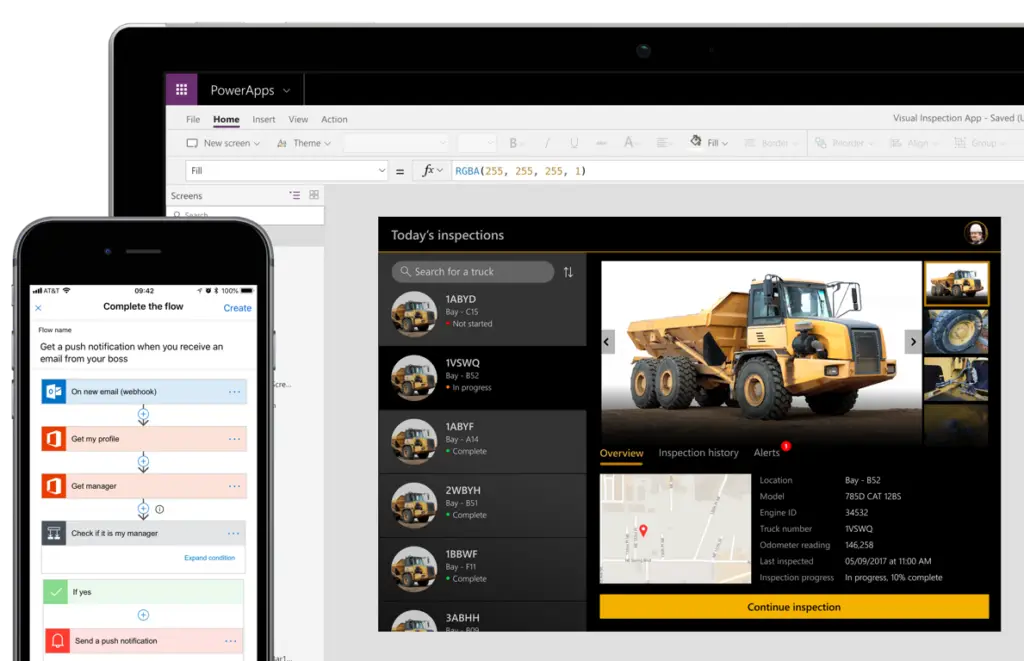
Microsoft Power Apps dominates the enterprise low-code space for organizations already using Microsoft 365 and Azure services. The platform integrates seamlessly with Microsoft’s entire ecosystem, making it the natural choice for companies standardized on Microsoft technologies.
Key Capabilities:
- AI Builder: Incorporate artificial intelligence into applications without data science expertise
- Power Automate Integration: Connect workflows across 500+ services and applications
- Dataverse: Built-in database platform that handles complex data relationships
- Canvas Apps: Pixel-perfect applications with complete design control
- Model-Driven Apps: Database-first applications for data-intensive operations
Pricing: Starts at $5 per user/month for basic features; premium connectors require additional licensing
Real-World Use Case: A healthcare organization built a patient scheduling system in 3 weeks that integrated with their existing EHR, reduced no-shows by 35%, and saved $250,000 annually in administrative costs.
Learn more: Power Platform Consulting Services
Salesforce Lightning Platform
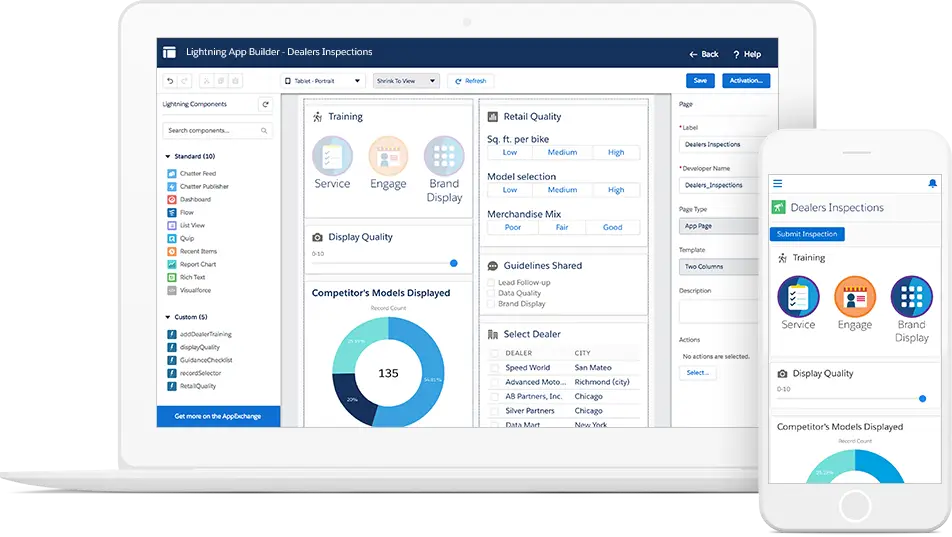
Salesforce Lightning Platform is ideal for companies building customer-facing applications and extending Salesforce functionality. The platform turns the world’s most popular CRM into an application development environment, allowing organizations using Salesforce to extend their existing investment by building custom applications that share the same data model and user experience.
Key Capabilities:
- Apex Code: Custom business logic for complex operations
- Lightning Components: Reusable UI components that maintain Salesforce look and feel
- Einstein AI: Predictive analytics and intelligent automation built into applications
- AppExchange: Marketplace with thousands of pre-built applications and components
- Mobile SDK: Native iOS and Android development tools
Pricing: Starts at $25 per user/month; enterprise licensing available
Real-World Use Case: A financial services company created a loan application processing system that reduced approval times from 5 days to 4 hours while maintaining compliance with regulatory requirements.
OutSystems
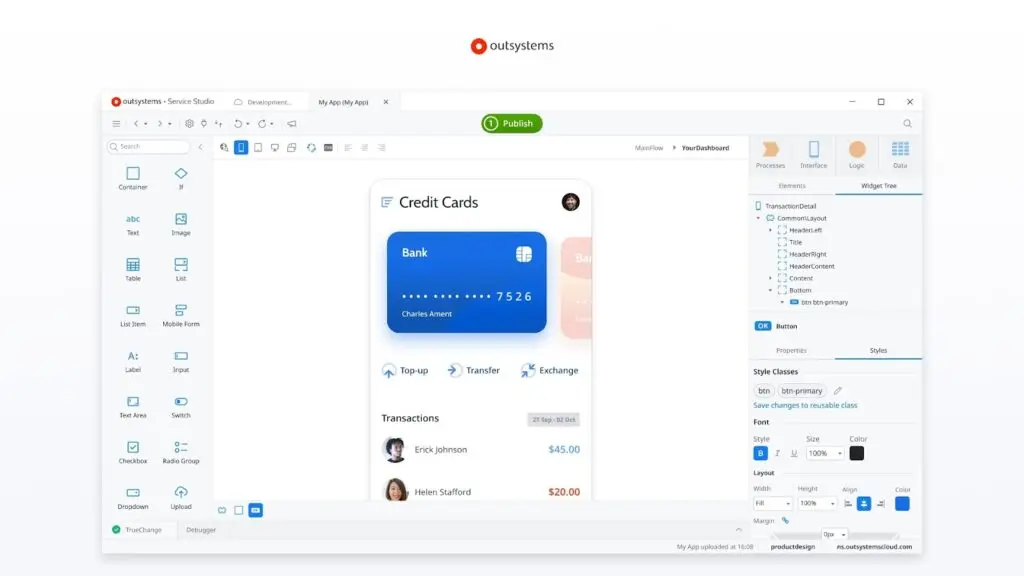
OutSystems positions itself at the intersection of low-code and high-performance computing, making it perfect for large enterprises building mission-critical applications with complex requirements. The platform handles enterprise-scale applications that demand speed, security, and sophisticated functionality.
Key Capabilities:
- AI-Assisted Development: Automated testing, performance monitoring, and code optimization
- Architecture Dashboard: Visual tools for managing application portfolios across teams
- Mobile-First Design: Native mobile app development with offline capabilities
- Integration Studio: Pre-built connectors for enterprise systems and custom API development
- Full-Stack Development: Combine visual development with traditional coding when needed
Pricing: Custom enterprise pricing based on application complexity and user count
Real-World Use Case: A global manufacturer replaced legacy systems with OutSystems applications that handle 50 million transactions daily across 40 countries, reducing IT costs by 40%.

Appian
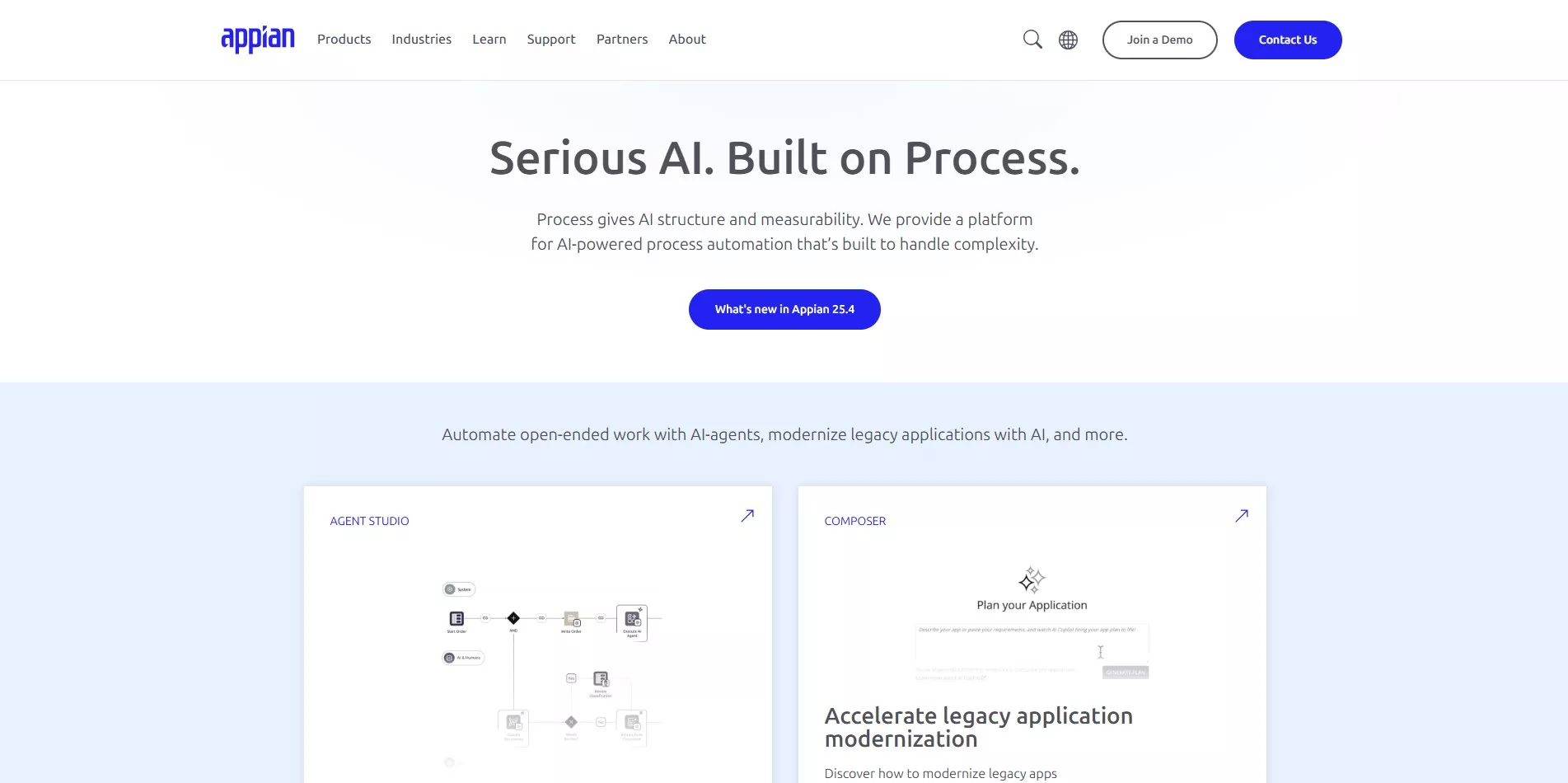
Appian excels at applications where process automation drives business value, making it the top choice for organizations focused on workflow automation and business process management. The platform combines low-code development with robust workflow engines that handle complex, multi-step business processes.
Key Capabilities:
- Process Mining: Analyze existing workflows to identify automation opportunities
- RPA Integration: Connect with robotic process automation tools for end-to-end automation
- Case Management: Handle complex, document-intensive workflows
- Intelligent Document Processing: Extract data from unstructured documents using AI
- Real-Time Analytics: Monitor process performance and identify bottlenecks
Pricing: Custom enterprise pricing with subscription and cloud deployment options
Real-World Use Case: An insurance company automated claims processing, reducing processing time from 10 days to 2 days while improving accuracy by 95%.
Related: Workflow Automation Services
Mendix
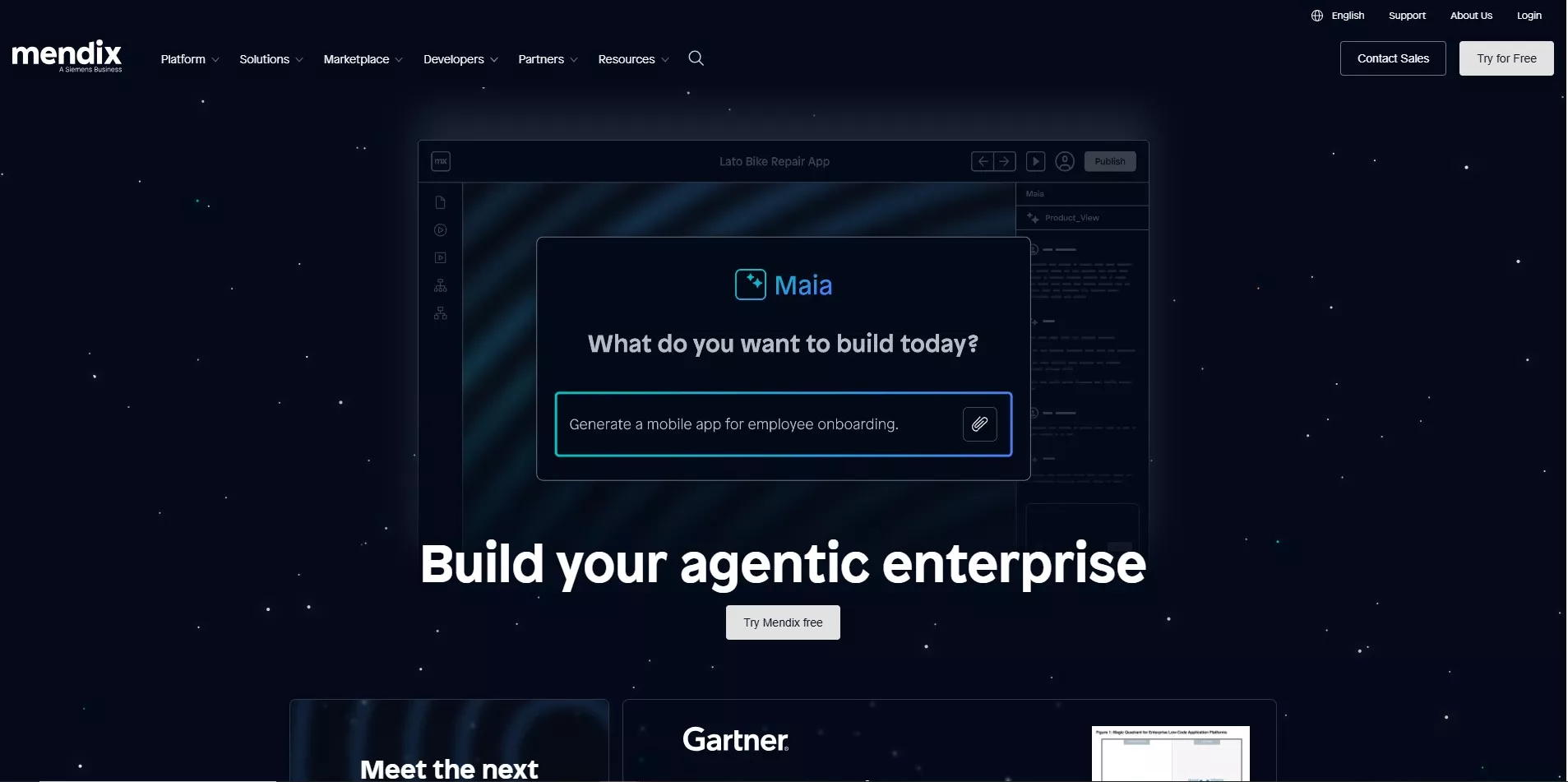
Mendix appeals to professional development teams seeking flexibility and control without abandoning low-code benefits. The platform supports complex integrations, custom code when needed, and sophisticated application architectures.
Key Capabilities:
- Mendix Studio Pro: Advanced IDE for professional developers
- Model-Driven Development: Visual models automatically generate application code
- Private Cloud Support: Deploy on-premises or in private cloud environments
- Version Control Integration: Full Git support for enterprise development workflows
- Multi-Cloud Deployment: Run applications on AWS, Azure, Google Cloud, or IBM Cloud
Pricing: Free tier available; professional plans start at $2,000 per month
Real-World Use Case: A logistics company built a supply chain management platform that processes 100,000 daily transactions across 15 countries, replacing three separate legacy systems.
Google AppSheet
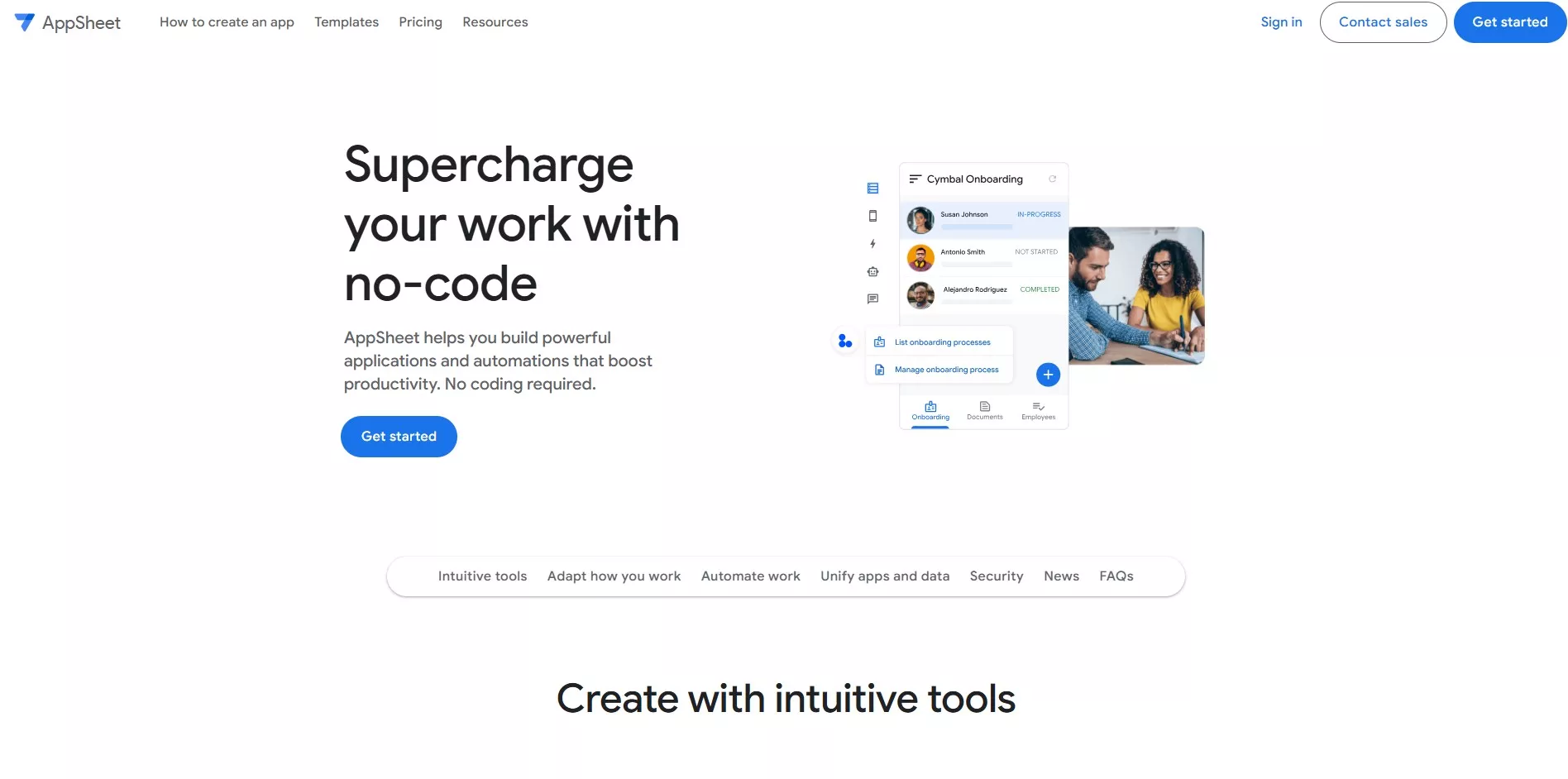
Google AppSheet transforms spreadsheets and databases into functional applications without writing code, making it perfect for small to medium businesses building data-centric applications on Google Workspace. Organizations already using Google Workspace benefit from native integration with Sheets, Drive, Forms, and other Google services. As Google Cloud’s flagship no-code/low-code platform, AppSheet continues to gain enterprise adoption.
Key Capabilities:
- Automatic App Generation: Build applications directly from existing spreadsheets, SQL databases, or cloud storage
- Offline Functionality: Full offline access with automatic data synchronization when connected
- Workflow Automation: Create bots that trigger actions based on data changes, schedules, or conditions
- Custom Branding: White-label applications with custom domains and company branding
- Google Cloud Integration: Native connections to BigQuery, Cloud SQL, Firebase, and Google APIs
- AI and ML Features: Built-in computer vision, OCR, sentiment analysis, and predictive models
Pricing: Starts at $5 per user/month for Core plan; Premium features available at $10 per user/month
Real-World Use Case: A construction company created a field inspection app in 2 days that replaced paper forms, improved data accuracy by 85%, and saved 10 hours weekly per inspector while enabling real-time reporting to project managers.
low-code development platforms for web applications
ServiceNow App Engine
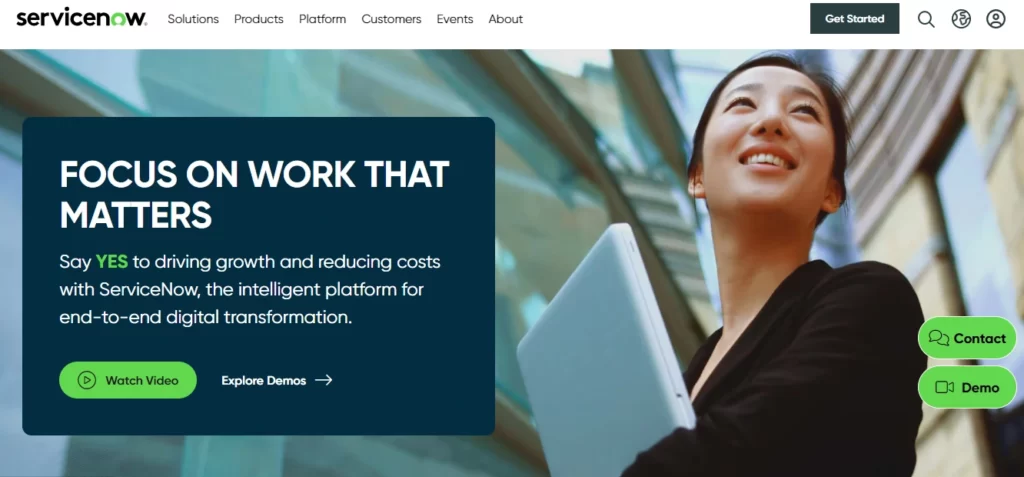
ServiceNow App Engine transforms the leading enterprise workflow platform into a comprehensive low-code development environment, specifically designed for large enterprises building workflow automation, IT service management, and process-driven applications. Organizations using ServiceNow for IT service management can extend their investment by building custom applications that integrate seamlessly with existing workflows.
Key Capabilities:
- Now Assist for Creator: AI-powered development assistant that generates code from natural language
- App Engine Studio: Three-tiered IDE supporting citizen developers, business technologists, and professional developers
- AI Agent Studio: Build and customize AI agents using natural language and automation
- Flow Designer: No-code workflow builder for complex business processes and approvals
- Process Mining: Analyze and optimize existing workflows before automation
- Integration Hub: Pre-built connectors for 500+ enterprise systems
Pricing: Bundled with ServiceNow subscriptions; contact for enterprise pricing
Real-World Use Case: A global manufacturing company built an asset management system that tracks 50,000+ pieces of equipment across 30 countries, reducing downtime by 45% and maintenance costs by $3 million annually.
Related: Digital Transformation Services
Zoho Creator
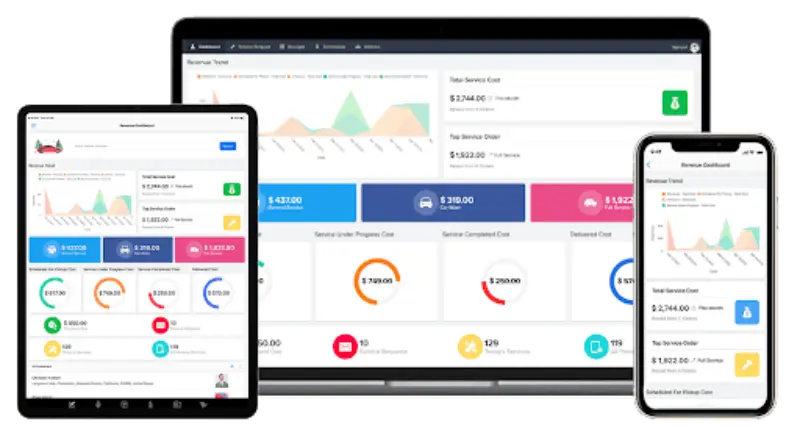
Zoho Creator delivers solid low-code capabilities at prices that make sense for small businesses and startups needing cost-effective application development. The platform integrates with the broader Zoho ecosystem while maintaining competitive pricing.
Key Capabilities:
- Deluge Scripting: Proprietary scripting language for custom functionality
- Multi-Platform Publishing: Deploy to web, iOS, and Android simultaneously
- Zoho Suite Integration: Connect with Zoho CRM, Books, Desk, and other products
- Custom Domains: Host applications on branded domains
- Report Builder: Create detailed reports and dashboards from application data
Pricing: Starts at $10 per user/month with volume discounts
Real-World Use Case: A retail chain built an inventory management system that tracks stock across 25 locations, generates automatic reorder alerts, and reduced stockouts by 60%.
Quick Base
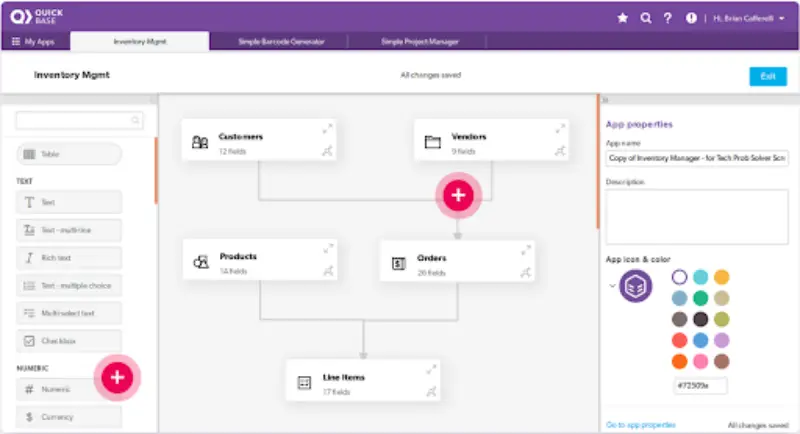
Quick Base focuses on database-driven applications where data management and reporting drive business value, making it ideal for teams building applications around complex data relationships and reporting. The platform excels at applications that replace complex spreadsheets or coordinate work across multiple departments.
Key Capabilities:
- Relationships and Formulas: Model complex data relationships without database expertise
- Dynamic Forms: Create context-aware forms that adjust based on user input or data
- Pipelines: Automate data movement between applications and external systems
- Advanced Permissions: Granular control over who sees and edits specific data
- Extensive API: Programmatic access to all platform features for custom integrations
Pricing: Starts at $600 per month for teams up to 20 users
Real-World Use Case: A marketing agency built a project management system that handles 200+ concurrent campaigns, integrates with time tracking and billing, and provides real-time profitability insights.

low-code development tools for enterprises
Retool
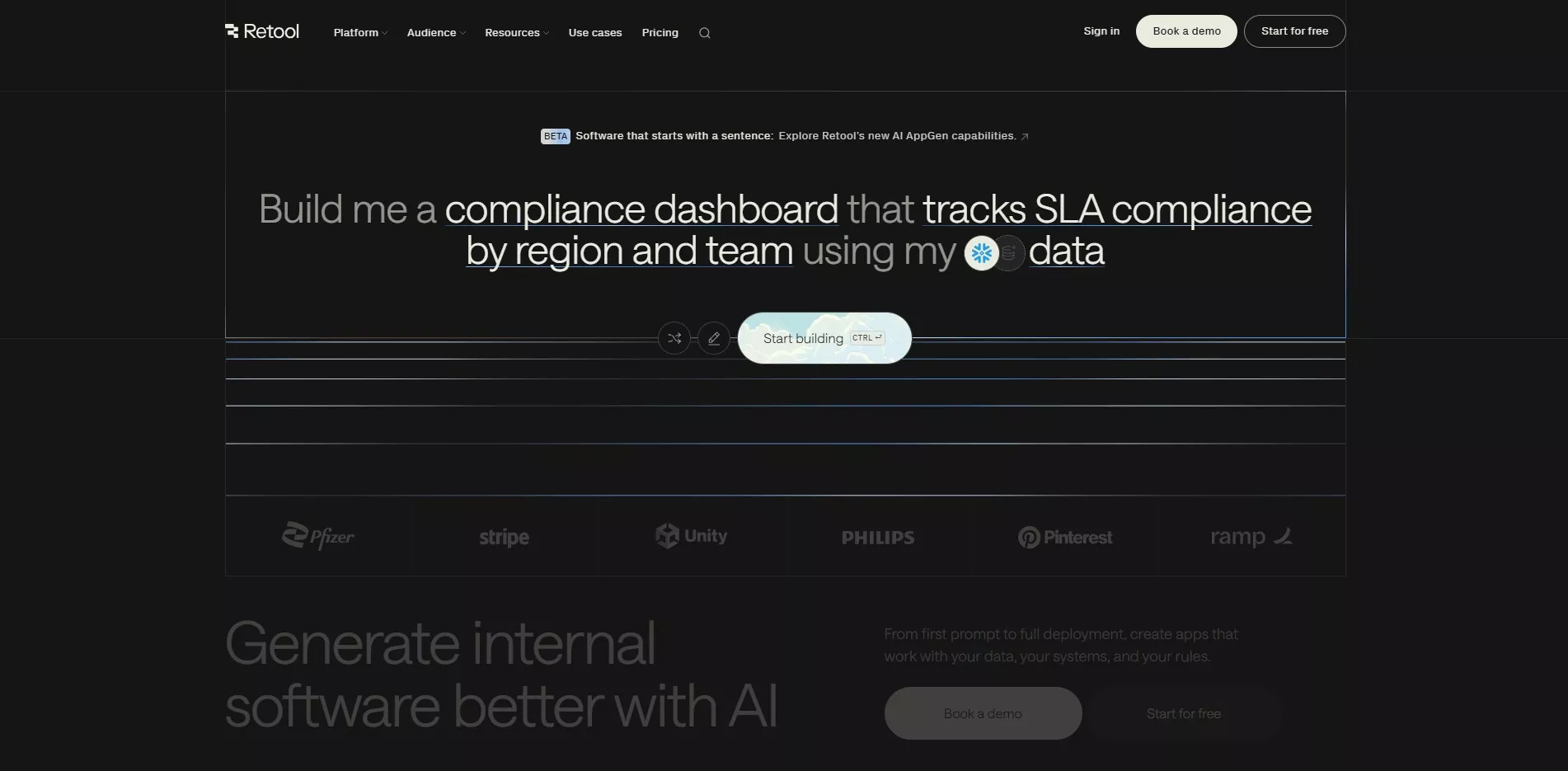
Retool has emerged as one of the most popular low-code platforms for technical teams building internal tools, admin panels, and data-driven applications quickly. The platform strikes a balance between visual development and code flexibility, making it ideal for developers who want speed without sacrificing customization.
Amazon, DoorDash, OpenAI, Mercedes-Benz, American Express, and Brex use Retool to build mission-critical internal tools across operations, billing, customer support, and business intelligence.
Key Capabilities:
- 100+ Pre-Built Components: Drag-and-drop UI elements including tables, charts, forms, buttons, and complex data visualization components
- Universal Database Support: Native connections to PostgreSQL, MySQL, MongoDB, Amazon Redshift, Snowflake, and virtually any SQL database
- API Integration: Connect to REST APIs, GraphQL endpoints, and third-party services with pre-built connectors
- Custom Code Support: Write JavaScript and SQL directly in the platform for complex logic and queries
- Workflow Automation: Build scheduled jobs and automated workflows that handle business processes
- Version Control: Git integration for managing changes, code reviews, and deployment workflows
- AI Assistance: Built-in AI copilot helps generate JavaScript and SQL queries, accelerating development
Pricing: Free tier available; Team plan at $12 per user/month; Business plan at $50 per user/month; custom Enterprise pricing
Real-World Use Case: A multi-location retail chain built a complete suite of internal tools used across 22 dealerships, replacing fragile spreadsheet-based systems and reducing development time by 50% compared to custom development.
Related: Custom Software Development Services
With so many options available, making the right choice requires clarity.
How to Choose the Right Low-Code Platform for Your Business Needs
Selecting the wrong platform creates technical debt and wasted resources. These criteria help avoid costly mistakes that derail digital transformation initiatives.
Assess Current Technology Infrastructure
Start with what’s already in place. Organizations heavily invested in Microsoft technologies benefit from Power Apps. Companies using Salesforce should evaluate Lightning Platform first. Google Workspace users should consider AppSheet. Compatibility with existing systems reduces integration complexity and shortens learning curves.
Risk mitigation: Choosing platforms incompatible with existing infrastructure leads to integration nightmares and extended timelines.
Evaluate Required Security and Compliance Standards
Regulated industries face specific requirements. Healthcare organizations need HIPAA compliance. Financial services require SOC 2 Type II certification. European operations mandate GDPR compliance. Verify platforms meet necessary compliance standards before investing significant time in evaluation.
Path to success: Start with compliance requirements as non-negotiables. Eliminate platforms that don’t meet standards immediately.
Consider Development Team Capabilities
Match platform complexity to team capabilities. Professional development teams benefit from platforms like Mendix or OutSystems that support custom code. Business users need simpler interfaces like Zoho Creator or AppSheet.
Path to success: Involve actual users in platform evaluation. Their comfort level during trials predicts long-term adoption success.
Calculate Total Cost of Ownership
Look beyond monthly subscription fees. Total cost includes per-user licensing, premium connector charges, additional storage, training expenses, integration development time, and ongoing maintenance requirements.
Test With Real Use Cases
Most platforms offer free trials or developer tiers. Build an actual business application (not a tutorial example) during the trial period. This reveals practical limitations that don’t appear in marketing materials.
Involve end users in testing. Their feedback on usability and functionality matters more than feature checklists.
Path to success: Test with 2-3 representative use cases that mirror real business needs. Evaluate how quickly you can build functional prototypes and how easily non-technical users can understand the platform.
Need guidance choosing the right platform? Bitcot’s consultants help organizations evaluate low-code options based on specific business requirements, technical infrastructure, and team capabilities. Schedule a free consultation to discuss your project.
Expert guidance can accelerate success and prevent costly missteps.

top low-code platforms for rapid application development
When Professional Low-Code Development Services Add Value
Low-code platforms reduce development complexity, but they don’t eliminate the need for expertise. The difference between a failed low-code project and transformative success often comes down to experienced implementation partners.
Bitcot’s low-code development services help organizations maximize their platform investments through:
Platform Selection Consulting: Evaluate business requirements and recommend optimal platforms based on current infrastructure, budget, and technical capabilities, preventing costly platform selection mistakes.
Accelerated Implementation: Experienced developers build applications faster while following best practices for scalability and maintainability. Organizations typically reduce time-to-production significantly with expert guidance compared to in-house learning curves.
Complex Integration Support: Connect low-code applications with existing enterprise systems, legacy databases, and third-party services, preventing data silos and ensuring seamless workflows.
Training and Enablement: Equip internal teams with skills to maintain and extend applications independently, ensuring long-term platform value beyond initial implementation.
Bitcot’s Low-Code Development Process:
- Discovery & Assessment – Understand business goals, evaluate current infrastructure, identify optimal platforms
- Strategy & Planning – Design application architecture, define success metrics, create implementation roadmap
- Rapid Development – Build applications using proven low-code best practices and reusable components
- Integration & Testing – Connect systems, validate functionality, ensure performance and security
- Deployment & Training – Launch applications, train internal teams, establish ongoing support
Explore services: Low-Code Development Services
Every technology has constraints; understanding them ensures success.
Common Low-Code Platform Limitations and How to Address Them
Low-code platforms deliver tremendous value but aren’t perfect solutions for every scenario. Understanding limitations prevents costly mistakes and project failures.
Performance Constraints for High-Volume Applications
Visual development and abstraction layers sometimes create performance bottlenecks. Applications handling millions of daily transactions may require traditional development approaches or hybrid solutions.
Solution: Use low-code for user interfaces and business logic while implementing performance-critical operations in traditional code.
Vendor Lock-In Concerns
Moving applications between platforms ranges from difficult to impossible, creating dependency on vendor pricing and feature roadmaps.
Solution: Prioritize platforms with strong export capabilities, standard technologies (SQL databases, REST APIs), and established market positions. Maintain detailed documentation of business logic.
Failure avoidance: Never build mission-critical applications on platforms with uncertain futures or poor financial stability.
Limited Customization in Specific Areas
Pre-built components accelerate development but sometimes don’t match exact requirements.
Solution: Choose platforms that allow custom component development. Consider hybrid approaches where low-code handles most functionality while custom code addresses specific requirements.
The technology continues advancing with exciting new capabilities.
Future Trends Shaping Low-Code Platform Evolution
The low-code market continues evolving rapidly. These trends will define the next generation of platforms.
AI-Powered Development Assistance
Artificial intelligence has evolved from experimental features to core platform capabilities. Leading platforms now offer:
- Automatic Code Generation: Describe requirements in natural language; AI generates application structure and business logic
- Intelligent Component Suggestions: Platforms recommend components based on similar applications and proven patterns
- Automated Testing: AI generates comprehensive test cases, identifies edge cases, and verifies application behavior
- Performance Optimization: Systems automatically identify and resolve performance bottlenecks in real-time
Deeper Integration With AI and Machine Learning
Applications now routinely incorporate AI features without requiring data science expertise. Enterprise platforms provide:
- Predictive Analytics: Forecast trends and patterns based on historical data analysis
- Natural Language Processing: Build sophisticated chatbots and text analysis tools
- Computer Vision: Process and analyze images, video, and documents automatically
- Recommendation Engines: Deliver personalized content and intelligent suggestions
Improved Mobile-First Experiences
Mobile applications continue growing in importance. Next-generation platforms focus on:
- Native Mobile Performance: Applications that match native app responsiveness
- Offline-First Architecture: Full functionality without internet connectivity
- Mobile-Specific Components: UI elements optimized for touch interfaces
- Progressive Web App Support: Web applications that behave like native apps
Industry-Specific Templates and Solutions
Generic platforms are giving way to specialized solutions. Vertical-focused platforms provide:
- Pre-Built Industry Applications: Templates for common use cases (patient portals, inventory systems, CRM tools)
- Compliance-Ready Features: Built-in controls for industry regulations
- Industry Data Models: Pre-configured database structures for specific sectors
- Domain-Specific Components: Specialized UI elements for healthcare, finance, manufacturing
With the landscape clear, it’s time to take action on your goals.
Making the Decision: Next Steps for Low-Code Adoption
Low-code platforms represent a fundamental shift in how software gets built. The technology has matured beyond early limitations to become a viable approach for serious business applications.
Success requires matching platform capabilities to business needs, understanding limitations, and setting realistic expectations. Companies that approach low-code strategically (combining platform automation with human expertise) achieve the best outcomes.
Your Action Plan:
Immediate Actions (This Week):
- Identify 2-3 specific use cases where low-code could deliver quick wins
- Evaluate which platforms align with your current technology stack
- Request demos or free trials from shortlisted platforms
Short-Term Actions (This Month):
- Run a pilot project with chosen platform on a non-critical application
- Involve actual end-users in testing and feedback
- Assess internal team capabilities and training needs
Long-Term Success (Next Quarter):
- Scale successful pilots to production applications
- Establish governance and best practices for low-code development
- Consider partnering with experienced implementation experts for complex projects
For organizations ready to accelerate development timelines, reduce costs, and empower business users, the platforms outlined here provide proven starting points. The key is beginning with clear use cases, testing thoroughly, and scaling gradually based on results.
Looking to explore how low-code development can accelerate your next project? Bitcot’s experienced team can help evaluate options, build scalable applications, and support internal teams for long-term success.
Schedule a consultation to discuss your requirements and receive a customized implementation roadmap.
Still have questions? Here are answers to common concerns.
Frequently Asked Questions About Low-Code Platforms
Low-code platforms require some technical knowledge and allow custom coding for complex functionality. No-code platforms eliminate all programming, targeting non-technical users. Low-code offers more flexibility; no-code provides simpler interfaces. Yes, platforms like OutSystems, Mendix, and Microsoft Power Apps power mission-critical enterprise applications handling millions of transactions. Success depends on proper architecture, platform selection, and performance optimization. Basic proficiency takes 1-2 weeks for technically-inclined users. Building production-ready applications requires 1-3 months of experience. Professional developers adapt faster than business users. Security depends on platform choice and implementation practices. Enterprise platforms like Microsoft, Salesforce, and OutSystems meet strict security standards including SOC 2, HIPAA, and GDPR compliance. Follow security best practices during development. This is a legitimate concern called vendor lock-in. Mitigate risk by choosing established vendors with strong market positions. Maintain detailed documentation of business logic. Some platforms offer export capabilities, though migration remains challenging. Most platforms provide extensive integration capabilities through REST APIs, pre-built connectors, and custom integration tools. Complex legacy system integrations may require additional middleware or custom development. No. Low-code augments development teams rather than replacing them. Professional developers focus on complex problems while business users handle simpler applications. The best outcomes combine both approaches. Internal business applications, workflows, forms, mobile apps, customer portals, and database applications excel on low-code platforms. Complex consumer applications with unique requirements may still need traditional development. Savings vary widely but typically range from 40-70% compared to traditional development. Factors include application complexity, team composition, and existing technical infrastructure. Calculate total cost of ownership, not just subscription fees. Yes, enterprise platforms include collaboration features, version control, and role-based access. Multiple developers can work simultaneously on different parts of the same application. Team size depends on platform capabilities and application complexity.
What's the difference between low-code and no-code platforms?
Can low-code platforms handle enterprise-scale applications?
How long does it take to learn a low-code platform?
Are low-code applications secure?
What happens if the low-code vendor shuts down or raises prices?
Can low-code applications integrate with existing systems?
Do low-code platforms replace traditional developers?
What types of applications work best on low-code platforms?
How much can organizations save using low-code platforms?
Can multiple people work on the same low-code application?