Key Takeaways
- Delegated access multiplies the test surface: every screen must be checked for every account a user can act for.
- Tests refer to personas and account positions, never to people.
- Names are compared silently in memory and never written to reports, logs or error messages.
- Credentials never pass through the AI agent, and a rejected password is never retried.
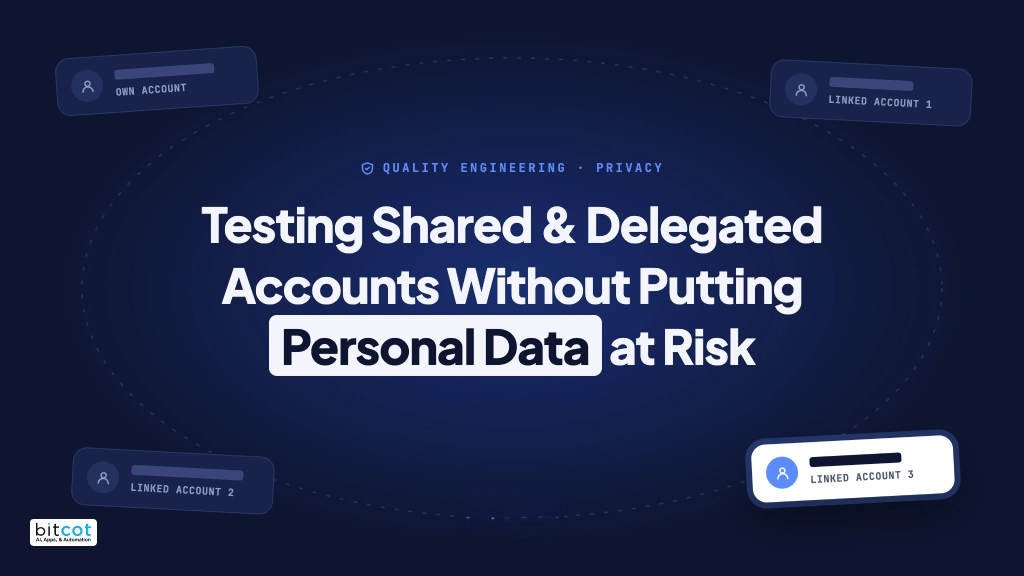
Family accounts, caregiver access, assistants acting for executives: delegated access multiplies what you need to test and raises the stakes on privacy. Here is how we test every account thoroughly, without a single name in a log.
Why delegated access is hard to test
More and more applications let one person act on behalf of another. A parent manages a child’s account. A caregiver helps an older relative. An assistant handles a manager’s bookings. A finance team member acts for several business units. For users, this is a valuable feature. For quality engineering, it is one of the hardest areas to cover well, for two reasons.
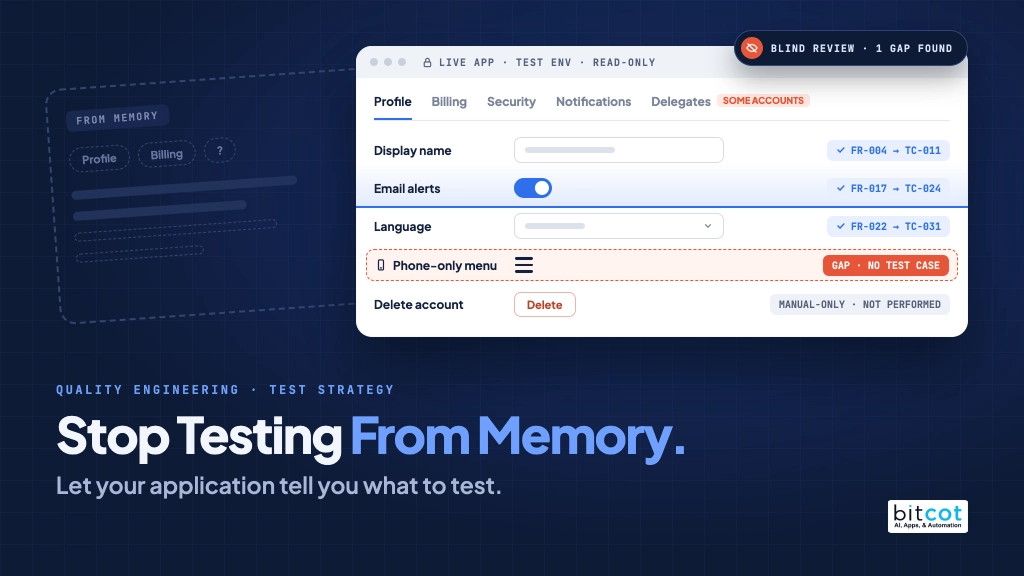
The test surface multiplies. Every screen now needs to be checked for the user’s own account and again for each account they can act for. Each of those accounts may see different menus, tabs and permissions depending on the relationship.
Privacy is at stake. The obvious way to write these tests puts real names and account numbers into test steps, error messages, screenshots and logs. In regulated industries such as healthcare and financial services, that is not acceptable, even in a test environment.
For an enterprise client in a regulated industry, Bitcot built AI-assisted tooling that tests every delegated account across every major module while keeping personal data out of every artifact it produces.
How fast the test surface grows
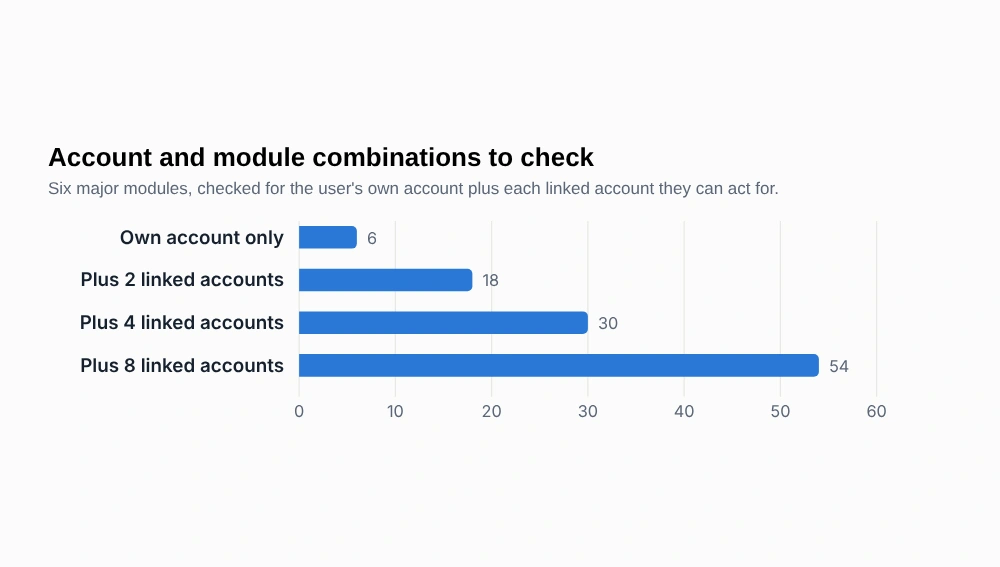
Consider a single test user who can act for eight other accounts, which is exactly the situation we found in the client’s test environment. With six major modules to check, the number of account-and-module combinations grows quickly.
View the data as a table
| Linked accounts | Combinations |
|---|---|
| Own account only | 6 |
| Plus 2 linked accounts | 18 |
| Plus 4 linked accounts | 30 |
| Plus 8 linked accounts | 54 |
Figure 1. The arithmetic is simple: (1 + linked accounts) × modules. With eight linked accounts, one user already means 54 distinct combinations, before any variation within a module.
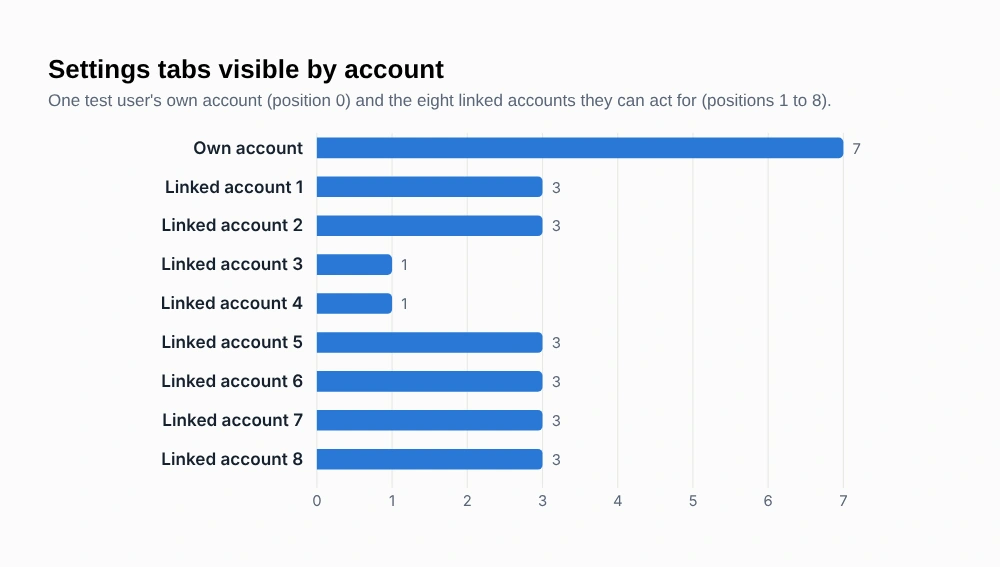
And those combinations are not identical. In the same environment, the account-settings area showed seven tabs for the user’s own account, three tabs for six of the linked accounts, and a single tab for the other two.
View the data as a table
| Account | Tabs visible |
|---|---|
| Own account | 7 |
| Linked account 1 | 3 |
| Linked account 2 | 3 |
| Linked account 3 | 1 |
| Linked account 4 | 1 |
| Linked account 5 | 3 |
| Linked account 6 | 3 |
| Linked account 7 | 3 |
| Linked account 8 | 3 |
Figure 2. None of the linked accounts showed the sign-in related tabs, and two showed only one tab. Testing the own account alone would have missed every one of these differences.
Principle 1: Test roles, not people
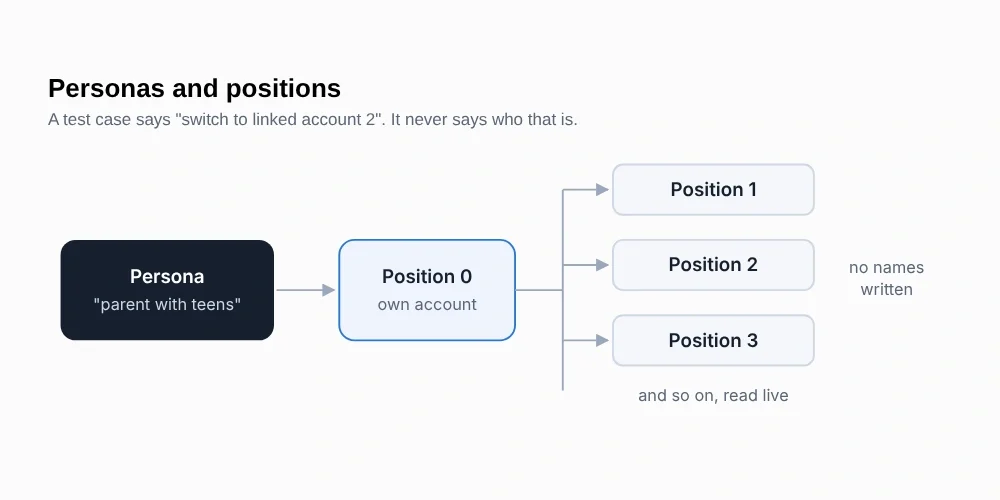
Our tests never refer to individuals. They refer to personas, such as “a parent with teenagers” or “a caregiver with one linked account”. A small, private mapping connects each test login to its persona name, and test cases and scripts only ever mention the persona.
The accounts a persona can act for are addressed by their position in the account list.
Principle 2: Compare silently
When a test switches to a linked account, it needs to confirm the screen now shows the right person. Our tooling reads the name from the screen, compares it in memory and moves on. It never puts the name into a log, a report or an error message.
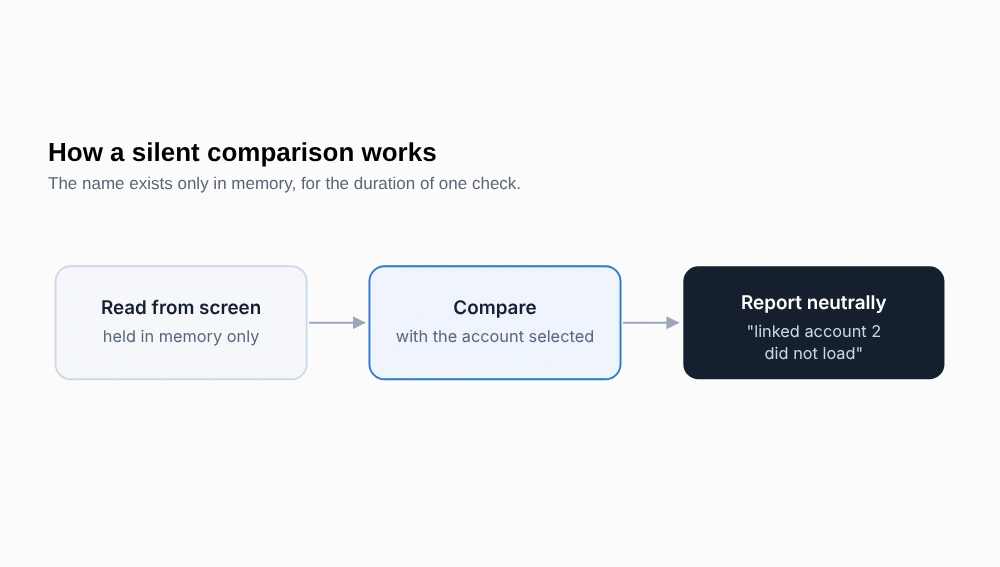
That last step matters more than it sounds. Standard test automation tools are designed to be helpful when a check fails, so they quote exactly what was on the screen. In this context, that would print a person’s name and account number straight into a test report. Our tooling wraps every sensitive check so that any failure is re-raised with a neutral message instead.
A good failure message tells you what went wrong. It should never tell you who it happened to.
Principle 3: Keep credentials away from the AI
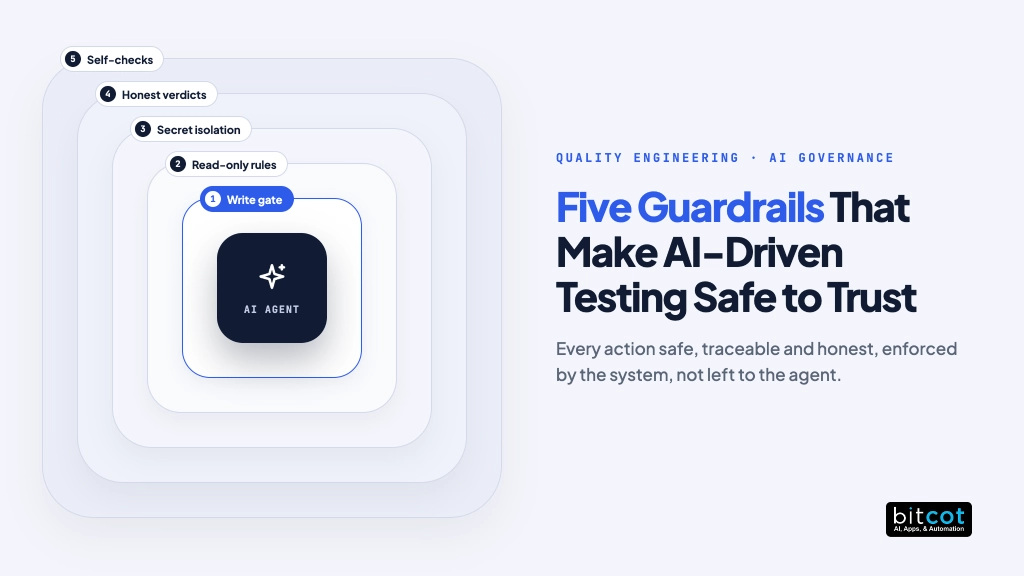
AI agents drive these tests, but they never see a password. The sign-in path is designed around that rule:
- Stored locally. Credentials live in protected local files that are never committed and never shared.
- Typed by the script. The test script reads the credential at the moment of sign-in and the browser automation types it directly. It never passes through a prompt or an AI tool call.
- Recorded only afterwards. Session recordings start only after sign-in is complete, because recordings capture typed text.
- Cleaned before saving. When a run ends, recordings are scrubbed of the password and all session data before they are stored.
- Never retried. If a password is rejected, the run stops immediately with a one-line message naming the persona. No loops, no account lockouts.
Each persona also has its own dedicated browser profile.. That keeps sessions isolated, and it means tests for different personas can run side by side without ever sharing a session.
Principle 4: Verify identity, not row number
One early bug taught us a lot. The account list sorted accounts by a date field, and two accounts with the same date could swap places each time the list opened. A test that checked “the active marker is on row 3” passed on one run and failed on the next, with nothing wrong in the application.
The fix was to verify the active account by the row’s identity, compared silently, rather than by its index. The tooling also reads every row in a single pass and waits until two reads a moment apart agree, because the list redraws just after it opens. Flaky tests are not only annoying; they teach a team to ignore real failures.
Principle 5: One broken account should not hide the rest
Test data is never perfect. Sometimes one linked account fails to load and leaves the session stuck in that context. A simple loop would then fail every account after it, burying the real results.
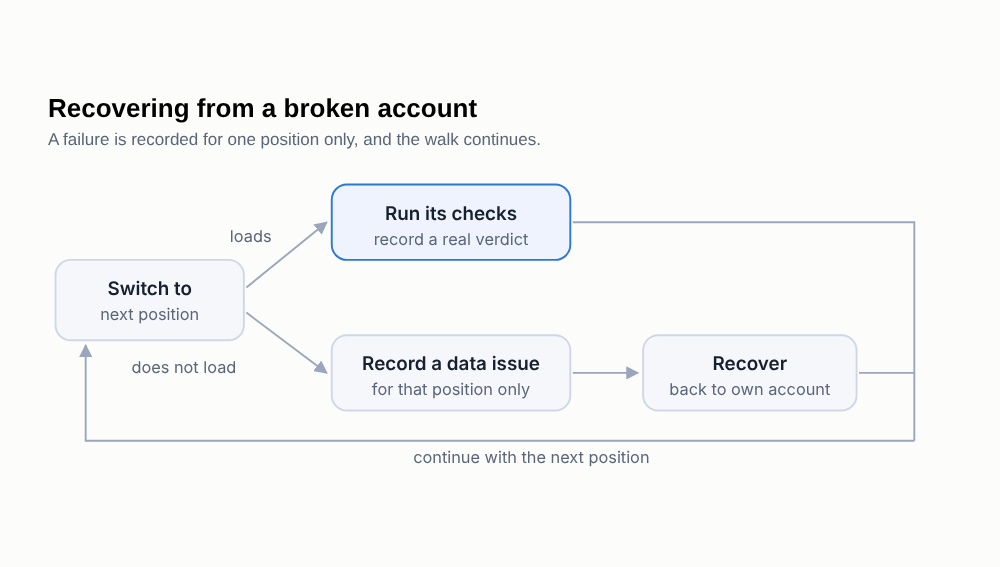
The same thinking applies to missing data. If a test needs a third linked account and the persona has only two, the result is blocked, not failed. Product defects and test-data gaps are always reported separately.
Principle 6: Map how accounts differ
Beyond switching between accounts, teams need to know what each account type can actually see. Our tooling produces a map of which modules, tabs and features are present for each persona and each linked account, with all names and numbers masked. It refuses to save a half-finished capture or one where the account switch did not actually take effect, and it carries earlier review decisions across a re-run so reviewers never lose their work.
In practice the map reveals the interesting cases within minutes: one relationship type that shows three settings while another shows only one, or a module whose navigation link does not exist for a particular type of account. Each difference becomes a targeted test.
The four families of test cases
| Family | What it covers |
|---|---|
| The switcher | Both ways to open it, the account list, selecting every account in turn, the active marker, switching between linked accounts, and returning to the user’s own account. |
| Home page per account | Greeting, shortcuts, cards, headings, keyboard use and phone width for each linked account. |
| Per-account checks | The switcher checks repeated for one position at a time, so a failure points to exactly one account. |
| Modules per account | Each major module opens in the selected account’s context, shows the right sections, and returns to the same account. |
Where this applies
- Healthcare: proxy and caregiver access to records, appointments and billing.
- Financial services: joint accounts, authorized users and business delegations.
- Education: parent and guardian access to student accounts.
- Insurance: policyholders managing dependents and beneficiaries.
- Enterprise software: administrator, delegate and assistant roles.

Frequently Asked Questions
What is delegated account testing?
Delegated account testing checks every screen for the user’s own account and again for each linked account they can act for, such as a child’s, a relative’s or a manager’s account. Each linked account can show different menus, tabs and permissions, so testing the own account alone misses real differences. In custom software development projects with delegated access, the tests refer to personas and account positions rather than names, so no personal data reaches a log.
What is the difference between a blocked test and a failed test?
A failed test means the product behaved incorrectly, while a blocked test means the test data could not support the check. For example, a test that needs a third linked account is blocked when the persona has only two. Teams doing software product development benefit from this split because defects and test-data gaps are always reported separately.
How do you keep credentials away from the AI agent?
The test script reads the credential at the moment of sign-in and the browser automation types it directly, so it never passes through a prompt or an AI tool call. Credentials stay in protected local files, recordings start only after sign-in and are scrubbed before they are stored. This discipline is part of secure web app development, and a rejected password stops the run immediately instead of being retried.
How does delegated account testing apply to healthcare and financial services?
In healthcare it covers proxy and caregiver access to records, appointments and billing, and in financial services it covers joint accounts, authorized users and business delegations. Both are regulated industries where real names and account numbers must stay out of test steps, error messages, screenshots and logs. Teams working on patient portal software development face the same multiplication of screens and permissions across linked accounts.
Q: Is privacy-first test automation worth it for shared accounts?
Yes, because delegated access multiplies the test surface while raising the stakes on privacy. With eight linked accounts and six major modules, a single user already means 54 combinations to check. For enterprise web app development, this approach gives complete coverage without a single name in a report, log or error message.