Key Takeaways
- Confirm developer verification and register every app package in Play Console.
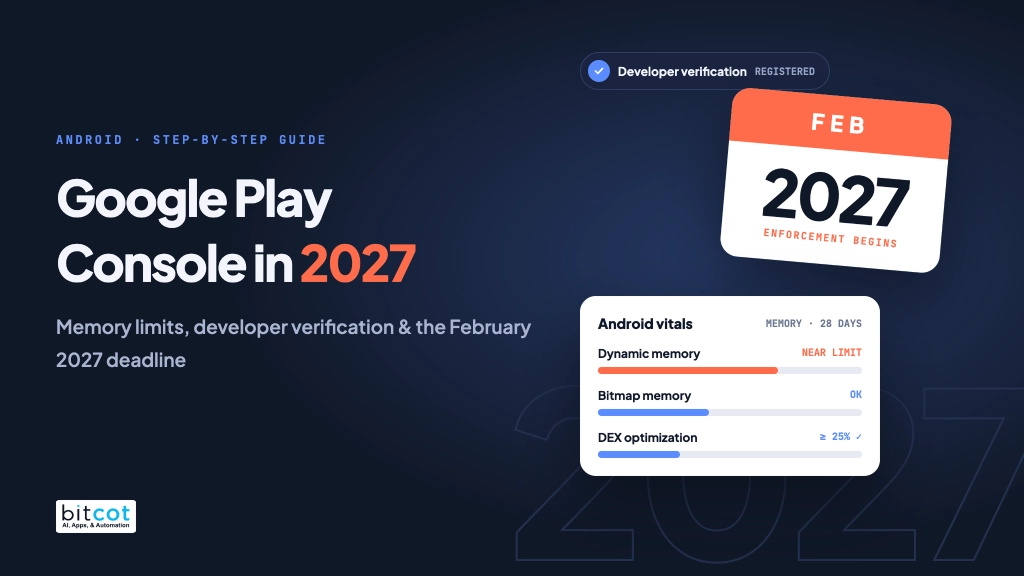
- Memory, bitmap, and DEX thresholds are enforced from February 2027.
- Enable R8 with narrow keep rules to reach 25% DEX optimization.
- Play judges 28 days of data, so start fixing now.
- Add zero-tap sign-in by April 2027 if your app has sign-in.
Overview: This guide explains the biggest Google Play Console changes for Android developers in late 2026 and shows, step by step, how to get your app ready. Follow the steps carefully so your app keeps its visibility and your releases are never blocked.
Google Play is turning app quality into a requirement. From February 2027, apps that use too much memory, hold too many decoded images, or ship unoptimized code can lose visibility and face publishing restrictions. At the same time, Android developer verification is already being enforced in four countries, and new policies on location, contacts, age signals, and trader status are rolling out.
This guide walks you through each change, the deadline attached to it, and exactly what to do in Play Console and in your code. The new Android 17 tools that help you find memory problems early are included too.
Last verified: 13 November 2026. Google updates these requirements often, so confirm the final numbers on the official Play Console Help pages before you act.
Before You Start
Make sure you have the following ready:
- Access to the Google account that owns your Play Console developer account, with permission to manage app settings.
- Your app package names (for example, com.yourcompany.appname) and access to the signing key used for each app.
- Your project source code and the ability to create a new release build.
- A recent release already live on Google Play, so Android vitals has real data to show.
Warning: Missing a Play requirement can reduce your app’s visibility or block new releases. Apps that were not registered for developer verification by 30 September 2026 are removed from Play, according to Google’s Play Console Help.
Deadline timeline at a glance
| Date | What happens | Who is affected |
|---|---|---|
| 31 Aug 2026 | Yearly target API level requirement (API 36) | All apps publishing new apps or updates |
| 30 Sep 2026 | Developer verification enforced in Brazil, Indonesia, Singapore and Thailand; unregistered Play apps removed | All Play developers |
| Nov 2026 | New memory metrics visible in Play Console; trader status declaration required | All apps; trader status for developers |
| 27 Jan 2027 | Location Permission policy becomes mandatory | Apps using location |
| Feb 2027 | Memory, bitmap and DEX optimization thresholds enforced | All apps and games |
| Apr 2027 | Zero-tap sign-in required (games exempt for now) | Apps with sign-in |
| 2027+ | Developer verification expands globally | All developers |
Part 1: Android Developer Verification
Android developer verification ties app installs on certified Android devices to a verified developer identity. Enforcement began on 30 September 2026 for users in Brazil, Indonesia, Singapore and Thailand, and Google has said it plans to expand globally in 2027. The good news: Google reports that about 99% of Play apps were registered automatically, so most developers only need a quick check.
Step 1 Open Google Play Console
Go to play.google.com/console and sign in with the Google account linked to your developer account.
Step 2 Go to the Home page
On the Play Console Home page, look for the verification status banner for your account and apps. Google shows the status and any action required here.
Step 3 Open the Android developer verification page
Open the Android developer verification page from the Play Console menu. Each of your apps is listed with its registration status next to it.
Step 4 Confirm your identity details
Verify the identity information on your developer account. Organization accounts may be asked for a D-U-N-S number and website verification, and some accounts may be asked for an official government ID.
Step 5 Register any app that is not registered
If an app shows as not registered, hover over it and follow the guidance. In a small number of cases, a draft package name is created and you must add the signing key manually by selecting Add key. Registration proves you own the package name by connecting it to your signing key.
Tip: If several developers claim the same package name, only the first registered developer is auto-registered. Others must submit a request through Play Console, so audit older apps and shared package names early.
Step 6 Register apps you distribute outside Google Play
If you also distribute APKs through your website or other stores, you can register those packages from the same Play Console page so they stay installable on certified devices. Developers who publish only outside Play use the separate Android Developer Console.
Note: New apps are registered automatically when you create them in Play Console, so this step is mainly for older apps.
Part 2: February 2027 Memory, Bitmap and DEX Requirements
This is the change with the biggest effect on everyday development. Google is adding technical quality requirements because excessive memory use causes slowdowns and app terminations on real devices. From February 2027, apps and games must meet bad-behavior thresholds for three areas, or they risk reduced visibility and publishing restrictions on Google Play.
What Play will measure
| Area | What it means | Key detail |
|---|---|---|
| Dynamic memory | Anonymous RSS plus swap/zRAM that your app holds | File-backed pages (code, assets) are excluded; evaluated by process state and device RAM class |
| Bitmap memory | Memory used by decoded images | Large or off-screen bitmaps held in memory count against you |
| DEX optimization | How much of your code is optimized, shrunk and obfuscated (R8) | Minimum 25%, enforced for apps with more than 10 MB of DEX and games with more than 50 MB |
Like existing Android vitals metrics, Play evaluates your app using the last 28 days of data, and the exact numeric thresholds depend on the device’s total RAM, from about 4 GB to above 16 GB. The exact numbers are published on the Play Console Help page, so check them for your app’s audience.
Important: A number that is fine in the foreground on a flagship phone can still fail when your app is cached in the background on a budget device. Test in more than one process state and on low-RAM devices.
Step 7 Open Android vitals
In Play Console, select your app and open Quality and then Android vitals. Google has added a memory section here, plus warnings on the overview page when your app exceeds or approaches the new thresholds.
Step 8 Review the memory metrics
Open the memory metrics and look at where you are closest to the threshold. Check each process state (foreground, background, cached) and each RAM tier. This tells you whether the problem affects everyone or only low-memory devices.
Step 9 Filter crashes and ANRs caused by memory pressure
Play Console now lets you filter crashes and ANRs caused by severe memory pressure. Use this filter to find the real-world stack traces behind the numbers.
Step 10 Check DEX optimization in the app bundle explorer
Open the App bundle explorer for your latest release. It shows your DEX size and the optimization percentage for each bundle you upload. If your DEX is below the size floor (10 MB for apps, 50 MB for games), the requirement is not enforced for you, but optimizing is still good practice.

Step 11 Enable R8 in your release build
Most DEX optimization problems come from minification being turned off. In your module-level Gradle file, turn on shrinking and resource shrinking for release builds:
android {
    buildTypes {
        release {
            isMinifyEnabled = true
            isShrinkResources = true
            proguardFiles(
                getDefaultProguardFile("proguard-android-optimize.txt"),
                "proguard-rules.pro"
            )
        }
    }
}
Tip: Use proguard-android-optimize.txt, not the older non-optimizing default file. Full optimization is what raises your DEX optimization percentage.
Step 12 Add keep rules only where needed
R8 breaks code that is reached through reflection. Add narrow keep rules for those classes only. Broad rules such as keeping an entire package lower your optimization coverage and can pull you under the 25% requirement.
# Good: narrow rule for a reflection-based model
-keep class com.yourcompany.app.model.ApiResponse { *; }

# Avoid: keeps everything and defeats optimization
# -keep class com.yourcompany.** { *; }
Step 13 Upload a new bundle and re-check
Build a release Android App Bundle, upload it to an internal or closed track, and open the App bundle explorer again. Confirm that the optimization percentage went up before you release to production.
Step 14 Reduce bitmap memory
Decoded images are often the largest memory consumer. Never load a full-resolution image into a small view. Let your image library decode at the size you actually display, and avoid keeping bitmaps in memory when they are not visible.
// Compose + Coil: the image request is sized to the composable,
// so a 120dp slot never decodes a full 4000px photo
AsyncImage(
    model = url,
    contentDescription = null,
    modifier = Modifier.size(120.dp)
)

// Plain Android: downsample large bitmaps
val opts = BitmapFactory.Options().apply {
    inJustDecodeBounds = true
}
BitmapFactory.decodeFile(path, opts)
opts.inSampleSize = calculateInSampleSize(opts, reqWidth, reqHeight)
opts.inJustDecodeBounds = false
val bitmap = BitmapFactory.decodeFile(path, opts)
Step 15 Release memory when the system asks
Android tells your app when memory is tight. Clear caches and large objects in response, so your cached-state memory stays low:
class MyApp : Application() {
    override fun onTrimMemory(level: Int) {
        super.onTrimMemory(level)
        if (level >= ComponentCallbacks2.TRIM_MEMORY_BACKGROUND) {
            imageCache.evictAll()
            largeObjectPool.clear()
        }
    }
}
Step 16 Use split bundles and dynamic delivery
Play Console also alerts you when it detects limited split-bundle usage. Using Android App Bundles with feature modules and on-demand delivery keeps rarely used code and resources out of memory and out of the install.
Tip: Re-check Android vitals after every release for the next few weeks. Play uses a 28-day window, so improvements take time to show up in the numbers.
Android 17: Tools That Make Memory Debugging Easier
Android 17 became stable on 16 June 2026, starting with supported Pixel phones, and it includes tools that fit this topic well.
Profiling trigger for app anomalies
Android 17 integrates an on-device anomaly detection service with ProfilingManager. When your app breaches OS-defined memory limits, you can receive an app-specific heap dump, and the callback fires before the system enforces any limit. For excessive binder calls, the trigger gives a stack sampling profile. This helps you fix memory issues before Play’s thresholds flag them.
@RequiresApi(37)
fun registerAnomalyProfiling(context: Context) {
    val profilingManager =
        context.getSystemService(ProfilingManager::class.java)

    val triggers = listOf(
        ProfilingTrigger.Builder(ProfilingTrigger.TRIGGER_TYPE_ANOMALY).build()
    )
    val executor = Executors.newSingleThreadExecutor()

    profilingManager.registerForAllProfilingResults(executor) { result ->
        if (result.errorCode == ProfilingResult.ERROR_NONE) {
            // Upload result.resultFilePath for analysis
            enqueueProfileUpload(result.resultFilePath)
        }
    }
    profilingManager.addProfilingTriggers(triggers)
}
Note: The code above is a simplified sketch based on the Android 17 documentation. Check the current API reference for exact signatures before shipping.
JobDebugInfo APIs
New JobDebugInfo APIs help you debug why JobScheduler jobs are not running, including the reasons a job stayed pending and for how long.
Android Contact Picker
Android 17 adds a standardized contact picker, available on API level 37 and higher, as a privacy-preserving alternative to the broad READ_CONTACTS permission. This matters because Google Play now has a Contacts Permissions policy that pushes apps without a real need for broad access toward the picker.
Other Android 17 changes worth a mention
- Handoff: lets users start an activity on one Android device and continue it on another.
- Android Advanced Protection Mode API: lets your app detect the mode and adopt a hardened security posture.
- Post-quantum APK signing: a hybrid signature scheme that pairs a classical key with a post-quantum algorithm.
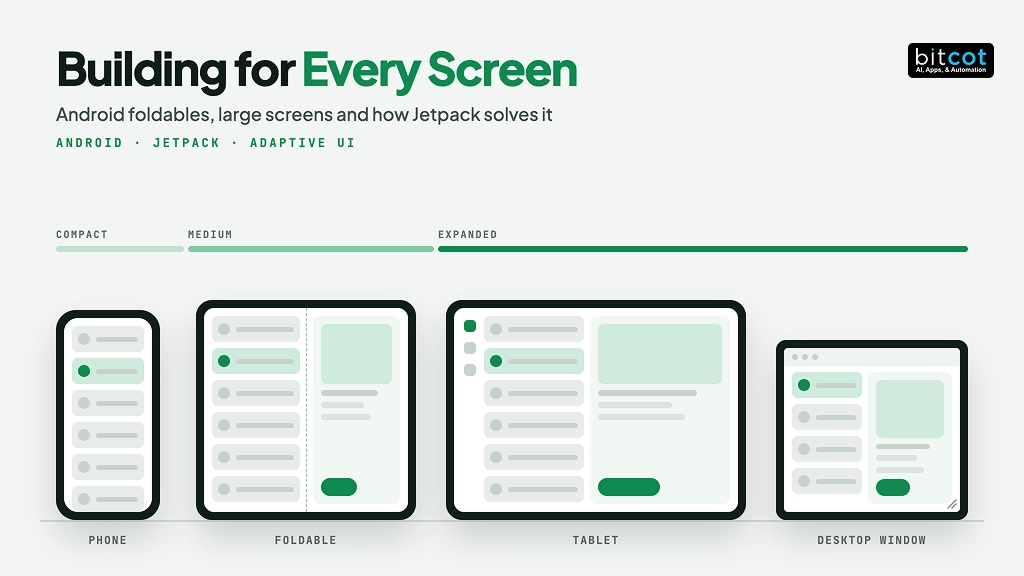
- Large screens: apps targeting API 37 can no longer opt out of orientation and resizability restrictions on screens 600dp and wider. See our guide on building for foldables and large screens.
Zero-Tap Sign-In (April 2027)
From April 2027, apps that support sign-in must support zero-tap sign-in using the Android Restore Credentials API, so returning users are signed in automatically after moving to a new phone. Games are currently exempt, though single-account games are encouraged to adopt it.
Step 17 Plan the implementation
- Add the Credential Manager dependency to your project.
- When a user signs in successfully, create a restore credential tied to their account.
- On first launch on a new device, request the restore credential before showing the login screen.
- If a restore credential is returned, sign the user in silently and skip the login UI.
// Sketch: after a successful login, store a restore credential
val credentialManager = CredentialManager.create(context)
val request = CreateRestoreCredentialRequest(
    requestJson = serverGeneratedJson,
    isCloudBackupEnabled = true
)
credentialManager.createCredential(context, request)
Note: This is a simplified sketch. Use the official Restore Credentials documentation for the exact request format your backend must generate.
Tip: Test on a device that has been migrated or factory reset, because the feature only shows its value during device migration.
New Play Policies You Should Know About
| Policy | What changes | What you should do |
|---|---|---|
| Trader status | From November 2026 you must declare trader status in Play Console | Open your developer account settings and complete the declaration |
| Location permission | Mandatory from 27 Jan 2027; use the minimum scope needed, with the location button recommended for precise location | Audit location use; switch to approximate or the location button where possible |
| Contacts permissions | Apps without a core need for broad access must use the Android Contact Picker | Replace READ_CONTACTS where you can |
| Account transfer | You must use the official Transfer ownership flow in Play Console | Never transfer accounts outside the official workflow |
| Play Age Signals API | Available globally to tailor content and safety settings to the audience | Evaluate it if your app serves mixed-age audiences |
| Call log / SMS | Account verification by phone call no longer allowed as a READ_CALL_LOG use case | Use the Digital Credentials API or SMS Retriever API |
| Deceptive behavior | Clarified that manipulating the app review process is prohibited | Keep review notes and test accounts honest |
Tip: Google also released an open-source Android skill that grounds AI assistants in Play Policies, so you can have your IDE or CLI assistant check your code against policy before you submit.
Revenue and Growth Features from Google I/O 2026
Not everything is a requirement. Google also shipped tools that help your app earn more and reach more users:
- Play Billing Library 9.0: adds in-app messaging for opt-in price increases. A blocked Play Store now returns BILLING_UNAVAILABLE.
- Churn reduction: delayed charging for low-risk users, a longer account recovery period and a new in-app subscription management API. Google reports up to an 18% reduction in involuntary churn for top developers.
- New analytics: a reach metric for total visibility, traffic-source breakdowns, subscriber tenure and churn-reason data.
- AI in Play Console: interactive Q&A on your metrics, AI-assisted localization and bulk catalog management.
- Games: a Game Stats tool that triggers quests and leaderboards from gameplay, and Play Games Sidekick, an AI overlay with no SDK work.
Final Readiness Checklist
| Done? | Task | Deadline |
|---|---|---|
| ☐ | All app packages show Registered on the verification page | Now |
| ☐ | Trader status declared | Nov 2026 |
| ☐ | Android vitals memory section reviewed for each app | Before Feb 2027 |
| ☐ | R8 enabled with narrow keep rules; DEX optimization at 25% or higher | Before Feb 2027 |
| ☐ | Large bitmaps downsampled; caches cleared on trim memory | Before Feb 2027 |
| ☐ | Location permission use audited | 27 Jan 2027 |
| ☐ | Restore Credentials implemented (if app has sign-in) | Apr 2027 |
| ☐ | Latest Billing Library adopted (if you sell in-app) | Recommended |
Common mistakes to avoid
- Testing only on a flagship phone. Thresholds depend on device RAM, so low-RAM devices are where you fail first.
- Using broad keep rules. They fix a crash quickly but lower your DEX optimization.
- Waiting until January. Play evaluates a 28-day window, so fixes need weeks to appear in the data.
- Ignoring older apps. Apps you rarely update are the ones most likely to miss registration and quality requirements.

Conclusion
Google Play’s 2026 changes boil down to four things: confirm your developer verification, measure your memory in Android vitals, turn on and tune R8, and prepare zero-tap sign-in. Because Play judges your app over a 28-day window, the safest move is to start now rather than in February. Fix the biggest bitmap and memory problems first, use the new Android 17 profiling tools to catch issues early, and keep an eye on the policy dates in the timeline above.
Frequently Asked Questions
Do I need to do anything for developer verification?
Probably only a check. Google registered most Play apps automatically. Open the Play Console and confirm that every app shows as registered, and register any that do not.
Will my app be removed if it fails the memory threshold?
Google says apps that exceed the thresholds risk reduced visibility and restricted publishing capabilities, similar to how existing Android vitals metrics are enforced. Removal is not described as the first step, but visibility loss can hurt installs.
Does the DEX requirement apply to my small app?
Only when your DEX size is non-negligible: more than 10 MB for apps and 50 MB for games. You can see your DEX size in the app bundle explorer.
Do games have to follow these rules?
Yes, for memory, bitmap, and DEX thresholds, with a higher DEX floor. Games are currently exempt from the zero-tap sign-in requirement.
Which Android versions do the new Android 17 tools need?
The profiling anomaly trigger, the contact picker, and similar APIs require Android 17 (API level 37) or higher, so use version checks and keep a fallback for older devices.
Where can I find the official numbers?
On the Play Console Help page titled Play Console technical quality requirements, and on the Android Developers Blog post about reducing memory usage and improving device migration.